

Most professionals eventually discover that a single writing assistant, even a popular one like Grammarly, does not cover every scenario they face—long-form reports, multilingual content, academic paraphrasing, or strict privacy needs. Exploring credible alternatives is less about replacing Grammarly and more about building a tailored toolkit that fits your specific workflows, industries, and budgets.
Below are six strong alternatives, with key features, pros, cons, and where each has an upper hand over Grammarly.
ProWritingAid is a deep-dive editing suite built for authors, long-form bloggers, and professionals who want more than surface-level grammar fixes.
Key features
● 25+ in-depth style and structure reports (pacing, repetitions, dialogue, overuse, consistency).
● Context-aware rephrasing and generative AI tailored for creative and long-form writing.
● Word, Google Docs, Scrivener, browser, and desktop integrations.
● Story and genre-specific feedback for fiction and non-fiction.
Pros
● Extremely rich style and structure analysis for books, reports, and long articles.
● Better big-picture context feedback than Grammarly (e.g., pacing, transitions, readability at chapter level).
● Cheaper annual pricing: around $6.58/month vs Grammarly Pro at about $12/month annually.
Cons
● Heavier and slower in real-time than Grammarly, especially in browsers.
● Learning curve because of the volume of reports and metrics.
Edge over Grammarly
● Deeper structural and stylistic analysis for long-form, whereas Grammarly prioritizes fast, real-time fixes.
● More cost-effective for power users and students needing intensive editing over large manuscripts.
QuillBot is primarily a paraphrasing and rewriting engine with built-in grammar and citation tools, popular among students and academic writers.
Key features
● 10+ paraphrasing modes (Standard, Fluency, Formal, Simple, Creative, Academic, etc.).
● Custom paraphrasing modes with synonym slider for fine-grained control.
● Grammar checker, summarizer, and citation generator.
● Supports paraphrasing in 25+ languages.
Pros
● Industry-leading paraphrasing flexibility; you can tune tone and creativity more than with Grammarly.
● More affordable plans than Grammarly for users focused on rewriting and summarizing.
● Side‑by‑side view of original vs paraphrased text for quick comparison.
Cons
● Grammar checking is weaker and less nuanced than Grammarly’s engine.
● Paraphrased output can sound robotic and may require manual smoothing.
● Fewer integrations and less polished UX than Grammarly.
Edge over Grammarly
● Far superior dedicated paraphraser with multiple modes and custom settings; Grammarly only offers basic sentence-level rewrites.
● Stronger value for students needing paraphrasing, translation, and summarization rather than full-blown style coaching.
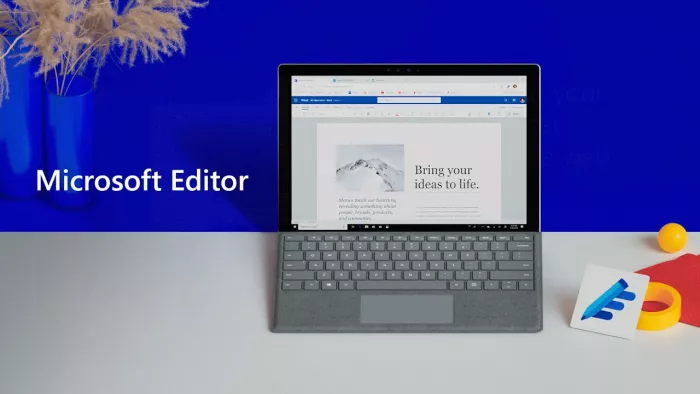
Microsoft Editor is a native writing assistant baked into Microsoft 365, ideal for professionals who live in Outlook, Word, and the Office ecosystem.
Key features
● Grammar, spelling, clarity, and conciseness checks in Word, Outlook, and Edge.
● Text prediction and basic vocabulary enhancement.
● Multi-language support (20+ languages) for spelling and grammar.
Pros
● Included with Microsoft 365 subscriptions, so no extra cost for many business users.
● Seamless integration in Office apps used daily in enterprises.
● Simple, distraction-free interface suited to quick professional emails and reports.
Cons
● Lacks advanced style, tone, and readability coaching compared with Grammarly.
● No plagiarism detection or rich generative AI rewrite features.
● Less comprehensive cross-platform support outside Microsoft’s ecosystem.
Edge over Grammarly
● Better value for existing Microsoft 365 users—“good enough” grammar without another subscription.
● Tighter native integration in corporate Office environments where third-party extensions are restricted.
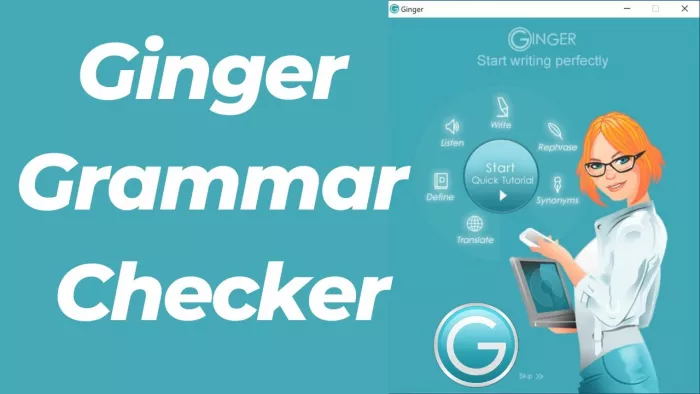
Ginger is a long-standing grammar tool with a strong focus on ESL users, translation, and text-to-speech.
Key features
● Real-time grammar and spelling corrections.
● Text-to-speech to hear your writing read aloud (great for catching awkward phrasing).
● Translation into 40+ languages using neural machine translation.
● Browser extensions and mobile apps.
Pros
● Excellent for non-native English speakers thanks to translation plus grammar tutorials.
● Listening to text helps spot clunky sentences and improves rhythm.
● Lightweight and straightforward for everyday writing.
Cons
● Interface and update cadence lag behind newer tools like Grammarly and ProWritingAid.
● Style feedback is more basic and less data-rich than Grammarly.
Edge over Grammarly
● Built-in multi-language translation—something Grammarly does not natively offer.
● Audio playback of your text, which Grammarly does not provide directly, is particularly useful for speech-like copy and accessibility.
LanguageTool is an open-source oriented checker that stands out for multilingual support and privacy-friendly design.
Key features
● Grammar and spell checking in 20+ languages (English, German, Spanish, French, etc.).
● Style suggestions, tone improvements, and basic rephrasing.
● Browser extensions, add-ons for Word, Google Docs, and desktop apps.
● Team features with custom style rules in higher tiers.
Pros
● One of the best options if you write in multiple languages, not just English.
● Open-source roots and strong privacy stance appeal to security-conscious organizations.
● Very capable free tier, often highlighted as a top free Grammarly alternative.
Cons
● English style and tone suggestions are not as refined as Grammarly’s premium AI.
● Interface and UX are simpler and less “guided” for beginners.
Edge over Grammarly
● Superior multilingual coverage; Grammarly is primarily focused on English.
● More attractive for open-source and privacy-focused teams that avoid closed, data-hungry ecosystems.
WhiteSmoke is a veteran grammar checker that also bundles plagiarism and translation, targeting students and professionals on a budget.
Key features
● Grammar, punctuation, and style checks across browsers and desktop apps.
● Plagiarism checker built into higher plans.
● Translation tools and templates for letters, documents, and business emails.
Pros
● Supports multiple browsers (including Safari and Opera) and both Windows and macOS.
● Combines grammar, plagiarism, and translation in one package.
● Often cheaper than Grammarly, with occasional lifetime-style deals.
Cons
● Interface and UX feel dated compared to modern AI-native editors.
● Fewer advanced AI features (tone detection, generative rewrites, etc.).
Edge over Grammarly
● Broader browser support and built-in translation in one tool.
● Competitive pricing for users who need plagiarism plus translation without a steep subscription.
Taken together, the six tools in this article show how you can upgrade that toolkit with deeper structural analysis, stronger paraphrasing, tighter integration with Microsoft 365, or better multilingual support. Instead of asking “Which tool is best?”, the smarter question is “Which combination gives me the cleanest, clearest writing with the least friction?” and that is exactly the gap these Grammarly alternatives are designed to fill.
Let’s start with a small truth about storytelling: writing the first s...

WhatsApp is preparing to allow third-party artificial intelligence cha...
BrandCrowd built its name as a go-to logo tool for small business...

There is a specific kind of disappointment that comes from opening a b...
AI companion apps have moved well beyond novelty status. What started...
Let’s start with an uncomfortable truth. Most people want their photos...
Discussion