
AI note takers are tools designed to automatically capture what happens in meetings—transcribing conversations, generating summaries, and extracting action items without manual effort. As remote and hybrid work have become the default, meetings have multiplied, and so has the pressure to keep up with notes, decisions, and follow-ups.
The result is a familiar problem: either you focus on the conversation or you focus on writing things down—rarely both.
In this guide to the best AI meeting note takers, we look at tools that remove that trade-off. We evaluated them based on transcription accuracy, how well they support real-time use during meetings versus post-meeting review, their compatibility across platforms like Zoom, Microsoft Teams, Google Meet, and even in-person settings, and the quality of their AI outputs—from summaries to actionable insights.
To ensure a fair and realistic comparison, we tested each tool across the environments where AI note takers are actually used day to day. This included live meetings on Zoom, Microsoft Teams, and Google Meet, as well as in-person simulations using system audio and microphone input. The goal was to evaluate not just feature sets, but how these tools perform under real working conditions.
● Video meetings across Zoom, Microsoft Teams, and Google Meet
● In-person scenarios using laptop microphones and ambient audio
● Mixed conditions: quiet rooms vs background noise
Each tool was assessed against a consistent set of performance and usability benchmarks:
| Transcription accuracy | Measured in both clean and noisy environments to evaluate how well the AI handles real-world audio variability |
| Latency | How quickly transcripts, summaries, or notes are generated during or after meetings |
| Speaker diarization | Ability to correctly identify and separate different speakers |
| Summary quality | Clarity, structure, and usefulness of generated summaries |
| Action item extraction | Accuracy and relevance of tasks and next steps identified by the AI |
| Integrations | Compatibility with calendars, collaboration tools, and workflows |
| UX and onboarding | Ease of setup, interface clarity, and learning curve |
Beyond controlled testing, we used each tool in practical scenarios to assess real-world value:
● Team meetings: Tracking decisions, follow-ups, and recurring discussions
● Interviews: Capturing detailed, speaker-specific transcripts
● Lectures and long-form sessions: Evaluating endurance, structure, and summarization quality over extended periods
This approach ensures the rankings reflect not just technical capability, but actual usability across different professional contexts.
Before diving into each tool in detail, here’s a side-by-side comparison of the best AI meeting note takers based on features, pricing, and use cases.
| Tool | Best For | Works With | Bot-Free | Key AI Features | Audio Enhancement | Starting Price |
| Krisp | Real-time clarity & overall performance | Zoom, Teams, Google Meet, Webex, Slack, in-person | Yes | Transcription, summaries, action items, AI chat | Noise cancellation + accent conversion | $8/month |
| Fellow | Team collaboration & workflows | Zoom, Teams, Google Meet | Yes | Notes, summaries, agendas, task tracking | No | $7/month |
| Fathom | Free AI note-taking | Primarily Zoom (limited others) | No | Transcription, summaries, highlights | No | Free (paid $15/month) |
| Granola | Simplicity & lightweight use | Limited (basic meeting capture) | Yes | Notes, summaries | No | $14/month |
| Avoma | Sales insights & analytics | Zoom, Teams, Google Meet | No | Transcription, summaries, conversation intelligence | No | $19/month |
Key Takeaways
● Krisp offers the most complete solution, combining real-time clarity with AI note-taking
● Fellow is best for structured team collaboration and recurring meetings
● Fathom provides the strongest free option with essential features
● Granola focuses on simplicity and ease of use
● Avoma stands out for sales intelligence and advanced analytics
This quick overview highlights the main differences—below, we break down each tool in depth.
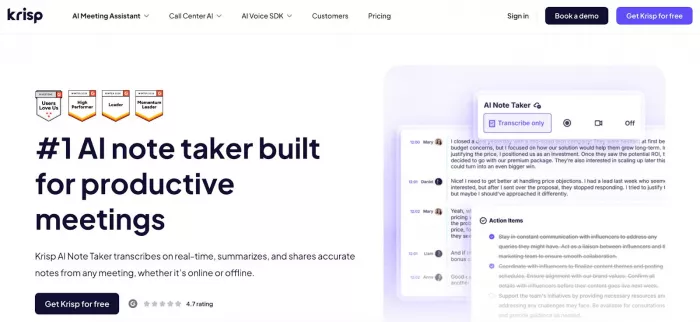
Krisp is an all-in-one, system-level AI meeting assistant that goes beyond traditional note-taking tools. It combines real-time transcription, AI-generated notes, and advanced audio enhancement into a single workflow. What differentiates Krisp AI Note Taker is its bot-free architecture and its ability to process audio at the source—removing noise and improving clarity before transcription even begins. This results in more accurate transcripts, higher-quality summaries, and fewer misunderstandings. Unlike most tools that only document meetings, Krisp actively improves the meeting experience itself, making conversations clearer and more productive in real time.
● Real-time transcription with high accuracy (optimized for both clean and noisy environments)
● AI-generated summaries, structured notes, and action items
● Bi-directional noise cancellation (removes background noise, echo, typing sounds on both ends)
● Accent conversion for real-time clarity across diverse speakers and listeners
● Cross-platform compatibility:
● Zoom, Microsoft Teams, Google Meet, Webex, Slack Huddles
● In-person meetings via system audio
● Bot-free recording, ensuring a non-intrusive meeting experience
● Searchable transcripts + AI chat for quick insights and follow-ups
● Integrations with tools like Slack, HubSpot, Salesforce, and Google Calendar
● Availability: Desktop app (core functionality) + mobile support
● Full feature access is limited to a 7-day free trial
● Free trial: 7 days with full features
● Paid plan: starts at $8/month (annual billing)
G2 rating: 4.6/5 based on 1,000+ reviews
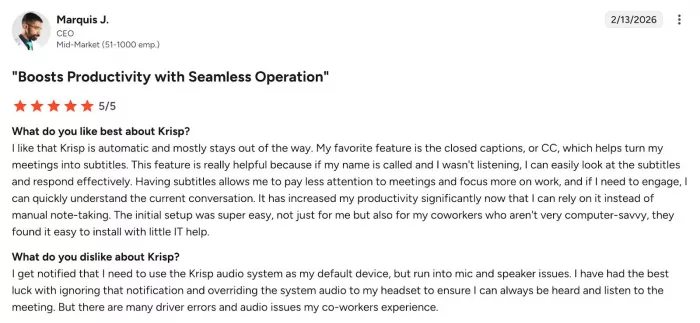
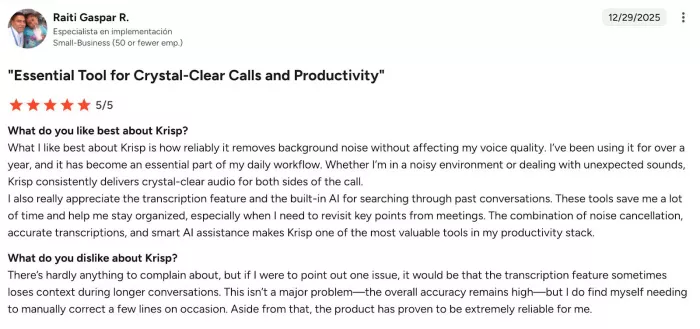
Users consistently highlight Krisp’s noise cancellation as its strongest feature, often describing it as highly effective in noisy environments and making calls sound significantly clearer and more professional. Many also appreciate the ease of setup and seamless integration across platforms, with the tool running quietly in the background without disrupting meetings.Overall, the experience is largely positive, but users see Krisp as strongest in real-time audio clarity, with AI note-taking features still improving.
● Remote and hybrid teams
● Global teams working across accents and noisy environments
● Professionals who need real-time clarity + structured notes
● Users looking for a bot-free AI meeting note taker
Krisp stands out as one of the most complete AI note taking apps in 2026. At a similar price point to standard note takers, it adds noise cancellation and accent conversion—meaning users get both better meetings and better documentation. Its strength lies in improving live communication, not just recording it, making it a strong “best overall” choice.
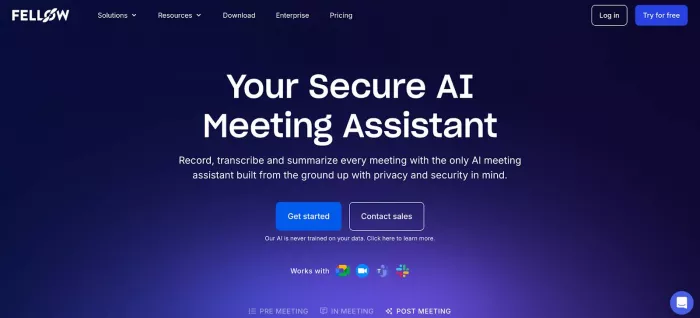
Fellow is designed as a meeting productivity platform rather than just a transcription tool. It focuses on structuring meetings end-to-end—from agendas to notes and follow-ups—making it particularly effective for teams that rely on recurring meetings and clear accountability. Its differentiation lies in collaborative note-taking and workflow integration, ensuring that discussions translate into trackable outcomes. While it includes AI-generated notes and summaries, its core strength is helping teams stay aligned and organized across meetings.
● AI-generated meeting notes, summaries, and action items
● Collaborative agendas and shared note-taking
● Meeting templates for recurring workflows
● Task and follow-up tracking
● Integrations with Slack, Google Calendar, and project management tools
● Works across Zoom, Microsoft Teams, and Google Meet
● Centralized meeting history for teams
● Less advanced transcription accuracy compared to specialized tools
● No audio enhancement (noise cancellation or accent support)
● Many advanced features require paid plans
● Free plan available
● Paid plans start from $7/month
G2 rating: 4.7/5 based on 2,000+ reviews
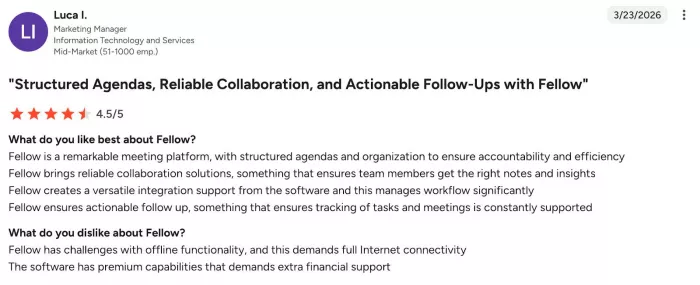
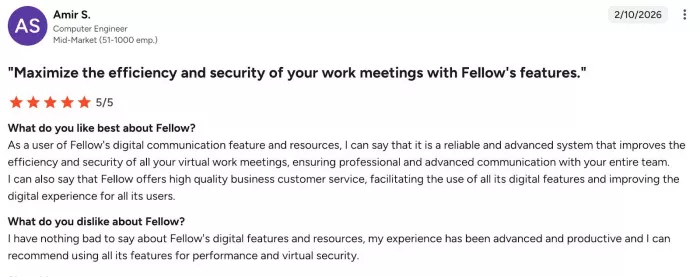
Users consistently highlight Fellow’s ease of use and strong meeting organization, noting that it centralizes agendas, notes, and action items in one place, making collaboration more structured and efficient. Many appreciate its high-quality automated notes and summaries, which allow them to stay focused during meetings instead of taking notes manually. The tool is also valued for its integration with calendars and workflows, improving visibility and follow-ups across teams. However, users report issues with task management and occasional bugs, such as crashes when searching notes or tasks not being tracked reliably. Overall, Fellow is seen as a highly effective tool for structured, team-driven meetings, but less consistent in execution around task tracking and stability.
● Teams running frequent structured meetings
● Managers tracking decisions and accountability
● Organizations needing meeting workflows, not just notes
Fellow is the best choice for teams that prioritize structure, collaboration, and follow-through over raw transcription performance.
Fathom stands out as one of the most accessible AI note-taking tools, offering a generous free plan with core features included. It is primarily built for simplicity and speed, automatically recording, transcribing, and summarizing meetings with minimal setup. Its main advantage is cost-efficiency—delivering strong baseline functionality without requiring a subscription—though this comes with some platform limitations.
● Unlimited meeting recordings and transcripts (free tier)
● AI-generated summaries and highlights
● Quick capture of key moments during meetings
● Easy sharing of clips and notes
● Works natively with Zoom and supports other platforms
● Simple onboarding and fast setup
● Primarily optimized for Zoom (limited cross-platform depth)
● Bot-based recording (joins meetings visibly)
● Fewer advanced AI insights compared to premium tools
● Free plan: unlimited recordings
● Paid plans start around $15/month
G2 rating: 5/5 based on 6000+ reviews
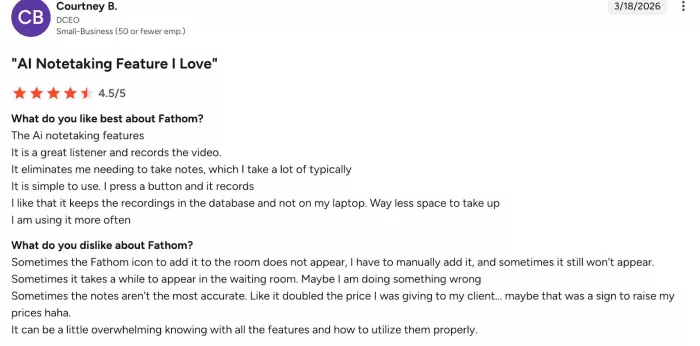
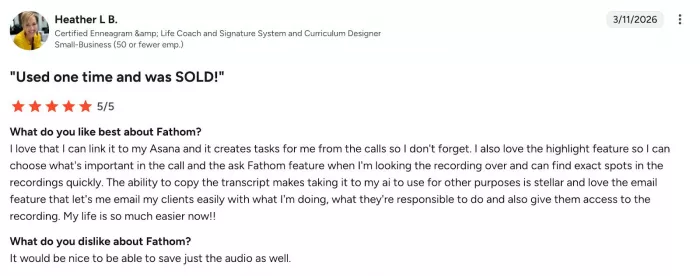
Users generally love how effortless Fathom feels in meetings—it automatically records, transcribes, and generates summaries, so you can actually focus on the conversation instead of taking notes. Many highlight the quality of the summaries and action items, saying they’re clear, detailed, and save a lot of time after calls. At the same time, some users mention that the bot joining meetings can feel a bit intrusive, especially with the visible recording presence. There are also occasional complaints about AI inaccuracies or unwanted recordings, which can affect trust in the tool. Overall, Fathom is seen as a highly convenient, “set-it-and-forget-it” meeting assistant, but not completely frictionless in real-world use.
● Individuals and freelancers
● Budget-conscious users
● Users primarily working on Zoom
Fathom is the best free AI meeting note taker, offering strong core functionality with minimal barriers to entry.
Granola is built for users who want a lightweight, distraction-free note-taking experience. Instead of focusing on complex workflows or deep integrations, it prioritizes speed, clarity, and ease of use. The tool captures conversations and turns them into clean, structured notes without overwhelming the user with features, making it ideal for simple use cases.
● Real-time note capture and AI summaries
● Clean, minimal interface
● Fast setup with low friction
● Lightweight performance
● Focus on essential note-taking features
● Limited integrations compared to competitors
● Fewer advanced AI capabilities
● Not ideal for team collaboration or complex workflows
● Free plan available
● Paid plans start from $14/month
G2 rating: 4.9/5 based on 20+ reviews
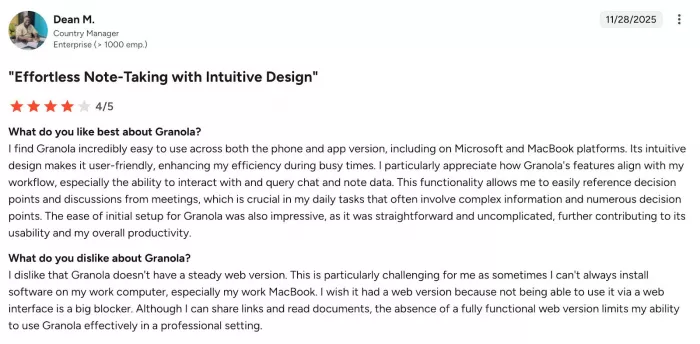
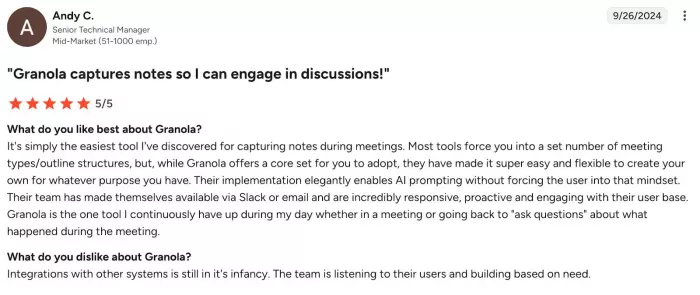
Users consistently highlight Granola’s simplicity and ease of use, describing it as intuitive, fast to set up, and effective at capturing notes without disrupting meetings. Many appreciate that it allows them to stay fully present in conversations, with AI-generated summaries that are clear, structured, and easy to review afterward. However, users point out limitations such as lack of audio/video recording and inconsistent speaker identification, which can make it harder to verify details. Some also mention limited integrations and occasional AI inaccuracies, especially when syncing notes into broader workflows. Overall, Granola is seen as a lightweight, highly usable note-taking tool, but less robust for advanced workflows or detailed post-meeting analysis.
● Solo users
● Students
● Professionals needing quick, simple notes
Granola is best suited for users who value simplicity and speed over advanced features and integrations.
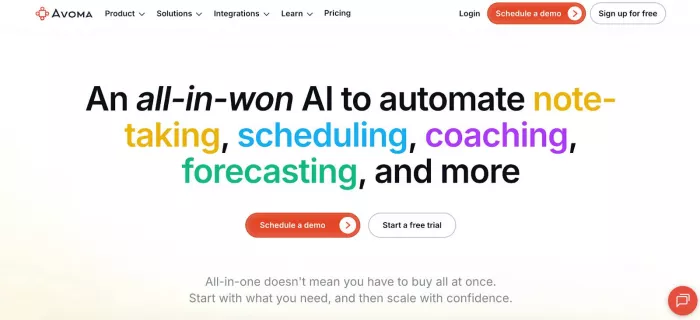
Avoma is a more advanced AI meeting assistant focused on extracting insights from conversations, particularly in sales and customer-facing roles. It combines note-taking with conversation intelligence, helping teams analyze meetings, improve performance, and track deal progress. Its strength lies in turning conversations into actionable business insights rather than just documentation.
● AI transcription, summaries, and notes
● Conversation intelligence and analytics
● CRM integrations (e.g., Salesforce, HubSpot)
● Coaching insights and performance tracking
● Meeting templates and collaboration tools
● Works with Zoom, Microsoft Teams, and Google Meet
● Higher pricing compared to basic tools
● More complex setup and learning curve
● Overkill for simple note-taking needs
● Free plan available
● Paid plans start from $19/month
G2 rating: 4.6/5 based on 1300+ reviews
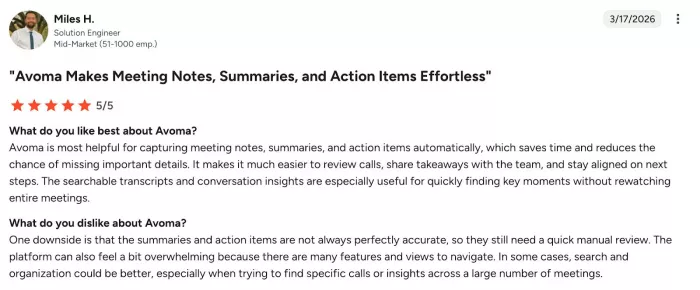
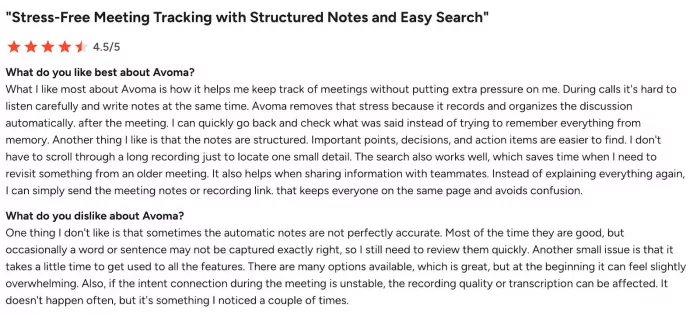
Users generally describe Avoma as a powerful and reliable meeting assistant, especially for teams that need structured insights from calls, with many highlighting its automatic transcription, summaries, and strong analytics as major time-savers. Many also like how it helps them stay present in meetings while everything is recorded and organized in the background, improving follow-ups and team alignment. At the same time, some users point out that transcription and AI insights aren’t always perfectly accurate, particularly in complex or noisy conversations. There are also occasional complaints about recording reliability (e.g., bot joining late or dropping off) and a slightly steeper learning curve compared to simpler tools. Overall, Avoma is seen as a feature-rich, team-oriented solution, but one that can feel heavier and less consistent than lighter note-taking tools.
● Sales teams
● Customer success teams
● Organizations focused on performance insights
Avoma is the best choice for teams that need deep insights from meetings, not just notes—particularly in sales-driven environments.
Choosing the best AI meeting note taker depends less on features alone and more on how you actually work. Each tool in this list is optimized for a specific use case, and the right choice comes down to whether you prioritize real-time clarity, cost, simplicity, or deeper insights.
● Krisp → best overall (real-time clarity + notes + audio enhancement)
● Fellow → best for teams and structured workflows
● Fathom → best free option
● Granola → best for simplicity
● Avoma → best for sales insights and analytics
What is the best AI meeting note taker?
The best AI meeting note taker depends on your needs, but Krisp stands out as the best overall option. It combines real-time transcription, AI-generated notes, and audio enhancement features like noise cancellation and accent conversion, making it effective both during and after meetings.
Which AI note taker works with Zoom, Microsoft Teams, and Google Meet?
Several AI note taking apps support multiple platforms, including Krisp, Fellow, and Avoma. These tools integrate across Zoom, Microsoft Teams, and Google Meet, allowing consistent note-taking regardless of where meetings happen.
Are AI note taking apps accurate?
AI note takers have significantly improved in accuracy, especially in clean audio conditions. Tools like Krisp enhance accuracy further by improving audio quality before transcription. However, performance can vary depending on background noise, accents, and speaker overlap.
What is the best free AI meeting note taker?
Fathom is widely considered the best free AI meeting note taker. It offers unlimited recordings, transcripts, and summaries without requiring a paid plan, making it a strong choice for individuals and small teams.
Can AI note takers work for in-person meetings?
Yes, some AI note takers support in-person meetings. Tools like Krisp can capture and process audio directly from your device, allowing you to generate transcripts and summaries even outside video conferencing platforms.

Every meeting produces information that matters. Decisions get made, a...
Most people meet Runway and Pika through short clips on social media....

South Korean President Lee Jae-myung has called for a deeper strategic...
Amazon-owned Ring is taking a major step beyond its roots in home secu...
AI avatar video tools are easy to get excited about.Type a script, pic...

Healthcare professionals are under constant pressure. Between patient...


Discussion