

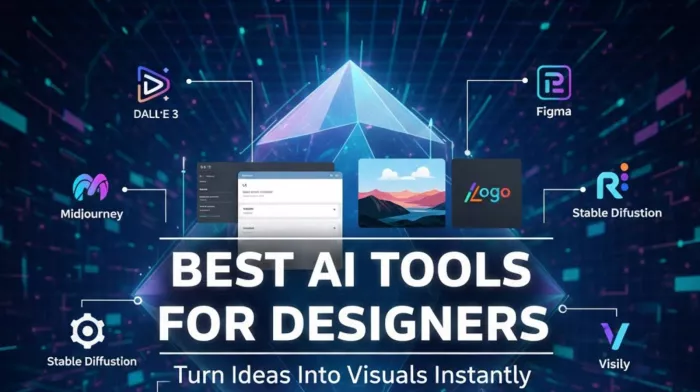
Design timelines in 2025 look very different from even two years ago. Designers are no longer judged only on final polish, but on how quickly they can move from a vague idea to something visible—a frame, a concept, a layout that can be discussed.
This is where AI tools have quietly changed the work. Not by replacing designers, but by compressing the early stages of thinking: exploration, variation, and rough structure.
The best AI tools for designers today don’t try to finish the job. They help you get unstuck faster, generate options you would not have drawn manually, and reduce the friction between imagination and a first visual artifact.
At the same time, none of these tools are “one-click solutions.” Precision, originality, and production readiness still require human judgment. Understanding where each tool fits—and where it doesn’t—is what separates useful adoption from noisy experimentation.
Most design work still follows a familiar arc: ideation → exploration → refinement → delivery. AI tools primarily affect the first two stages.
Instead of starting from a blank canvas, designers now start from:
● A generated visual concept
● A rough UI layout
● A color system suggestion
● A set of visual directions to react to
What AI does well is speed and breadth. What it struggles with is context, intent, and constraint. This tension shows up across all categories of tools.
Midjourney remains one of the strongest tools for generating stylized, cinematic visuals. Designers use it heavily for mood boards, concept art, and early brand exploration.
Its strength lies in aesthetic coherence. Even vague prompts often result in visually striking outputs. However, Midjourney prioritizes style over literal accuracy. Text rendering and exact layout control remain inconsistent, making it unsuitable for production assets.
The Discord-only interface also shapes how it’s used—great for exploration, less ideal for structured workflows.
Midjourney works best when the goal is inspiration, not execution.
DALL·E 3 stands out for how well it interprets complex prompts. Integrated tightly with ChatGPT, it allows designers to refine prompts conversationally, which makes it easier to translate abstract ideas into visuals.
Its outputs are generally more literal and structured than Midjourney’s, making it useful for storyboards, explanatory visuals, or realistic compositions.
That said, access is largely tied to paid plans, and stylistic range can feel narrower compared to Midjourney. Designers often describe it as reliable rather than expressive.
Stable Diffusion occupies a very different space. As an open-source model, it appeals to designers and teams who want full control—custom models, private generation, and domain-specific training.
The trade-off is complexity. Running Stable Diffusion locally requires hardware, setup time, and technical comfort. For designers who need privacy or highly customized outputs, the effort is justified. For others, it becomes friction.
Stable Diffusion is less about speed and more about ownership and flexibility.
Recraft is built around a problem most image generators still struggle with: creating visuals that remain editable and scalable. Its ability to generate vector-based outputs makes it useful for logos, icons, and early brand systems where resizing and refinement are unavoidable.
Compared to more artistic tools, Recraft tends to follow prompts more closely, which helps when consistency matters. Designers often use it for asset exploration rather than final identity work.
The interface exposes more controls than simpler generators, which can slow down first-time use. Recraft works best when the goal is usable design components, not purely visual experimentation.
Ideogram focuses on a narrower but persistent issue in AI-generated visuals: readable text. Where many generators distort or scramble typography, Ideogram produces more legible lettering.
This makes it practical for posters, social media graphics, and basic infographics where text clarity is non-negotiable. Designers often turn to it when other tools require too much manual cleanup.
Its scope is limited. Ideogram is not designed for complex layouts or brand systems, and outputs usually require follow-up editing. It works best as a utility tool rather than a core design platform.
Galileo AI converts text prompts or sketches into high-fidelity UI layouts that export directly to Figma. For designers, this means skipping hours of wireframing just to test an idea.
The outputs are visually impressive, but not production-ready. Spacing, component logic, and edge cases often need manual correction. Code export remains basic, limiting its usefulness beyond design.
Galileo shines during early ideation, not handoff.
Uizard is often used by non-designers or cross-functional teams. Its ability to turn hand-drawn sketches into interactive prototypes lowers the barrier to participation.
For designers, this can be both helpful and limiting. It accelerates collaboration but offers less control over components and design systems. The free tier is restrictive, and advanced customization requires paid plans.
Uizard is best seen as a communication tool, not a full design environment.
Visily focuses on automating wireframes and mockups for apps and websites. Reviews consistently point to productivity gains, especially for internal tools and straightforward products.
However, advanced customization is limited. Designers working on complex flows or branded experiences often outgrow it quickly.
Visily works when speed matters more than nuance.
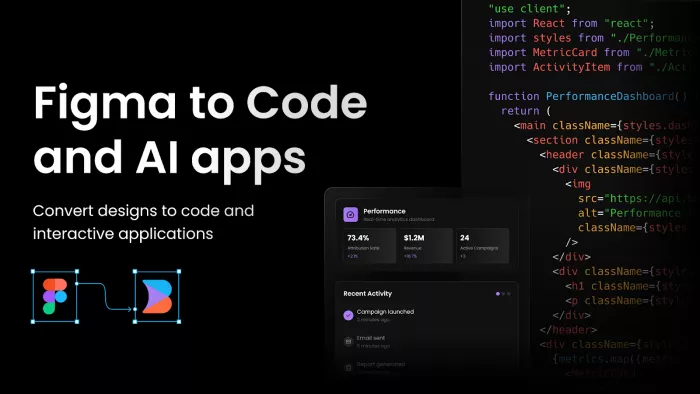
Figma’s AI features, such as prompt-based layout generation, integrate directly into existing workflows. This makes them easy to adopt for teams already living in Figma.
They don’t radically change how designers work, but they remove small frictions—generating layout options, suggesting structures, and accelerating iteration. Their biggest strength is collaboration, not automation.
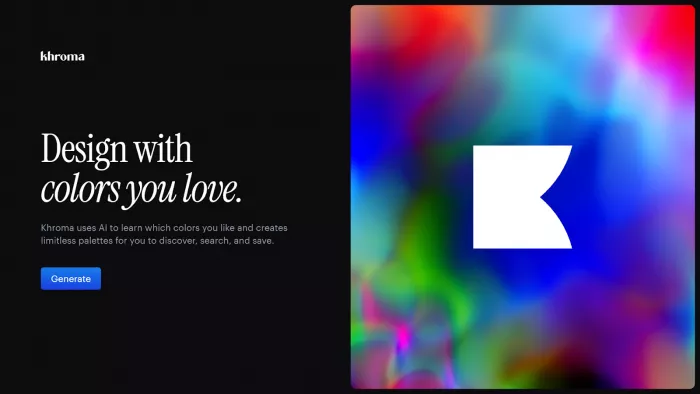
Khroma takes a simple but effective approach: learning a designer’s preferences and generating personalized color palettes. For branding and early exploration, this saves time without imposing style.
Adobe Firefly integrates generative tools directly into Photoshop, making it useful for iterative edits rather than greenfield creation. Its value is highest for designers already embedded in Adobe’s ecosystem.
These tools don’t replace design thinking, but they reduce decision fatigue.
In practice, designers rarely rely on one tool. Common combinations include:
● Midjourney for mood → Recraft for assets
● Galileo for layout → Figma for refinement
● DALL·E for concepts → Photoshop for final edits
This modular approach reflects reality: AI handles breadth, humans handle depth.
There is a growing concern that over-reliance on AI reduces originality. While tools can generate endless variations, they can also narrow visual diversity if used uncritically.
Designers who treat AI as a collaborator—questioning outputs, remixing ideas, and applying judgment—tend to benefit most.
The Best AI Tools for Designers in 2025 are not about automation—they’re about acceleration.
They help designers see ideas faster, test directions sooner, and spend more time refining what matters. But they do not remove the need for taste, context, or responsibility.
Design remains a human discipline. AI just shortens the distance between thought and form.
1. Are AI tools replacing designers in 2025?
No. They replace repetitive early-stage work, not design judgment.
2. Which AI tool is best for UI design?
Galileo AI for ideation, Figma for execution.
3. Can AI-generated visuals be used commercially?
Yes, but licensing depends on the tool and plan.
4. Are free tiers enough for professionals?
Usually for testing, not for sustained work.
5. Do these tools work offline?
Only Stable Diffusion supports full local use.
6. Is originality at risk with AI tools?
Only if outputs are used without critical editing.

Let’s start with a small truth about storytelling: writing the first s...

WhatsApp is preparing to allow third-party artificial intelligence cha...
BrandCrowd built its name as a go-to logo tool for small business...
There is a specific kind of disappointment that comes from opening a b...
AI companion apps have moved well beyond novelty status. What started...
Let’s start with an uncomfortable truth. Most people want their photos...
Discussion