In classrooms where attention spans are shrinking, educators are constantly looking for tools that make learning feel less like a task and more like an activity students actually enjoy. Blooket approaches this problem by turning standard quiz questions into competitive, game-style experiences.
Rather than presenting questions in a simple list format, Blooket embeds them inside games where progress, rewards, and outcomes depend on correct answers. This blend of learning and gameplay has made it especially popular in schools, tutoring sessions, and remote classrooms.
This article breaks down how Blooket works, what it offers, how much it costs, what real users say (the good and the bad), and where it fits compared to similar classroom tools.
What Is Blooket?
Blooket is a browser-based learning platform that allows teachers to create question sets and run them as interactive games. Students join using a game code on any device, laptop, tablet, or phone without needing to install an app.
The platform is primarily used for:
Classroom revision
Concept reinforcement
Informal assessments
Homework or self-paced practice
What separates it from traditional quiz tools is its focus on game mechanics, points, power-ups, avatars (called Blooks), and competitive modes designed to keep students engaged even during repetitive practice.
How Blooket Works (Step-by-Step)
Create or Select a Question Set Teachers can write their own questions or choose from a large library of publicly shared sets covering subjects like math, science, history, and language learning.
Choose a Game Mode Each game mode applies different rules to the same questions, some reward speed, others strategy or consistency.
Host or Assign Games can be played live in class or assigned for independent practice, making Blooket flexible for both in-person and remote learning.
Review Performance After the game ends, teachers can view basic performance data such as correct answers and participation levels.
The setup process is intentionally quick, which is why many educators use Blooket as a warm-up or end-of-class activity.
Blooket Pricing Explained
Blooket follows a freemium pricing model.
Free Plan
The free version includes:
Unlimited question sets
Access to core game modes
Hosting games for up to 60 players
Basic result tracking
This is sufficient for many small to medium classrooms.
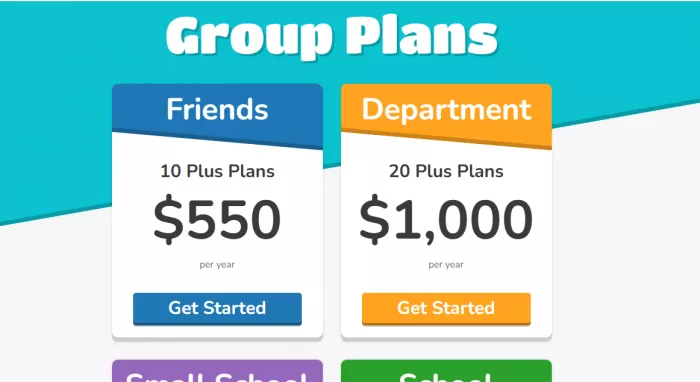
Pricing typically starts at a low monthly cost when billed annually, with flexible monthly options available. These plans are mainly useful for larger classrooms or schools running frequent sessions.
Game Modes Features
Blooket’s biggest appeal lies in how the same set of questions can feel completely different depending on the game mode.
Commonly used modes include:
Unique Game Modes: Blooket stands out for its variety of game modes that turn regular quizzes into engaging challenges. After signing up through blooket.com/sign-up, teachers can choose from several themed games.
Café Mode: Players answer questions to earn food items that they serve to virtual customers.
Tower Defense: Correct answers help students defend their towers against enemies.
Tower of Doom: Students select characters with unique stats to battle opponents.
Gold Quest: Participants compete to gather the most gold by answering questions correctly.
Gameplay Flow: The platform follows a fun pattern. Students answer colorful block-based questions, earn points for correct answers, and use those points within the game before moving to the next stage.
Question Sets: Teachers can create their own question sets through the Blooket.com dashboard or choose from millions of ready-made sets shared by other educators.
Fun Add-Ons: Features like avatars (known as “Blooks”), power-ups, and leaderboards make the quizzes feel like mini-adventures that students enjoy.
Fair Play System: Teachers can adjust how points are distributed so speed isn’t the only factor, giving every player a fair shot at success.
Because the questions stay the same while the gameplay changes, teachers can reuse content without it feeling repetitive to students.
User Reviews: What Real Users Actually Say
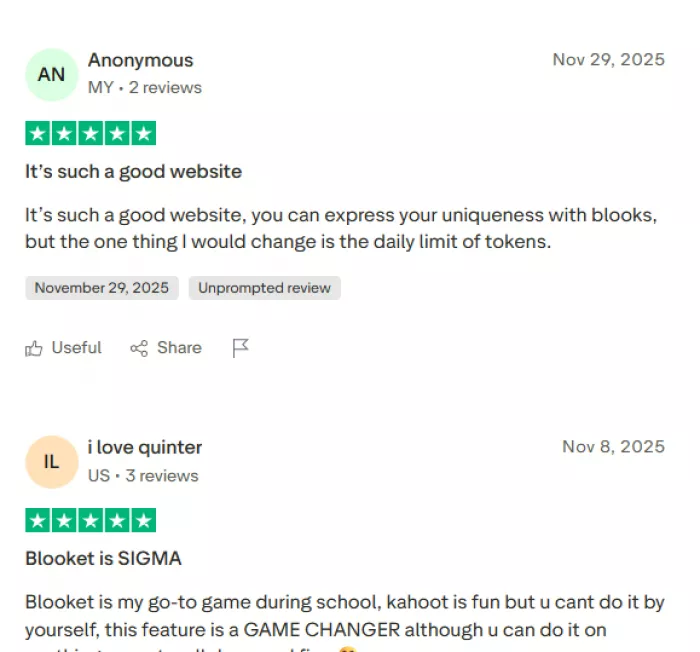
This section is based on publicly available reviews from Trustpilot, G2, and educator review summaries, focusing on recurring patterns rather than isolated opinions.
Positive Reviews
Users who rate Blooket positively frequently highlight:
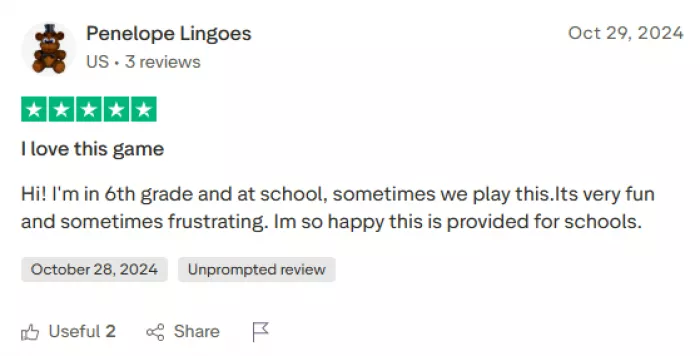
High student engagement Teachers on G2 consistently mention that students are more willing to participate compared to traditional quizzes, especially during revision sessions.
Easy setup and low learning curve Many educators note that games can be launched within minutes, even by teachers who are not highly technical.
Enjoyable game variety Reviewers appreciate that multiple game modes prevent boredom and allow teachers to reuse the same content in different ways.
Strong appeal for younger learners Several reviews point out that Blooket works particularly well in elementary and middle-school environments, where gamification boosts motivation.
These positives appear most often in classroom-focused reviews where Blooket is used as a supplement rather than a full assessment system.
Negative Reviews
Critical feedback across Trustpilot and mixed reviews on G2 commonly mention:
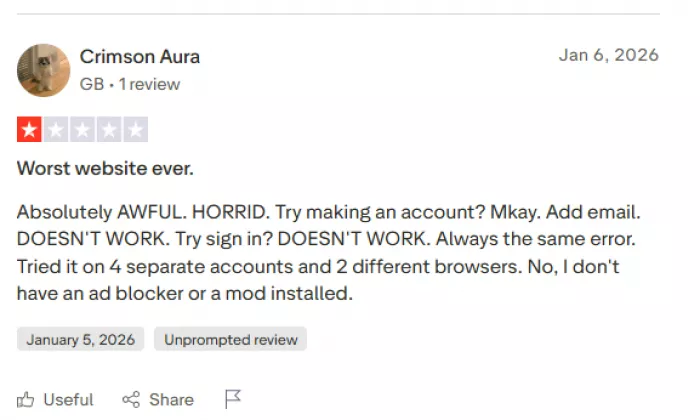
Technical issues and bugs Some users report login problems, loading errors, or games disconnecting mid-session, particularly during peak usage times.
Game mechanics can feel random A frequent complaint is that luck-based elements sometimes outweigh knowledge, which can frustrate high-performing students.
Limited analytics for assessment Teachers looking for detailed performance insights (time spent, concept-level breakdowns, progress tracking) find Blooket’s reports too basic.
Distraction risk A number of educators mention that students may focus more on winning the game than understanding the material if not carefully moderated.
These concerns are more common among users trying to use Blooket as a formal assessment or grading tool rather than an engagement tool.
Pros and Cons Summary
Pros:
Very engaging for students
Quick to set up and easy to use
Generous free plan
Multiple game modes keep content fresh
Works well for live and remote classes
Cons:
Limited depth in analytics and reporting
Occasional technical reliability issues
Luck-based gameplay can reduce fairness
Not ideal for formal testing or grading
Blooket vs Similar Classroom Tools
Compared to platforms like Kahoot, Quizlet, and Gimkit:
Blooket focuses most heavily on game variety and replay value.
Kahoot excels at fast-paced live quizzes.
Quizlet is stronger for structured study and memorization.
Gimkit offers a deeper strategy but with a steeper learning curve.
Blooket sits best in classrooms where engagement and participation are the primary goals.
Who Is Blooket Best For?
Blooket is well-suited for:
Teachers running interactive review sessions
Tutors working with younger learners
Classrooms needing quick engagement boosts
Informal practice and revision
It is less suitable for:
High-stakes testing
Detailed academic analytics
Long-term progress tracking
Final Verdict
It succeeds at what it is designed to do: make learning activities more engaging and enjoyable. When used as a supplementary classroom tool, it can significantly increase participation and motivation. However, it should not be mistaken for a full assessment or analytics platform.
Educators who understand its strengths and its limits tend to get the most value from it.



Discussion