


For most students, Careerwill login is not a one-time action. It is something that gets used repeatedly, during early exploration, after course purchases, while switching devices, during exam season, and sometimes in moments of panic right before a test.
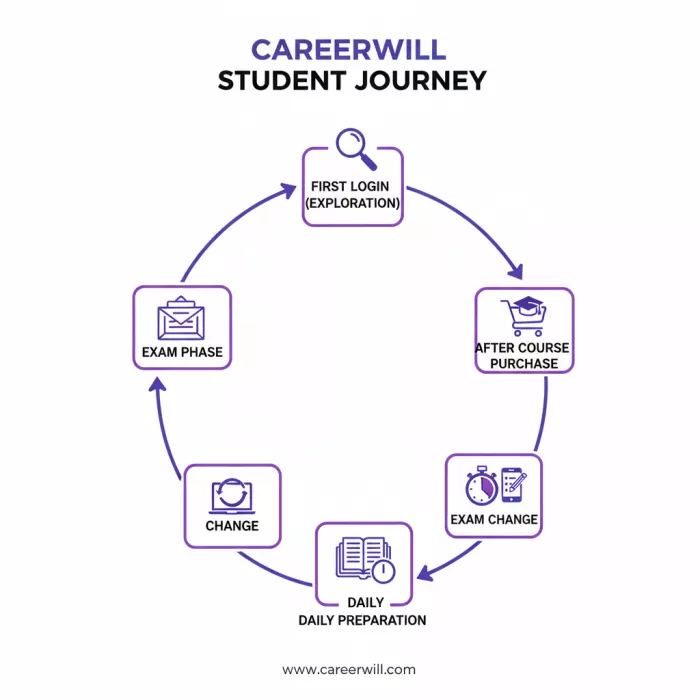
Understanding how Careerwill login behaves across these stages can prevent confusion, lost access, and unnecessary stress. This guide looks at Careerwill login not as a technical step, but as a continuing access system that evolves with how students use the platform.
Many students first log in to Careerwill without buying anything.
At this stage:
This is not an error.
At this point, the login exists only to:
A common mistake at this stage is creating multiple accounts using different numbers or emails. This later causes issues when paid courses are purchased under a different login.
Once a student purchases a course, the Careerwill login becomes critical.
This is the stage where most support tickets originate.
Typical scenarios include:
Careerwill does not automatically “merge” accounts.
If a course was purchased using Mobile Number A, logging in with Email B will show no purchases, even if both belong to the same student.
At this stage, the login is no longer just an entry point. It becomes the key that maps payments to content.
Once preparation is in full swing, Careerwill login becomes routine.
Students typically:
During this phase, Careerwill may restrict:
If a student logs in on a phone and then immediately on a laptop, one session may be invalidated. This is often mistaken for a “login problem” when it is actually a session control mechanism.
Changing phones is one of the most common real-world triggers for Careerwill login issues.
What usually happens:
In most cases:
This is not data loss, it is a delayed account sync, especially on slower networks.
During mock tests or exam-oriented live sessions, Careerwill login behaves more strictly.
Students may notice:
These restrictions exist to:
Logging in again usually restores access, but students should avoid switching devices mid-test.
Not all Careerwill login issues are technical.
Some are account-level issues, such as:
In such cases:
This distinction matters because many students waste time fixing the wrong problem.
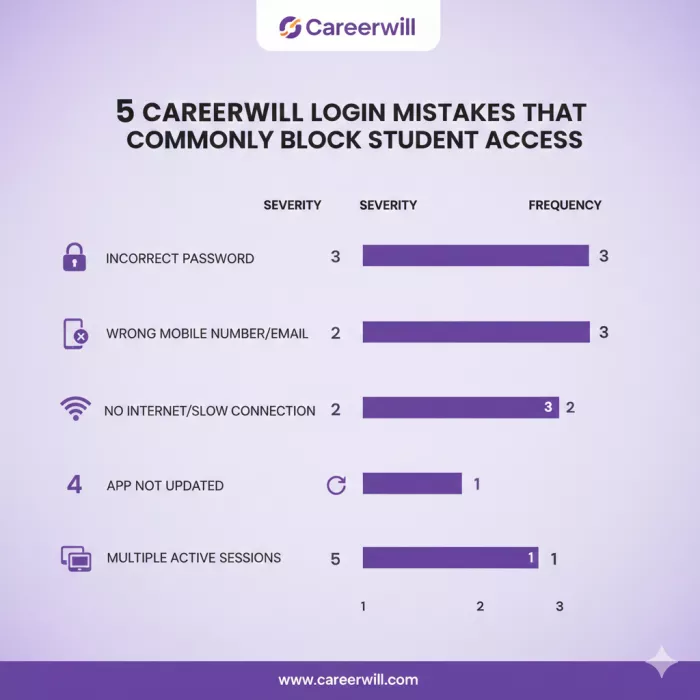
Most Careerwill login issues are not technical failures. They are usage mistakes that quietly break the link between the student and their account. Below are the five most common errors that prevent access, even when the login itself appears successful.
1. Creating Multiple Accounts Without Realizing It
This is the most common and most damaging mistake.
Students often:
Each signup creates a separate account. Careerwill does not automatically merge them.
So when a course is purchased under one account and login is attempted on another, the dashboard appears empty, even though payment was successful.
Result:
Login works, but access is missing.
2. Logging In With a Different Number Than the One Used for Purchase
Many students assume email and mobile logins are interchangeable.
They are not.
If a course was purchased using Mobile Number A, logging in with Email B (even if both belong to the same person) will not show the course.
This leads students to believe:
In reality, the login is simply pointing to the wrong account record.
3. Switching Devices Without Logging Out First
Careerwill uses session controls to limit simultaneous access.
If a student:
One of the sessions may be invalidated automatically.
Students often interpret this as:
In reality, it is a session conflict, not an access ban.
4. Reinstalling the App and Assuming Data Is Lost
After reinstalling the app or changing phones, some students panic when:
This usually happens due to:
Reinstalling again or creating a new account at this stage makes the problem worse, not better.
5. Trying to Fix Account-Level Issues With Technical Actions
When access fails, students often try:
These actions do nothing if the real issue is:
This is why some login problems persist despite “doing everything right.”
How These Mistakes Affect Long-Term Access
Each of these mistakes weakens the connection between:
Over time, this leads to confusion that feels like a system failure, but is actually account fragmentation.
Students who avoid these mistakes rarely face persistent login issues.
Why This Matters More Than Any Single Login Step
Careerwill login is not fragile, but it is identity-sensitive.
Once students understand that:
Careerwill separates:
A student may be logged in successfully but still face:
This usually means:
Understanding this difference helps avoid assuming the entire account is broken.
Careerwill uses several silent security measures that students often misread as errors:
These are not permanent issues. Most resolve automatically within minutes.
Students who face the fewest Careerwill login problems usually:
These habits matter more than any technical fix.
Careerwill login is not a single action; it is a persistent identity layer that connects devices, payments, progress, and access rules.
Most problems occur not because the system fails, but because students interact with it differently at each stage of preparation without realizing that the rules change subtly over time.
Once that is understood, Careerwill login becomes predictable, stable, and largely invisible, which is exactly how a login system should be.
BrandCrowd built its name as a go-to logo tool for small business...
There is a specific kind of disappointment that comes from opening a b...
AI companion apps have moved well beyond novelty status. What started...
Let’s start with an uncomfortable truth. Most people want their photos...
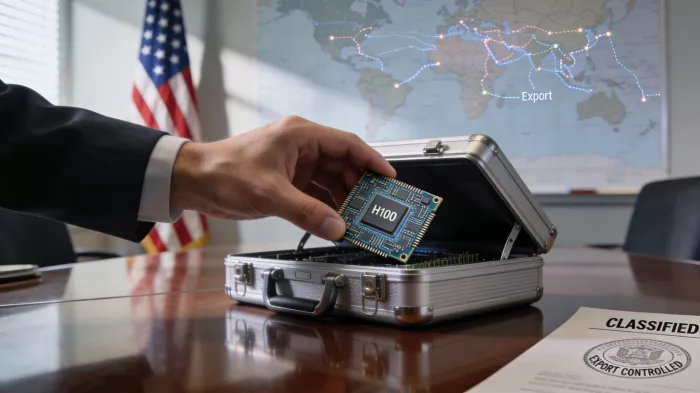
The U.S. Commerce Department is considering a new set of export contro...

Amazon Web Services has introduced Amazon Connect Health, a new health...
Discussion