

AI avatar video tools are easy to get excited about.
Type a script, pick a face, generate a video. It feels like you have replaced cameras, actors, and editing software in one move. That first output is usually convincing enough to make you think the problem is solved.
Then the second video happens. And the tenth. And eventually the fiftieth.
That is where tools like Colossyan and DeepBrain AI start separating. Not on features, not on pricing, but on how they behave when used repeatedly for real work. This is not a comparison about who generates better videos once. It is about which tool holds up when video creation becomes a system.
Colossyan and DeepBrain AI are often grouped together because both generate AI avatar videos. That is where the similarity ends.
Colossyan is built around structure. It treats video as a sequence of scenes, scripts, and repeatable templates. It is designed for training content, onboarding material, and internal communication where consistency matters more than cinematic quality.
DeepBrain AI approaches the problem differently. It focuses on realism. The goal is to make the avatar feel closer to a real presenter. It is designed for situations where the face, delivery, and visual presence carry more weight than structured storytelling.
Understanding this difference is important because it defines where each tool fits. One is a system. The other is a presentation layer.
Most users approach these platforms thinking they are just “AI video generators.” That framing hides the real use case.
| Use case | What actually matters |
| Training videos | Consistency, clarity, repeatability |
| Marketing videos | Realism, engagement, delivery |
| Internal communication | Speed and uniform output |
| Scalable video production | Workflow efficiency |
The tool you choose depends less on features and more on which of these outcomes you care about.
Official URL: https://www.colossyan.com/
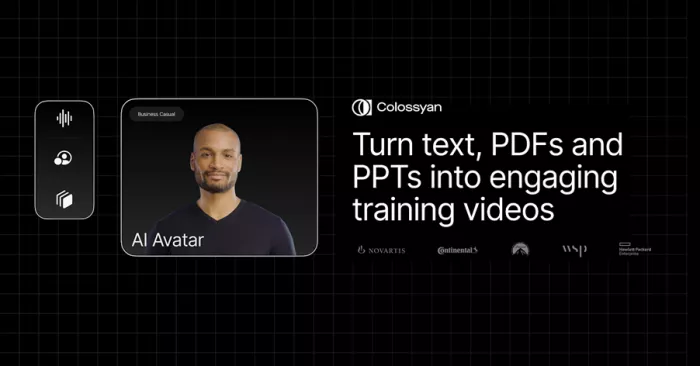
Colossyan is designed for environments where video is not a one-off task but a recurring process. The platform revolves around a scene-based editor where scripts are broken into segments, each tied to an avatar, background, and delivery style.
In practice, this makes it particularly effective for training modules, onboarding videos, compliance material, and internal documentation. You are not experimenting with visuals. You are building a system that produces consistent outputs every time.
The workflow reflects that intent. You write a script, divide it into scenes, assign avatars, and generate structured videos that feel uniform across batches. This consistency becomes valuable when creating 20 or 50 videos that need to follow the same format.
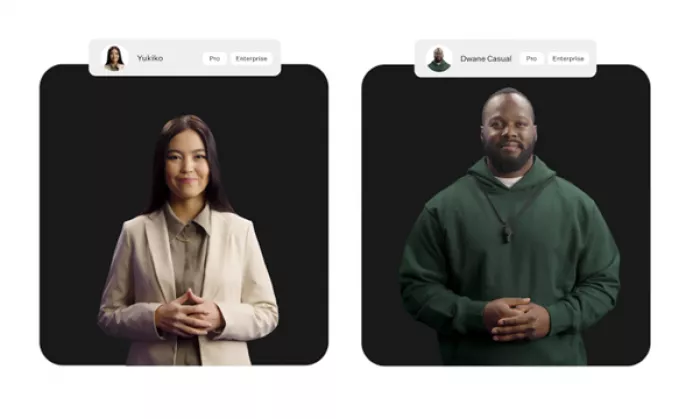
Where Colossyan starts to feel limited is in realism. The avatars are convincing enough for professional use, but they still carry a slightly templated tone. The delivery is clear, but not expressive. It prioritizes clarity over personality.
| Factor | Detail |
| Category | AI avatar video platform |
| Core strength | Structured scene-based workflow |
| Best use case | Training, onboarding, internal content |
| Languages | 70+ supported |
| Pricing | Starts around $28–30/month |
| Limitation | Less natural delivery compared to high-realism tools |
| Specific Pros | Specific Cons |
| Scene-based editing allows precise control over long videos instead of forcing everything into one continuous script | Avatars can feel slightly stiff in longer videos, especially when trying to add emotional variation |
| Strong consistency across multiple videos makes it ideal for training libraries and documentation workflows | Limited visual creativity compared to tools focused on cinematic output |
| Multi-language support is reliable for structured content and localization workflows | Customization is constrained within templates rather than free-form editing |
| Efficient for batch production where multiple videos follow the same format | Not ideal for brand storytelling or marketing campaigns that require dynamic presentation |
Official URL: https://www.deepbrain.io/
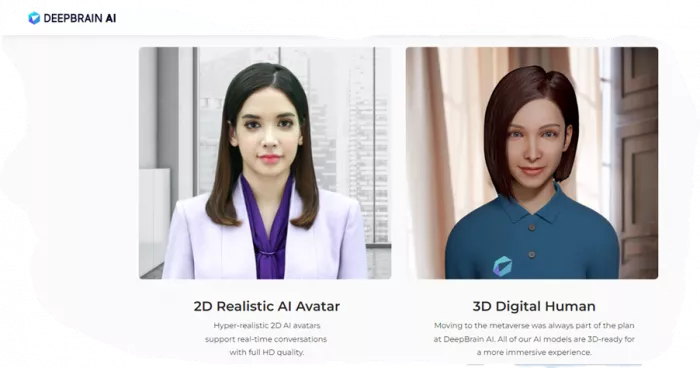
DeepBrain AI positions itself closer to a digital presenter than a content system. The avatars are designed to feel more lifelike, with improved facial detail, eye movement, and delivery patterns.
This makes a noticeable difference in first impressions. Videos generated with DeepBrain often feel closer to a recorded presentation, especially in shorter formats. This is why it is commonly used for marketing explainers, announcements, and broadcast-style content.
The workflow is simpler than Colossyan. You input a script, select an avatar, and generate the video. There is less emphasis on multi-scene structuring and more focus on delivering a clean, presenter-led output.
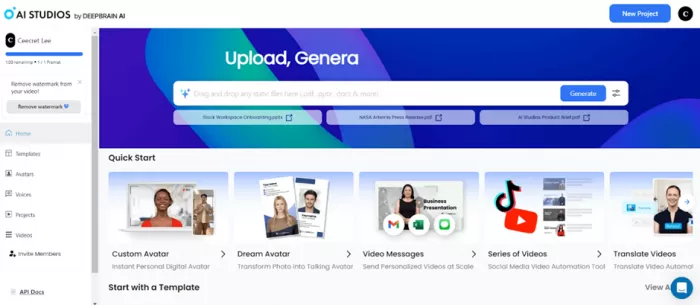
However, this simplicity introduces tradeoffs. As projects scale, maintaining consistency across multiple videos becomes harder. Without a strong scene system, longer or more complex content can feel less controlled.
| Factor | Detail |
| Category | AI presenter video platform |
| Core strength | High avatar realism |
| Best use case | Marketing, presentations, announcements |
| Languages | 80+ supported |
| Pricing | Starts around $30/month |
| Limitation | Less structured workflow for large-scale production |
| Specific Pros | Specific Cons |
| Avatars feel more natural in facial expressions and delivery, making videos more engaging at first glance | Lack of structured scene editing makes longer videos harder to manage |
| Better suited for customer-facing content where presentation quality matters | Maintaining consistency across multiple videos requires more manual effort |
| Quick setup allows fast creation of short-form videos without complex workflows | Limited control over detailed timing and transitions compared to scene-based tools |
| Strong first impression for demos, pitches, and announcements | Scalability becomes challenging when producing large content libraries |
The difference between these tools becomes clearer when output volume increases.
| Factor | Colossyan | DeepBrain AI |
| Batch production | Strong and predictable | Moderate and less structured |
| Output consistency | High across multiple videos | Varies depending on setup |
| Realism | Moderate | High |
| Workflow control | Strong | Limited |
| Long-form handling | Efficient | Less stable |
Colossyan performs better when the goal is to produce many videos with consistent structure. DeepBrain performs better when each video needs to feel more human and visually engaging.
| Tool | Pricing Model | What it tells you |
| Colossyan | Subscription-based | Built for predictable, ongoing usage |
| DeepBrain AI | Subscription + usage elements | Focused on output quality rather than volume efficiency |
Colossyan behaves like a system you integrate into your workflow. DeepBrain behaves like a tool you use when presentation quality matters more than volume.
| Category | Colossyan | DeepBrain AI |
| Speed | 8/10 | 7/10 |
| Output quality | 7/10 | 8/10 |
| Ease of use | 8/10 | 8/10 |
| Scalability | 9/10 | 7/10 |
| Overall | 8/10 | 7.8/10 |
Colossyan and DeepBrain AI are not competing on the same dimension.
Colossyan is designed for systems. It works best when video creation is repetitive, structured, and needs to scale across multiple outputs.
DeepBrain AI is designed for presentation. It works best when the goal is to create videos that feel closer to human delivery, even if that comes at the cost of workflow control.
Choosing between them is not about which tool is better. It is about how you plan to use video.
If the priority is consistency and volume, Colossyan fits naturally. If the priority is realism and engagement, DeepBrain AI becomes the better option.

Every meeting produces information that matters. Decisions get made, a...

AI note takers are tools designed to automatically capture what happen...
Most people meet Runway and Pika through short clips on social media....
South Korean President Lee Jae-myung has called for a deeper strategic...
Amazon-owned Ring is taking a major step beyond its roots in home secu...

Healthcare professionals are under constant pressure. Between patient...
Discussion