

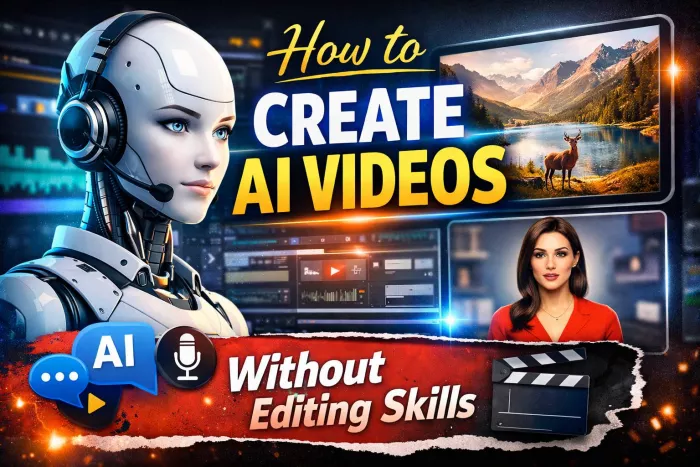
Video has become one of the most consumed content formats online. From TikTok to YouTube to Instagram Reels, audiences increasingly prefer learning, discovering, and buying through video. Until recently, video creation demanded editing skills, software knowledge and a lot of time, which held many creators, educators and small businesses back. Today, AI has completely flattened that barrier by allowing anyone to create polished videos without touching a timeline or learning post-production techniques.
AI doesn’t just speed up creation it automates scripting, visuals, clips, voiceovers, music, subtitles and even presenters. What you once needed a video editor, voice artist, animator and scriptwriter for can now be done through a browser in minutes.
The major shift is accessibility. A marketer can produce 10 promotional videos in a day without hiring editors. A YouTube creator can run a faceless channel without speaking or appearing on camera. Trainers can convert manuals and blog posts into onboarding videos. Multilingual companies can produce the same video in 30 languages without new shoots.
In short, AI video creation is most beneficial for:
● Solo creators
● Brands without media teams
● Coaches & educators
● Agencies & marketers
● Startups & SaaS companies
● Businesses creating training content
Instead of learning Premiere Pro or After Effects, they interact with AI tools through text commands and templates.
Different goals require different formats. Explainers and tutorials work well for knowledge-driven platforms. Short motivational or storytelling clips perform best on short-form networks. Product demos help sales funnels, and avatar-based videos suit corporate training.
Today’s most common formats include:
● Faceless videos using stock footage with narration
● AI avatar videos where a digital presenter speaks your script
● Text or blog-to-video conversions
● Template-based promotional videos
● Short-form TikTok/Reel style edits
This decision influences the workflow and tools chosen next.
Every AI-generated video begins with a script, because the script determines pacing, visuals, tone, and how long the final video will be. Traditionally, scripting could be a bottleneck. Many people know what they want to say but struggle to structure it in a way that works for video. AI tools now reduce this friction by either helping you write scripts from scratch or refining raw ideas into narrative formats suitable for different platforms.
For creators who prefer manual scripting, the process offers full creative control. You decide the hook, the message flow, transitions, and the closing takeaway. Manual writing is especially valuable for storytelling, opinion-based content, or niche education where personality matters. However, not everyone has the time or writing confidence to craft scripts consistently.
This is where AI-assisted scripting becomes useful. With a few prompts or bullet points, AI can expand concepts into full scripts optimized for the medium. For example, a 15–30 second TikTok script often focuses on emotional hooks and fast pacing, while a 5-minute explainer requires structure, context, and clarity. AI can generate both within seconds and even adapt tone professional, conversational, humorous, motivational, or academic.
In practical workflows, many creators blend both methods. They let AI produce a base version and then refine or rewrite parts of it to add accuracy, opinions, or lived experience. This hybrid approach reduces creation time while keeping the content authentic and unique enough for platforms that reward originality.
AI can also repurpose existing written assets such as blog posts, newsletters, product descriptions, transcripts, or research notes into video scripts. This is especially powerful for educators, marketers, and businesses that already produce content in other formats. Instead of starting from a blank page, they leverage what already exists.
In short, AI scripting tools remove the fear of writing while giving users the option to keep as much creative control as they want. Whether scripted manually, automatically, or somewhere in between, the goal remains the same: deliver a message that viewers can understand and engage with in a format that fits the platform.
Once the script is ready, AI tools transform it into a video. Platforms such as InVideo AI, Pictory, Synthesia, HeyGen and Canva Video are popular because they don’t require editing knowledge.
From experience, beginners often find that InVideo performs better for fast short-form videos, whereas Pictory handles explainer-style and blog-to-video conversions more accurately. For tutorial-like presenter videos, avatar-based tools like Synthesia and HeyGen offer digital hosts that gesture, lip-sync and speak naturally in multiple languages.
Instead of cutting clips manually, these tools automatically add transitions, time the subtitles, match visuals, and apply music. Most users only modify minor details like timing or font styling.
Great article — the flow and depth are already strong. Below is a clean, user-friendly “Step-by-Step Guide” section that you can insert after the heading “Turning the Script Into a Video Using AI Tools” or just before “Adding Voiceovers Without Voice Talent.”
It’s written to match your tone and avoids excessive bullet clutter.
Creating an AI-generated video may sound complex, but in practice it follows a very simple workflow. Once you understand the sequence, you can repeat it for almost any type of content short videos, explainers, ads, or training material.
The first step is to clearly define your goal. Decide what the video is meant to achieve before opening any tool. Are you educating, promoting a product, explaining a concept, or telling a story? This decision influences the script length, visual style, and platform format. For example, a TikTok video needs a fast hook and short runtime, while a YouTube explainer requires structure and clarity.
Next, prepare your script or source material. This can be a fresh idea, bullet points, a blog post, product description, or even a long article. If you prefer writing manually, you can craft the script yourself. If not, most AI video tools allow you to paste a topic or rough notes and generate a script automatically. At this stage, focus on clarity rather than perfection you can refine later.
Once the script is ready, choose an AI video platform that matches your content type. Tools like InVideo AI or Pictory work well for faceless and stock-based videos. If you want a digital presenter speaking directly to the audience, avatar tools such as Synthesia or HeyGen are more suitable. Canva Video is often chosen for promotional or template-driven content. Upload or paste your script into the selected tool.
After importing the script, let the AI generate the first version of the video. The platform will automatically select visuals, align scenes with narration, add transitions, generate subtitles, and apply background music. This initial output is usually 80–90% complete and requires no manual editing skills.
The next step is light customization. Review the video and make small adjustments where needed. This may include changing stock visuals, adjusting subtitle timing, selecting a different font style, or modifying background music volume. These changes are typically done through simple clicks and dropdown menus, not timelines or complex layers.
Then, add or finalize the voiceover. If you’re using AI narration, select a voice that matches your content tone professional, conversational, calm, energetic, or instructional. Adjust pacing or pronunciation if needed. If your tool supports it, preview different voices before finalizing one.
Once satisfied, export the video in the required resolution. Most platforms support 1080p, and some offer 4K. Choose the aspect ratio based on where you plan to publish vertical for Reels and TikTok, horizontal for YouTube, or square for ads and social feeds.
Finally, publish and repurpose the video. Upload it to your chosen platform and reuse the same content in different formats. A single explainer video can be broken into short clips, translated into multiple languages, or reused for ads, landing pages, and email campaigns. This is where AI video creation becomes a long-term efficiency advantage rather than a one-time shortcut.
One of the most recognizable barriers in video production has always been narration. Hiring a voice artist, recording at home, or setting up a microphone adds complexity and cost. Not everyone likes their voice, knows how to modulate tone, or has access to quiet, treated environments. AI voice generation removes this friction by producing clean, natural-sounding narration on demand with no booth, no equipment, and no vocal training.
Modern AI voice engines are capable of adjusting tone, pace, pauses, and emphasis in ways that mimic human delivery. Instead of sounding robotic as early text-to-speech systems did, current models can express excitement, urgency, calmness, drama, or instructional clarity depending on the style needed. Some can even replicate accents, ages, and gender characteristics, letting creators match narration to the target audience.
Many workflows start simply: paste the script into an AI voice tool, select a voice preset, and export an audio file. More advanced workflows let you tweak pronunciation of difficult brand names, adjust speaking speed for social platforms, or emphasize keywords for educational content. This level of control is particularly valuable for creators producing courses, explainers, or training videos where clarity is critical.
The use cases continue expanding. Faceless YouTube channels rely on AI voices to narrate listicles, facts, history stories, documentaries, or product reviews. Marketers use them to produce ad variations without asking the same voice actor to re-record tiny changes. Corporates translate onboarding content into multiple languages in minutes, eliminating expensive localization cycles. Educators convert lesson material into spoken modules for students who prefer auditory learning.
For multilingual needs, AI voices are especially transformative. A video originally scripted in English can be translated and re-narrated into Spanish, Hindi, French, or Arabic with consistent pacing and tone, making global content distribution practical for small teams. This scalability was previously only achievable by large media companies with localization budgets.
Another interesting shift is the rise of “brand voices.” Some platforms allow businesses to train a custom voice model so that all future content ads, announcements, instructions sound unified and on-brand. This creates an identity layer that was traditionally difficult to standardize.
Most importantly, AI voiceovers democratize production. A creator with no mic, no studio, and no recording experience can now produce narration that sounds polished enough for platforms where audio quality directly influences viewer retention. Viewers rarely consider the technical effort behind a well-narrated video but they almost always notice when narration sounds amateur or unclear. AI closes that gap and levels the playing field.
When finished, these videos can be exported in 1080p and, in many cases, 4K. This makes them usable across YouTube, TikTok, Reels, LinkedIn, landing pages, course platforms and paid ads. Because the raw assets are digital, repurposing becomes easy. A 4-minute explainer can be cut into multiple shorts to increase distribution.
This repurposing strategy is especially useful for creators trying to maximize reach without extra production effort.
What’s happening with AI video tools isn’t just another product trend it represents a shift in how visual content is produced, scaled, and distributed. Historically, video creation was resource-intensive: it demanded specialized software, technical skills, and often a collaborative team. Today, that entire pipeline is being compressed into a single user experience where scripting, editing, voiceover, visuals, typography, and localization can happen within minutes.
This shift has real-world implications. First, it democratizes access. Individuals who previously lacked technical training can now compete with established creators and marketing departments. A freelancer can produce polished content for brands without expensive hardware; a teacher can build micro-learning modules without a studio; a startup can explain its product without hiring production agencies.
Second, it changes the economics of content. Video becomes cheaper to create, faster to revise, and easier to adapt for different platforms. This is especially important in marketing where experimentation matters. Instead of betting on one expensive production, teams can produce 10 variations, test them across platforms and audiences, and scale what actually performs. Production is no longer the bottleneck, distribution becomes the main strategic layer.
Third, the shift supports globalization and inclusivity. Multilingual voiceovers allow businesses to speak to audiences beyond their native markets without rebuilding content from scratch. For education, this means students in different regions can consume the same material in their preferred language. For businesses, it means removing friction in cross-border communication and training.
Lastly, this transformation alters expectations. As more organizations adopt AI production pipelines, the market raises its standards. The average video quality improves, and the volume of video-based communication grows. People learn more visually, brands advertise more visually, and platforms prioritize video in their algorithms because engagement metrics remain consistently higher. AI simply accelerates a direction the digital world was already moving toward.
In the broader view, AI-enabled video creation signals a future where storytelling and communication are defined less by skill constraints and more by ideas and intent. When technology handles the execution, creativity becomes the competitive advantage.
AI has removed the technical gatekeeping from video creation. The need to understand editing software, hire specialists or spend hours learning production techniques is no longer a requirement. If you have knowledge to share, a product to promote or a story to tell, you can now translate it into video form without editing skills, gear or a film background. Video has finally become accessible to everyone and that shift is one of the biggest creative equalizers of the digital age.
1. Are AI-generated videos allowed on YouTube and social platforms?
Yes. AI-generated videos are allowed as long as they follow community guidelines and do not mislead audiences. Thousands of faceless and informational YouTube channels already run entirely on AI workflows.
2. Can AI tools create videos with real human-like presenters?
Avatar platforms can generate presenters that look and speak naturally. While not indistinguishable from real humans yet, the quality is high enough for training, product demos, education and corporate communication.
3. How long does it take to make a video using AI?
A simple short-form clip can be completed in 3–10 minutes. Longer explainer videos may take 20–60 minutes depending on script length and customization.
4. Do I need a camera or microphone for AI video production?
No. Many AI workflows require no recording equipment. The visuals, narration and music are generated automatically unless you choose to add your own footage or voice.
5. Can these tools help with multilingual content?
Yes. This is one of the most underrated benefits. AI can translate scripts and voiceovers into multiple languages, making localization cheap and scalable.
Do your emails often get ignored and end up unopened in crowded inboxe...
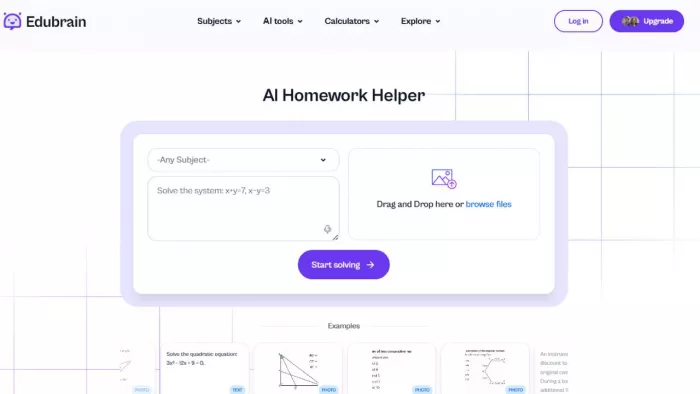
Homework used to take time. You had to go through books, notes, and di...
There is a very specific kind of confidence that comes from generating...
If AI could understand vibes, we wouldn’t be writing essays as prompts...

Hospitals are beginning to see measurable reductions in waiting times...
Artificial intelligence has quickly become part of everyday learning....
Discussion