

There is something slightly ironic about AI image tools. The more “intelligent” they claim to be, the more you end up writing prompts that look like a creative brief, a fashion guide, and a lighting manual combined.
That is exactly how this Krea AI test started.
Instead of treating it like a feature review, this was a controlled 24-hour experiment. The goal was simple: test image generation, video generation, and image enhancement using real prompts without over-optimizing anything. No cherry-picked results, no perfect prompt engineering, just practical usage.
What came out of it is not a simple yes or no. It is a tool that feels fast, sometimes impressive, and occasionally unpredictable in ways that actually matter.
Krea gets the first step right.
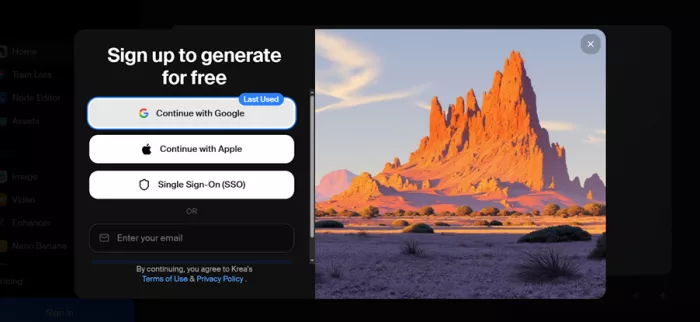
The login process is clean and modern. You get options like Google login, Apple login, and SSO email login. Once inside, an OTP verification adds a layer of security, which gives a stronger sense of trust compared to tools that skip this step entirely.
But the more interesting part comes after login.
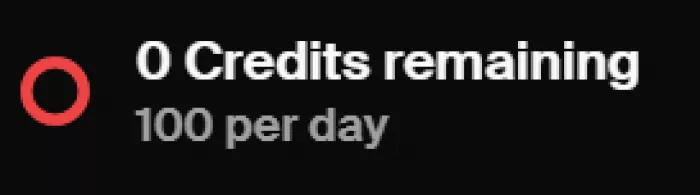
Krea runs on a credit-based system, and this is where usage behavior changes.
If you share your signup link and someone joins using it, you get 3000 credits as a reward. That is not a small bonus. It significantly extends how much you can test the platform without paying.
| Credit System Element | Details | Practical Impact |
| Daily free credits | 100 credits per day | Enough for consistent testing |
| Credit usage | Shared across tools | Requires prioritization |
| Referral reward | 3000 credits per signup | Encourages extended usage |
| Entry barrier | No payment required | Easy onboarding for beginners |
This system makes Krea feel accessible early on, but also subtly pushes users toward sharing and engagement.
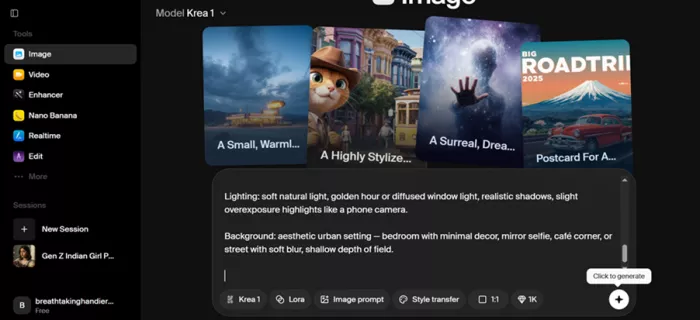
“A hyper-realistic portrait of a Gen Z Indian girl, 20–24 years old, medium warm brown skin with natural texture, visible pores, slight acne marks and subtle under-eye shadows, realistic skin (not airbrushed).
Hair: dark brown to black base with subtle balayage in caramel or muted burgundy tones, shoulder-length, slightly messy layers, styled in a loose claw clip or half-up messy bun, soft face-framing strands, visible flyaways.
Face: soft features, natural brows, deep brown eyes with a slightly sleepy/bedroom-eye look, minimal but trendy makeup — dewy skin, skin tint instead of foundation, subtle contour, glossy lips (clear or brown tint), soft brown lip liner, light blush across cheeks and nose, slightly smudged kajal/liner for a lived-in look.
Piercings: small gold nose ring (hoop), multiple ear piercings (stacked hoops and studs), maybe a subtle helix piercing.
Jewelry: layered gold chains, thin rings, minimal but aesthetic.
Outfit: 2026 Instagram fashion — oversized faded graphic tee or baby tee with high-waisted baggy jeans, or a fitted crop top with an open shirt, thrifted/soft grunge vibe, neutral tones (beige, olive, charcoal), slightly wrinkled fabric for realism.
Accessories: phone casually in hand (mirror selfie vibe optional), tote bag, wired earphones or sleek earbuds, maybe sunglasses resting on head.
Expression & pose: candid, slightly serious or effortlessly confident, not smiling directly, looking off-camera or into a mirror, relaxed posture, natural body language.
Lighting: soft natural light, golden hour or diffused window light, realistic shadows, slight overexposure highlights like a phone camera.
Background: aesthetic urban setting — bedroom with minimal decor, mirror selfie, café corner, or street with soft blur, shallow depth of field.”
This was not a simple prompt. It included skin texture, lighting, styling, accessories, and mood.
The output generated four variations. And immediately, the pattern was clear.
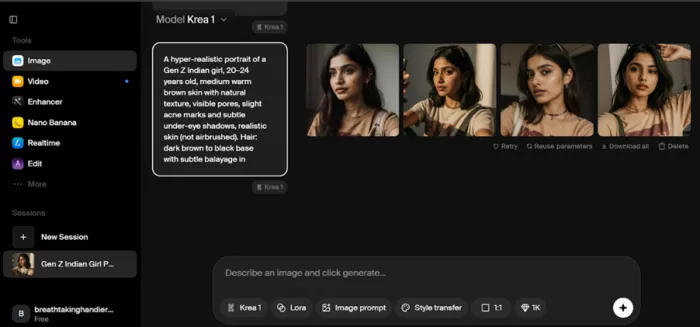
Two outputs felt slightly artificial. Skin texture was inconsistent. Facial proportions varied. But the other two were genuinely strong, especially in lighting and styling.
| Evaluation Area | Performance | What Worked | What Failed | Practical Use |
| Prompt accuracy | ~75% | Styling and mood captured well | Facial precision inconsistent | Good for concepts |
| Skin realism | Mixed | Natural texture in best outputs | Over-smoothing in others | Needs filtering |
| Lighting control | Strong | Soft light handled well | Slight highlight imbalance | Social-ready visuals |
| Facial consistency | Weak | Unique outputs each time | Identity not preserved | Not for branding |
Insight: Krea generates options, not precision.
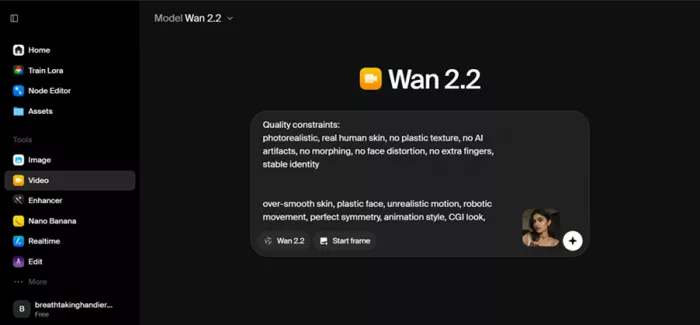
“A real-life video of a young Indian woman indoors, natural brown skin with visible pores and slight imperfections, no smoothing. Shoulder-length dark hair, slightly messy with natural flyaways. Wearing a beige t-shirt, gold nose ring, multiple ear piercings, layered necklaces, sunglasses on head.
Action (keep it simple + continuous):
She is holding the camera at arm’s length (front camera selfie). She naturally shifts her weight, slightly tilts her head, and slowly tucks her hair behind her ear. After that, she briefly looks away from the camera (like reacting to something in the room), then looks back with a soft, subtle expression. One hand lightly touches or adjusts her necklace.
Motion instructions (VERY IMPORTANT):
natural human timing (slight pauses, not continuous motion)
irregular blinking (not synchronized or repetitive)
subtle breathing visible in shoulders
small micro head movements (never perfectly still)
slight asymmetry in face and hand motion
tiny hesitation before touching hair (human imperfection)
Camera behavior:
Front camera phone video, handheld, slight natural shake, minor exposure shifts, slight focus breathing, realistic iPhone quality, not cinematic.
Lighting:
Soft natural window light from the side, realistic shadows, no studio lighting.
Background:
Indoor room, slightly blurred, natural depth, nothing artificial
Quality constraints:
photorealistic, real human skin, no plastic texture, no AI artifacts, no morphing, no face distortion, no extra fingers, stable identity
over-smooth skin, plastic face, unrealistic motion, robotic movement, perfect symmetry, animation style, CGI look, warped face, flickering, extra limbs, fast motion, unnatural blinking”
The goal here was realism, not cinematic output.
The first impression was strong. Facial expressions were accurate. Movements felt natural. Micro-details like blinking and subtle motion were well handled.
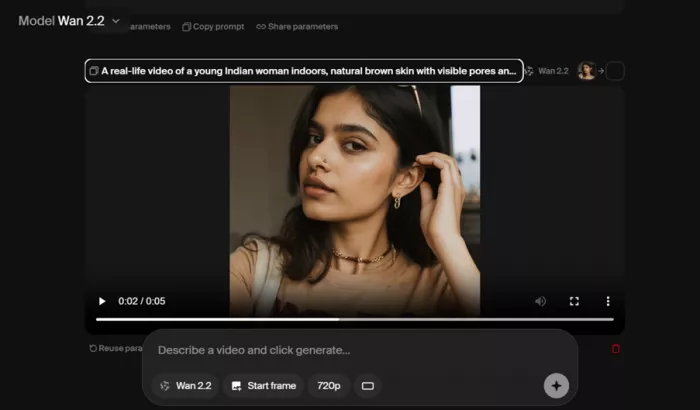
But then the second viewing reveals more.
| Evaluation Area | Performance | What Worked | What Failed | Practical Use |
| Facial expressions | Strong | Natural behavior captured | Slight stiffness | Good for reels |
| Motion realism | Moderate | Basic actions realistic | Not fully organic | Not production-ready |
| Color grading | Inconsistent | Lighting direction correct | Tone slightly unnatural | Needs editing |
| Overall realism | Partial | Good at first glance | AI feel on closer look | Social use only |
Here is the link for the output generated - https://limewire.com/d/3fO3b#1gC5gvQhjC
The enhancer test used a Peter Griffin image where the character looked scared.
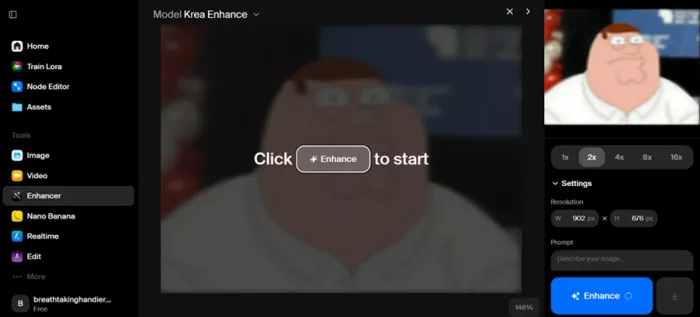
The expectation was to improve clarity without altering expression.
The result improved quality, but changed emotion.
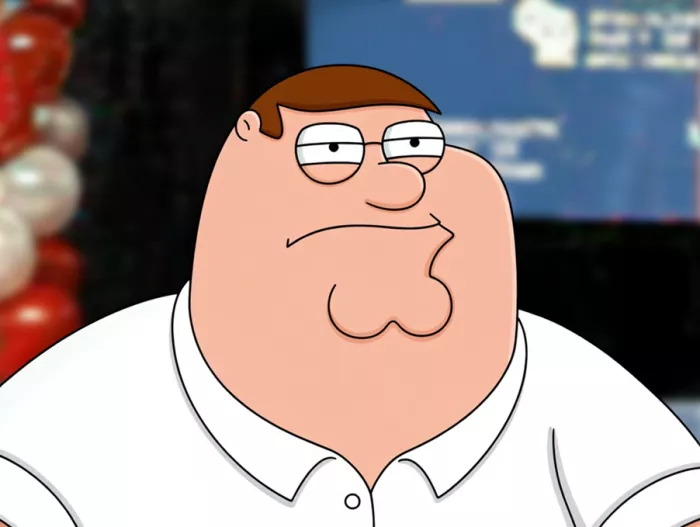
| Evaluation Area | Performance | What Worked | What Failed | Practical Use |
| Detail recovery | Strong | Clear textures added | Not always accurate | Good for low-res images |
| Noise reduction | Clean | Compression removed | Slight smoothing | Balanced results |
| Expression preservation | Weak | Structure intact | Emotion changed | Risk for portraits |
| Artifact control | Medium | Clean at moderate levels | Halos at max | Needs control |
Insight: Krea enhances visuals, but not always faithfully.
Running the same prompt multiple times revealed inconsistency.
| Run | Face Consistency | Lighting Stability | Style Match | Reliability |
| Run 1 | Strong | Balanced | Clean | High |
| Run 2 | Different face | Shifted lighting | Slight variation | Medium |
| Run 3 | Partial match | Warmer tone | Different composition | Medium |
Insight: Krea is consistent in style, not identity.
These are not minor issues. They define how the tool behaves in real workflows.
Krea’s biggest advantage is speed.
You move from idea to output in minutes. You generate multiple variations quickly and choose the best one instead of chasing perfection.
Krea AI is not trying to be perfect.
It is trying to be fast, accessible, and usable.
You will not always get exactly what you asked for.
But you will often get something good enough, faster than expected.
And combined with daily credits and referral rewards, it becomes a tool that encourages experimentation rather than perfection.
Yes, Krea provides 100 free credits daily, which can be used across image, video, and enhancement features.
Yes, through the referral system. If someone signs up using your link, you receive 3000 credits.
It performs well for style and mood, but consistency in faces and identity can vary.
It produces visually impressive videos, but subtle AI artifacts and color inconsistencies are noticeable.
It works best for concept creation and social content, but may require additional tools for final production.
Do your emails often get ignored and end up unopened in crowded inboxe...

Homework used to take time. You had to go through books, notes, and di...
There is a very specific kind of confidence that comes from generating...
Hospitals are beginning to see measurable reductions in waiting times...
Artificial intelligence has quickly become part of everyday learning....

Five years is a major milestone in the loyalty where the staff has bec...
Discussion