

Monica AI is a cross-platform AI assistant that sits “where you work” (browser, desktop, mobile, and even IDE extensions) and bundles multiple generative AI models into one interface so you can chat, write, summarize, translate, and generate images without jumping between separate tools.
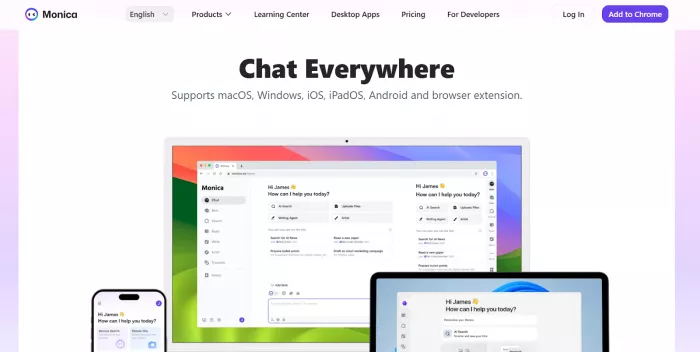
Think of Monica as a multi-model AI sidebar + productivity layer:
● AI chat for Q&A and drafting
● AI summary for web pages and (often) long content like videos/docs
● AI writer for rewriting, tone changes, email/blog drafting
● AI search that behaves like an “answer engine” with web access (as positioned by Monica)
● AI translator for full-page translation + bilingual reading
● AI art (image generation)
● Hotkey to open Monica (Cmd/Ctrl+M)
● Search enhancement (AI answers alongside Google/Bing, etc.)
● “AI Memo” knowledge base to save webpages/chats/PDFs and chat with them.
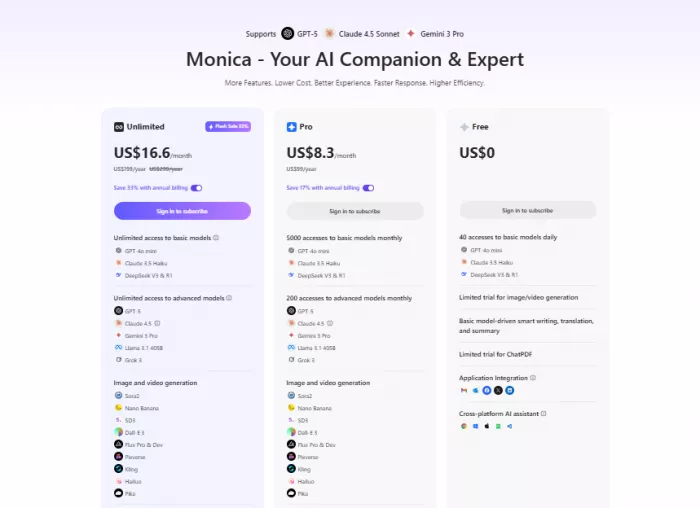
● LLMs: GPT-4o, OpenAI o1, Claude 3.5 Sonnet, Gemini 1.5 Pro, Llama 3.1
● Image: SDXL, SD3, Flux Pro, DALL·E 3
● Video processing: Kling, SVD
● One-click AI sidebar on any webpage
● Smart toolbar: explain/translate/summarize selected text
● Writing assistant embedded across sites (draft/rewrite anywhere)
● “Anywhere” access (sidebar + toolbar + extension hotkeys)
● Webpage + video summarization (positioned as a major time-saver)
● Multi-model switching inside one product
● Knowledge base (“AI Memo”) for saved sources and personal retrieval
● Image generation via multiple backends
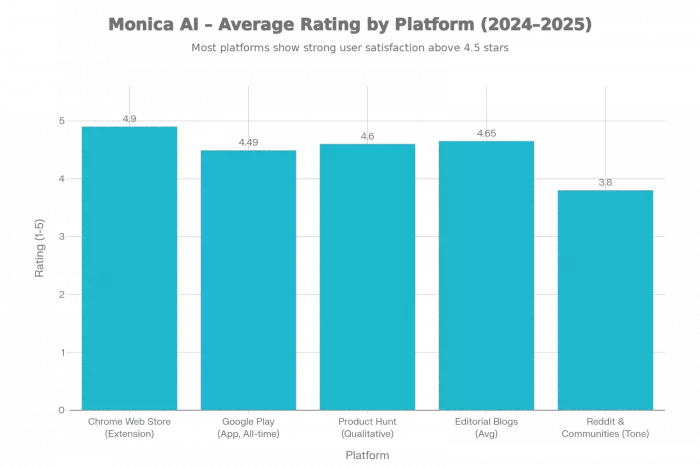
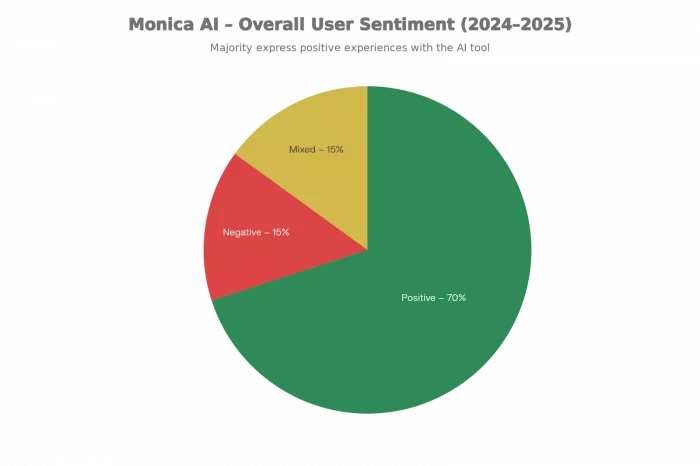
| Platform | Avg Rating | #Reviews (used) |
| Chrome Web Store (extension) | ~4.9/5 overall | 30.4K ratings |
| Google Play (app) | 4.49/5 all‑time; recent ≈3.1 | 108,920 ratings (summary) |
| Product Hunt | Qualitatively very positive | 182+ reviews/comments (page shows 182) |
| Editorial/Blogs (AllAboutAI, MacAppHQ) | 4.5–4.8/5 reviewer scores | 2 main reviews |
| Reddit & communities | Mixed sentiment; often 3–4/5 equivalent in tone | 3+ key threads |
● Browser‑native, cross‑platform workflow : Users like that Monica “lives” in Chrome/Edge with sidebar, text popup, and cross‑device apps, feeling like an always‑available copilot instead of a separate site.
● Multi‑model hub & speed :Strong appreciation for access to GPT‑4o, Claude 3.x/3.5, Gemini, DeepSeek, etc., from a single UI, with very fast responses and solid accuracy for research, writing, and coding.
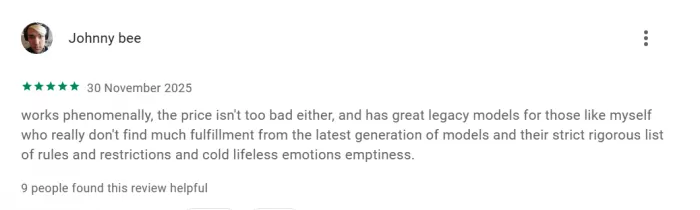
● Productivity for writers, students, and professionals :Praised for summaries of PDFs/YouTube, web page explanation, rewriting, translation, and structured outputs, often becoming a “daily driver” for content and study workflows.

● Polished UX (mainly desktop/extension) : Several reviewers describe the interface as clean, intuitive, and stable, especially the sidebar and selection toolbar on web.
● Pricing, free‑tier limits, and upsell friction : Users criticize high subscription cost (weekly/monthly), limited free usage, extra payments for advanced models despite “unlimited” messaging marketing, and frequent upgrade prompts.
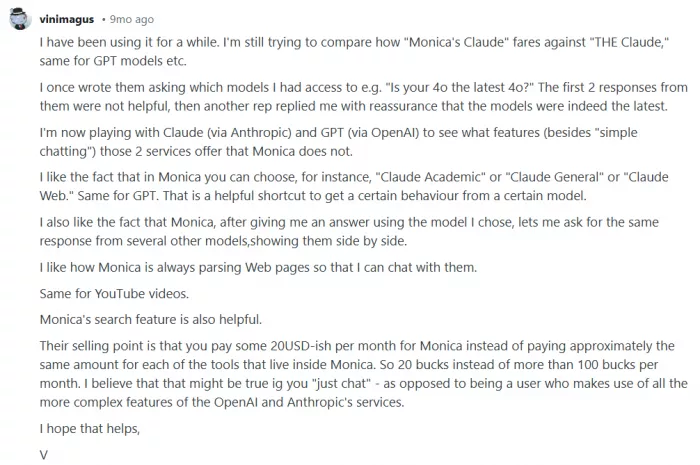
● Points/credits & plan confusion :Complaints about the Super Points/advanced points system, surprise depletion of credits, and unclear separation between subscription and per‑model quotas. reddit
● Mobile app UX and reliability issues : Reports of chaotic UI after redesign, features that still open in browser instead of native app, widget issues, and errors when deducting points.
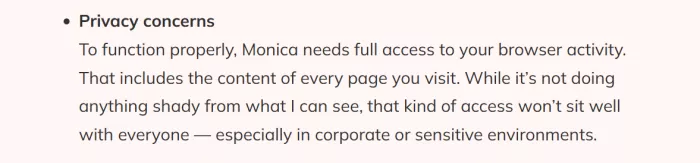
● Privacy and data‑access concerns : Some reviewers are uneasy with a browser extension needing full page access and question how data is handled, even while acknowledging clear productivity benefits.
Monica publishes multiple policy documents that are worth reading if you’ll use it for client work:
● Privacy Policy describes what information may be collected/used and frames security + compliance topics.
● Usage Policy explicitly prohibits harmful uses (fraud, scams, privacy violations, high-risk automated decisions, etc.) and even includes restrictions on using the service to provide professional advice.
● User Safety & Content Policy references compliance framing for regions like the EU (DSA) and UK (Online Safety Act), and states the service is intended for adults (18+).
Practical safety checklist (worth doing):
● Don’t paste secrets (API keys, passwords, client PII) unless you’ve verified policy + enterprise controls.
● Use it for drafts/summaries; keep a human in the loop for sensitive decisions.
● If you pay: document cancellation steps and keep receipts/screenshots (common sense for any subscription product, especially when reviews mention billing disputes).
Well‑suited for:
● Power users, researchers, and content professionals who value a single, browser‑native hub for multiple LLMs (GPT‑4o, Claude, Gemini, DeepSeek) plus summarization, PDF/YouTube digestion, and coding helpers.
● Students and knowledge workers needing frequent web page explanations, translations, and quick summaries, especially if they work mostly in Chrome/Edge and are comfortable with an extension having page access.
● Users willing to pay for Pro to unlock higher‑tier models and larger quotas; they tend to report high productivity ROI despite costs.
Probably not ideal for:
● Budget‑sensitive or casual users who want a generous free tier without nagging, as reviews repeatedly flag limited free usage, strong upsell, and confusing points for advanced models.
● Privacy‑conscious users uncomfortable granting a Chrome extension broad access to browsing data, especially in regulated or high‑sensitivity environments.
● Mobile‑first users who need flawless UX; current app reviews mention chaotic UI, widget issues, and inconsistently integrated features, making the experience less smooth than the desktop extension.
Claude (often preferred for long-form writing/analysis)
QuillBot : Best for writing polish (editing, tone, brand voice)
Sider: Closest “browser sidebar assistant” alternatives

Monica AI doesn’t feel like a “nice to have” once it’s wired into your browser – it feels like the place where work actually happens. Instead of jumping between ChatGPT, Claude, Gemini tabs and a dozen SaaS tools, you end up doing everything from one sidebar: skimming research into bullet‑point briefs, turning ugly drafts into publishable copy, and pressure‑testing ideas across different models without leaving the page you’re on.
The trade‑off is very real: Monica rewards heavy, focused use and punishes casual dabbling. If you rely on advanced models for client work, studying, or shipping code, the subscription plus its “credit logic” can make sense, because the time saved easily pays for the bill. If you only want to ask a few questions a day, the tight free tier, constant reminders to upgrade, and a clunkier mobile app will feel more irritating than inspiring. In other words, Monica isn’t the friendliest entry‑level AI toy but as a serious, always‑on control room for multiple LLMs inside Chrome/Edge, it earns its spot in the toolkit for people who genuinely work with it, rather than just play with it.

Let’s start with a small truth about storytelling: writing the first s...
WhatsApp is preparing to allow third-party artificial intelligence cha...
BrandCrowd built its name as a go-to logo tool for small business...
There is a specific kind of disappointment that comes from opening a b...
AI companion apps have moved well beyond novelty status. What started...
Let’s start with an uncomfortable truth. Most people want their photos...
Discussion