

If you’ve ever Googled a tech problem in a hurry, “why is my laptop slow,” “how to uninstall an app,” “best antivirus for beginners”, there’s a good chance MyTechArm.com showed up somewhere on the first page.
At a glance, the site looks like a straightforward tech help blog: simple explanations, lots of how-to guides, and broad coverage across software, gadgets, AI, and cybersecurity. But when you slow down and look beyond the surface, a more complex picture emerges.
This article takes a calm, conversational, investigative look at MyTechArm.com, what it actually is, how it operates, what it does well, where it falls short, and how readers should realistically use it.
MyTechArm presents itself as a general technology knowledge hub. Its stated focus includes:
The language is intentionally simple. Articles are written for non-technical or beginner readers, avoiding jargon and assuming minimal prior knowledge. That positioning alone explains why the site attracts search traffic, many users don’t want expert-level depth; they want clarity.
One of the first things deeper reviewers notice about MyTechArm.com is what isn’t visible.
What’s missing
Most posts are published under generic bylines like “Admin” or names with no linked profiles, credentials, or professional background. There are no LinkedIn links, no “Meet the Team” page, and no clear editorial accountability.
This setup is not illegal or uncommon, but it does matter for trust evaluation. Established tech outlets usually attach real people, reputations, and organizations to their content.
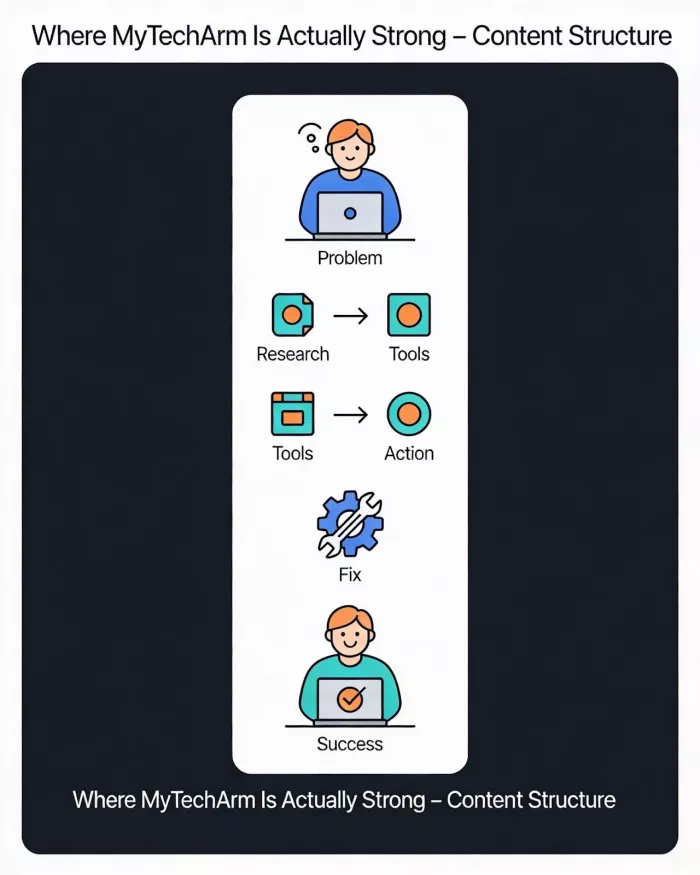
Despite criticism, MyTechArm isn’t useless. In fact, it performs well in one very specific role.
This is where the site is most consistently praised by neutral reviewers.
Typical article pattern:
For low-risk tasks, changing settings, installing apps, understanding basic features, this approach works. Beginners often find these guides easier to follow than official documentation.
The biggest red flag appears in so-called “reviews.”
What the reviews usually are
What they usually aren’t
There’s no evidence of physical testing labs, devices, or real-world product evaluation. This strongly suggests the reviews are aggregations, not original assessments.
That doesn’t automatically make them wrong, but it does limit their value for buying decisions.
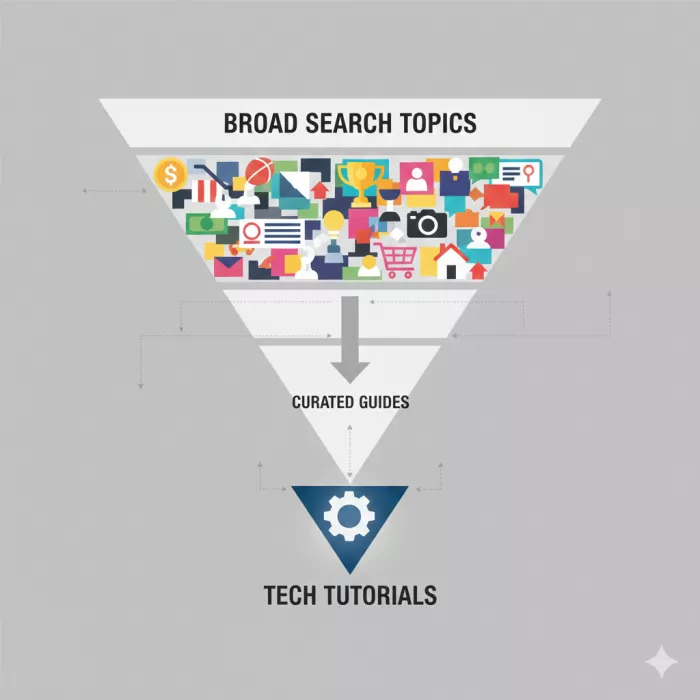
One thing many analysts notice: MyTechArm covers a lot of unrelated topics.
Alongside tech guides, some versions of the site’s content network include:
This kind of breadth is common in SEO-driven content networks, where the goal is to capture as many searchable queries as possible rather than build a tightly focused editorial identity.
The result:
This is a very common user question, and it’s important to separate security risk from content quality risk.
What third-party scanners indicate
Independent site-checking services consistently report:
Trust scores generally fall in the 70–80/100 range, which is typical for ad-supported content sites.
What that means in practice
MyTechArm is free to access, and it funds itself primarily through:
On desktop, the experience is usually tolerable. On mobile, ads can:
This monetization style reinforces the idea that the site is built to capture traffic efficiently, not to provide a premium reading experience.
Many observers point out the formulaic writing style:
This doesn’t prove AI generation, but it strongly suggests AI-assisted drafting combined with light human editing. That approach is increasingly common across mid-tier content sites.
The downside is that while facts may be correct, the articles often lack:
Which brings us to Google’s E-E-A-T framework.
| Factor | Assessment |
| Experience | Weak (no visible hands-on testing) |
| Expertise | Basic (introductory level only) |
| Authoritativeness | Limited (no strong author signals) |
| Trust | Moderate (safe site, low transparency) |
This explains why MyTechArm ranks well for simple problems but struggles to compete with established outlets for complex or high-stakes queries.
Good fit for:
Poor fit for:
Think of MyTechArm as a starting point, not a final authority.
MyTechArm.com is not a scam, and it’s not malicious. It delivers real answers to real questions. But it operates as a satellite content site, optimized to capture search demand rather than build long-term editorial trust.
The best way to use it is the same way you’d use fast food:
For serious decisions, always cross-check with:
That’s not a criticism, it’s simply understanding what the site is designed to do.

Let’s start with a small truth about storytelling: writing the first s...

WhatsApp is preparing to allow third-party artificial intelligence cha...

BrandCrowd built its name as a go-to logo tool for small business...

There is a specific kind of disappointment that comes from opening a b...

AI companion apps have moved well beyond novelty status. What started...
Let’s start with an uncomfortable truth. Most people want their photos...
Discussion