

PixVerse AI has arrived at a moment when “AI video” is no longer a novelty—but actually part of a creator’s weekly workflow. It doesn’t try to be a Hollywood replacement; instead, it leans into being a fast, social‑first video lab where ideas go in and short, punchy clips come out. The question isn’t “Can it make videos?” it’s “What kind of creator does PixVerse secretly love the most?”
If traditional video editing is a full‑blown film studio, PixVerse is the tiny experimental lab around the corner: messy sometimes, surprising often, addictive if you’re a tinkerer. At its heart, PixVerse AI is a web and mobile platform that turns text prompts and images into short clips using its own evolving family of AI video models (V4.5, V5, V5.6 and beyond).
● You log in from a browser or the mobile app
● Type what you want to see (“a moody coffee shop in the rain”, “a futuristic street fashion shoot”), or upload a static image, pick a style or preset, and hit generate.
● A few seconds later, you get a moving, stylized video that feels much closer to a finished social clip than a rough draft.
PixVerse is unapologetically short‑form. Its natural habitat is TikTok, Reels, YouTube Shorts, ad snippets, and concept pieces, not 12‑minute documentaries.
Rather than thinking in checklists, it’s easier to understand PixVerse by imagining three typical use‑cases and how the tool behaves in each.
This is the text‑to‑video side of PixVerse.
● You feed it a description: environment, subject, mood, maybe camera vibe.
● PixVerse’s text‑to‑video engine tries to translate that into a short animated shot—typically a few seconds long.
● Simple, mood‑driven ideas (“soft sunlight on a cozy workspace by the window”) tend to come out surprisingly watchable and aesthetic.
When you stay in this lane, vibes, moods, single subjects, PixVerse feels almost like a visual idea generator that happens to move. It’s when you start demanding multi‑step logic, complicated camera choreography, or intricate worlds that you feel the limits kick in.
This is where PixVerse is arguably at its most charming.
● You upload a still: a portrait, product shot, illustration, or concept art.
● The image‑to‑video workflow adds motion, depth, and subtle camera movement to make it feel alive.
For artists, designers, and e‑commerce folks, this is gold: one static image can now carry much more attention on social feeds. Instead of spending hours animating, you let PixVerse invent just enough motion to keep the scroll from moving on.
PixVerse doesn’t pretend to be a full non‑linear editor, but newer capabilities like Extend and Transition hint at its ambitions.
● Extend lets you stretch a clip, continuing the visual idea with more frames.
● Transition can bridge between frames or two images, so you get something closer to a sequence than a standalone shot.
● In versions like V5.6, multi‑shot workflows and better camera control make it more viable for short narrative moments.
It’s not “film school level” storytelling, but for ads, micro‑stories, and social hooks, it gives you more continuity than a pure one‑prompt‑one‑clip tool.
One of PixVerse’s boldest promises is that you can have characters who actually speak and move in a vaguely human way.
● Lip sync: Feed it voice and PixVerse will try to sync mouth movement to speech, which is huge for commentary clips, AI presenters, or short character bits.
● Motion: Simple gestures—turns, walks, light actions—show up convincingly in many tests, especially for short durations.
● Camera: Dynamic pans and zooms are possible, but exact requests (“track left while the character walks toward the camera”) often get interpreted loosely.
For creators who want a talking AI “host” or character for short snippets, PixVerse is powerful enough to be fun and functional. For filmmakers who obsess over every movement, timing, and angle, the lack of precise control will feel like a dealbreaker.
● Style presets control the visual language: cinematic, anime, stylized, abstract, dreamy, and more.
● Effect templates bundle motion + look + vibe so you can align with TikTok/Reels trends without having to reverse‑engineer edits you saw on someone else’s feed.
● Some tests note built‑in sound and SFX options, though many creators still prefer importing clean PixVerse footage into another tool to handle audio properly.
This opinionated styling is why PixVerse has traction with non‑technical creators: it doesn’t just output “a video”, it outputs something that already feels like content. The trade‑off is obvious: when a tool has a strong aesthetic, it sometimes fights you when you want something outside its comfort zone.
Let’s be blunt: PixVerse is not equally talented at everything. It has clear sweet spots and clear failure modes.
● Simple, stylized prompts: When your ask is modest i.e. one subject, clear environment, consistent mood, it frequently delivers smooth, attractive clips with coherent lighting and motion.
● Image animation: Turning stills into animated clips is often where it feels “magical”; movement feels built‑in rather than slapped on.
● Speed: For short clips, many tests show generation times in seconds to under a minute, which matters more than people admit when you’re making daily content.
In short: if your briefs read like “make this visual idea move and look cool,” PixVerse feels more like a collaborator than a liability.
Ask too much, and the illusion cracks:
● Complex, logical prompts: Multi‑element sci‑fi cityscapes, intricate machinery, multi‑character interactions, this is where users see chaos: morphing objects, broken logic, scenes that drift away from what was requested.
● Strict camera direction: You can ask for a specific camera move, but you’re more likely to get “something dynamic” than your exact shot design.
● Consistency: Faces may shift subtly or break, details may come and go, and slight prompt edits can dramatically change results.
● Resolution and sharpness at lower tiers: On the free and cheaper plans, you’re often capped at lower resolutions with watermarks, pushing serious users to either upscale footage or upgrade plans.
PixVerse doesn’t sell “unlimited creativity”; it sells credits.
Every video you generate burns credits, and how many depends on:
● The model you use (newer, higher‑quality models cost more credits per second).
● The resolution and modes you choose.
● The length of the clip.
If you treat it like an infinite playground and you’re on a budget plan, you will feel the burn.
| Plan Type | Price (Monthly) | Credits (Approx.) | Max Resolution (Typical) | Concurrent Generations (Approx.) |
| Free | $0 | Limited initial + small daily refills | ~540p, with watermark | 1 |
| Standard | ~$10 | ~1,200 | HD (around 720p) | ~3 |
| Pro | ~$30 | ~6,000 | Up to 1080p | ~5 |
| Premium | ~$60 | ~15,000 | Up to 1080p | Higher than Pro (team‑oriented) |
| Enterprise | From ~$100 | Custom | 1080p+ (depending on deal) | Custom / API‑driven |
To make the trade‑offs clearer, imagine three people using the same tool.
They live on TikTok, Reels, Shorts.
● Loves: Fast generation, bold visuals, templates that match trends, image‑to‑video for turning artwork and selfies into scroll‑stoppers.
● Tolerates: Occasional weirdness in scenes; they’ll just regenerate.
● Plan sweet spot: Standard or Pro, depending on posting frequency.
For them, PixVerse is almost a cheat code, especially when combined with external tools for editing and audio.
They need campaign assets yesterday.
● Loves: Quickly mocking up concepts, producing mood clips and ad variations for testing, animating product shots.
● Watches closely: Credit burn, output consistency with brand assets, facial stability for recurring characters.
● Likely path: Pro or Premium, plus a traditional editor to finalize.
For them, PixVerse is a force multiplier, as long as they treat it as a content generator, not a brand‑identity system.
They care about story, continuity, and precision.
● Appreciates: How fast PixVerse can suggest visual ideas and pre‑viz concepts.
● Critiques: Lack of control over camera, logic gaps in longer or complex scenes, inconsistent faces, and the unpredictability of prompt changes.
● Best use: Pre‑visualization, concept art in motion, and experimental sequences—not final, long‑form work.
For them, PixVerse is a sketchbook, not the final canvas.
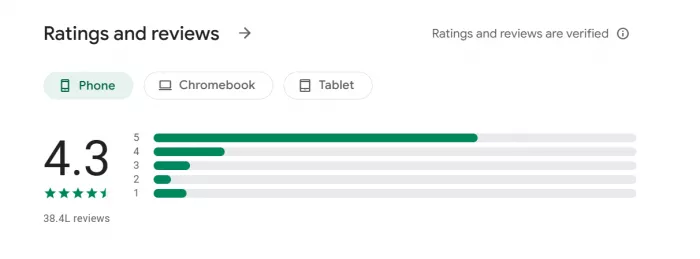
● High overall rating & large install base – The app has a strong ~4.4–4.5★ rating on Google Play with tens of millions of downloads, indicating many users are satisfied overall.
● Enjoyable creative features – Users frequently say it’s fun and easy to generate AI videos and use templates to create interesting content.
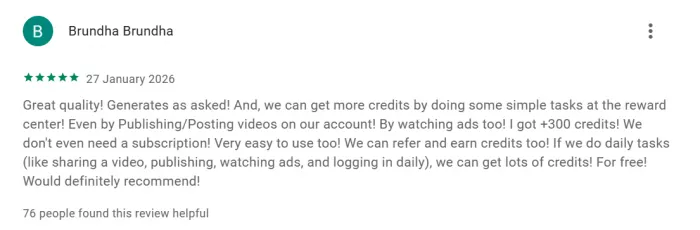
● Good results most of the time – Some reviews mention the app delivers what they want and has diverse templates and generation options that work well.
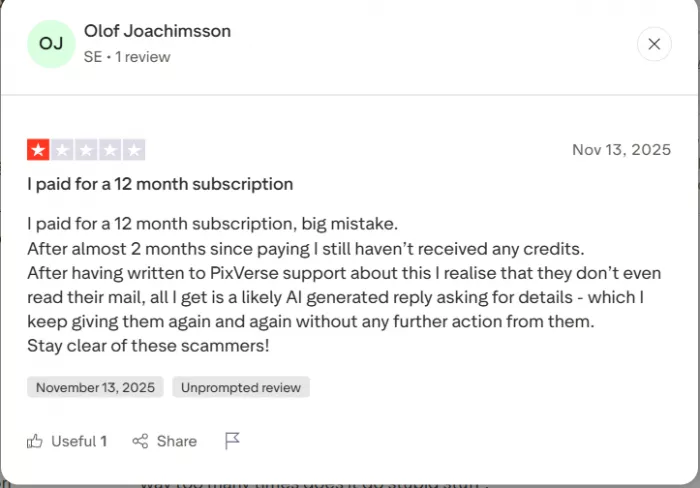
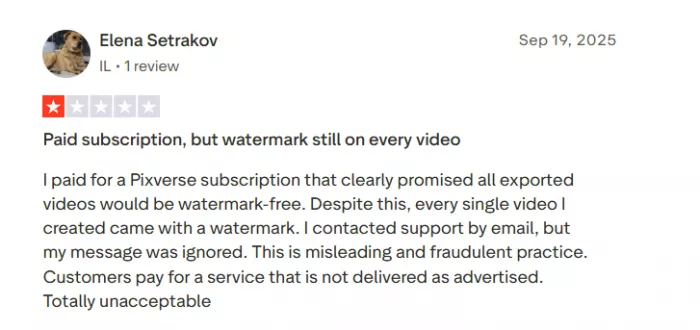
● Subscription & billing issues – Users report paying for yearly plans or credits and not receiving them, with confusing cancellation processes.
● Credits disappearing or wasted – Many say credits vanish or are consumed on bad or irrelevant outputs.
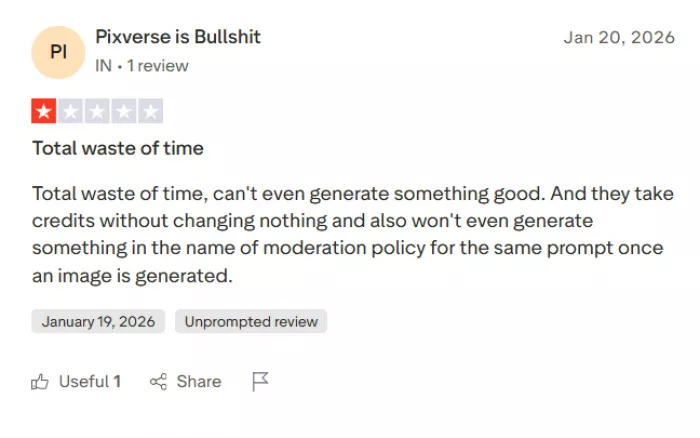
● Poor quality and support – Complaints include AI not following prompts, watermarked outputs despite paid plans, and ignored or unhelpful customer support.
PixVerse is not the “one tool to replace them all” and that’s okay.
You should seriously consider paying for PixVerse if:
● Short‑form content is central to your brand or income.
● You value speed and visual punch more than surgical control.
● You’re comfortable combining PixVerse with other tools for editing, audio, and final polish.
● Production-grade AI video for cinematic text-to-video and image-to-video
● Built-in editor, timelines, and clip chaining for client or film work
● Free tier; paid plans start ~$15/month (credit-based)
● Best for short, viral clips with playful effects and camera control
● Fast renders, strong image-to-video consistency, social-media friendly
● Free daily credits; paid plans from ~$10/month, no watermark
● Focused on AI avatars, talking heads, and video translation
● Ideal for explainers, training, and marketing—not cinematic scenes
● Limited free use; paid plans around ~$29/month
PixVerse AI is less a “video editor” and more a high‑voltage idea machine: brilliant at spitting out short, stylised clips, unreliable the moment you ask it to behave like a film crew. It shines when you feed it vibes, still images, or quick social concepts and treat the outputs as raw creative fuel rather than final assets.
The catch is sharp: complex prompts, consistent faces, and strict camera work often fall apart, and the credit‑plus‑billing experience has clearly burned some paying users. For serious short‑form creators and marketers who understand those limits and are happy to polish elsewhere, PixVerse can be a dangerously addictive ally; for control‑obsessed filmmakers or anyone allergic to billing friction, it’s a sketchbook, not a foundation.
BrandCrowd built its name as a go-to logo tool for small business...

There is a specific kind of disappointment that comes from opening a b...
AI companion apps have moved well beyond novelty status. What started...
Let’s start with an uncomfortable truth. Most people want their photos...

The U.S. Commerce Department is considering a new set of export contro...

Amazon Web Services has introduced Amazon Connect Health, a new health...
Discussion