

Preparing for interviews isn’t just about knowing the right answers. How you deliver them under pressure is what often makes the difference. PracTalk is an AI-powered interview practice platform designed to help job seekers train their real-time performance, not just memorize responses.
This review explores PracTalk’s features, pricing, user experiences, and limitations, providing an honest perspective for anyone preparing for interviews.
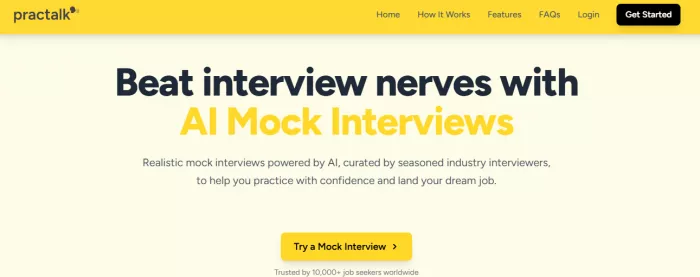
PracTalk immediately distinguishes itself from other AI interview tools the moment you start a session. It’s not just a “question-and-answer simulator”; it mimics a real human interviewer in subtle but impactful ways:
● Interrupts When Answers Are Vague: Instead of letting you ramble, PracTalk interjects when it detects unclear or incomplete answers. This mirrors real interview behavior where recruiters probe for clarity and depth.
● Asks Follow-Up Questions Like a Human: The AI doesn’t just move linearly from question to question. It follows up intelligently based on your responses, challenging you to explain reasoning, handle ambiguity, or provide examples.
● Pauses Strategically: PracTalk introduces short pauses after responses, simulating the evaluation moments an interviewer naturally takes. These pauses feel awkward initially but train you to handle silence confidently, a subtle skill often overlooked in self-prep.
● Natural Flow of Conversation: Unlike scripted AI coaches, it creates a back-and-forth that feels organic. You get a sense of pacing, tone, and pressure similar to a mid-round technical or behavioral interview.
First Impression Takeaway: Users often report that the first session feels “real.” You immediately understand that this tool isn’t just about practicing answers—it’s about practicing how to perform under pressure, blending content mastery with delivery finesse.
PracTalk’s video mode is more than a gimmick; it addresses one of the most overlooked aspects of interview preparation: non-verbal communication.
● Eye Contact & Presence: The AI tracks where you look during answers. Maintaining consistent eye contact improves perceived confidence and engagement.
● Gestures & Posture: Video feedback flags overuse or underuse of hand gestures, slouching, or nervous movements, which can subtly undermine authority and clarity.
● Vocal Delivery & Pacing: While verbal content is crucial, how you say it matters equally. PracTalk analyzes speech speed, tone modulation, and filler words. Users can see whether they’re speaking too fast, too slow, or with monotone delivery.
● Habits You Didn’t Know You Had: Most users discover habits they were unaware of. For example:
○ Leaning back when unsure
○ Nodding excessively when thinking
○ Using “uh” or “you know” frequently
Identifying these habits early allows for conscious correction.
● Measurable Improvement: After repeated sessions, the AI shows progress in both verbal and non-verbal communication, reinforcing improvement and highlighting areas needing attention.
● Simulation of Real Pressure: Video mode simulates the stress of real interviews. Recording yourself adds psychological realism knowing you’re “on camera” nudges natural composure, just as a live interview would.
Video-Based Interview Takeaway: Many users say that video sessions made them noticeably more confident and polished in real interviews. It bridges the gap between knowing the right answers and presenting them with the right presence.
● Technical roles: Focuses on clarity of explanation rather than trivia
● Marketing & product roles: Tests prioritization, trade-offs, and ambiguity handling
● Behavioral rounds: Emphasizes reasoning and decision rationale
Verbal Delivery: Speaking pace, tone confidence, pauses vs. rambling
Answer Structure: Logical sequencing, STAR method usage, relevance to question
Non-Verbal Signals: Eye contact, facial tension, hand movement stability
Feedback is specific and actionable, not generic.
● Measures improvement over multiple sessions
● Helps answer: “Am I actually improving or just repeating myself?”
● Acts as a readiness bar rather than a scorecard
● Monitors trends over time
● Identifies recurring mistakes in both verbal and non-verbal communication
● AI references specific moments in answers
● Enables focused improvement, not theoretical guidance
| Plan Type | Cost | Features |
| Pay-per-interview | ~$3.99/session | Single session, basic analytics |
| Subscription | Varies (monthly/annual) | Unlimited sessions, PrepScore, detailed analytics |
| Free Demo | $0 | Limited questions, basic practice |
Tip: Treat each session like a real interview. Focused use provides the most value.
Many readers benefit from a practical walkthrough, especially if they are trying PracTalk for the first time. Here’s an expanded guide:
● Visit the PracTalk website and sign up using your email or social login.
● Create a profile with your name, role, and experience level. This helps the AI tailor the questions.
● Optionally, upload your resume. The AI analyzes it to create customized role-specific questions.
● Role Selection: Pick the type of interview: technical, marketing, product management, behavioral, or leadership.
● Difficulty Level: Beginner, intermediate, or advanced. Select according to your experience.
This allows PracTalk to simulate realistic challenges for your role and skill level.
● Video Mode: The AI observes your body language, facial expressions, and tone. Ideal for practicing in a realistic setting.
● Text Mode: Focuses on content and logical structuring of your answers. Useful for technical or coding interviews.
● Turn on your camera and microphone (for video mode).
● Answer each question as if in a real interview, without referring to notes.
● The AI may interrupt, ask follow-ups, or pause, mimicking real interview pressure.
This trains both confidence and delivery, not just knowledge.
After the interview, PracTalk provides a detailed report:
● PrepScore: Tracks your performance improvement.
● Verbal Insights: Speaking pace, tone, confidence.
● Answer Structure: Logic, STAR method usage, relevance.
● Non-Verbal Signals: Eye contact, facial tension, hand gestures.
● Schedule multiple sessions over days or weeks.
● Compare your PrepScore to track improvement.
● Revisit specific role-specific scenarios to build mastery.
This approach ensures consistent, measurable improvement, not just random practice.
| Platform | Focus | Pricing | Strengths | Weaknesses |
| PracTalk | Realistic performance and self-improvement | $3.99 per session / Subscription | AI video feedback, PrepScore, role-specific questions | No long-term memory, mobile experience limited |
| Interviewing.io | Anonymous mock interviews with real engineers | Subscription | Real-world interviews, live coding sessions | Less detailed AI feedback, mainly technical |
| HiredScore | AI-driven hiring and candidate matching | Enterprise plans | Matches candidates with jobs, recruitment-focused | Not designed for individual practice, lacks PrepScore-style insights |
| VMock | Resume optimization + AI feedback | Free & subscription tiers | Highlights strengths/weaknesses in CV and answers | Less interactive interview simulation |
● PracTalk: Best for improving performance under pressure, especially verbal and non-verbal communication.
● Interviewing.io: Great for real coding interviews, but limited AI-guided feedback.
● HiredScore: Useful for recruiters or job matching; less for candidate self-prep.
● VMock: Focuses on CV and answer content, not delivery or confidence.
● Resume data is used only for question personalization
● No external recruiter outreach or spam
● Data improves AI models but is not sold without consent
Transparency in video-heavy platforms ensures user trust.
● Desktop experience is smoother than mobile
● Sessions don’t build long-term coaching memory
● Beginners without basic interview knowledge may feel overwhelmed
PracTalk is designed to amplify performance, not teach fundamentals.
User experiences highlight that PracTalk isn’t just a theoretical exercise it drives real behavioral change:
● Confidence and Awareness:
“PracTalk helped me notice habits like pacing and filler words. Confidence improved in just a few sessions.” – Software Engineer, 2025
Users notice micro-behaviors (like excessive “umms,” monotone speech, or fidgeting) that standard practice often misses.
● Critical Thinking Over Memorization:
“Role-specific questions made me think critically rather than memorize answers.” – Product Manager, 2025
Instead of rote answers, PracTalk pushes users to justify decisions, weigh trade-offs, and articulate reasoning skills directly transferable to real interviews.
● Measurable Progress:
“PrepScore shows real improvement over time. It’s motivating and measurable.” – Marketing Professional, 2025
Users appreciate seeing data on their growth tracking verbal clarity, non-verbal presence, and logical structuring over multiple sessions, which adds accountability to practice.
● Actionable Non-Verbal Feedback: Many users report that the AI feedback on gestures, posture, and facial expressions was eye-opening. For example, realizing they frequently looked away from the camera or leaned back excessively.
Genuine User Feedback Takeaway: The combination of role-specific, behavioral, and non-verbal insights ensures that improvement isn’t hypothetical, it's tangible, measurable, and immediately applicable.
Best suited for:
● Professionals preparing for interviews in the coming weeks
● Candidates struggling with confidence, pacing, or clarity
● Career switchers needing realistic role framing
● Users seeking measurable improvement
Less suitable for:
● Absolute beginners learning interview basics
● Users seeking unlimited low-cost practice
● Those wanting direct recruiter access
Q1: How much does PracTalk cost?
A: Pay-per-interview starts around $3.99, with subscription plans offering unlimited sessions and detailed analytics.
Q2: Is PracTalk suitable for beginners?
A: It’s best for users with basic interview knowledge. Absolute beginners may feel overwhelmed.
Q3: Can PracTalk improve real interview performance?
A: Yes, it focuses on realistic practice, providing actionable feedback on verbal and non-verbal communication.
PracTalk doesn’t teach you what to say; it trains you on how you sound when you say it. This subtle distinction makes all the difference in real interviews.
If you already know the fundamentals and want to improve execution under pressure, PracTalk is an excellent choice. Its realistic video simulations, detailed feedback, and role-specific questioning set it apart from other AI interview tools.
For serious candidates, PracTalk turns preparation into measurable confidence, making it a must-try for anyone aiming to excel in interviews.
Do your emails often get ignored and end up unopened in crowded inboxe...
Homework used to take time. You had to go through books, notes, and di...
There is a very specific kind of confidence that comes from generating...
If AI could understand vibes, we wouldn’t be writing essays as prompts...

Hospitals are beginning to see measurable reductions in waiting times...

Artificial intelligence has quickly become part of everyday learning....
Discussion