

Artificial intelligence image generators have reached the point where typing a few words can produce artwork that once required hours of sketching, editing, and creative frustration. Unfortunately, they also sometimes behave like an overly cautious librarian. Ask for something slightly unusual and the response can feel like “sorry, that request is not allowed.”
Promptchan AI enters the scene with a different philosophy. Instead of limiting creative prompts heavily, the platform focuses on flexible image generation, character creation, and community-driven prompts. It also claims to work smoothly across desktop browsers, mobile devices, and apps.
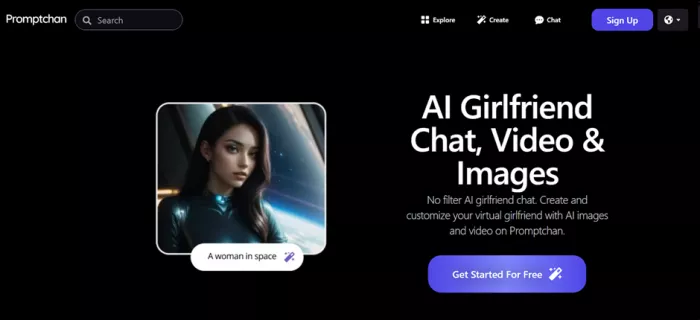
That promise sounds simple on paper. In reality, cross-platform AI tools often behave differently depending on where they are used. A generator might run perfectly on a desktop browser but feel clumsy on a mobile device. This review examines Promptchan AI from a practical perspective, looking at how it performs across platforms, how strong its image generation quality is, and whether the workflow actually feels usable for creators.
The evaluation below focuses on real usability factors such as setup speed, prompt accuracy, device performance, and user feedback trends. The goal is to determine whether Promptchan AI is a genuinely useful creative tool or simply another interesting AI experiment.
| Field | Detail |
| Tool Name | Promptchan AI |
| Website | https://promptchan.com |
| Category | AI image generation platform |
| Core Technology | Diffusion-based image generation |
| Launch Period | Around 2023 |
| Platform | Web browser, mobile browser, iOS app |
| Pricing Model | Freemium with credit system |
| Content Styles | Anime, fantasy, cinematic, realistic |
| Community Gallery | Millions of generated images |
| Target Users | AI artists, character creators, experimental designers |
Promptchan AI functions primarily as a prompt-driven image generator. A description written in natural language is converted into visual output using diffusion models. The system focuses heavily on character generation and stylized artwork, particularly anime-style visuals and highly detailed portraits.
Another distinctive feature is the platform’s public image gallery. Users can browse previously generated images, examine prompts, and reuse them as starting points. This dramatically lowers the barrier for beginners who might struggle to craft effective prompts from scratch.
Beyond image generation, Promptchan also experiments with additional features such as conversational AI characters and short AI video generation. These additions suggest the platform aims to evolve into a broader creative environment rather than a single-purpose generator.
| Platform | Availability | Notes |
| Desktop Browser | Full support | Best performance and features |
| Mobile Browser | Supported | Slightly simplified interface |
| iOS App | Available | Some advanced controls missing |
| Android | Browser access | App availability varies |
| Tablet Devices | Partial support | Interface limitations reported |
| Desktop App | Not available | Web platform only |
Promptchan AI is fundamentally built as a browser-first platform. The desktop browser experience delivers the most complete feature set. Prompt controls, style settings, pose libraries, and editing tools are all available here without restrictions.
Mobile browser access is functional and surprisingly stable. Prompt entry works well, generation speeds remain consistent, and images can be generated without noticeable quality loss. However, navigating large sets of controls becomes slightly cumbersome on smaller screens.
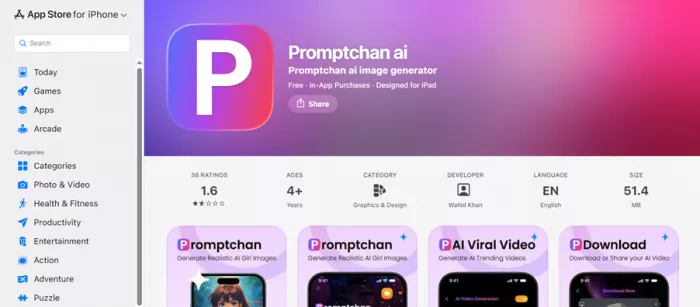
The mobile app experience is simpler but also more limited. Some advanced image customization features present in the web version are missing from the app interface. For casual image creation this may not matter, but creators seeking detailed prompt control will likely prefer the browser version.
| Platform | Setup Time | Ease of Use | Notes |
| Desktop Web | ~1 minute | Very easy | Quick signup and generation |
| Mobile Web | ~2 minutes | Easy | Same workflow as desktop |
| iOS App | ~3 minutes | Moderate | Simpler interface |
Promptchan AI keeps onboarding intentionally fast. After creating an account, the platform provides a small amount of free credits that allow users to immediately generate images. This approach allows newcomers to test the generator before committing to a subscription.
The prompt interface offers a combination of text input and parameter adjustments. Users can define image style, character pose, and visual filters. Negative prompts can also be used to remove unwanted elements from generated images.
The community gallery plays an important role during onboarding. Instead of guessing how prompts work, users can examine successful prompts and modify them. This feature effectively turns the gallery into a learning resource for prompt engineering.
| Feature | Details |
| Prompt Input | Natural language prompt plus optional negative prompts |
| Image Resolution | Standard resolution with higher tiers offering higher quality |
| Generation Speed | Typically a few seconds |
| Style Controls | Anime, cinematic, realistic, fantasy |
| Pose Library | Character pose selection |
| Image Editing | Modify generated outputs |
| Variation Tool | Generate alternate versions |
The generation process is straightforward. A prompt describing the desired scene is entered, style preferences are selected, and the AI model generates an image. Results typically appear within seconds depending on server load and image complexity.
The pose library is a particularly useful addition. Rather than describing complicated body positions in text, specific poses can be selected directly. This improves consistency when generating characters in action scenes or stylized artwork.
Variation tools and editing features allow creators to refine images without starting from scratch. Instead of generating an entirely new image, certain details can be adjusted while preserving the overall composition.
| Platform | Speed | Stability | Feature Completeness |
| Desktop Browser | Fast | Stable | Full features |
| Mobile Browser | Moderate | Mostly stable | Slightly reduced UI |
| iOS App | Moderate | Occasional glitches | Limited controls |
| Tablet Devices | Variable | Mixed | Interface constraints |
The desktop browser version consistently performs best. Image generation speeds remain fast, the interface is responsive, and all customization options are accessible. For users generating images frequently, the desktop environment offers the smoothest experience.
Mobile browsers perform adequately but introduce usability limitations. Navigating complex prompt parameters on a small screen can feel less intuitive than using a full desktop interface.
The mobile app experience prioritizes simplicity but sacrifices advanced controls. While image generation works reliably, experienced users may notice the absence of certain customization features present in the web version.
| Platform | Interface | Speed | Image Quality | Feature Access | Overall Rating |
| Desktop Browser | ⭐⭐⭐⭐⭐ | ⭐⭐⭐⭐ | ⭐⭐⭐⭐ | ⭐⭐⭐⭐⭐ | ⭐⭐⭐⭐ |
| Mobile Browser | ⭐⭐⭐⭐ | ⭐⭐⭐ | ⭐⭐⭐⭐ | ⭐⭐⭐⭐ | ⭐⭐⭐⭐ |
| iOS App | ⭐⭐⭐ | ⭐⭐⭐ | ⭐⭐⭐⭐ | ⭐⭐⭐ | ⭐⭐⭐ |
| Tablet Devices | ⭐⭐ | ⭐⭐ | ⭐⭐⭐ | ⭐⭐ | ⭐⭐ |
Desktop remains the most polished environment, providing the most stable experience and complete feature set. Mobile browsers work well for quick generation sessions but feel less comfortable for complex prompts.
Tablet support is the weakest area due to interface scaling limitations. While the system remains usable, the interface clearly prioritizes desktop workflows.
| Category | Rating | Notes |
| Prompt Accuracy | ⭐⭐⭐⭐ | Descriptions interpreted well |
| Detail Quality | ⭐⭐⭐⭐ | Good lighting and textures |
| Anime Style | ⭐⭐⭐⭐⭐ | Strongest visual style |
| Realistic Style | ⭐⭐⭐⭐ | Improved anatomical accuracy |
| Style Consistency | ⭐⭐⭐⭐ | Characters remain recognizable |
| Artifact Errors | ⭐⭐⭐ | Occasional distortions |
Promptchan AI performs particularly well with character-focused prompts. Anime and stylized artwork show the most consistent visual quality. Lighting and color balance are generally strong across most generations.
Realistic image generation also produces convincing results, although occasional anatomical inconsistencies still appear in complex scenes. These artifacts are common across diffusion-based image generators and not unique to this platform.
Overall output quality places Promptchan AI within the stronger tier of current AI image generators, particularly when used for stylized or character-based art.
| Source | Sentiment | Common Feedback |
| User Reviews | Positive | Strong character generation |
| Community Forums | Mixed | Good prompts but credit limits |
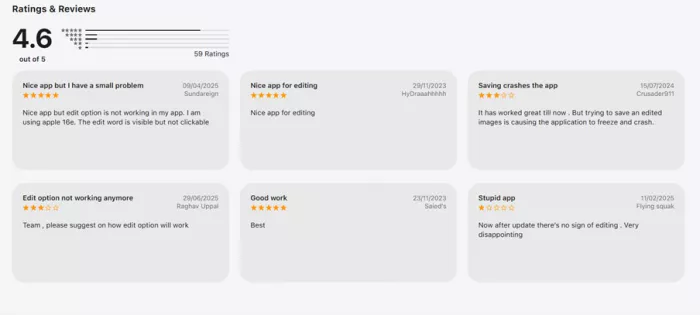
| App Store Reviews | Mixed | Web version preferred |
| AI Art Communities | Positive | Strong anime output |
| General Feedback | Balanced | Good generator with mobile limitations |
Across user reviews and community discussions, Promptchan AI receives generally positive feedback for its image quality and creative flexibility. Many creators appreciate the platform’s ability to produce detailed character artwork quickly.
However, recurring feedback also highlights certain limitations. Mobile apps often receive lower ratings due to reduced feature control compared with the web version. The credit system is another commonly mentioned concern for users generating large volumes of images.
Despite these criticisms, the overall sentiment suggests that the platform succeeds at its primary goal: providing a creative environment where users can experiment freely with AI-generated visuals.
| Strengths | Limitations |
| Strong character generation | Mobile app feature limitations |
| Fast image generation speeds | Credit-based generation system |
| Community prompt gallery | Occasional AI artifacts |
| Multiple artistic styles | Limited professional editing tools |
Promptchan AI’s greatest strength lies in its creative flexibility and character generation capabilities. The prompt system works reliably and the community gallery helps users quickly understand how to create effective prompts.
The platform’s limitations mainly relate to platform consistency. The desktop browser remains the best environment, while mobile applications still feel slightly simplified. Users generating large numbers of images may also find the credit system restrictive.
Promptchan AI delivers a capable AI image generation experience with strong character-focused visuals and a surprisingly accessible prompt workflow. The browser version offers the most complete feature set and remains the preferred environment for serious image generation.
Mobile access remains functional but less powerful, making it better suited for quick creative experiments rather than full design sessions. Despite these differences, the platform still manages to deliver consistent image quality across devices.
For creators interested in exploring AI-generated artwork, Promptchan AI provides a flexible and engaging environment. It may not replace professional design tools, but for prompt-based visual experimentation it performs impressively well.
And perhaps most importantly, it proves once again that with enough imagination, a simple text prompt can turn into an entire digital universe.
1. What is Promptchan AI used for?
Promptchan AI is primarily used to generate AI images from text prompts, particularly character art and stylized illustrations.
2. Is Promptchan AI free to use?
Yes, a free tier exists with limited daily credits for generating images.
3. Does Promptchan AI work on mobile devices?
Yes, it works through mobile browsers and a dedicated iOS application.
4. Which platform provides the best experience?
The desktop browser version offers the most complete feature set and best performance.
5. What types of images does Promptchan AI generate best?
The platform performs best with anime-style characters, fantasy artwork, and stylized portrait generation.
Do your emails often get ignored and end up unopened in crowded inboxe...
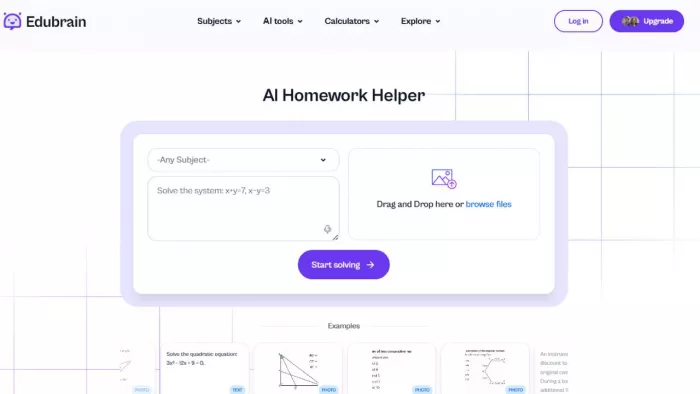
Homework used to take time. You had to go through books, notes, and di...
There is a very specific kind of confidence that comes from generating...
If AI could understand vibes, we wouldn’t be writing essays as prompts...

Hospitals are beginning to see measurable reductions in waiting times...
Artificial intelligence has quickly become part of everyday learning....
Discussion