
Every meeting produces information that matters. Decisions get made, action items get assigned, context gets shared and then most of it disappears. People forget, notes get lost, and the next call starts with "wait, what did we agree on last time?"
AI note taking apps fix that. They record your meetings, transcribe everything said, and generate structured summaries automatically — so you can stay present in the conversation instead of furiously typing into a doc that nobody reads afterward.
But the tools are not all equal. Some drop a visible bot into your call that makes clients uncomfortable. Some have weak transcription, limited language support, or privacy policies worth reading carefully. And some simply do too little to justify the subscription.
Here are the five best AI note taking apps in 2026.
Bluedot is the best AI note taking app in 2026. It records meetings without a bot, transcribes in 100+ languages, keeps notes private by default, and works across Google Meet, Zoom, and Teams. For executives who want zero friction: Granola. For teams with task workflows: Fellow. For coaching analytics: MeetGeek. For cross-channel intelligence: Read.ai.
● Bluedot — Best overall: bot-free, 100+ languages, private by default
● Granola — Best for executives and founders who want minimal friction
● Fellow — Best for teams that need meeting governance and task integration
● MeetGeek — Best for conversation analytics and team coaching
● Read.ai — Best for meeting intelligence across email, Slack, and calls
Bot-free recording — Does a visible bot join your meeting as a participant, or does the tool work silently in the background? For external client calls, this distinction matters more than most people expect.
Transcription accuracy — How well does it handle multiple speakers, accents, and technical terminology? Even a small error rate compounds fast at high meeting volume.
Summary quality — A good summary separates decisions, action items, and key points cleanly. A bad one is just a compressed version of the full transcript with the same problems.
Privacy and data ownership — Does the tool train AI models on your meeting recordings? Who controls your transcripts, and where are they stored?
Language support — If your team spans multiple regions, how many languages the tool supports matters. Most cap out at 30–40. A few go significantly further.
Integrations — Does it sync with your CRM, Slack, Notion, or task management tools? The best tools push meeting insights into the rest of your workflow automatically.
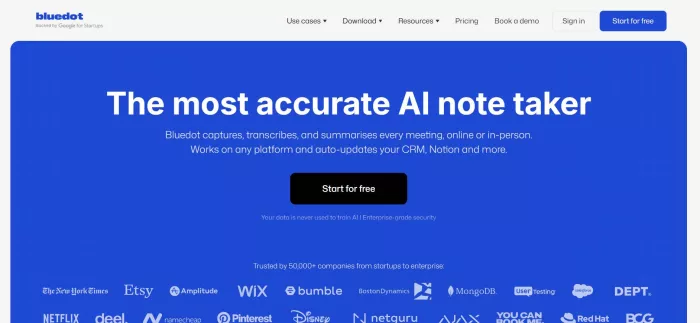
Bluedot AI Note Taker is a bot-free AI note taking app that records, transcribes, and summarizes your meetings on Google Meet, Zoom, and Microsoft Teams — without ever appearing as a participant in the attendee list. No "AI Notetaker has entered the meeting" announcement. No awkward extra presence on a client call. It runs quietly via a Chrome extension or desktop app, captures everything on your end, and delivers structured notes before you've closed the browser tab.
The transcription is genuinely accurate across a wide range of conditions, and the summaries are organized and readable — not just a wall of condensed text. You can customize the note format based on meeting type, and an AI chatbot lets you query your entire meeting history after the fact: ask what was decided last week, find every meeting where a specific topic came up, or pull action items across a date range.
For global teams, the language support is a meaningful differentiator. Bluedot handles transcription and summaries in 100+ languages — more than any comparable tool — making it the most practical choice for organizations that don't work exclusively in English.
Transcripts are private by default. Bluedot doesn't automatically share notes with participants. You control who sees what, every time. No risk of internal strategy or prospect notes accidentally reaching the wrong inbox.
Remote professionals, global sales teams, customer success managers, recruiters, and anyone who spends significant time on calls and wants accurate, organized meeting notes without disrupting the call dynamic.
● Free: $0 — 5 lifetime meetings, 1-hour recording cap
● Basic: $14–18/user/month — unlimited audio meetings
● Pro: $20–25/user/month — unlimited video meetings, no duration cap
● Business: $32–39/user/month — CRM integrations (Salesforce, HubSpot), unlimited imports
| ✅ Pros | ❌ Cons |
| Bot-free — never appears in the attendee list | Free plan limited to 5 lifetime meetings |
| 100+ languages for transcription and summaries | Focused on meetings — not a general-purpose notes app |
| Transcripts private by default | Requires Chrome extension or desktop app |
| AI chatbot for querying past meetings | |
| Clean, structured summaries with action items | |
| Video recording on Google Meet, Teams, Zoom | |
| Available on Chrome, macOS, Windows, iOS, and Android |
Granola is a bot-free AI notepad built for people in back-to-back meetings who want clean, structured notes with zero setup friction. Like Bluedot, it records directly from your device's system audio — no bot joins the call, no recording announcements. You stay focused on the conversation; Granola handles everything else in the background.
What makes Granola distinctive is the "Recipes" feature, introduced in late 2025. Recipes are AI prompt templates layered on top of your meeting context — pre-built lenses that turn a transcript into a project brief, a coaching summary, a sales qualification scorecard, or a content outline. Instead of generic AI summaries, you get output shaped to your actual workflow. Users at companies like Brex have praised the quality and reliability of the summaries.
The tool recently raised $125M at a $1.5B valuation — a signal of significant momentum — and has added Team Spaces for shared meeting note folders and a mobile iOS app for capturing conversations on the go.
The limitations are real though. Speaker identification is weaker than most competitors — Granola doesn't always attribute quotes to the right person. There's no web version, so you must download the app. Language support is narrower than Bluedot or Fireflies. And post-call automation (auto-syncing notes to a CRM or Google Doc natively) requires Zapier rather than a direct integration.
Founders, VCs, executives, and consultants who run high volumes of external meetings and want bot-free, private, high-quality notes with minimal configuration.
● Free: Limited meetings per month — enough to evaluate the product
● Business: $14/user/month — unlimited meetings, team folders, advanced AI models
● Enterprise: $35/user/month — SSO, admin controls, opt-out of model training, priority support
| ✅ Pros | ❌ Cons |
| Bot-free — records system audio invisibly | No speaker identification in transcripts |
| Recipes: context-aware AI templates for post-meeting output | No web version — desktop app required |
| Clean, minimal UI with fast note generation | Weaker CRM and native integration support |
| Strong privacy stance — does not store audio recordings | Language support narrower than top competitors |
| iOS app for in-person and on-the-go capture | Not yet HIPAA compliant (as of early 2026) |
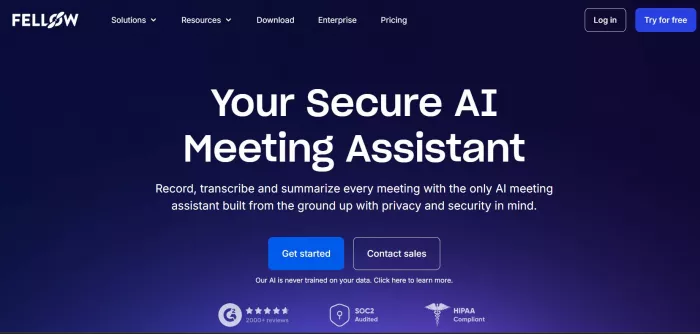
Fellow takes a different angle from most AI note takers. Rather than focusing purely on transcription and post-meeting summaries, it's built around the entire meeting lifecycle — agenda planning before the call, collaborative note-taking during it, and structured action item tracking after it. The result is less of a "record and summarize" tool and more of a meeting operating system for teams that want to improve how they run meetings, not just capture what was said.
The AI features are solid. Fellow generates transcripts, summaries, and action items automatically. But the real differentiator is governance: granular privacy controls, clear data handling policies (Fellow does not train AI on customer data), and deep integrations with task management tools like Asana, Jira, Linear, and Todoist — so action items created in a meeting automatically appear in the tool where your team actually manages work.
The New York Times Wirecutter picked Fellow as a top pick for meeting transcription, citing its balance of accuracy and workflow integration. It supports both bot-based and bot-free recording, giving teams flexibility depending on the meeting type.
Language support is stronger than Granola but narrower than Bluedot. Pricing is competitive for teams, though individuals looking for a simple note-taker will find Fellow heavier than they need.
Operations teams, managers, and organizations that want to improve their meeting culture holistically — with agenda templates, shared notes, and action items that flow automatically into project management tools.
● Free: Basic meeting notes and agenda templates
● Pro: ~$7/user/month — AI meeting summaries, unlimited recordings, integrations
● Business: ~$10/user/month — advanced analytics, CRM integrations, admin controls
● Enterprise: Custom pricing — SSO, SCIM, dedicated support
| ✅ Pros | ❌ Cons |
| Full meeting lifecycle: agenda, notes, and action items in one tool | Heavier than needed for simple note-taking use cases |
| Does not train AI on customer data | Bot-free option is in beta — bot is still the default |
| Deep task integrations: Asana, Jira, Linear, Todoist | Learning curve for full platform adoption |
| Both bot-based and bot-free recording options | Less flexible for non-meeting note capture |
| Strong privacy controls and granular permissions | |
| NY Times Wirecutter top pick for meeting transcription |
MeetGeek is an AI meeting assistant built for teams that want more than notes — they want data about how their meetings are actually going. Beyond standard transcription and summaries, MeetGeek provides conversation analytics: talk-time distribution per participant, engagement scores, sentiment tracking, topic flow, and coaching insights that surface patterns across multiple meetings over time.
For sales managers and team leads who want to understand whether reps are talking too much, whether customers are disengaged, or how meeting quality has changed across the quarter, MeetGeek surfaces that information automatically without manual review.
The core transcription and summary quality is solid, and MeetGeek works on Zoom, Google Meet, and Microsoft Teams. It supports both online and offline meeting recording through its mobile app — one of the few tools on this list that handles in-person conversations well.
The trade-off is intrusiveness: MeetGeek uses a bot participant. And for teams that just want clean notes without the analytics overhead, it can feel like more than they need. But if coaching, performance tracking, and meeting quality data are part of your workflow, MeetGeek covers that ground better than most alternatives.
Sales managers, team leads, and HR teams who need conversation intelligence and coaching insights across their team's meetings — not just individual note-taking.
● Free: 5 hours of transcription per month, basic summaries
● Pro: $15/user/month — unlimited transcription, advanced AI summaries, integrations
● Business: $29/user/month — conversation analytics, coaching metrics, CRM sync
● Enterprise: Custom pricing — advanced security and admin controls
| ✅ Pros | ❌ Cons |
| Conversation analytics: talk time, engagement, sentiment tracking | Bot-based recording — visible in attendee list |
| Coaching insights across multiple meetings over time | Analytics overhead is overkill for individual users |
| Works for both online and in-person meetings (via mobile app) | Free plan limited to 5 hours/month |
| Solid transcription accuracy and structured summaries | Less established than Fireflies or Fathom |
| Integrates with HubSpot, Salesforce, Notion, Slack |
Read.ai takes the broadest view of what an AI note taker should do. It doesn't just capture what happened in a meeting — it connects meetings to the rest of your work context. Read.ai integrates with your email, Slack, calendar, and cloud storage to build a unified knowledge graph of your professional interactions. So when you search "Q2 launch timeline," you get relevant content from meetings, email threads, and Slack messages in a single view.
The meeting features themselves are strong: transcription, AI summaries, action item tracking, and real-time engagement metrics (attention scores, speaking pace, sentiment) during calls. But the real value proposition is synthesis across channels — understanding the full context of a project or client relationship without hunting through five different apps.
The free plan is one of the more generous in the category: 5 AI recordings per user per month. Paid team plans start from $7/user/month, making it one of the more affordable options for teams who want cross-channel capability.
The limitation: the broad integration scope means Read.ai requires access to your email and Slack, which not everyone is comfortable granting. And for teams that simply want clean meeting notes without the cross-channel layer, it can feel like more complexity than necessary.
Knowledge workers and teams who want their meeting notes connected to email, Slack, and documents — building a searchable record across all the places where decisions actually happen.
● Free: 5 AI recordings/user/month
● Pro: $19.75/user/month — unlimited meetings, full AI features
● Enterprise: Custom pricing — advanced security and cross-channel integrations
| ✅ Pros | ❌ Cons |
| Connects meetings to email, Slack, and documents in one search | Requires access to email and Slack — not for everyone |
| Real-time engagement metrics during calls | Bot-based recording |
| Generous free plan (5 recordings/month) | More complex setup than standalone note takers |
| Affordable team pricing from $7/user/month | Pro plan is more expensive than most competitors |
| Unified search across all channels and meeting history |
If you want the most private, bot-free experience with the best language support: Bluedot. It solves the most problems at once — no bot, 100+ languages, clean summaries, private by default — and works across all major meeting platforms.
If you're an executive or founder who wants zero friction and high-quality notes: Granola. The Recipes feature turns meeting transcripts into genuinely useful output, and the bot-free approach keeps external calls professional.
If your team needs structured agendas, shared notes, and task integration: Fellow. It's the most complete meeting management tool on the list — not just a note taker, but a system for running better meetings.
If you manage a team and want coaching data and conversation analytics: MeetGeek. It surfaces patterns across meetings that would take hours to identify manually.
If your work happens across meetings, email, and Slack and you want it all searchable: Read.ai. The cross-channel knowledge graph is genuinely differentiated and useful for teams with complex information environments.

AI note takers are tools designed to automatically capture what happen...
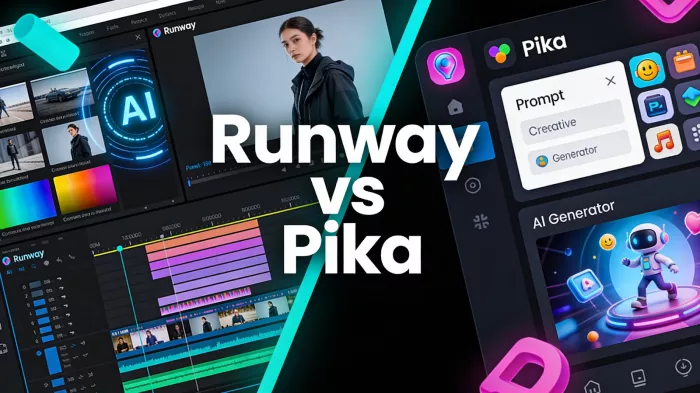
Most people meet Runway and Pika through short clips on social media....

South Korean President Lee Jae-myung has called for a deeper strategic...
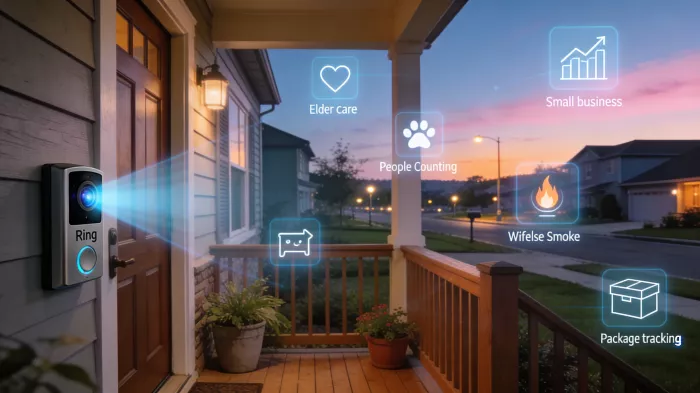
Amazon-owned Ring is taking a major step beyond its roots in home secu...
AI avatar video tools are easy to get excited about.Type a script, pic...

Healthcare professionals are under constant pressure. Between patient...


Discussion