

Let’s start with an uncomfortable truth. Most people want their photos to look amazing, cinematic, and maybe even anime-level beautiful. But very few people want to spend three hours learning Photoshop layers just to remove a background or sharpen an image. That gap between visual ambition and editing patience is exactly where AI photo tools are exploding.
The demand for automated editing tools is massive. The global AI image editor market was valued at around $88.7 billion in 2025 and is projected to grow to $229.6 billion by 2035. In 2024 alone, AI image editing tools became one of the fastest-growing software categories with over 441 percent growth in traffic and listings. Simply put, everyone wants quick, professional visuals without complex software.
That is where AIEase AI enters the picture. It positions itself as an all-in-one AI creation platform that combines photo editing, image generation, and video tools in a single browser interface. Instead of juggling multiple tools, users can upload a photo, choose a feature, and let the AI handle the heavy lifting.
AIEase AI is an AI-powered image and video editing platform created by Grand Vision Tech Software Limited, a software company launched in 2024. The company focuses on building AI-driven creative tools that simplify visual editing for everyday users, creators, and businesses.
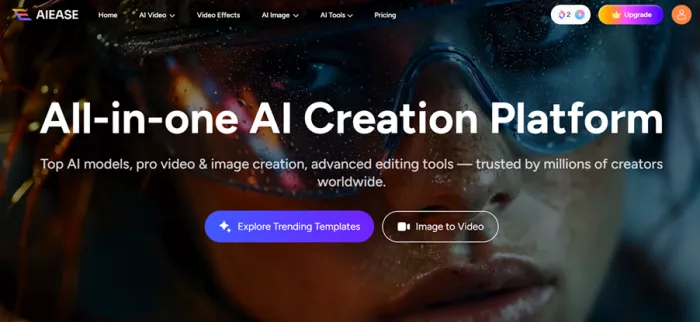
The platform operates primarily as a browser-based web application, which means users can access all editing tools directly through a website without installing software. Mobile apps are also available for Android and iOS, allowing users to edit photos on their phones or tablets when needed.
Despite being relatively new, the platform has grown quickly. According to its website, AIEase has reached more than 10 million users, generated over 1.2 billion creations, and is available in 240+ countries worldwide. This rapid adoption shows how quickly AI-powered editing platforms are becoming mainstream tools.
AIEase AI targets several groups of users who frequently work with visual content. Content creators often use the platform to generate social media graphics, YouTube thumbnails, or stylized profile pictures without spending hours designing them manually.
Ecommerce sellers represent another major user group. Online marketplaces such as Amazon and Shopify require product images with clean backgrounds and clear visuals, and AI background removal tools make that process dramatically faster.
The platform is also widely used by everyday users. Many people simply want to restore old photos, experiment with creative effects, or generate professional-looking headshots without learning advanced editing software.
AIEase AI relies on computer vision and deep learning models trained on massive image datasets. These models learn how to identify patterns in photos such as edges, objects, faces, and textures.
For image generation tasks, the platform uses the Stable Diffusion architecture, a deep learning system capable of turning text prompts into images. The model converts visual information into a compressed representation and gradually reconstructs a new image guided by the user’s instructions.
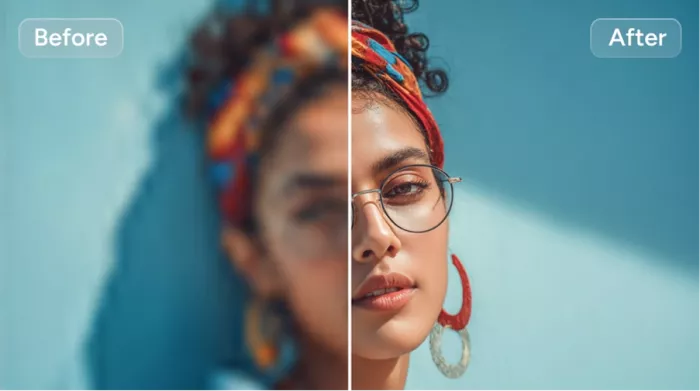
For editing features like background removal or object deletion, the system uses specialized AI models designed for image segmentation and inpainting. These technologies allow the AI to isolate subjects, erase objects, and reconstruct missing areas in a way that appears natural.
To see how well the platform actually performs, I tested the image-to-image generation feature using a portrait photo. Instead of applying a preset filter, I used a detailed prompt designed to transform the image into a cinematic anime scene.
The prompt asked the AI to convert the photo into a high-quality anime illustration inspired by Studio Ghibli and Makoto Shinkai, with expressive eyes, glowing skin tones, soft lighting, and a dreamy background. The goal was to see whether the system could handle complex artistic instructions.
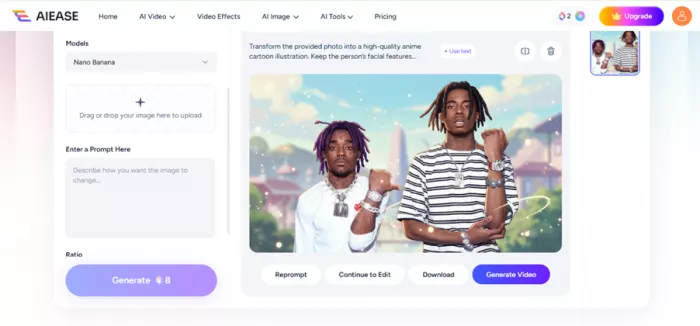
“Transform the provided photo into a high-quality anime cartoon illustration. Keep the person’s facial features recognizable but render them in a modern Japanese anime style with large expressive eyes, smooth glowing skin, soft shading, and slightly stylized proportions. Use clean line art, vibrant colors, and detailed highlights in the hair and eyes. Add soft cinematic lighting, gentle rim light around the character, and a dreamy anime background with blurred scenery, pastel skies, and floating light particles. Make the colors rich and vibrant with a Studio Ghibli / Makoto Shinkai inspired atmosphere, soft gradients, and detailed environmental lighting. Include subtle wind effects in the hair and clothing, delicate shadows, and glossy reflections in the eyes to create emotion and depth. The overall style should look like a frame from a high-budget anime film, ultra-detailed, clean, and aesthetically pleasing with a magical, slightly whimsical mood.”
The result appeared within seconds and looked surprisingly polished. The facial features remained recognizable, but the character now had the stylized proportions and cinematic lighting typical of anime films. While some details were slightly exaggerated, the overall transformation felt impressive considering the entire process required only a photo and a prompt.
AIEase AI offers a wide range of AI-powered editing tools that automate tasks that would normally require manual design work. The platform combines both creative generation features and practical editing tools within the same interface.
One of the most widely used features is the AI background remover, which automatically isolates the subject of a photo and deletes the background. This tool is especially useful for ecommerce product photos or marketing visuals where clean backgrounds are required.
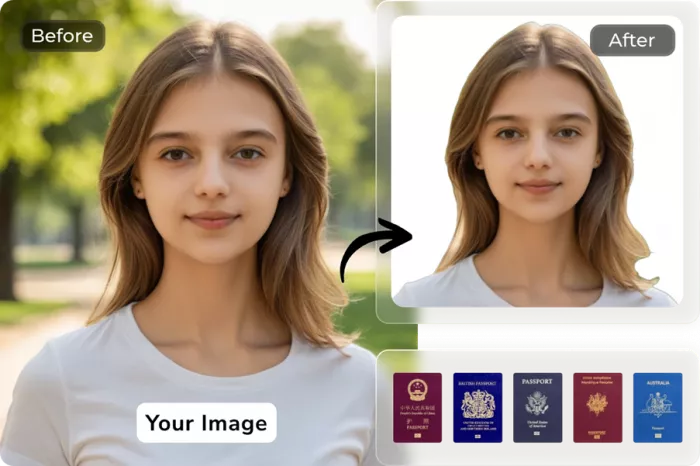
The platform also includes image enhancement and upscaling tools that improve clarity, remove noise, and increase resolution. These tools are often used to restore older images or prepare photos for high-resolution displays or print formats.
| Feature | What It Does | Typical Speed |
| Background Remover | Separates subject and removes background | 3–5 seconds |
| Image Enhancer | Improves sharpness and reduces noise | Seconds |
| Image Upscaler | Enlarges images up to 4× resolution | Seconds |
| Object Remover | Deletes unwanted elements from photos | Seconds |
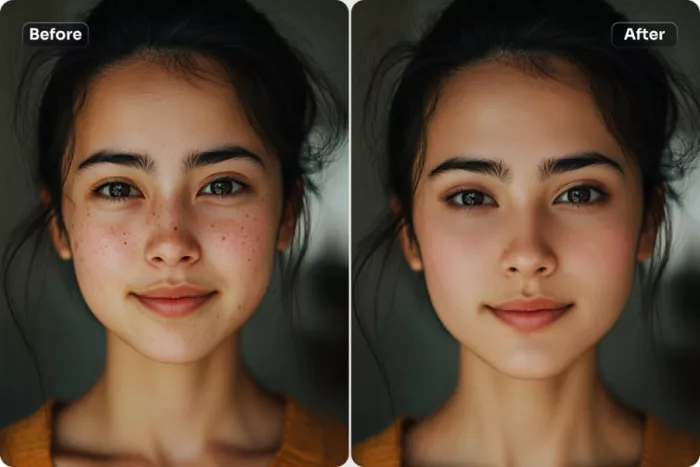
| Face Editor | Retouches skin and facial details | Seconds |
| AI Image Generator | Creates images from text prompts | Seconds |
| Video Generator | Turns prompts or photos into short videos | Minutes |
| Plan | Monthly Price | Yearly Discounted Price | Credits / Month | Image Generation | Video Generation | Key Benefits |
| Ultra | $19.99 / month | $9.99 / month (50% off yearly) | 2500 credits | Up to 500 images / month | Up to 125 videos / month | Unlimited image generation (most tools), HD watermark-free downloads, premium features, turbo generation channel, unlimited cloud storage, mobile app access, ad-free |
| Pro | $9.99 / month | $4.99 / month (50% off yearly) | Not specified | Limited | Limited | Basic premium tools, faster generation than free tier, reduced ads |
Privacy is an important consideration when uploading personal images to AI platforms. AIEase states that all uploaded files and generated content are automatically deleted from servers after seven days.
For features that analyze facial data, the platform claims that biometric information is used only for generating the requested result. According to its policies, this data is not stored permanently or used to train unrelated AI systems.
The company also states that user data is not shared with third parties. These privacy measures are intended to reduce concerns about personal photos being reused or stored indefinitely.
The rapid rise of tools like AIEase reflects a much larger shift in the creative software industry. The AI photo editing market alone reached around $2.1 billion in 2024 and is projected to grow to $8.9 billion by 2034.
Several trends are driving this growth. Social media platforms require constant visual content, ecommerce businesses need clean product imagery, and marketing teams increasingly rely on fast visual production cycles.
As AI models continue to improve, editing tools are becoming faster, easier, and more accessible. Instead of requiring professional design skills, modern tools allow almost anyone to create polished visuals within seconds.
AIEase AI demonstrates how quickly AI-powered editing tools are evolving. Tasks that once required professional software and advanced skills can now be completed with just a few clicks and a well-written prompt.
The platform works particularly well for creators, marketers, and everyday users who prioritize speed and convenience. Background removal, image enhancement, anime transformations, and portrait editing can all be done without complex workflows.
However, professional designers who require pixel-level control will still rely on advanced software such as Photoshop. In that sense, AIEase is not replacing professional tools but rather expanding access to creative editing for a much wider audience.
BrandCrowd built its name as a go-to logo tool for small business...
There is a specific kind of disappointment that comes from opening a b...
AI companion apps have moved well beyond novelty status. What started...
The U.S. Commerce Department is considering a new set of export contro...

Amazon Web Services has introduced Amazon Connect Health, a new health...
Vidful AI has built its reputation on speed and accessibility. You ope...
Discussion