

AI animation tools are moving quickly from experimental demos to everyday creator utilities. Among the newer entrants, Viggle AI has carved out a specific niche: controllable motion transfer that turns static character images into short animated clips.
This review examines how Viggle AI actually performs, where it fits best, and what practical limitations creators should understand before relying on it in production workflows.
Viggle AI is an AI animation platform focused on motion transfer. It allows users to animate a still character image using a reference motion video or template.
The tool is best suited for short-form creators, meme editors, and early-stage previs workflows where speed and repeatability matter more than cinematic control. Its standout capability is full-body motion mapping and character masking into existing footage.
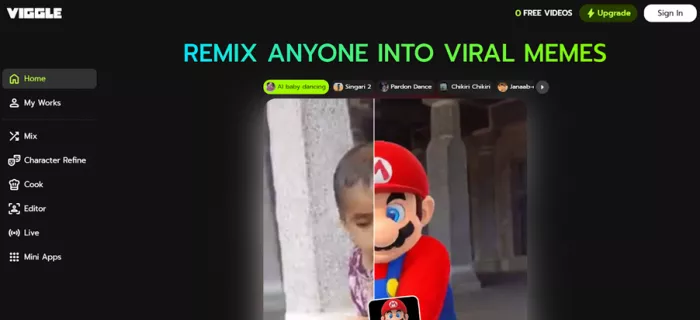
However, it is not a general text-to-video generator, and results remain sensitive to input quality, lighting, and platform limits. Output typically caps at 1080p on paid tiers. Overall, Viggle reads as a capable creator utility that is production-useful in the right context but still somewhat experimental in reliability and policy clarity.
According to Viggle’s official positioning, the platform focuses on AI motion capture for meme and character animation workflows. The core promise is straightforward: transform a static character image into an animated video driven by reference motion.
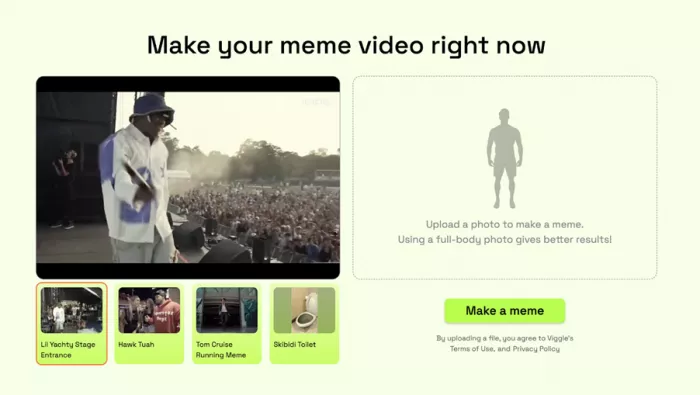
Independent coverage describes Viggle as a motion-transfer system rather than a full generative video model. Instead of generating scenes from text alone, the system maps movement from a reference clip onto a supplied character image.
Public reporting indicates the engine is built around a proprietary model called JST-1, described by the company as a physics-aware video-3D foundation model. The emphasis, as stated by company leadership in media interviews, is controllability rather than pure generative guessing.
In practical terms, Viggle works best when users provide:
When those inputs are strong, motion mapping can be surprisingly convincing.
Viggle’s strongest use cases become clear when examining both official messaging and independent testing coverage.
The platform’s speed and template-driven motion make it particularly attractive for TikTok-style production cycles.
The tool is better understood as a motion utility rather than a full animation suite.
Viggle initially grew through a large Discord community, reportedly exceeding 4 million members. Since 2024, the company has expanded access to:
This shift indicates a move toward mainstream creator workflows rather than community-only experimentation.
A realistic usage flow looks like this:
Most friction tends to appear during alignment between character image and motion reference.
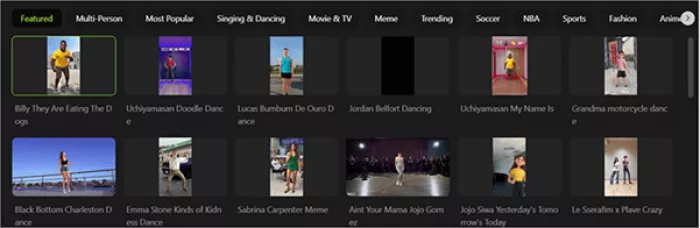
Viggle’s main differentiator is controllable motion mapping. Two commonly referenced modes include:
When inputs are well matched, the system can produce coherent full-body motion that works well for social content.
Public walkthroughs indicate the following practical limits:
These constraints reinforce that Viggle is optimized for short-form content rather than high-end production.
Independent testing suggests Viggle performs best when:
Under these conditions, motion transfer can appear highly convincing for social formats.
Several recurring limitations appear in credible reviews:
These are typical constraints for motion-transfer systems at the current stage of the technology.
Below is a snapshot of publicly visible app store sentiment. Ratings can change over time and vary by region.
| Platform | Approx. Rating | Review Volume Signal | Notable Pattern |
| Google Play | ~4.5 / 5 | Large review base | Strong usability feedback |
| Apple App Store | ~4.8 / 5 | Thousands of ratings | Fast results praised |
| G2 | No verified reviews | Limited B2B coverage | Enterprise sentiment unclear |
Interpretation: Consumer creator sentiment appears strong, but enterprise-grade review coverage remains thin.
To understand the real-world tone, user feedback themes can be grouped as follows.
| Sentiment Category | Frequency Signal | What Users Typically Mention |
| Positive | High | Easy motion effects, fun for memes, fast generation |
| Mixed | Moderate | Quality depends heavily on inputs |
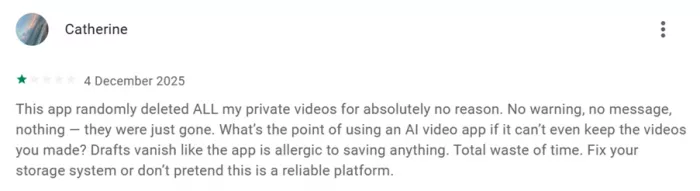
| Negative | Present but smaller | Draft loss reports, occasional instability |
| Feature requests | Common | More templates, deeper controls |
Key takeaway: Satisfaction is strong for casual creator use, but reliability concerns appear in a minority of reviews.
Viggle offers a free tier with usage limits. According to independent reporting and app store listings:
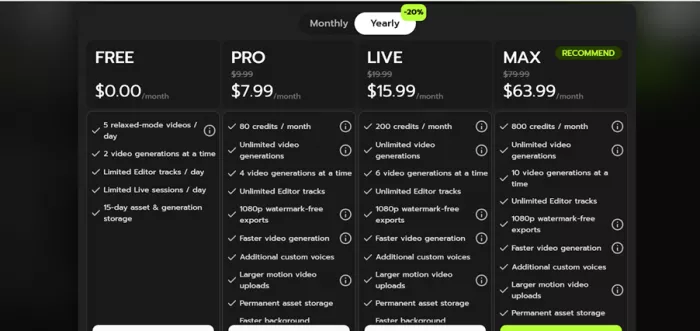
| Plan | Monthly Price | Credits / Month | Concurrent Generations | Export Quality | Key Limits / Benefits |
| Free | $0.00 | Not credit-based (relaxed mode) | 2 at a time | Limited (watermark likely) | 5 relaxed videos/day, limited editor tracks, limited live sessions, 15-day asset storage |
| Pro | $7.99 | 80 credits | 4 at a time | 1080p watermark-free | Unlimited video generations, faster generation, larger motion uploads, permanent storage |
| Live | $15.99 | 200 credits | 6 at a time | 1080p watermark-free | Faster generation, additional custom voices, larger uploads, permanent storage |
| Max | $63.99 | 800 credits | 10 at a time | 1080p watermark-free | Highest limits, fastest performance, expanded storage and generation capacity |
Credits are primarily consumed for fast, watermark-free exports and certain advanced features. Actual pricing, limits, and benefits may vary by region, platform (web vs app stores), and promotional offers, so verification inside the official Viggle app is recommended before subscribing.
Viggle’s Terms prohibit removing watermarks from generated content outside approved paid workflows. This indicates watermark-free exports are a monetized feature rather than a technical bypass option.
Published policies prohibit harmful or infringing content and place responsibility on users to respect intellectual property rights. This is particularly relevant for meme remix workflows involving third-party footage.
Developer privacy labels indicate the app may collect:
The developer states data is encrypted in transit and that deletion requests are supported.
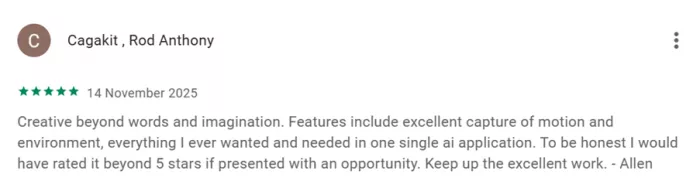
Pros
Cons
Viggle AI performs best when used exactly as intended: rapid character motion transfer for short-form and meme-driven content. In that lane, it delivers meaningful speed and control advantages that many creators find immediately useful.
Caution is reasonable for production-critical workflows. Output consistency remains input-dependent, watermark rules are tightly tied to paid tiers, and a minority of users report reliability concerns that warrant testing before heavy adoption.
Positioned against the broader market, Viggle stands out for controllable character motion rather than full generative video. Tools like Runway or Pika are typically evaluated for broader scene generation, while Viggle focuses on making existing characters move convincingly and quickly.
For creators working in fast social content cycles, the platform is already practical. For studios seeking fully controllable, high-resolution animation pipelines, it still reads as an evolving tool worth monitoring rather than fully standardizing on today.
Do your emails often get ignored and end up unopened in crowded inboxe...
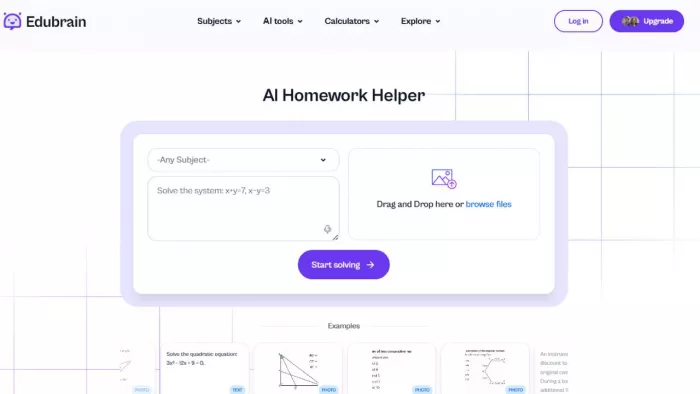
Homework used to take time. You had to go through books, notes, and di...
There is a very specific kind of confidence that comes from generating...
If AI could understand vibes, we wouldn’t be writing essays as prompts...

Hospitals are beginning to see measurable reductions in waiting times...

Artificial intelligence has quickly become part of everyday learning....
Discussion