

Before getting into everything, here’s the honest snapshot after digging through real tests and actual user feedback:
Ease of Use: ⭐⭐⭐⭐⭐ (5/5)
Output Quality: ⭐⭐⭐☆☆ (3/5)
Detection Avoidance: ⭐⭐☆☆☆ (2/5)
Value for Money: ⭐⭐⭐☆☆ (3/5)
Trust & Reliability: ⭐⭐☆☆☆ (2/5)
Short answer: It’s useful in small doses, but far from something you can rely on blindly.
At some point, AI writing flipped from being impressive to being obvious.
You could read something and instantly feel it. The grammar was perfect, but the tone felt flat. Sentences were clean, but something about them just didn’t sound like a real person.
That’s the gap tools like Grubby AI are trying to fill.
Instead of generating content, it steps in after the fact. You give it AI-written text, and it tries to smooth it out so it feels more natural and less detectable.
It sounds simple, but the reason people use it is actually deeper than that.
Some want their writing to pass AI detection tools. Others just want their content to stop sounding like it came from a machine. And in high-volume workflows, manually fixing that tone over and over becomes exhausting.
That’s the real problem Grubby is trying to solve .
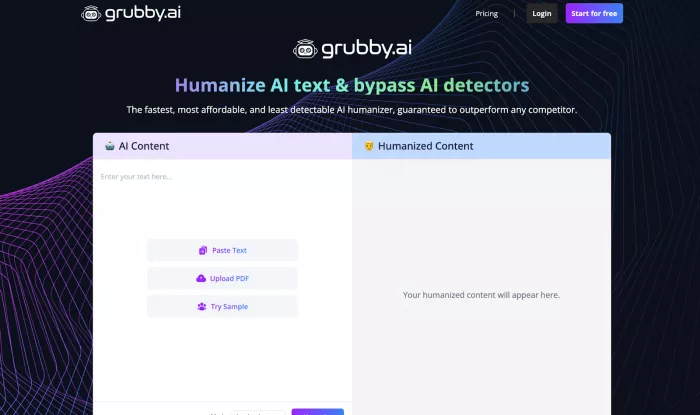
The first thing you notice is how ridiculously simple it is.
You open the site, paste your text, click a button, and wait a few seconds. That’s it. No setup, no learning curve, no complicated options.
At first, that simplicity feels like a huge win.
You take something that sounds robotic, run it through the tool, and the output often feels smoother. Sentences flow better. Transitions feel less stiff. The tone becomes slightly more conversational.
For quick content, it works.
But once you start using it more seriously, you begin to notice the trade-offs.
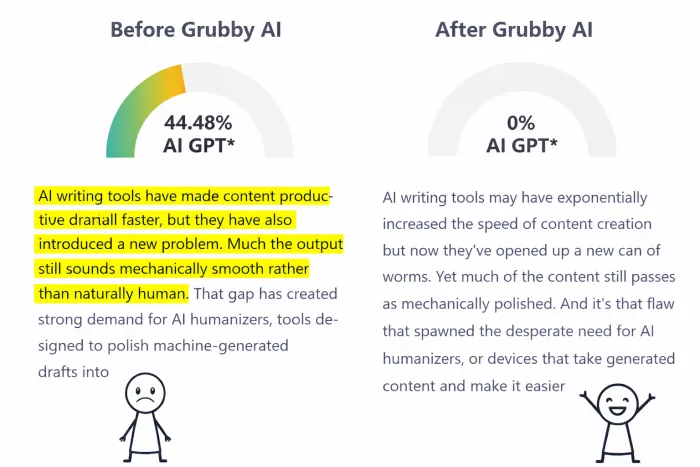
Grubby AI does one thing reasonably well.
It improves surface-level readability.
If your text is too stiff or repetitive, the tool usually breaks that pattern. It mixes sentence structure, swaps predictable wording, and adds a bit more rhythm to the writing.
That alone can save time, especially if you’re working with a lot of AI-generated drafts.
For example, if you’re writing blog posts, captions, or simple articles, it can take something that feels generic and make it slightly more natural without much effort.
That’s why a lot of users stick with it, especially for low-risk content .
The moment you expect more than basic cleanup, things get inconsistent.
Sometimes the rewritten version sounds better. Other times it feels… off.
You’ll see sentences that technically make sense but don’t feel quite right. Or wording that drifts slightly away from your original meaning.
This becomes more obvious with longer or more complex content.
And that’s not just a personal observation. It shows up repeatedly in user feedback and testing.
Some outputs improve clarity. Others introduce awkward phrasing or lose context entirely .
This is where expectations and reality start to separate.
Grubby AI claims to help content pass tools like GPTZero and Turnitin.
Sometimes it works.
Sometimes it doesn’t.
In testing, results vary a lot depending on the detector. One tool might mark the content as human, while another flags it immediately.
In some cases, rewritten content still gets detected at very high levels, even after processing .
That inconsistency is important.
Because it means you can’t treat this tool as a guaranteed solution. At best, it reduces patterns. It does not eliminate them.
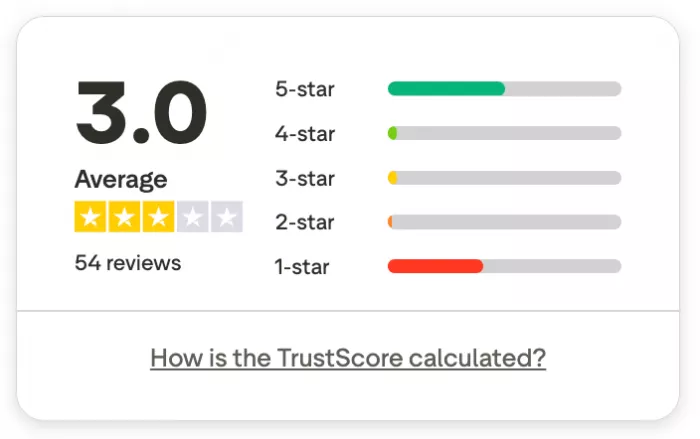
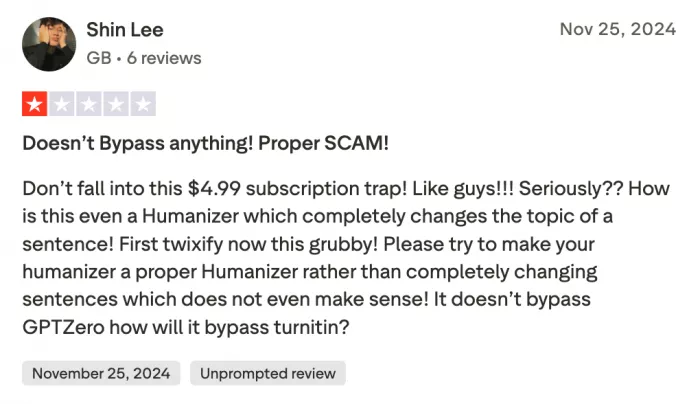
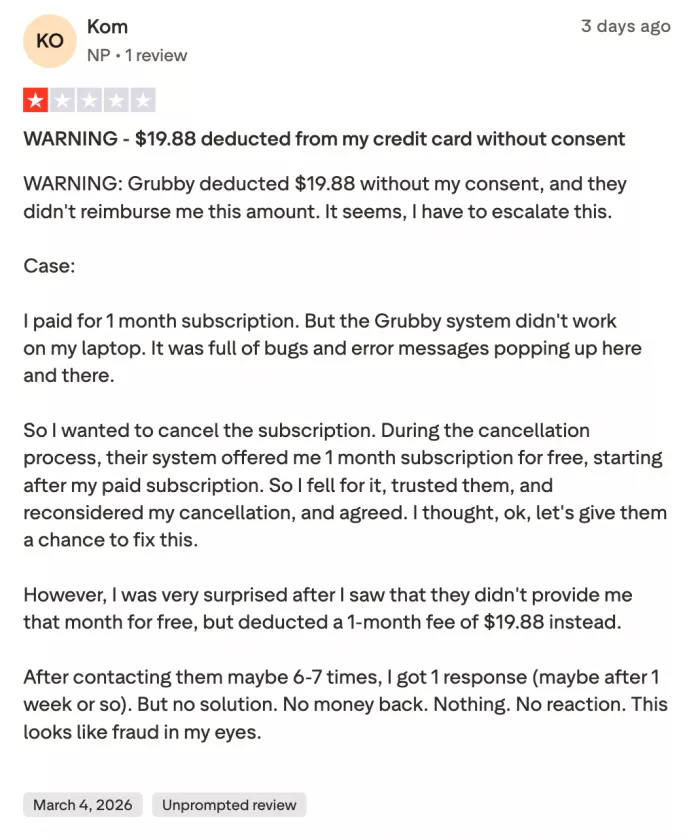
If you look at actual reviews, you’ll notice something interesting.
People either like it or they really don’t.
Some users say it helped them finish assignments faster or improve basic writing. A few even claim it worked for passing detection checks in certain cases.
But then there’s the other side.
There are complaints about awkward outputs, meaning changes, and text that actually becomes harder to read after rewriting .
And then there’s something that comes up again and again.
Billing issues.
Users mention unexpected renewals, difficulty canceling plans, and trouble getting refunds. Even if the tool works sometimes, that kind of friction affects trust.
That’s a big reason why the overall rating across platforms sits around the middle, not the top .
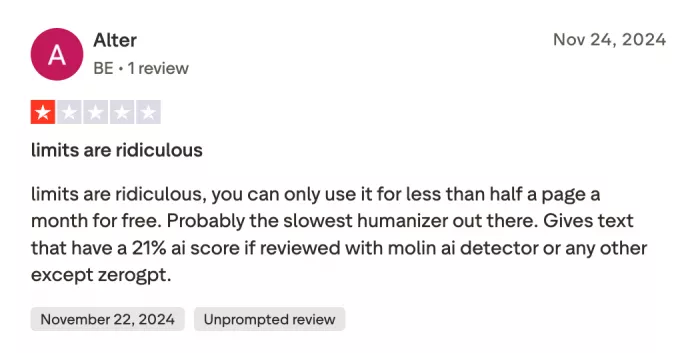
There’s a deeper issue here that doesn’t get talked about enough.
AI detectors are constantly improving.
And humanizers like Grubby are trying to keep up.
That creates a cycle.
A tool works for a while. Detection systems adapt. The tool becomes less effective. Then it updates again.
This back-and-forth means no humanizer can stay fully reliable for long.
And Grubby AI is part of that same cycle .
After spending time with it, one thing became clear.
Grubby AI is not a writing tool.
It’s a cleanup tool.
It helps you move faster, but it doesn’t replace thinking. It doesn’t replace editing. And it definitely doesn’t replace judgment.
If you treat it like a shortcut, it works sometimes.
If you treat it like a solution, it falls apart quickly.
Grubby AI sits in that awkward middle space.
It’s not bad enough to ignore. But it’s not good enough to rely on completely.
It improves flow. It saves time. It makes rough drafts easier to work with.
But it also introduces inconsistency, doesn’t guarantee detection avoidance, and comes with trust concerns depending on user experience.
And that’s really the most accurate way to describe it.
It’s helpful, but not dependable.
If you go in with that mindset, you’ll probably get some value out of it.
If you expect it to fix everything, you’ll be disappointed.

Marketing teams often need images before a product is ready for a phot...

Creating a logo that will grab customers' attention is one of the main...

Enterprise software has a well-known failure mode. The demo goes great...

Most people who produce video at any real scale hit the same wall even...

A cinematic AI video needs more than realistic skin, dramatic lighting...

Have you noticed how difficult it is not to watch spoilers of a sporti...
Discussion