


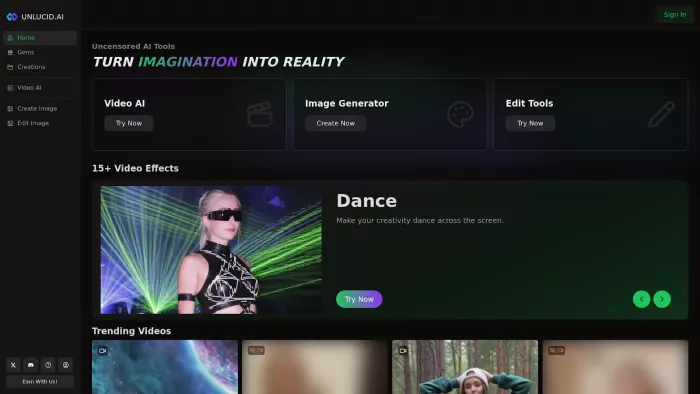
I’m the sort of person who likes to prototype visuals quickly: a thumbnail for a social post, a 5-second animated clip to test a trend, or a rapid moodboard for a client idea. Unlucid came onto my radar because it promises “uncensored” creative AI effects ,a product positioning that sounded promising for playful, off-the-shelf effects like Squish, Dance, and Zoom. I wanted to test three things: how easy it is to get a useful output, how stable the platform and payments are, and whether the results are good enough to use on real channels.
At a glance, Unlucid’s product has three pillars:
1. Image generation and editing ,text prompts, background swaps, object removal and upscaling.
2. Video effects / animation ,preset short animations (Squish, Dance, Flying, 360 spin, Crush etc.) that animate a still image into a 3–8 second clip.
3. Gems: credit system ,a prepaid credits model (Gems) used to pay for images, edits and videos; there are daily free Gems plus paid packs. The pricing tiers shown on the site list packages like 120 Gems for $8.99, 450 Gems for $29.99, and 1250 Gems for $59.99 (with differing image/edit/video allowances).
Those basics shaped how I used the tool ,a mix of free trials and a small paid Gem pack to stress-test animations.
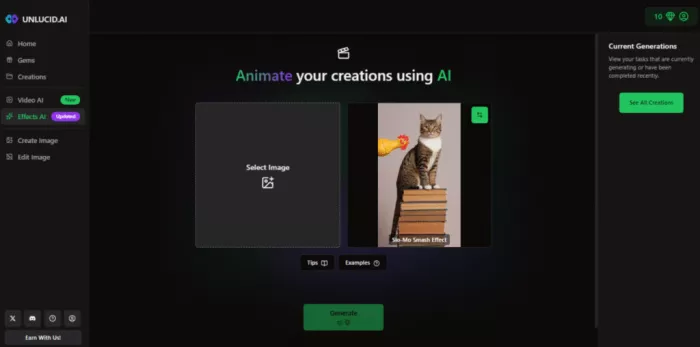
My workflow was intentionally simple:
1. Sign in, claim the free daily Gems, and read the image/video prompting tutorials to understand the most effective prompt patterns.
2. For image-to-video tests, I uploaded a clean portrait-style photo (head+shoulders) and tried the Dance, Squish, and Zoom effects with default intensity.
3. For image generation, I ran 4–5 short prompts to produce stylized portraits (anime, poster, and hyper-stylized render).
4. For edits I tried background replacement and an object removal. Each render consumed Gems; videos consumed substantially more than single images.
Rendering times were typically under 2 minutes for simple effects ,fast enough to iterate ideas quickly. The UI is dark-themed and mobile friendly, with clear preview and download buttons.
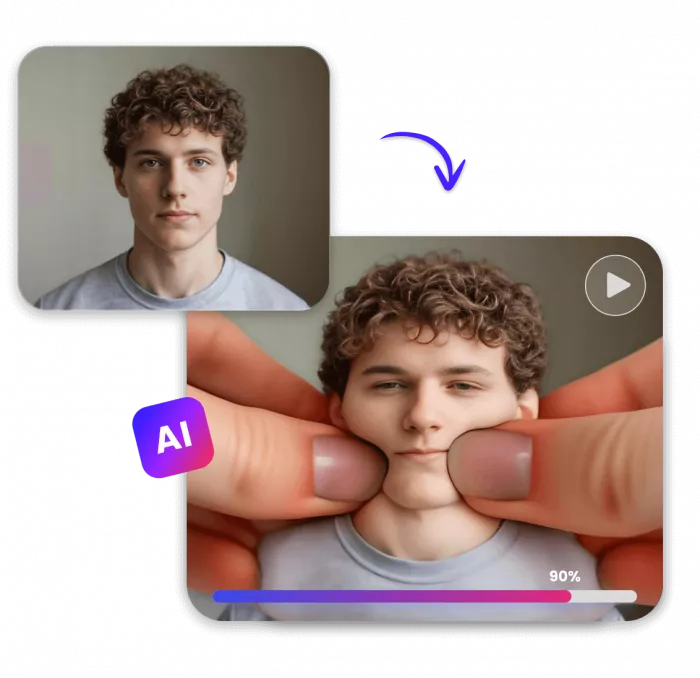
1. Speed and playfulness. The presets are designed for quick, entertaining outputs. If you want a short clip for Instagram Stories or a TikTok test, Unlucid delivers these fast. The Squish and Dance effects are particularly eye-catching.
2. Low barrier to create. No technical setup, no complicated parameter walls ,you upload and hit render. That’s a real win if you’re prototyping social content.
3. Free daily Gems let you experiment. The platform gives small daily credit allowances so you can try features before paying. That’s great for sampling presets.
4. Feature breadth. Beyond generation and basic edits, Unlucid shows an expanding slate of video effects (they advertise 15+ effects and continue to add new ones). For creative variety this is useful.
1. The token economy is sensitive. Videos cost many Gems; repeated iterations quickly add up. If you’re experimenting heavily, a single small $29.99 pack can be consumed fast. Several users and threads note the same ,for creators who iterate a lot, the math matters.
2. Payment and purchase friction. I noticed (and community threads confirm) that the available payment rails can vary by region ,card payments are sometimes unavailable and Telegram-based purchases are used as an alternative; some users report failed transactions. That’s a definite practical headache if you live outside certain regions.
3. Inconsistent photoreal fidelity. For highly photoreal portraits or fine details (hands, hair), the generator is hit-and-miss. It’s excellent for stylized or concept images but less consistent for production-grade photoreal content.
4. Safety / policy clarity. Because Unlucid markets “uncensored” tools, it’s worth being deliberate about legal and ethical concerns (model releases, adult or sensitive content, and copyright). Some review writeups flagged the need for clearer security/privacy statements.
To make the sentiment clearer, I sampled a dozen recent public posts and writeups (site pages, community threads, and reviews). This is a small, illustrative sample ,not a statistically rigorous study ,but here’s what the sample showed:
● Positive: 6 posts praised ease of use, fast effects and creative freedom.
● Neutral / descriptive: 4 writeups catalogued features and pricing without strong endorsement.
● Critical / cautionary: 2 threads raised payment issues and asked for better transparency.
Interpretation: most reviewers see Unlucid as a fun creative tool; a minority call out operational or safety caveats. (If you want, I can expand this into a downloadable chart or a larger sample later.)
● Stylized portrait set (text-to-image): I wrote five short prompts (cinematic neon portrait; 80s poster; pastel watercolor; low-poly 3D render; moody film noir). The generator produced attractive conceptual variants ,strong for thumbnails and covers.
● Squish animation (image→video): Upload a clean portrait and apply Squish. The preview looked uncanny and shareable; the final download had a small compression artifact but was perfectly usable for a short social clip.
● Background swap: Background removal was quick and mostly accurate; edges around hair sometimes needed manual touch-ups.
Bottom line: outputs are firmly in the “good for social / idea generation” bucket ,not a plug-and-play replacement for detailed studio retouching.
Because Unlucid positions itself with broad creative freedom, here’s how I handled safety:
● Don’t use it for sensitive or private data. I never uploaded identity documents or anything with sensitive personal information. Treat the tool like any third-party cloud service. (The same rule applies if you use other AI content services.)
● Check licensing for commercial use. Read the site’s terms and confirm whether generated content is free for commercial exploitation if that matters to you. Some writeups advise double-checking licenses before monetizing outputs.
● Model releases for real people. If you animate or transform images of real people for commercial use, get written consent ,the platform’s freedom doesn’t absolve you of legal responsibilities.
● Confirm payment options ahead of purchase. If you live outside major card markets, validate whether card payments are available for your country; Reddit threads report regional payment issues.
● Midjourney / DALL·E / Stable Diffusion family: These tools often produce higher photoreal fidelity and are backed by larger ecosystems. They’re a better choice for production needs or consistent art direction.
● Mobile apps (YouCam Video, Clipfly): For quick mobile squish-style trends, some mobile apps provide similar effects with zero-login and faster mobile UX. For convenience on the phone, they may be preferable.
Unlucid’s sweet spot is the combination of easy animations + an image generator in the same web UI ,an attractive package for creators experimenting with trending short clips.
Would I use Unlucid again? Yes ,for rapid ideation, social experiments, and playful content that doesn’t need studio-grade photorealism. It’s a creative accelerator for short-form visuals.
Would I use it for client deliverables or high-budget campaigns? Not as a single source. For commercial or mission-critical output I’d use Unlucid for ideation and then switch to higher-control tools (or manual compositing) for final production.
Who should try it: social creators, hobbyists, small teams prototyping visuals, and anyone chasing short viral effects.
Who should be cautious: enterprises needing SLAs, teams requiring predictable billing and regional payment support, and anyone who must guarantee content moderation or HIPAA-level security.
What I’d like to see improved
1. More transparent, region-friendly payment rails (so creators worldwide can buy Gems easily). Community threads show this is a real pain point.
2. Clearer enterprise/privacy documentation for organizations that want to adopt the tool. A stronger privacy/security page would reduce friction for cautious customers.
3. More control on animation parameters (better seed controls, longer timelines, and frame-by-frame tweaks) to make animations production-ready.
● Start with free Gems and test the effects you care about.
● Use presets for social posts; use post-processing (in Premiere, CapCut, or Lightroom) for professional polish.
● Keep an eye on gem consumption ,build a simple spreadsheet mapping the Gems cost per render to your monthly budget.
● If payment issues arise, check community threads for temporary workarounds and contact support with screenshots.
● Unlucid official site ,product pages, tutorials, and Gems pricing.
● Tutorials and “What’s new” page that lists effects and recent feature expansions. (unlucid.ai)
● Community feedback and payment reports (Reddit threads). (Reddit)
● Independent reviews and roundups (AutoGPT, FirmSuggest, Dicloak, GeniusFirms). (autogpt.net)

Do your emails often get ignored and end up unopened in crowded inboxe...

Homework used to take time. You had to go through books, notes, and di...
There is a very specific kind of confidence that comes from generating...
If AI could understand vibes, we wouldn’t be writing essays as prompts...

Hospitals are beginning to see measurable reductions in waiting times...

Artificial intelligence has quickly become part of everyday learning....
Discussion