

Recording a podcast feels productive. You talk, you finish, you feel like something meaningful just happened.
Then editing starts.
Suddenly a 30-minute episode becomes a two-hour problem. Filler words everywhere, awkward pauses, background noise that was definitely not there while recording, and that one sentence you wish you could just delete without breaking the entire audio.
This is where AI podcast editing tools stop being optional and start becoming necessary.
But here’s the catch. Not all AI tools solve the same problem. Some fix audio after recording. Some prevent problems before they happen. Some focus on speed. Others focus on control.
So instead of listing tools randomly, this article breaks them down based on how they actually behave in real workflows.
Before choosing a tool, you need to understand this:
| Category | What It Means | Who It’s For |
| Editing-first tools | Fix audio after recording | Solo creators, editors |
| Recording + editing tools | Capture + clean workflow | Remote podcast setups |
| Studio-level tools | Advanced control and mastering | Professionals and teams |
Most frustration comes from using the wrong category.
Website: descript.com
Descript completely changes how editing feels. Instead of cutting audio manually, you edit a transcript. Delete a sentence from text, and it disappears from the audio.
This sounds like a small shift, but it changes editing speed dramatically. Especially for podcasts where most edits are about removing words, tightening sentences, or fixing flow.
It also includes features like filler word removal, overdub for fixing lines, and multitrack editing. That makes it more than just an editor. It becomes a production tool.
Where Descript really stands out is iterative editing. You can keep refining content without restarting your workflow.
| Strength | What it actually means |
| Text-based editing | Cuts editing time significantly for dialogue-heavy podcasts |
| Overdub voice correction | Fix small mistakes without re-recording |
| Built-in transcription | No need for external tools |
| Multitrack support | Works for interviews and multi-speaker podcasts |
| Limitation | Why it matters |
| Learning curve in advanced features | Simple at first, but mastering takes time |
| Voice realism in overdub | Good for fixes, not full narration replacement |
| Requires stable internet | Cloud-based workflow can slow down large projects |
Website: riverside.fm
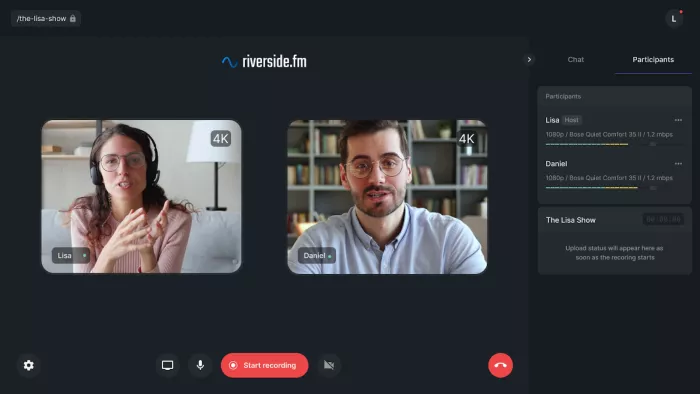
Riverside takes a completely different approach. Instead of focusing on editing, it focuses on recording quality.
It records audio locally on each participant’s device, then uploads high-quality files. This avoids internet-related quality drops, which is one of the biggest issues in remote podcasting.
Editing features exist, but they are not the core strength. Riverside is about reducing the need for heavy editing later.
| Strength | What it actually means |
| Local recording | Prevents quality loss from poor internet |
| Simple recording setup | Easy for guests to join and record |
| High-quality output | Cleaner raw audio reduces editing work |
| Reliable remote recording | Strong for interviews and guest podcasts |
| Limitation | Why it matters |
| Limited editing tools | You will still need another editor for polishing |
| Not built for post-production workflows | Focus is on capture, not refinement |
| Less useful for solo editing-heavy creators | Better for recording than editing |
Website: podcast.adobe.com
Adobe Podcast is built for one specific job. Cleaning audio.
You upload your recording, and it enhances clarity, removes noise, and improves voice presence. It is designed to make bad audio sound usable.
This makes it especially useful for creators who do not want to learn complex editing tools.
| Strength | What it actually means |
| One-click enhancement | No technical setup required |
| Strong noise cleanup | Fixes low-quality recordings effectively |
| Fast processing | Quick turnaround for simple edits |
| Beginner-friendly | No editing knowledge needed |
| Limitation | Why it matters |
| Limited editing control | Cannot fine-tune details |
| Over-processing risk | Audio can sound artificial in some cases |
| Not a full editor | Only solves cleanup, not workflow |
Website: alitu.com
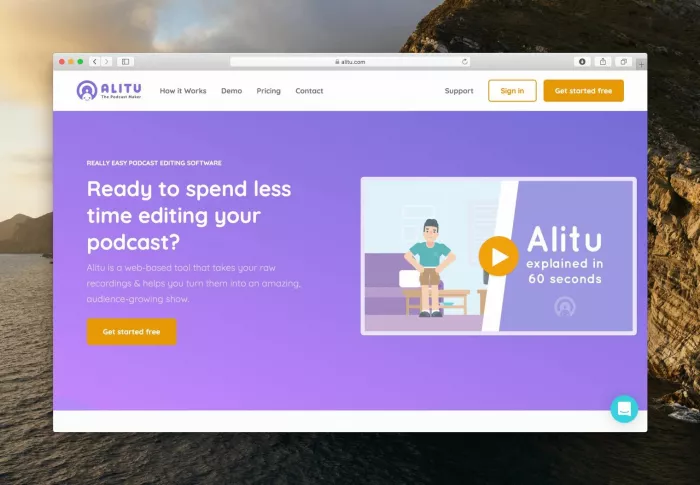
Alitu is designed for simplicity. It automates most of the podcast editing process.
You upload audio, and it handles leveling, noise reduction, and basic edits. It also allows you to assemble episodes without dealing with complex timelines.
This makes it ideal for creators who want consistent output without spending hours editing.
| Strength | What it actually means |
| Automated editing workflow | Reduces manual editing time significantly |
| Consistent output quality | Good for regular podcast releases |
| Simple interface | Easy to learn and use |
| Built for podcasting specifically | Focused on real use cases |
| Limitation | Why it matters |
| Limited advanced control | Not suitable for detailed editing |
| Automation limits flexibility | Cannot fine-tune every detail |
| Subscription-based | Ongoing cost for long-term use |
Website: hindenburg.com
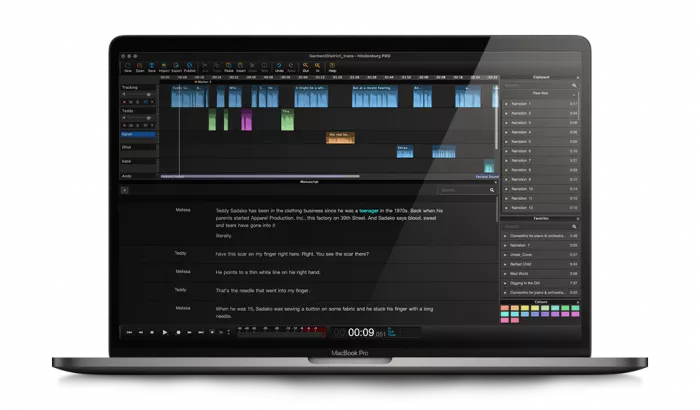
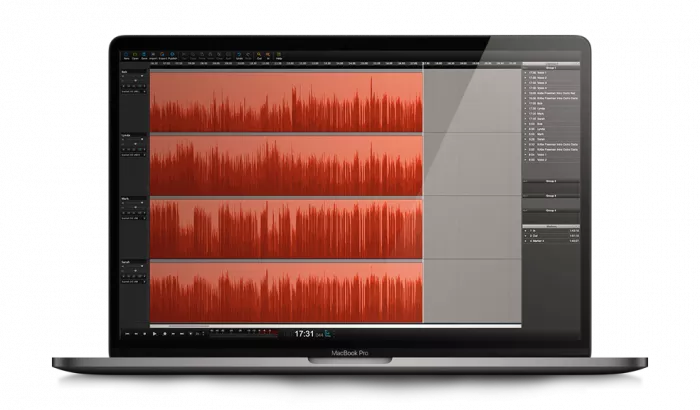
Hindenburg is closer to a professional audio editor, but optimized for spoken content.
It automates some processes like leveling while still giving full control over editing. This makes it ideal for journalists and serious podcasters who care about audio quality.
Unlike AI-first tools, it focuses on precision rather than automation.
| Strength | What it actually means |
| High control over editing | Ideal for professional audio production |
| Automatic leveling | Saves time while maintaining quality |
| Built for spoken audio | Optimized for podcasts and interviews |
| Stable performance | Reliable for long-form projects |
| Limitation | Why it matters |
| Learning curve | Requires time to master |
| Less automation | More manual work compared to AI tools |
| Not beginner-friendly | Better suited for experienced users |
| Use Case | Best Tool | Why |
| Fast editing and iteration | Descript | Text-based editing speeds up workflow |
| Remote podcast recording | Riverside | High-quality capture reduces editing |
| Audio cleanup | Adobe Podcast | Simple and effective enhancement |
| Automated production | Alitu | Minimal manual work required |
| Professional editing | Hindenburg | Full control and precision |
People often look for the “best” podcast editing tool.
That does not exist.
The real decision is:
Do you want to fix audio quickly
Do you want to avoid problems during recording
Do you want full control over editing
Or do you want automation to handle everything
Choosing the wrong approach leads to frustration, not better audio.
AI has not replaced podcast editing.
It has changed where the effort goes.
Some tools remove work.
Some tools shift work.
Some tools hide work.
The best tool is not the one with the most features.
It is the one that removes the most friction from your workflow.
Because in podcasting, consistency beats perfection.
And the faster you can go from recording to publishing without losing your mind, the more likely you are to keep going.

Marketing teams often need images before a product is ready for a phot...

Creating a logo that will grab customers' attention is one of the main...

Enterprise software has a well-known failure mode. The demo goes great...

Most people who produce video at any real scale hit the same wall even...

A cinematic AI video needs more than realistic skin, dramatic lighting...

Have you noticed how difficult it is not to watch spoilers of a sporti...
Discussion