
Last fall, I realized just how much of my workday was spent on low-value tasks. A simple question about the Q3 marketing budget sent me on a 20-minute hunt through Slack, Google Drive, old emails, and spreadsheets. It wasn’t that I couldn’t find the information; it was that the process turned me into a human search engine instead of letting me focus on actual marketing work.
I knew something had to change. I stopped chasing every new AI tool and started asking a different question: Which tasks are wasting my time, and which tools actually solve them?
What follows isn’t a roundup of trendy AI apps—it’s a look at the tools I consistently use to make my workflow smoother and more efficient.
1. Start with your worst task, not the coolest tool. Don't ask "What AI tools exist?" Ask "What task do I hate most?" Then find the tool that solves that specific problem.
2. Measure for two weeks. If a tool isn't actually saving you time after two weeks of consistent use, drop it. Don't give it "more time." The best tools show value quickly.
3. Check integration before features. A tool with amazing features that doesn't connect to your existing workflow will collect dust. Zapier works because it connects apps you already use. Glean works because it integrates with 100+ enterprise apps.
4. Avoid hype. The AI space is full of tools promising revolution but delivering marginal improvements. 88% of companies now use AI, but adoption doesn't equal success. The difference is selecting tools that solve specific problems.
Glean is an AI-powered enterprise search platform designed to help organizations locate information across multiple tools, including Google Drive, Slack, Microsoft Teams, Jira, and Salesforce. It addresses the common challenge of fragmented internal knowledge where documents, conversations, and project details are spread across several platforms.
It's built for mid-size to large companies with fragmented knowledge, basically any organization where information lives in scattered places and people constantly ask the same questions.
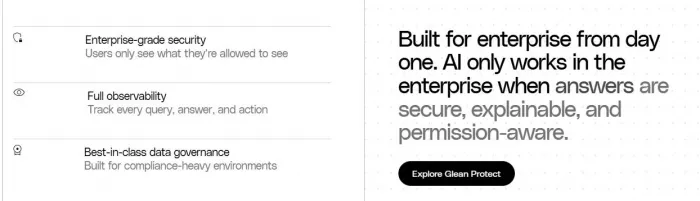
Glean isn't just one tool. It's a platform with four main products, but you'll probably start with one or two:
| Product | What It Does | Who Uses It Most |
| Glean Search | Finds what you need across Slack, Drive, Salesforce, Jira, and 95+ other apps | Everyone who wastes time searching |
| Glean Assistant | Personalized AI assistant that adapts to your work style and context | Daily productivity and quick answers |
| Glean Agents | Automates real work like sales prospecting, ticket resolution, code review | Teams with repetitive workflows |
| Glean Protect | Security layer ensuring AI respects permissions and data privacy | Security and IT teams |
Workflow 1: New Employee Onboarding
At a 500-person tech company, new hires spent their first week asking the same questions: "Where's the team handbook?" "How do I request PTO?" "Who owns this project?" Managers answered these questions dozens of times per week.
After implementing Glean, new hires just ask. The AI pulls answers from the actual company docs, shows the source, and links to the full document. One HR director told me: "We used to spend 10 hours a week answering the same onboarding questions. Now new hires find answers themselves in seconds."
Workflow 2: Meeting Preparation
Before a client call, I used to spend 15 minutes digging through past emails, Slack threads, and project docs to remember what we discussed last time. Glean Assistant now prepares a summary automatically: past conversations, open action items, relevant documents, and key stakeholders. I spend 2 minutes reviewing instead of 15 minutes searching.
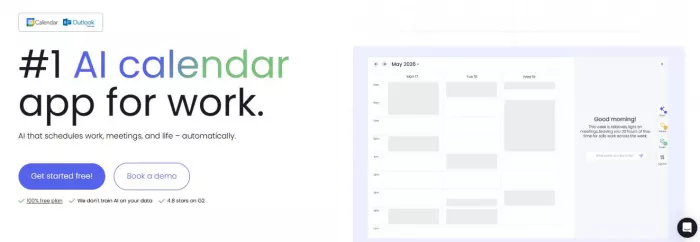
Reclaim automatically blocks time for tasks based on your priorities
Reclaim.ai is an AI-powered calendar management tool that goes beyond simple scheduling. It automatically blocks time for tasks, habits, breaks, and meetings based on your priorities and schedule patterns. The AI learns your preferences and dynamically adjusts your calendar as new events come in.
Most calendar tools are passive; they show you what's scheduled. Reclaim is active; it defends your time automatically. You set your tasks and habits, and Reclaim figures out when they should happen based on your availability, priorities, and work patterns.
Key features include smart 1:1 scheduling, time tracking, and task management integrations with Asana, Todoist, and other tools. The free plan is usable with core features, while paid plans start at $10/month for unlimited habits and task sync.
Across all users, Reclaim delivers measurable results week after week:
| Metric | Improvement |
| Focus time | +7.6 hours per week |
| Lunches defended | +2.6 per week |
| Overtime | -4.15 hours per week |
| Productivity | +55.4% |
| Work-life balance | +41.9% |
| Burnout | -46.7% |
| Decision paralysis | -66.6% |
| Work stress | -77.2% |
Users report that Reclaim offers 524% more meeting availability and books meetings 15.3% sooner than Calendly links.
Reclaim.ai scores 4.1/5 overall, with 3.9/5 for ease of use and 4.3/5 for features. On G2, it has 4.8 stars and is trusted by 600,000+ users across 70,000 companies.
● Knowledge workers with constantly shifting priorities
● Managers juggling multiple meetings and deep work
● Freelancers who need to balance client work with business tasks
● Anyone who feels their calendar controls them instead of the other way around
I started using Reclaim when I was constantly rescheduling tasks because meetings kept taking over my day. The AI learned that I work best on deep work in the morning, so it automatically blocks 9-11 AM for focused work unless there's an emergency. Tasks that used to slip through the cracks now get scheduled automatically. The difference isn't just productivity, it's the mental relief of not having to constantly manage my calendar manually.
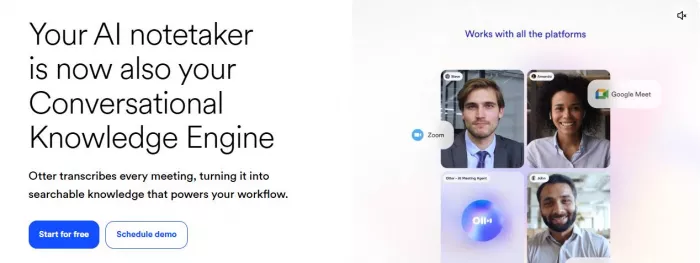
Otter provides real-time transcription and meeting notes automatically
Otter.ai is the gold standard for meeting transcription accuracy and search. If your primary need is perfect records of every meeting you've ever had with searchable transcripts, Otter delivers.
Otter provides real-time transcription during meetings, automatically capturing who said what. It integrates with Zoom, Google Meet, and Microsoft Teams to join meetings automatically and generate transcripts. You can search through all your past meetings, find specific moments, and share transcripts with colleagues who couldn't attend.
The free transcription allowance is 30 minutes per conversation, with paid plans offering more features. Pro tier is available at competitive pricing, especially during sales events.
Before Otter: I used to sit through customer calls taking notes while simultaneously trying to listen actively. I'd miss important details while writing, then spend 20 minutes after the meeting formatting notes and sending summaries.
After Otter: Otter transcribes everything in real-time. I can focus on the conversation, highlight key moments during the call, and Otter automatically generates a clean transcript with action items. Post-meeting summary takes 2 minutes instead of 20.
Otter AI maintains strong reviews for transcription accuracy. Users specifically praise its search functionality, being able to find "that thing the client said about budget in last month's call" in seconds rather than reminiscing for 10 minutes.
Some users report that the free tier is limited (30 minutes), and there have been mixed experiences with the free transcription allowance changing over time. However, for professional use where accuracy matters, the paid tiers are worth the investment.
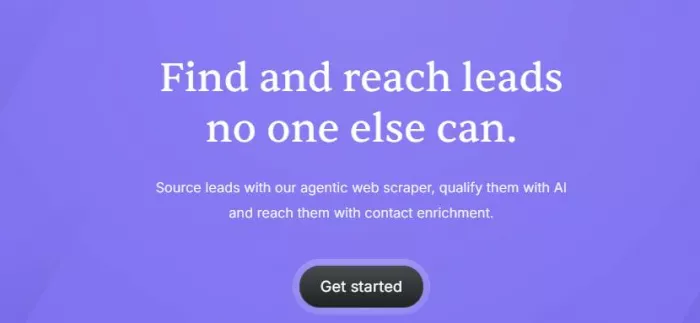
Bardeen automates repetitive tasks directly in your browser
Bardeen AI is a browser-based automation platform specifically designed for GTM teams (Sales, RevOps, Customer Success) to eliminate manual tasks such as lead research, data enrichment, and CRM maintenance.
Unlike Zapier, which works between apps via APIs, Bardeen brilliantly handles tasks on sites that don't have a proper API. It combines agentic AI with a powerful web scraper to extract data directly in the browser and sync it with tools like Google Sheets, Notion, or CRMs.
Core features include:
● Deep scraping of web pages
● AI-powered lead qualification
● Contact verification
● Human-in-the-loop interactions for complex workflows
Sales prospecting workflow:
Before Bardeen: Spend hours manually researching leads on LinkedIn, copying company information, checking websites, and entering data into CRM.
After Bardeen: One click extracts lead data from LinkedIn, enriches it with company information from the web, verifies contact details, and adds everything to your CRM. Tasks that used to take many hours are now just a click of a button.
Recruiting workflow:
Recruiters use Bardeen to scrape job candidate profiles from LinkedIn, extract relevant skills and experience, and automatically populate applicant tracking systems.
Motion is an all-in-one work superapp that combines task management, calendar scheduling, and project management with AI-powered auto-scheduling. What makes it different is that it automatically rearranges your schedule when new tasks or meetings come in, so you never have to manually reschedule everything.
Motion uses AI to figure out when your tasks should happen based on:
● Your deadlines
● Task priority
● Your available time slots
● Meeting conflicts
● Your work patterns
When you add a new task with a deadline, Motion automatically slots it into your calendar at the best time. If a meeting gets added that conflicts with your deep work block, Motion moves your work block to a different time automatically.
I started using Motion when I was managing multiple client projects with overlapping deadlines. I'd spend 30 minutes each morning just rearranging my calendar because something always changed. Motion now handles that automatically. If I add an urgent task with a 3-day deadline, it finds the time and slots it in. If a client meeting gets added, it reshuffles everything else without me touching anything.
● Consultants and freelancers managing multiple clients
● Project managers juggling overlapping deadlines
● Anyone with unpredictable schedules who needs flexibility
● People who want task management and a calendar in one place
Moveworks automates employee support requests at enterprise scale
Moveworks is an enterprise AI automation platform specifically designed for IT and HR support. It handles employee requests like "I forgot my password," "How do I request PTO?" or "My laptop won't connect to Wi-Fi" without human intervention.
Most chatbots can only answer simple FAQ-style questions. Moveworks can actually complete tasks by integrating with your existing systems. When someone asks "Reset my password," Moveworks doesn't just give instructions—it actually resets the password through your identity management system.
The platform uses natural language processing to understand employee requests in 50+ languages, then takes action across your IT and HR systems automatically.
At a Fortune 500 company I worked with, the IT helpdesk was overwhelmed with 500+ tickets per week, 60% of which were password resets and basic troubleshooting. After implementing Moveworks:
● 70% of tickets were resolved automatically without human intervention
● IT team spent 40% less time on repetitive tasks
● Employee satisfaction with support increased from 3.2 to 4.4/5
One IT director told me: "We used to have 3 people dedicated to password resets. Now Moveworks handles it, and those people focus on complex technical problems."
I used to download every new AI tool that launched. My browser had 20 tabs for different tools I barely used. Then I started tracking something simple: time spent on tasks before and after implementing each tool.
Here's what I learned:
| Tool | Time Before | Time After | Net Gain |
| Glean (searching for info) | 2.3 hrs/day | 18 min/day | ~2 hrs/day saved |
| Reclaim (calendar management) | 45 min/day | 8 min/day | ~37 min/day saved |
| Otter (meeting notes) | 20 min/meeting | 2 min/meeting | ~18 min/meeting saved |
| Motion (schedule rearranging) | 30 min/day | 0 min/day | ~30 min/day saved |
These aren't marketing claims. These are what I actually measured.
When I first started using AI tools, I thought the goal was to automate everything. I wanted a fully automated workflow where I barely had to do anything.
That's wrong.
The goal isn't to eliminate all manual work. It's to eliminate the boring manual work so you can focus on tasks that actually require your brain. The creative problem-solving. The strategic thinking. The conversations with customers that actually move deals forward.
I also stopped chasing every new tool. There are now thousands of AI tools launching monthly, but most solve problems I don't have. The eight tools I've covered here—Glean, Reclaim.ai, Otter.ai, Bardeen AI, Motion, and Moveworks are the ones I've used consistently for months, not weeks.
Eight months ago, I was still spending over two hours per day just searching for information. My calendar was a chaotic mess of rescheduled tasks. I struggled to take meeting notes while simultaneously trying to listen, often missing important details. Lead research consumed hours instead of minutes, and my emails looked rushed and unprofessional.
Today, the biggest difference isn’t that I’m using more tools — it’s that I’m using the right tools for my actual problems. Glean handles the knowledge fragmentation that used to cost me hours daily, providing answers with sources rather than just a list of links. Reclaim and Motion defend my focus time automatically, preventing meetings from hijacking deep work. Otter captures everything I need from meetings, letting me search past conversations in seconds. Bardeen handles browser-based research tasks that previously consumed my afternoons.
Using these AI tools also made me realize the importance of responsible deployment. With AI regulations evolving rapidly, especially in the U.S., it’s essential to consider data privacy, transparency, and compliance when adopting these platforms. The Billo article on U.S. AI regulations provides an excellent overview of the current landscape and highlights why staying aware of these rules is not just legal prudence but a critical part of effective workflow management. By integrating tools thoughtfully, while keeping regulatory guidance in mind, I can maximize productivity without inadvertently creating compliance risks.

Marketing teams often need images before a product is ready for a phot...
Creating a logo that will grab customers' attention is one of the main...

Enterprise software has a well-known failure mode. The demo goes great...

Most people who produce video at any real scale hit the same wall even...

A cinematic AI video needs more than realistic skin, dramatic lighting...

Have you noticed how difficult it is not to watch spoilers of a sporti...


Discussion