


Let’s be entirely honest about the modern corporate environment: nobody actually hates the act of presenting their ideas. What we universally despise is the grueling, frustrating, multi-hour ordeal required to build the deck itself.
Imagine a scenario that plays out in thousands of offices every single week. It is late Thursday afternoon, and you have been tasked with putting together a critical presentation for a client pitch or an internal executive review first thing tomorrow morning. Your current digital workspace looks like an absolute battleground. You have a 50-page industry report open in one browser tab, a disorganized text document filled with raw meeting notes in another, a massive spreadsheet overflowing with quarterly performance metrics in a third, and a completely blank canvas staring back at you in a standalone presentation app.
For the next four hours, your routine is entirely mechanical and exhausting. You copy text from a report, paste it into a summary tool, copy the summary, paste it into a slide, and then spend twenty minutes trying to resize the text box so it doesn't overlap with a margin. You hop between half a dozen websites, log into multiple individual tools, and manually drag elements across a screen. By the time the deck looks remotely acceptable, you are mentally drained, your creative energy is entirely depleted, and you have wasted a massive portion of your workday acting as a human data bridge.
The core problem here isn't the complexity of your topic, nor is it a lack of professional capability on your part. The problem is the fragmented nature of modern software. The true future of workplace productivity isn't about opening more browser tabs or adding more single-purpose software to your tech stack; it is about collapsing those steps entirely.
Over the past few years, the software industry has given us an independent application for almost every individual task. There is a platform to summarize text, a platform to analyze data, and standalone websites functioning strictly as a specialized presentation maker. While these individual tools are highly capable in a vacuum, forcing professionals to use them in isolation introduces a hidden tax on your time and focus.
When you use separate applications, you are forced to do the heavy lifting of data transportation. You have to carry information from your research window over to your writing app, translate that data into a cohesive script, and then feed that script into a design engine. Every single time you switch tabs, your concentration breaks. You lose the big-picture view of your project because you are too busy managing the rigid constraints of various user interfaces.
When you are deep in a creative or analytical zone, the absolute last thing you want to do is navigate away from your primary workspace to fiddle with manual graphic templates, struggle with complex design menus, or manually align borders just to make a single bullet point look clean. You do not need a fragmented ecosystem of independent applications that require constant supervision. What you actually want is a single, unified workspace that understands your final objective and manages the underlying steps automatically.

The defining breakthrough of modern productivity is built upon a single, liberating premise: you only need one single chat window to manage your entire workload. Instead of requiring you to open, manage, and pay for separate applications for every individual stage of a project, a unified workspace brings your entire professional workflow under one roof. Think of it as a centralized command center for your daily productivity.
When you transition your workflow to HIX AI – The AI Agent Workspace, you interact directly with a central main chat interface. You don’t need to worry about complex background pipelines, data synchronization, or technical architecture. Your only job is to type out what you need in plain, conversational English. Behind the scenes, the ecosystem automatically interprets your command and routes the work to its specialized background capabilities.
If your project requires extracting deep insights from a chaotic financial spreadsheet, the system’s data analysis capabilities handle the math automatically. If you need to draft a comprehensive executive summary based on those findings, the native document generation features handle the writing. And when it is time to turn those exact same insights into a visually stunning, boardroom-ready deck, the system builds the presentation right inside the exact same chat thread.
You never have to leave the window. You never have to copy and paste text blocks between different websites. You simply state your final goal, and the workspace aligns its specialized features to deliver a finished product. It is a massive shortcut designed specifically for professionals who want to maximize their output while cutting down on unnecessary administrative effort.
To truly understand how this system simplifies your routine, let’s look closely at how the integrated presentation features transform slide creation from an exhausting chore into a hands-off experience. If you rely on a standard, standalone slideshow maker, you often still find yourself doing a massive amount of manual preparation work before the tool can even begin to help you. By utilizing the dedicated AI Slides engine inside this unified environment, you completely eliminate these pre-production bottlenecks across three distinct phases:
With traditional presentation methods, you cannot actually start building slides until you have spent hours meticulously organizing your thoughts, outlining your talking points, and writing a perfect, polished script.
The advanced presentation features within this unified workspace completely remove this entire preparation phase. You can take a messy, unedited web page link, a dense 40-page industry PDF, a collection of chaotic raw text notes, or even raw screenshots of data, and drop them straight into the main chat window.
Because the workspace possesses native research and document comprehension features, it reads through the unorganized material for you. It instantly extracts the most important takeaways, identifies the core value propositions, and filters out the noise. You do not need to provide a flawless, well-written input; you simply provide the raw ingredients, and the workspace automatically determines the ideal structure.
A collection of visually beautiful slides is completely useless if the actual content lacks logical progression. Many automated tools simply paste your raw text onto random layouts without any true understanding of business communication or narrative flow.
The presentation engine inside this workspace approaches slide creation like an experienced corporate strategist. The moment your raw information is processed, the system maps your content out against a professional, highly effective narrative framework.
First, the deck immediately establishes clear audience engagement by identifying the primary market pain point, operational challenge, or client need. Second, the system organizes your metrics, case studies, and data points to clearly validate the scale and importance of that challenge. Finally, the closing section seamlessly positions your recommendations, products, or operational solutions as the definitive path forward. This structural intelligence ensures that your presentation never feels superficial, hollow, or disconnected. It maintains a tight, persuasive flow that keeps your audience completely engaged from the opening title to the final slide.
The most deeply frustrating part of creating a presentation isn't formatting the initial draft; it is dealing with the endless, tedious cycles of revisions. Every modern professional has lost count of the hours spent trying to adjust font sizes, change color schemes, or nudge an icon a few pixels to the left so it aligns with a paragraph text box.
Within this unified agent workspace, manual drag-and-drop design interfaces are completely obsolete. If a specific slide isn't exactly how you envisioned it, you do not fix it by clicking through complex toolbars or adjusting manual layout settings. You simply tell the chat window what you want to change, exactly as if you were speaking to a professional graphic designer sitting next to you.
"Make the third slide much more concise."
"Shift the overall tone of this presentation to be highly formal and corporate."
"Take these four long paragraphs and condense them into two sharp, high-impact takeaways."
The workspace instantly processes your feedback and implements the changes across the presentation in real time. The platform handles all the tedious micro-adjustments perfectly, allowing you to remain entirely focused on the high-level strategy of your presentation.
Presentations rarely exist in total isolation. A slide deck is almost always one component of a much larger, ongoing professional objective. Once your slides are finished, you might need to turn that information into an executive summary report for your team, draft an introductory email for an external client, or organize a structured list of follow-up operational tasks based on the presentation's goals.
Because you are operating inside a fully integrated workspace rather than a single-purpose app, your progress doesn't grind to a halt the moment your presentation is generated.
You can immediately instruct the very same chat thread to take the key insights from the slides it just built and draft a comprehensive project overview. You can tell it to extract all the operational milestones and set up automated schedule reminders for the upcoming weeks.
Everything stays contained within the exact same conversation history. The complete context of your project is perfectly preserved. The platform remembers your core data, your specific stylistic preferences, and your strategic goals across every single document, task, and presentation you generate.
The modern business environment moves incredibly fast, and the demands on your time are higher than ever before. The professionals who truly excel in this fast-paced landscape aren't the ones who spend the longest hours clicking buttons or wrestling with manual layout tools; they are the ones who find the smartest ways to automate low-value, repetitive administrative tasks.
Continuing to log into multiple individual websites, manage a massive collection of independent software subscriptions, and manually ferry raw data between open browser tabs is a direct route to creative burnout and wasted time. You should not have to adapt the way you think just to accommodate the rigid, fragmented limitations of traditional software design.
By transitioning your daily workflow into a comprehensive, single-window workspace, you shift your focus entirely away from digital busywork and back toward strategic execution. Let the specialized background features handle the data extraction, the structural organization, and the pixel-perfect design formatting. Your only responsibility is to guide the narrative, make the final decisions, and close your workspace early enough to enjoy your evening.

Marketing teams often need images before a product is ready for a phot...
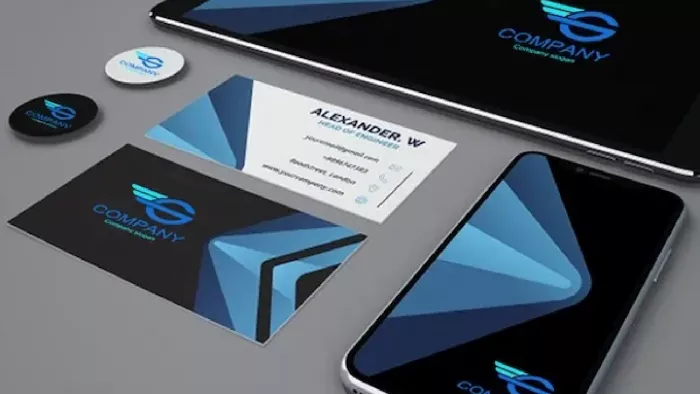
Creating a logo that will grab customers' attention is one of the main...

Enterprise software has a well-known failure mode. The demo goes great...
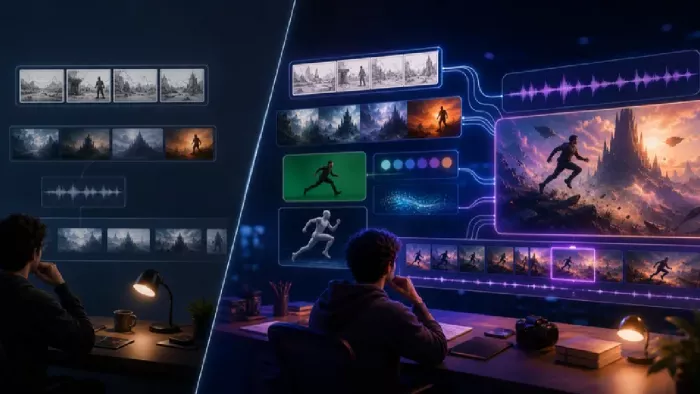
Most people who produce video at any real scale hit the same wall even...

A cinematic AI video needs more than realistic skin, dramatic lighting...

Have you noticed how difficult it is not to watch spoilers of a sporti...
Discussion