


Most AI tools try to behave like disciplined assistants. You give instructions, they follow them, and the result improves as your prompt gets better.
Then there is Perchance AI, which behaves more like a creative collaborator that occasionally ignores instructions and adds its own ideas. Sometimes that works in your favor. Sometimes it adds a third character to a carefully crafted two-character scene and acts like that was always the plan.
That contradiction defines the entire workflow.
This is not a feature breakdown. This is a real, data-backed workflow analysis from prompt to output, including testing, user sentiment, and where the tool actually fits in a usable pipeline.
Most users do not struggle to generate images or text anymore. That problem is solved across tools.
The real problem starts after generation.
Perchance solves the first part extremely well. It generates fast, freely, and without restrictions. But the gap between generating something and using something is where most friction appears.
Perchance is not just another AI generator. It is a browser-based creative platform built around three core layers.
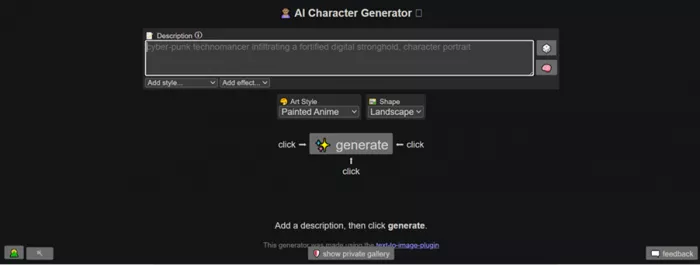
First, the generator layer allows immediate use. No forced login, no setup friction. The interface is simple, almost generic, with a white background and a straightforward prompt input system.
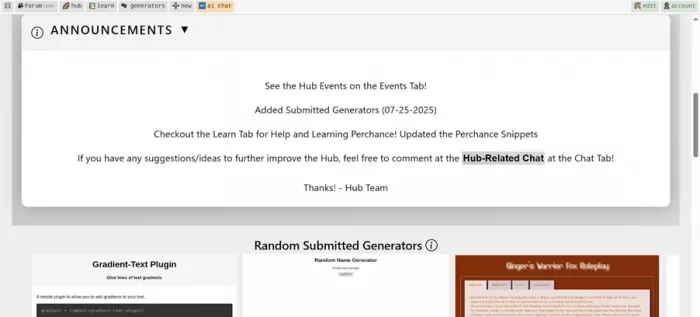
Second, the ecosystem layer includes the Perchance Hub, where users can explore forums, community generators, and different AI models. This is where the platform expands, but also where inconsistency becomes visible. Many generators exist, but not all function reliably.
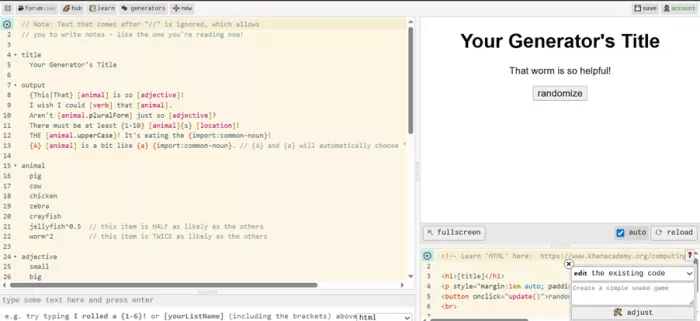
Third, the builder layer allows users to create their own generators using structured logic or HTML-style inputs. This is a unique aspect that turns Perchance from a tool into a platform.
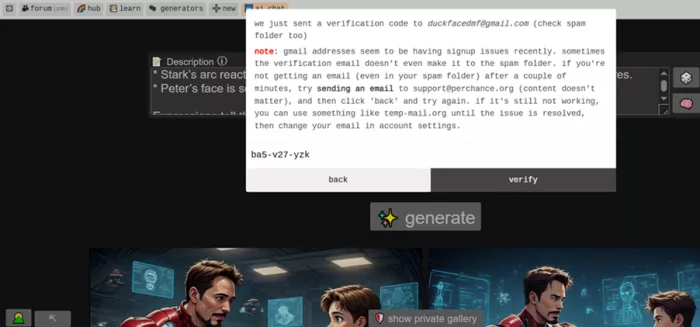
The onboarding experience reflects this philosophy. Login is optional initially, and when used, it relies on a simple email and OTP system. It works, but does not add workflow depth such as saved sessions or project continuity.
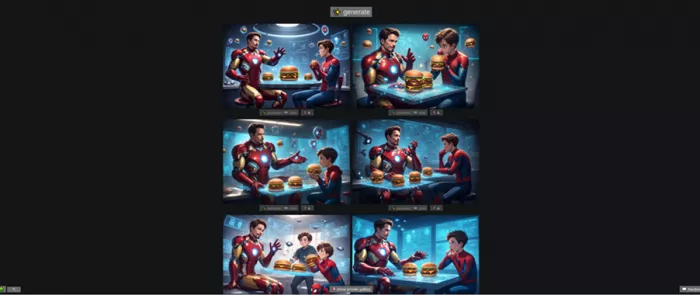
“Picture a cinematic anime frame set inside a softly glowing, high-tech workshop—somewhere between a futuristic lab and a cozy late-night diner vibe.
Tony Stark sits casually on the edge of a sleek, holographic workbench, still half-suited in his Iron Man armor. The red-and-gold plating isn’t just metal—it hums with life. Thin neon-blue circuitry pulses beneath translucent panels, like veins of energy flowing through the suit. His arc reactor glows intensely in his chest, casting a circular light that reflects off chrome surfaces and glass screens floating mid-air. Small robotic arms hover nearby, frozen mid-repair, as if even the machines paused for this moment.
Across from him, Peter Parker is perched on a stool, slightly hunched in that awkward, youthful way. His Spider-Man suit is rolled down to his waist, the fabric textured with a hexagonal nano-weave pattern that subtly shifts in the light. The mask dangles off one hand while the other holds an oversized cheeseburger, clearly too big for him to eat neatly. There’s a smear of sauce on his cheek, and he doesn’t seem to notice.
Between them sits a hovering tray projected by Stark tech—hard-light constructs forming a perfect platform. On it: two hyper-detailed cheeseburgers. The buns are glossy and golden, sesame seeds individually rendered. The patties glisten with juices, layered with melted cheese that drips in slow, exaggerated anime style. Steam rises in soft curls, animated with delicate motion lines, emphasizing warmth and flavor.
The background is alive with tech: semi-transparent holographic screens flicker with blueprints of armor upgrades, scrolling code, and rotating 3D schematics. Some display Spider-Man suit enhancements—web fluid formulas, trajectory simulations—hinting at mentorship. Tiny drones float like fireflies, emitting soft white light.
Lighting is dramatic and stylized:
* A cool blue underglow from the tech contrasts with the warm golden highlights from the burgers.
* Stark’s arc reactor acts as a central light source, creating sharp reflections and lens flares.
* Peter’s face is softer lit, emphasizing his youth and curiosity.
Expressions tell the story:
* Tony has a confident, slightly amused smirk, one eyebrow raised as if he’s mid-lecture or teasing Peter about something trivial yet genius-level.
* Peter looks wide-eyed and engaged, nodding while chewing, clearly trying to keep up both intellectually and physically with the oversized bite he just took.
Add subtle anime effects:
* Speed-line accents behind Tony’s gestures when he talks.
* A tiny chibi-style doodle hologram of Iron Man appears briefly as he explains something, adding humor.
* Sparkling highlights on the burger for comedic exaggeration of how good it looks.
The whole scene blends warmth and mentorship with cutting-edge sci-fi—an intimate pause in a world of chaos, where genius meets youth over something as simple as cheeseburgers, rendered with hyper-detailed anime precision and a distinctly tech-infused aesthetic.”
A highly structured cinematic anime prompt was used, involving:
This was intentionally complex to test control, not just generation.
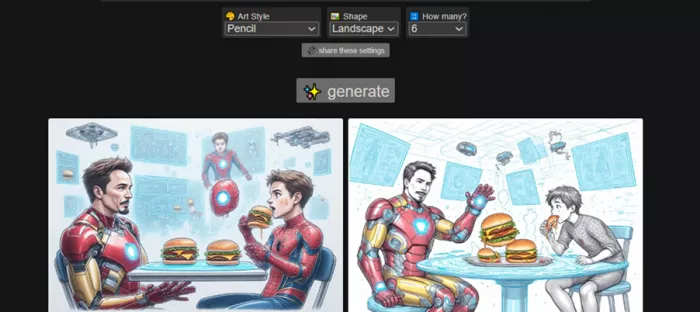
A second test using a pencil-style variation showed that style changed more reliably than structure, while composition remained similar.
| Testing Area | Observation | Practical Impact |
| Prompt handling | Interprets rather than strictly follows | Good for exploration, weak for precision |
| Batch output | 6 images generated instantly | Faster idea iteration |
| Style variation | Multiple styles from same prompt | Useful for discovery |
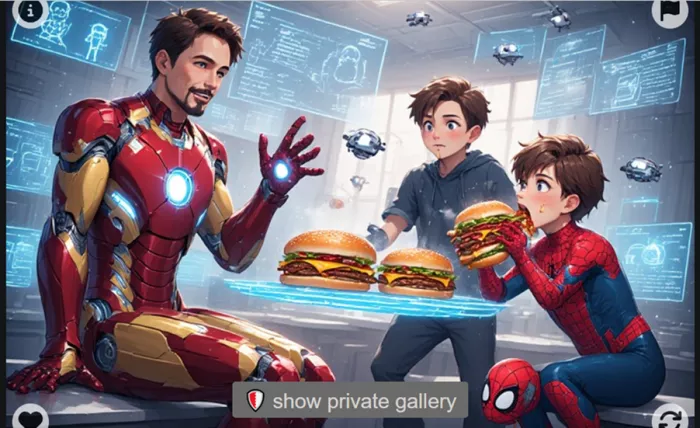
| Unexpected elements | Extra character appeared in one output | Breaks controlled scenes |
| Generator ecosystem | Many models exist but some fail to load | Exploration is inconsistent |
| Login system | Optional, OTP-based | No impact on workflow depth |
| Evaluation Factor | Observed Behavior | Score |
| Creativity | High variation and visual diversity | 8/10 |
| Prompt adherence | Drops with complex prompts | 6/10 |
| Consistency | Significant variation across outputs | 5/10 |
| Usability | 1–2 usable outputs per batch | 5/10 |
| Control | Weak over detailed instructions | 4/10 |
| Editing required | Most outputs need refinement | 7/10 |
Perchance does not optimize for a single correct output.
It optimizes for multiple possible outputs.
That shifts the workflow from generation to selection.
| Metric | Observed Data |
| Generation time | 5–10 seconds |
| Outputs per run | 4–6 images |
| Time to usable result | 2–5 minutes |
| Editing time required | 15–30 minutes |
Speed is real. Efficiency is conditional.
The tool saves time in idea generation but loses time during refinement.
| Platform | Rating | What It Reflects |
| Trustpilot | ~3.9/5 | Positive but limited dataset |
| SourceForge | ~3/5 | Balanced and critical |
| High engagement | Strong community-driven usage | |
| Tech reviews | Mixed positive | Idea-focused positioning |
| Category | What Users Say | What Testing Found |
| Creativity | “Very creative for a free tool” | High variation supports this |
| Speed | “Extremely fast generation” | Consistent with testing |
| Consistency | “Not reliable every time” | Confirmed across outputs |
| Usability | “Needs editing” | Majority outputs not ready |
| Chat/logic | “Repetition and drift” | Matches broader patterns |
| Dimension | Strength | Contradiction | Impact |
| No login required | Instant access | No saved workflow | Weak continuity |
| Batch generation | More outputs | More filtering needed | Selection overhead |
| Open ecosystem | Large variety | Unreliable generators | Inconsistent experience |
| Creative randomness | Unique outputs | Breaks prompt control | Limits precision |
| Free usage | No restrictions | No polish layer | Lower reliability |
The same factors that make Perchance powerful also limit it.
Freedom increases creativity.
Freedom reduces control.
Where Perchance Fits in a Real WorkflowPerchance performs strongest at the beginning of a workflow, where speed and idea generation matter more than precision. It is highly effective for rapid exploration, helping users move from a rough idea to multiple visual or creative directions within seconds. This makes it ideal for brainstorming and early-stage concept discovery where variety is more valuable than accuracy.
As the workflow progresses into concept building and draft creation, the tool remains useful but becomes less reliable. It can still generate usable starting points, but inconsistencies start to appear, especially with complex prompts. At this stage, outputs require filtering and selective use rather than direct adoption.
The limitations become clear during refinement and final output stages. Perchance does not offer strong editing capabilities or control over fine details, which means most outputs need external tools for polishing. As a result, it works best as a front-end creative engine that accelerates ideation but depends on other tools to complete the workflow.
Perchance AI is not trying to compete with polished, subscription-based tools.
It is solving a different problem. It removes friction from creativity.
That makes it one of the fastest ways to move from idea to visual output. But it also means accepting trade-offs in control, consistency, and usability.
The testing confirms a clear pattern.
Perchance is excellent at starting creative workflows.
It is unreliable at finishing them.
And that is exactly how it should be used.

Marketing teams often need images before a product is ready for a phot...

Creating a logo that will grab customers' attention is one of the main...

Enterprise software has a well-known failure mode. The demo goes great...

Most people who produce video at any real scale hit the same wall even...

A cinematic AI video needs more than realistic skin, dramatic lighting...

Have you noticed how difficult it is not to watch spoilers of a sporti...
Discussion