

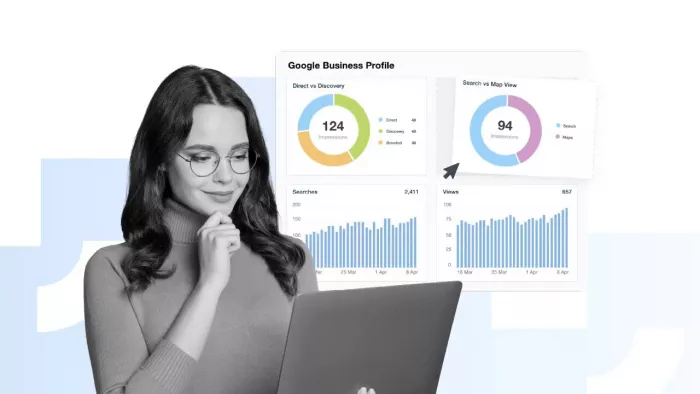
Most business owners check their Google Business Profile to update hours or respond to reviews. But the Insights tab? It often gets ignored. That's a missed opportunity. Google Business Profile Insights gives you a direct window into how real customers find, view, and interact with your listing. Instead of guessing what your audience wants or where your marketing efforts should go, you can let the data guide you. This guide breaks down exactly how to read those metrics and turn them into decisions that actually move the needle for your business.
Before you can act on data, you need to know what you're looking at. Google Business Profile Insights organizes its data into several distinct categories, and each one tells a different part of your customer's story. Understanding these categories in depth is the foundation for any smart marketing move you make afterward.

Insights breaks search activity into two types: direct searches and discovery searches. A direct search means someone typed your business name or address specifically. A discovery search means someone searched for a product, service, or category, and your listing appeared in the results.
If discovery searches make up a large share of your traffic, that's a strong signal that your profile is performing well in local SEO. If direct searches dominate, your brand awareness is solid, but you may have room to capture more new customers who don't yet know your name. For businesses that offer a white-label reputation management solution, this distinction matters a lot because it reveals whether the profile is attracting new audiences or just serving people who already know the brand.
Either way, tracking this ratio over time lets you spot shifts in how your audience finds you, and that insight can directly shape where you put your content and advertising efforts.
Profile views and photo views are two of the most underappreciated metrics in Insights. Profile views tell you how many people actually landed on your listing after seeing it in search results or on Maps. Photo views, on the other hand, show how often your uploaded images attract attention.
A high number of search impressions paired with low profile views often means your listing appears in results, but something about the title, category, or snippet doesn't compel people to click. That's a sign to revisit your business description, primary category, and the quality of your cover photo.
Photo views specifically deserve attention. Listings with more high-quality photos tend to see significantly more direction requests and website visits. If your photo views are low, a focused effort to upload better images of your space, team, or products can produce a measurable lift in engagement without a major investment.
Direction requests and phone calls represent the highest level of intent in your Insights data. These are not passive viewers: these are people ready to take action. A direction request means someone is physically planning to visit you. A phone call means they want to speak with your team right now.
Pay attention to the days and times these actions spike. If direction requests surge on Friday afternoons, that tells you something about your peak customer behavior. You can use that knowledge to staff appropriately, run a weekend promotion, or time a social media post to coincide with that window.
Similarly, if phone calls drop off sharply on certain days, consider whether your listed hours match when customers actually try to reach you. Even small mismatches between your profile data and your real-world availability can cost you customers who never try again.
Raw numbers don't mean much without context. The real skill is learning how to read patterns, compare periods, and connect data points across different metric categories. Once you develop that habit, your Google Business Profile stops being a passive listing and becomes an active part of your marketing strategy.
One of the most practical things you can do with your Insights data is compare performance across different time periods. Look at month-over-month and quarter-over-quarter changes, not just your current numbers in isolation.
For example, if your discovery searches dropped by 20% from one quarter to the next, that warrants investigation. Did a competitor update their profile? Did you change your business category? Did your review score slip? Each of those factors can influence how Google ranks your listing in local results.
In contrast, if you ran a promotion in March and then see a jump in profile views and phone calls during that same window, you've just confirmed a real correlation between that campaign and customer behavior. That's the kind of feedback loop most businesses never tap into because they don't check their Insights consistently.
Set a recurring calendar reminder to review your data at least once a month. Consistency in review turns patterns visible. Sporadic checks make it nearly impossible to catch trends before they become problems.
Google Business Profile Insights also shows you the specific search queries that triggered your listing to appear. This is genuinely useful data that many business owners overlook entirely.
If you see that customers find you through queries like "affordable plumber near me" or "same-day HVAC repair," that tells you exactly what language resonates with your audience. You can then use those same phrases in your website content, in your responses to reviews, and in your Google Posts to reinforce that relevance signal.
On the other hand, if you appear for searches that don't match your services, that's a red flag. It means your profile categories or description may need adjustment. Appearing for irrelevant queries wastes impressions and attracts visitors who won't convert, which can also hurt your engagement metrics over time.
Think of these search queries as free market research. Your customers are literally telling you how they describe their own problems. Use that language back to them.
Insights data becomes truly powerful once you connect it to the rest of your marketing activity. Your Google Business Profile doesn't operate in isolation: it's one touchpoint in a larger customer journey.
If your website traffic from Google Maps has increased but your conversion rate on the site remains flat, the problem isn't your profile, it's what happens after the click. That tells you to focus on your landing page experience rather than doubling down on profile optimization.
Alternatively, if you notice consistent growth in discovery searches but your review count hasn't kept pace, you may be attracting new visitors who aren't converting into loyal customers or reviewers. In that case, a follow-up strategy to encourage reviews after a transaction could close the gap.
Your Insights data is most useful as a diagnostic tool. It tells you where friction exists, where momentum already builds, and where your next investment of time or budget is likely to pay off. The more regularly you check it, the sharper your decisions become.
Google Business Profile Insights gives you something most marketing tools don't: a direct look at real customer behavior tied to your specific business. The data is already there. Your job is to read it consistently, connect the dots between metrics, and let those patterns guide your next move. Businesses that treat Insights as a routine part of their marketing review process consistently outperform those that ignore it. Start with one metric this week and build from there.

Marketing teams often need images before a product is ready for a phot...

Creating a logo that will grab customers' attention is one of the main...

Enterprise software has a well-known failure mode. The demo goes great...

Most people who produce video at any real scale hit the same wall even...

A cinematic AI video needs more than realistic skin, dramatic lighting...

Have you noticed how difficult it is not to watch spoilers of a sporti...
Discussion