

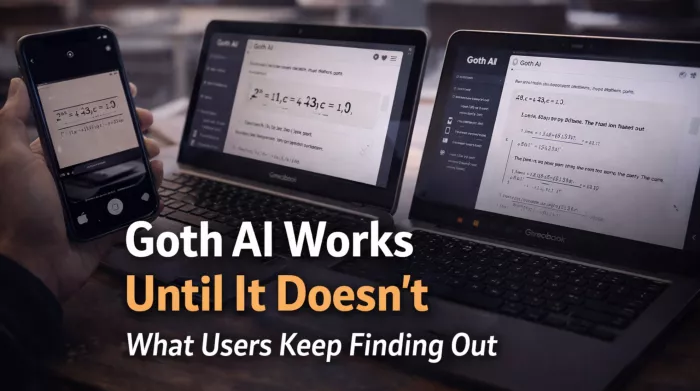
Before getting into the experience, it helps to look at how the app performs across key areas when tested and reviewed over time.
| Category | Rating (Out of 5) | What This Actually Means in Use |
| Accuracy | 3.2 | Reliable for clean, basic problems but inconsistent for layered or unclear inputs |
| Ease of Use | 4.4 | Very simple interface with almost no learning curve |
| Speed | 4.5 | Responses are generated quickly across most problem types |
| Value | 2.9 | Free usage is too limited to properly explore the app |
| Reliability | 3.1 | Output quality varies depending on input conditions |
| Overall | 3.4 | Useful in short bursts but not dependable for consistent results |
This snapshot reflects a pattern seen across both testing and user feedback. The app performs well in controlled situations but becomes less stable as conditions change.

The initial interaction with Goth AI creates a strong impression. You scan a math problem, wait briefly, and receive a structured solution that appears organized and easy to follow.
This early experience works because the system is optimized for speed and simplicity. It removes friction and delivers immediate results, which makes it feel like a practical shortcut during homework sessions.
However, that smooth performance depends heavily on the type of input. Once you move beyond clean and predictable problems, the experience begins to change.
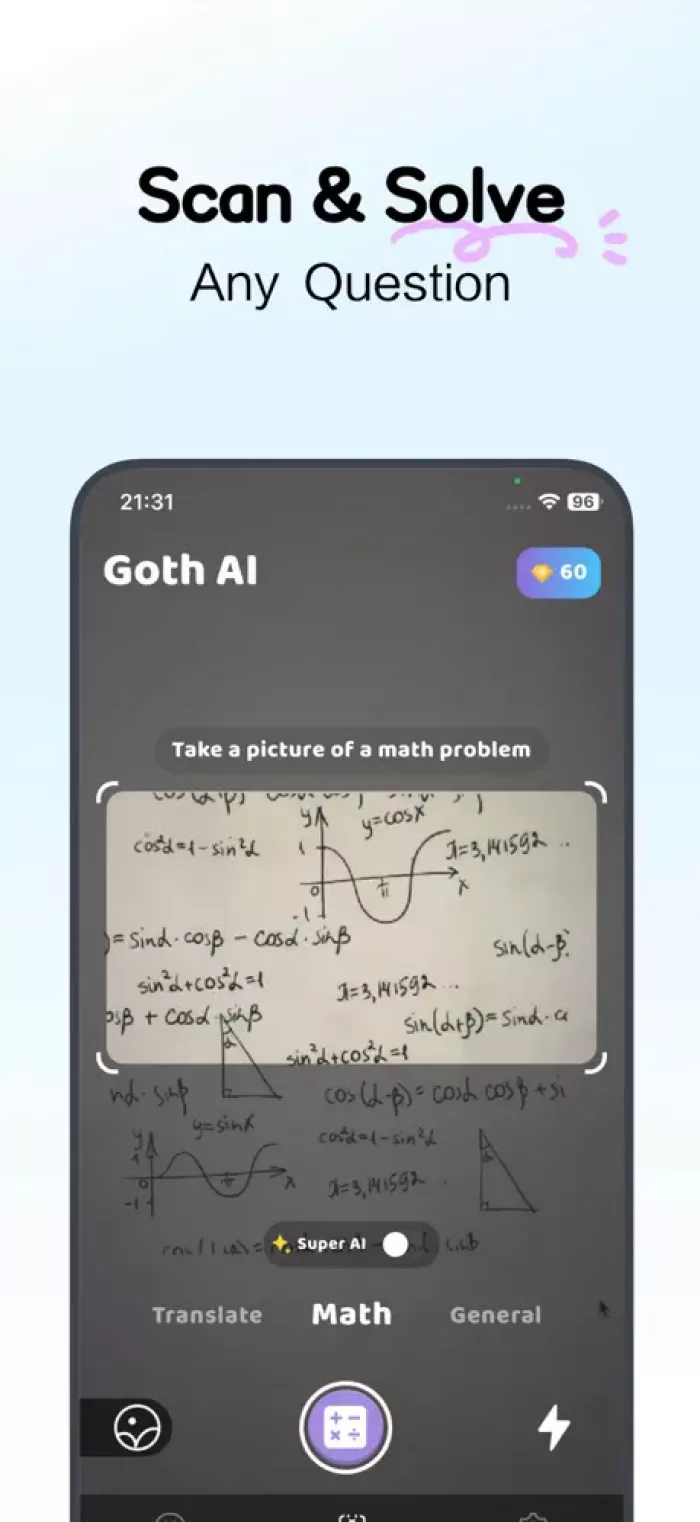
A consistent observation across user feedback is that accuracy depends less on how hard the problem is and more on how clearly it is presented.
The system performs well when the input is:
As soon as those conditions change, the results become less reliable.
| Input Condition | System Behavior | Resulting Outcome |
| Clean typed equation | Correct step-by-step breakdown | High accuracy and clear explanation |
| Slightly tilted or shadowed image | Misreads symbols or numbers | Incorrect or partially correct answer |
| Messy handwriting | Fails to interpret structure | Completely wrong solution |
| Multi-line complex input | Skips steps or misorders logic | Confusing or incomplete explanation |
Users repeatedly mention that even small issues such as lighting or alignment can affect results. In some cases, the app produces confident answers that are entirely incorrect, which creates a need to manually verify outputs.
As problems become more complex, the limitations of the system become more visible.
Multi-step equations often expose gaps in reasoning. The app may begin correctly but fail to maintain logical consistency across later steps. This leads to answers that look structured but do not hold up when examined closely.
Geometry and diagram-based problems are another area where inconsistency appears. The system tends to simplify visual inputs rather than interpret them accurately, which results in incorrect conclusions.
| Problem Type | Observed Behavior | Reliability Level |
| Basic algebra | Accurate and well-structured | High |
| Intermediate equations | Occasional skipped steps | Medium |
| Multi-step problems | Loss of logical continuity | Low |
| Geometry and diagrams | Misinterpretation of visuals | Low |
| Advanced math | Incomplete or incorrect reasoning | Very low |
User reviews reinforce this pattern. Some users report that the app provides correct answers for simple problems but fails when tasks require deeper reasoning .
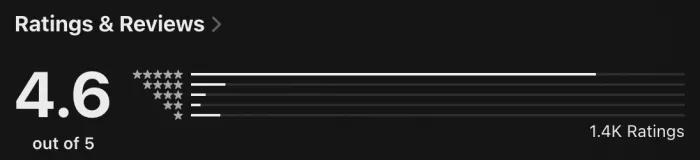
The app holds a strong overall rating, but detailed user feedback reveals a more uneven experience.
Short reviews often focus on speed and ease of use. Longer reviews tend to highlight accuracy issues, limitations, and frustration with the system.
| Feedback Type | Common User Observation | What It Indicates |
| Positive short reviews | “Fast and easy to use” | Strong first impression |
| Mixed reviews | “Works sometimes, not always” | Inconsistent accuracy |
| Negative detailed reviews | “Half the answers are wrong” | Reliability issues over time |
| Repeated complaint | “Only a few free tries before payment” | Limited usability without subscription |
Some users specifically mention that the app works well initially but becomes frustrating once errors start appearing or usage is restricted .
One of the most consistent themes across user feedback is the limited free experience.
Instead of allowing users to explore the app fully, access is restricted early. Many users report being able to solve only one or two problems before encountering payment prompts.
| Usage Stage | What Happens | Effect on User Behavior |
| First use | Quick and accurate response | Builds trust |
| Second or third attempt | Continued functionality | Encourages exploration |
| After limited uses | Paywall appears | Interrupts workflow |
| Continued use without payment | Restricted access | Forces selective usage |
This structure changes how users interact with the app. Instead of using it freely, they begin to reserve usage for specific moments, which reduces overall usefulness.
Several users describe this as the point where their perception of the app shifts from helpful to restrictive .
The effectiveness of Goth AI varies significantly depending on the user’s academic level.
| User Group | Typical Problem Type | Experience Outcome |
| Middle school students | Structured textbook problems | Consistently helpful |
| Early high school students | Basic algebra and equations | Mostly reliable |
| Advanced high school students | Multi-step and mixed concepts | Inconsistent |
| College-level users | Complex and abstract problems | Frequently unreliable |
This explains why opinions about the app differ. Users are not experiencing the same system in the same way. The app performs best within a narrow range of structured problem types.
When used correctly, Goth AI can still provide value.
It is most effective when:
This distinction is critical. The app is not designed to replace reasoning. It is designed to assist with structured, predictable tasks.
Goth AI Math Solver delivers speed, simplicity, and accessibility. These strengths make it useful in controlled situations where problems are clean and straightforward.
However, those strengths are offset by:
For students, the practical takeaway is clear.
The app can help in specific moments, but it requires verification and careful use to avoid mistakes.
Used selectively, it saves time.
Used without caution, it introduces uncertainty.

Marketing teams often need images before a product is ready for a phot...

Creating a logo that will grab customers' attention is one of the main...

Enterprise software has a well-known failure mode. The demo goes great...

Most people who produce video at any real scale hit the same wall even...

A cinematic AI video needs more than realistic skin, dramatic lighting...

Have you noticed how difficult it is not to watch spoilers of a sporti...
Discussion