

Let's be honest - when you're picking an AI video generator, you're essentially making a deal with yourself. Either you're willing to wait for something that looks truly impressive, or you need something out the door fast enough to keep your content calendar alive. PixVerse AI and Kling AI represent both sides of that bargain better than almost any other tools on the market right now.
PixVerse is fast. Not just "pretty quick" fast - we're talking 30 seconds to two minutes for most clips. Kling AI, on the other hand, is slow. Sometimes frustratingly so. But what it produces in that time? That's where the conversation gets interesting.
This article digs specifically into two things: how long each tool actually takes to generate a video, and how good that video looks when it's done. Everything else - pricing, templates, social features - takes a back seat for now. We'll cover those angles in separate pieces. For today, it's purely about speed and quality.
This is part of a series. Future articles will focus on: Pricing & Value | Style Variety | Social Media Use Cases | Long-Form Video Capabilities.
Before we get into the real stuff, here's the quick reference sheet. These are the headline numbers for both tools as of early 2025.
| Specification | PixVerse AI | Kling AI |
| Developer | AISphere (formerly) | Kuaishou Technology |
| Latest Model | PixVerse V5 / V6 | Kling 2.5 Turbo / 3.0 |
| Max Resolution | 360p – 1080p (4K upscaling) | 720p – 1080p (4K in testing) |
| Frame Rate (FPS) | 16 – 24 FPS | 30 FPS (consistent) |
| Max Video Duration | 5 – 8 seconds (30s w/ Extend) | Up to 2 minutes (3 min w/ Extend) |
| Aspect Ratios | 16:9, 9:16, 1:1 | 16:9, 9:16, 1:1 |
| Gen Speed (Typical) | 30 sec – 2 min (free/paid) | 2 – 15 min (varies by mode) |
| Generation Modes | Text, Image, Effects, Transition | Text, Image, Multi-element, Motion Control |
| Camera Controls | Added June 2025 | Pan, Tilt, Zoom, Orbit since v1.5 |
| Audio / Lip Sync | Lip sync added July 2025 | Audio support; limited lip sync |
| Free Tier | 90 credits + 30 daily | 66 credits/day (expire daily) |
| Watermark (Free) | Yes | Yes |
One number jumps out immediately: Kling AI supports up to 2 minutes of video per generation, while PixVerse tops out at 8 seconds natively (30 seconds with the Extend feature). That alone tells you these tools are built for very different creators.
This is the section most people actually need. Everything sounds fast in a marketing headline - it's the 3am deadline scenarios and the "I just need one more version" moments that reveal how these tools really perform.
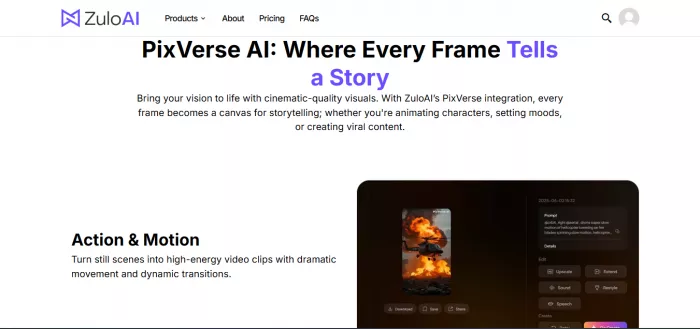
PixVerse does not mess around when it comes to generation time. According to hands-on testing from multiple independent reviewers, a standard 360p clip at 5 seconds comes out in roughly 30 seconds. Even complex prompts at 720p typically finish in under 2 minutes on the free plan. That's genuinely fast - especially compared to tools like Runway or earlier versions of Kling.
The v4.5 model in particular was praised across Reddit and creator communities for its speed-to-quality ratio. One reviewer noted that a 5-second 720p clip rendered in under 20 seconds on a paid plan - faster than most people could explain what they wanted in words. That's not an exaggeration. That's the kind of speed that changes how you think about iteration.
The catch? Peak hours are real. During heavy server load - which tends to hit in the evenings US-time - free users can see wait times stretch from 30 seconds to 5+ minutes. Paid users have priority queue access, which keeps things closer to the advertised speed. But if you're relying on the free tier for a consistent workflow, plan for some variability.
PixVerse speed summary: 30 seconds to ~2 minutes for most clips on paid plans. Peak hours can add 3–5 minutes on the free tier. Still faster than almost every competitor.
Kling AI is slow and knows it. On the free tier, generating a standard 5-second 720p clip can take anywhere from 5 to 15 minutes - and that's on a good day. Some free users have reported wait times exceeding 3 hours for the
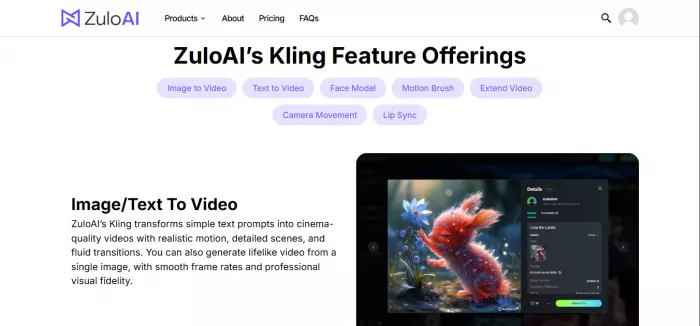
v1.6 model, which has led to a common community complaint that the free tier is essentially a demo with limited real utility.
The paid tiers are meaningfully faster. Kling 2.5 Turbo, released in September 2025, delivered a reported 60% speed improvement over previous versions - bringing Pro-mode generation times down to 2–5 minutes for standard clips. That's still 3–10x slower than PixVerse, but the context matters: Kling is generating longer, more complex, physics-accurate video with significantly more motion fidelity.
The Kling 2.5 Turbo update was a genuine turning point. Before it, Kling's speed was a serious workflow blocker for anyone needing more than a handful of generations per session. After it, the tool became realistic for professional workflows where quality justifies a longer wait. If you're running 20+ iterations on a complex scene, though - you're going to want to schedule that in advance.
Kling AI speed summary: Free tier - 5 to 15 minutes per clip, sometimes up to 3 hours. Paid Pro mode (v2.5 Turbo) - 2 to 5 minutes per clip. Significantly slower than PixVerse across the board.
Here's the full generation time breakdown across different scenarios - the most detailed comparison you'll find anywhere:
| Scenario | PixVerse (Free) | PixVerse (Paid) | Kling AI (Free tier) | Kling AI (Paid Pro) |
| 5s clip – Simple prompt, 360p | ~30 sec | ~20 sec | 3–8 min | 2–3 min |
| 5s clip – Simple prompt, 720p | ~1 min | ~30 sec | 5–10 min | 2–4 min |
| 5s clip – Complex scene, 720p | 1–2 min | ~1 min | 8–15 min | 3–5 min |
| 5s clip – 1080p HD | 1–3 min | ~1 min | 10–15 min | 3–5 min |
| 8s clip – Complex, 1080p | 2–4 min | 1–2 min | 15–25 min | 5–8 min |
| Peak hours / heavy server load | 3–6 min | 1–3 min | Up to 3h* | 10–20 min |
| Image-to-Video, 5s | ~1 min | ~30 sec | 5–10 min | 2–4 min |
| Long-form (30s–2 min clip) | Not supported | Not supported | 30+ min | 10–20 min |
*The "up to 3 hours" figure for Kling's free tier reflects v1.6 during peak loads, based on community reports. Standard mode remains more predictable.
Speed data is clean and easy to compare. Quality is messier - but arguably more important, especially if your output ends up in a client's inbox or on a brand's social channels. Here's how both tools actually perform.
PixVerse AI - Beautiful, Stylized, Sometimes Quirky
PixVerse produces genuinely impressive visual output, especially for stylized content. The anime rendering is a community favourite, consistently producing sharp character illustrations with smooth frame transitions. The sci-fi and cinematic mode outputs also punch above their weight - multiple reviewers noted that PixVerse clips, especially at 1080p, held their own against tools costing three times as much.
Where it starts to wobble is in physics and consistency. Motion occasionally looks artificial - objects that should have weight sometimes drift like they're underwater. Hands and faces in complex scenes can get strange, as is common across AI video tools, but PixVerse's frame rate (defaulting to 16fps in many modes) can make motion feel slightly stilted compared to Kling's consistent 30fps output.
The frame-by-frame coherence also takes a hit in longer or more complex generations. If you're asking for a simple scene - a product close-up, an atmospheric landscape, a stylized character - PixVerse delivers cleanly. The more elements you introduce, the more it starts to make its own creative decisions that don't always align with yours.
Kling is operating in a different quality tier for physics-based, realistic video. Its 3D face and body reconstruction technology is not just a marketing bullet point - it makes a visible difference. Characters move the way characters actually move. Fabric has weight. Water behaves like water. Hands are better than most AI tools manage (though still not perfect). At 30fps across the board, motion is smooth in a way that 16fps output simply cannot match.
The Motion Control feature, introduced with Kling 2.6 in December 2025, became something of a viral phenomenon - allowing users to extract movement from one video and apply it to a completely different subject. No other major platform offers anything equivalent natively. For creators doing character animation, product showcases, or dance content, this alone justifies a serious look at Kling.
Kling's strength in long-form quality is also unmatched. Generating a coherent 90-second clip where characters stay consistent, scenes transition naturally, and the physics holds up across hundreds of frames is something most AI video tools simply cannot do. PixVerse's 8-second ceiling means it's a non-starter for that use case entirely.
The trade-off: Kling's style range is narrower. If you need anime, vaporwave, or highly stylized visual effects - PixVerse is going to give you more flexibility and more interesting output. Kling leans hard into realism, and while that realism is impressive, it doesn't always match what a creator actually wants for social content.
The quality scorecard below aggregates data from third-party benchmarks (Artificial Analysis), independent reviewer testing, and community sentiment across Reddit and creator forums:
| Quality Dimension | PixVerse | Score | Kling Ai | Score | Winner |
| Motion Realism / Physics | ████████ | 7.6/10 | █████████ | 9.3/10 | 🏆 Kling AI |
| Resolution Sharpness | █████████ | 8.5/10 | █████████ | 8.7/10 | 🏆 Kling AI |
| Frame Consistency | ████████ | 7.8/10 | █████████ | 9.1/10 | 🏆 Kling AI |
| Art Style Variety | █████████ | 9.2/10 | ███████ | 7.2/10 | 🏆 PixVerse |
| Prompt Adherence (Visual) | ████████ | 8.2/10 | █████████ | 8.8/10 | 🏆 Kling AI |
| Character Consistency | ████████ | 7.9/10 | █████████ | 9.1/10 | 🏆 Kling AI |
| Camera Control Precision | ███████ | 7.4/10 | █████████ | 8.8/10 | 🏆 Kling AI |
| Long-form Quality | ████ | 4.0/10 | █████████ | 9.0/10 | 🏆 Kling AI |
| Social / Viral Effect Quality | ██████████ | 9.6/10 | ███████ | 7.1/10 | 🏆 PixVerse |
| Overall Quality Score | ████████ | 8.1/10 | █████████ | 8.7/10 | 🏆 Kling AI |
Scores based on aggregated testing data, Artificial Analysis benchmarks, and community feedback as of Q1 2025. Weighted by real-world creator use cases.
Here's the thing that most comparison articles skip over: the speed gap between these two tools exists because they're solving fundamentally different technical problems.
PixVerse generates short, stylized clips at lower frame rates using models optimized for visual appeal over physical accuracy. It doesn't need to simulate real-world physics across 150+ frames - it just needs each 5-second clip to look good enough to stop a scroll. That's an easier problem to solve, and it lets the models run faster.
Kling AI is running a 3D face and body reconstruction pass, tracking joints, simulating physics, and maintaining character consistency across potentially hundreds of frames at 30fps. At 2 minutes of output (3,600 frames), that's a fundamentally more complex computation. The extra wait time isn't padding - it's actual work being done at a level most AI video tools don't attempt.
Understanding that distinction helps you pick the right tool. If your video is 5 seconds and the goal is visual interest - PixVerse's speed advantage is real and matters. If your video is 30 seconds and it needs to look filmed rather than rendered - Kling's quality justifies the wait. If you need both for different parts of your workflow, many professional creators are using exactly that combination.
The smart move: Use PixVerse for volume - quick iterations, trend-chasing, social templates. Use Kling for hero content - the pieces that go on your portfolio, your brand's channels, or a client deliverable.
Both tools are credit-based, which makes direct comparison slightly awkward since credit values differ. Here's the clearest side-by-side we can give you without doing a maths degree:
| Plan | Price/mo | PixVerse AI - What You Get | Kling AI - What You Get |
| Free | $0 | 90 init + 30 daily credits, watermark, 720p | 66 credits/day (expire daily), watermark, 720p |
| Lite / Std | $9–10 | 1,200 credits/mo, HD 720p, 3 concurrent | $9.99 Lite - 3,200 credits, 720p videos |
| Pro | $24–30 | 6,000 credits/mo, 1080p, 5 concurrent | $29.99 Plus - 10,000 credits, 1080p, no watermark |
| Premium | $48–60 | 15,000 credits/mo, 8 concurrent | - |
| Enterprise | $100+ | API access, full docs, custom config | $92/mo Premier - 8,000 credits + priority queue |
PixVerse tends to offer more credits per dollar at the entry level, which matters if you're doing high-volume social content. Kling's Plus Plan at $29.99 unlocks the full 1080p quality and faster queue - and based on the generation times above, the paid queue is really the only way to make Kling viable as a daily tool.
Skip the overthinking. Here's the fast-answer guide:
| Your Situation / Need | ⚡ Pick PixVerse AI | 🎬 Pick Kling AI |
| Need videos in under 2 minutes | ✅ Yes - consistently fastest | ❌ Not its strength |
| You want cinematic, realistic motion | 🟡 Decent but glitchy at times | ✅ Yes - best-in-class physics |
| If You want anime or stylized effects | ✅ Yes - anime is a core style | 🟡 Some styles, less focus |
| You need long-form video (30s–2 min) | ❌ Not supported | ✅ Yes - up to 2 minutes |
| You're on a tight deadline daily | ✅ Yes - social media pace | ❌ Too slow for daily rush |
| Need precise camera control | 🟡 Basic - added recently | ✅ Pan, tilt, zoom, orbit |
| You want Motion Control / dance transfers | ❌ Not available | ✅ Unique to Kling (v2.6+) |
| You want viral effect templates | ✅ Yes - massive template library | 🟡 Less focused on this |
| Budget is tight, need more output | ✅ More credits for less money | 🟡 Higher per-video cost |
| You're building a professional film/ad | 🟡 Works for short stylized cuts | ✅ Cinema-grade output |
PixVerse wins on speed. It's not close, it's not contextual - PixVerse is simply faster, and if turnaround time is your primary constraint, the answer is PixVerse. Full stop.
Kling wins on quality. Specifically on motion realism, physics accuracy, long-form consistency, and the kind of output that holds up on a larger screen without looking obviously AI-generated. The Motion Control feature is genuinely a category of its own, and the 2-minute video length opens up storytelling possibilities that PixVerse can't touch.
Neither tool is bad. What they are is different - shaped by different assumptions about who's using them and what they're making. PixVerse was built for the content creator who posts every day and needs to move fast. Kling was built for the filmmaker or brand who posts once a week and needs it to look extraordinary.
The good news? You don't have to choose permanently. Both have free tiers worth spending time with before you commit to anything. Start there, run the same prompt through both, and you'll know within an hour which one fits your workflow.

Marketing teams often need images before a product is ready for a phot...

Creating a logo that will grab customers' attention is one of the main...

Enterprise software has a well-known failure mode. The demo goes great...

Most people who produce video at any real scale hit the same wall even...

A cinematic AI video needs more than realistic skin, dramatic lighting...

Have you noticed how difficult it is not to watch spoilers of a sporti...
Discussion