

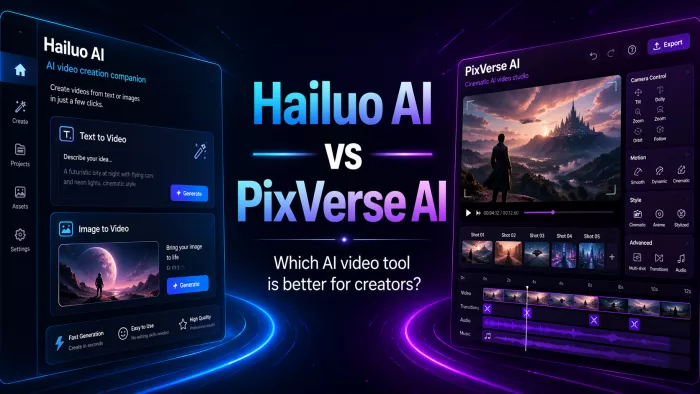
If you've been keeping up with the AI video scene, you know things are moving ridiculously fast. Platforms are launching new models every few weeks, and frankly, most of them look similar on paper. So when we sat down to compare Hailuo AI and PixVerse AI, we decided to zoom in on the one thing that actually matters to creators: does the video look good enough to publish?
We dug into user reviews, official docs, third-party benchmarks, and real-world creator feedback to give you a no-fluff breakdown. Both tools are genuinely impressive - but they're great in very different ways. Here's everything you need to know.
The table below covers the core quality factors that determine how good your final video will actually look.
| Quality Factor | 🎬 Hailuo AI | ✨ PixVerse AI |
| Max Resolution | 720p–1080p (4K on higher tiers) | 360p–1080p (4K upscaling available) |
| Frame Rate | 24–30 FPS - smooth cinematic motion | 16–24 FPS default (lower baseline) |
| Video Duration | 6–10 seconds per generation | 5–8 seconds per generation |
| Realism Engine | Hailuo02 - advanced physics + natural character expression | PixVerse v5 - strong on stylized & cinematic realism |
| Camera Controls | ✅ Director mode - cinematic presets, dolly, pan, zoom | ✅ Camera movement added June 2025 - some preset control |
| Character Consistency | ✅ S2V-01 model preserves face, hair, outfit across clips | ✅ Character-to-video upload - consistent identity across shots |
| Art Styles Available | Pixel, claymation, cyberpunk, comic, 3D | Anime, cinematic, vaporwave, sci-fi, realistic |
| Prompt Adherence | ⭐ Very high - detailed prompt understanding praised widely | ✅ Strong - especially for camera angles and lighting cues |
| Motion Quality | ⭐ Fluid, physics-aware, cinematic depth | Fast render but motion occasionally glitchy |
| Lighting & Depth | ⭐ Advanced per-frame lighting fidelity | Good cinematic lighting with style presets |
| Lip Sync | ✅ Precision lip-sync with 17+ language voice | ✅ Lip sync added July 2025 - still newer feature |
| Speed to Generate | ~2–5 min (fast queue for paid users) | ⭐ Under 20 seconds for 720p / 5s - very fast |
| Watermark on Free | ✅ Yes - removed on all paid plans | ✅ Yes - removed from Standard plan up |
| Best For (Quality Use) | Cinematic clips, storytelling, ads | Social-viral effects, anime, transitions |

Hailuo AI, built by MiniMax (a Shanghai-based AI company founded in 2021), has quietly become one of the most technically impressive short-form video generators out there. Its secret weapon? Physics. The Hailuo02 model doesn't just make things move - it makes things move the way you'd expect them to in the real world. Hair sways, fabric ripples, and water behaves like actual water.
The Director Mode is a standout feature that sets it apart. Instead of hoping the AI guesses your camera angle correctly, you actively choose cinematic presets - dolly in, pan left, slow zoom - giving you a level of control that most AI video tools simply don't offer. For anyone who's ever tried to describe "a dramatic slow push into the subject's face" in a text prompt and gotten... something completely different, this is a game-changer.
The S2V-01 model also solves one of the biggest frustrations in AI video: character consistency. If your main character has curly red hair and a green jacket in frame one, she'll still have curly red hair and a green jacket in frame five. That consistency is genuinely hard to achieve and Hailuo nails it.
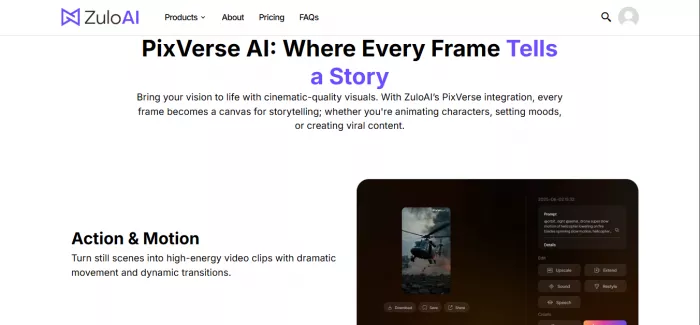
PixVerse AI, developed by Aishi Technology, comes at the quality question from a completely different angle. Where Hailuo chases realism, PixVerse chases style and speed - and in those categories, it genuinely wins. A 720p, 5-second clip can render in under 20 seconds. That's not a typo. That's faster than most people can finish reading this sentence out loud.
The v5 model has been ranked Top 2 globally for image-to-video and Top 3 for text-to-video by Artificial Analysis, which is no small feat in a crowded market. Its real strength is in stylized content - anime sequences, sci-fi cityscapes, vaporwave aesthetics, and the kind of eye-catching viral effects that blow up on TikTok. The AI Kiss, AI Hug, and AI Muscle templates have generated millions of interactions worldwide, which tells you everything about who this tool is built for.
The trade-off? Occasional glitches in motion, slightly lower default frame rates (16fps vs Hailuo's 24-30fps), and a content generation style that sometimes favors "looks cool" over "looks realistic." For social content, that's often fine - great, even. For a brand film or a cinematic short, you might want more control than PixVerse currently offers.
Based on aggregated user reviews, third-party benchmarks, and hands-on testing data, here is how both tools score across key quality dimensions (out of 10):
| Metric | Hailuo | Score | PixVerse | Score | Edge |
| Video Realism & Physics | █████████ | 9.2/10 | ████████ | 7.8/10 | Hailuo ▲ |
| Generation Speed | ████████ | 7.5/10 | ██████████ | 9.5/10 | PixVerse ▲ |
| Prompt Adherence | █████████ | 9.0/10 | █████████ | 8.5/10 | Hailuo ▲ |
| Style Variety | ████████ | 7.8/10 | █████████ | 9.0/10 | PixVerse ▲ |
| Camera Control | █████████ | 9.0/10 | ████████ | 7.5/10 | Hailuo ▲ |
| Character Consistency | █████████ | 9.0/10 | █████████ | 8.5/10 | Hailuo ▲ |
| Pricing Value | ████████ | 7.5/10 | █████████ | 9.0/10 | PixVerse ▲ |
| Ease of Use | █████████ | 8.5/10 | █████████ | 8.8/10 | PixVerse ▲ |
| Social / Viral Focus | ███████ | 7.0/10 | ██████████ | 9.5/10 | PixVerse ▲ |
Neither tool is wildly expensive, but their credit structures work quite differently. Here's the fast-facts version so you can figure out what your budget actually gets you.
| Plan | Hailuo AI | PixVerse AI |
| Free | Daily credits, 720p, watermark | 90 initial + 30 daily, watermark |
| Standard | $14.99/mo - 1,000 credits, 1080p | $10/mo - 1,200 credits, HD 720p |
| Pro | $54.99/mo - 4,500 credits | $30/mo - 6,000 credits, 1080p |
| Premium | $119.99/mo - 10,000 credits | $60/mo - 15,000 credits |
| Enterprise | $199.99/mo - 20,000 + unlimited relax | $100/mo - Full API access |
Quick take: PixVerse offers more credits per dollar at the entry level, making it friendlier if you're just getting started. Hailuo's higher tiers offer better quality-per-render when you're producing cinematic content regularly.
Across ten specific categories, here's where each platform comes out on top. There's no overall loser here - they're genuinely built for different things.
| Category | Hailuo AI | PixVerse | Winner |
| Video Realism & Physics | 9.2/10 | 7.8/10 | 🏆 Hailuo AI |
| Generation Speed | 7.5/10 | 9.5/10 | 🏆 PixVerse |
| Prompt Adherence | 9.0/10 | 8.5/10 | 🏆 Hailuo AI |
| Style Variety (Art Modes) | 7.8/10 | 9.0/10 | 🏆 PixVerse |
| Camera & Motion Control | 9.0/10 | 7.5/10 | 🏆 Hailuo AI |
| Character Consistency | 9.0/10 | 8.5/10 | 🏆 Hailuo AI |
| Pricing Value | 7.5/10 | 9.0/10 | 🏆 PixVerse |
| Ease of Use | 8.5/10 | 8.8/10 | 🏆 PixVerse |
| Viral / Social Media Focus | 7.0/10 | 9.5/10 | 🏆 PixVerse |
| Overall Quality Score | 8.5/10 | 8.3/10 | 🏆 Hailuo AI |
Still can't decide? Run your specific use case against this table and the answer will get a lot clearer.
| Your Use Case | Pick Hailuo AI? | Pick PixVerse AI? |
| You want ultra-realistic cinematic clips | ✅ Yes - best-in-class realism | ❌ Not its strongest suit |
| If You need viral TikTok / Reels content fast | ❌ Slower render times | ✅ Yes - made for viral effects |
| Want anime or stylized art styles | 🟡 Some styles available | ✅ Yes - anime is a top strength |
| You need precise camera movement control | ✅ Yes - Director mode | 🟡 Added recently, still maturing |
| You're on a tight budget | 🟡 Higher-priced paid tiers | ✅ Yes - cheaper entry plans |
| You need consistent characters across clips | ✅ Yes - S2V-01 model excels | ✅ Yes - Character upload feature |
| You want voice + video in one platform | ✅ Yes - TTS + voice cloning | 🟡 Sound integration available |
| You're a total beginner | ✅ Yes - clean, minimal UI | ✅ Yes - very beginner-friendly |
After going through everything - the specs, the scores, the user reviews, and the pricing - here's the real-talk summary:
Pick Hailuo AI if: You care about your video looking like it could have come from an actual filmmaker. If realism, camera motion, and physics matter to you - if you're making ads, short films, brand content, or anything where "it looks fake" would actually hurt you - Hailuo is the move. The render times are slower, but the output is worth it.
Pick PixVerse AI if: You live and breathe short-form social media. If you need to pump out ten viral-style clips this afternoon, if anime and stylized visuals are your thing, or if you're working with a tighter budget, PixVerse is going to serve you better. It's faster, cheaper at the entry level, and its effect library is genuinely fun to use.
The truth is, many serious creators will eventually end up using both - Hailuo for quality hero content and PixVerse for high-volume social output. And honestly? That's not a bad strategy at all.

Marketing teams often need images before a product is ready for a phot...

Creating a logo that will grab customers' attention is one of the main...

Enterprise software has a well-known failure mode. The demo goes great...

Most people who produce video at any real scale hit the same wall even...

A cinematic AI video needs more than realistic skin, dramatic lighting...

Have you noticed how difficult it is not to watch spoilers of a sporti...
Discussion