

SocialBee has earned its place as a solid social media management tool. Its category-based scheduling, evergreen content recycling, and clean AI writing assistant work well for small businesses and solopreneurs who want organized, automated posting. But it is not built for everyone.
Teams that need serious social listening, deep analytics with stakeholder-ready reports, scalable client management, or a simpler day-to-day interface frequently hit a wall with SocialBee. The platform's AI capabilities, while improving, still trail newer competitors. Its collaboration features are functional but not built for agencies juggling multiple client approval workflows. And if you need to post to a wide variety of platforms including Pinterest, TikTok, and Google Business Profile on lower-tier plans, you will find yourself upgrading quickly.
That is why this guide exists. The six tools below cover a range of use cases, team sizes, and budgets. Each has been evaluated on what it actually does well and where it genuinely falls short, not just surface-level feature checklists.
| Tool | Starting Price | Free Plan | Best For | G2 Rating |
| Buffer | $5/month per channel | Yes (3 channels) | Solo creators, simple scheduling | 4.3/5 |
| Hootsuite | $99/user/month | No (30-day trial) | Mid-size teams, broad integrations | 4.3/5 |
| Sprout Social | $199/seat/month | No (30-day trial) | Enterprise teams, deep analytics | 4.4/5 |
| Loomly | $32/month | No (15-day trial) | Teams needing structured approvals | 4.6/5 |
| Zoho Social | $15/month | Yes (1 profile) | Zoho CRM users, budget-conscious teams | 4.6/5 |
| Sendible | $29/month | No (14-day trial) | Agencies, multi-client management | 4.5/5 |
Buffer is one of the oldest names in social scheduling, founded in 2010, and it has stayed relevant by doing one thing exceptionally well: getting out of your way. The interface is clean, the queue system is fast, and anyone can learn it in under an hour.
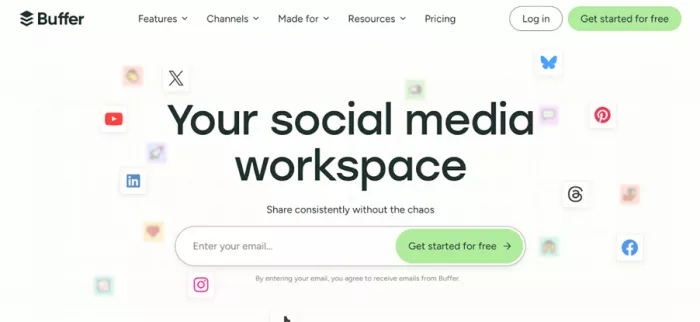
It supports publishing to Instagram, Facebook, LinkedIn, TikTok, X (Twitter), Threads, Bluesky, Pinterest, YouTube, Google Business Profile, and Mastodon. A built-in engagement inbox consolidates comments from multiple platforms into a single view, though it does not match the depth of tools like Sprout Social or Agorapulse. There is also a Start Page feature, a link-in-bio landing page builder that is genuinely useful for creators.
The AI assistant helps generate post ideas, repurpose content, and adjust tone, though it is lighter than what you get with SocialBee's AI writer or Hootsuite's OwlyWriter. Analytics cover post performance, audience growth, and engagement by channel, but they are basic unless you upgrade.
Pricing: Free plan supports 3 channels with 10 scheduled posts per channel. Essentials plan starts at $5/month per channel with unlimited scheduling and advanced analytics. Team plan at $10/month per channel adds unlimited users, approval workflows, and custom permissions. Annual billing saves 20%, and nonprofits receive a 50% discount.
Buffer's per-channel pricing model makes it significantly more affordable for users managing just two or three profiles. SocialBee's plans are structured around user tiers that bundle features you may not need, while Buffer lets you pay for exactly what you use. For a freelancer managing three client Instagram accounts, Buffer's math is hard to beat.
The onboarding is also faster. SocialBee's category-based system has a learning curve that Buffer sidesteps entirely. You connect an account, add posts to the queue, and you are done.
Buffer does not offer social listening in any meaningful sense. There is no competitor tracking, no brand mention monitoring, and no trend alerts. If you need to know what people are saying about your brand outside of your direct posts, you will need a separate tool entirely.
The analytics ceiling is also low. Post-level engagement data and basic follower growth charts cover the essentials, but you cannot build custom reports, benchmark against competitors, or present anything resembling a stakeholder-ready dashboard without exporting to a spreadsheet and building it yourself. Agencies and growing teams regularly outgrow this within three to six months.
There is no bulk scheduling via CSV, no RSS feed automation for curated content, and the mobile app is more limited than the desktop version. The post preview does not always match the final published format, which is a small but persistent frustration reported by users across multiple review platforms.
Transparent, scalable pricing with no surprises: The per-channel model means your bill reflects actual usage. Volume discounts kick in after 10 channels, making it genuinely more affordable as you scale up, not more expensive in the way most tools become when you add profiles.
One of the few tools still offering a real free plan: Most competitors eliminated free tiers or neutered them to the point of uselessness. Buffer's free plan supports 3 channels with 10 posts each in the queue. For someone just starting out, that is enough to test whether consistent scheduling actually moves the needle.
Clean, distraction-free experience that reduces friction: The queue system, calendar view, and post composer all live in a logical flow. There is no dashboard bloat. Teams that tried Hootsuite and found it overwhelming frequently cite Buffer as the relief.
No social listening or competitor tracking at any price point: This is not a feature gap you can work around with a workaround. If your strategy involves monitoring conversations beyond your own posts, Buffer simply does not support it.
Analytics are too thin for reporting to clients or leadership: The reports Buffer generates are clean but lack the depth to answer questions like "how did we perform against our competitors this month" or "what content drove the most qualified website traffic." You will end up exporting data and rebuilding reports manually every month.
Per-channel pricing becomes expensive for large account sets: Managing 15 channels on the Team plan costs $150/month. At that scale, a flat-rate tool like Hootsuite or Loomly often delivers more value.
Hootsuite has been in the market since 2008 and remains one of the most recognized names in the space. It is designed for mid-size teams and agencies that need high-volume publishing, broad platform coverage, structured collaboration, and social listening all within one dashboard.
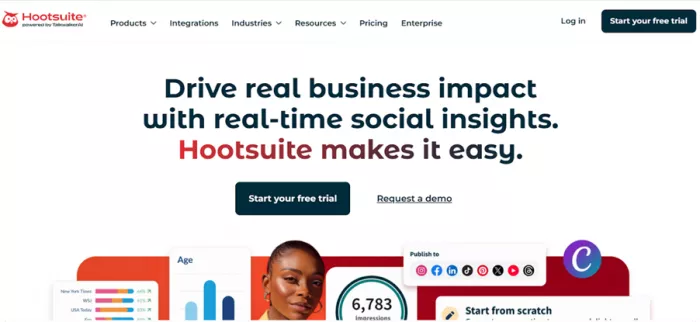
The platform supports Facebook, Instagram, LinkedIn, X/Twitter, TikTok, YouTube, Pinterest, and Threads. Its "streams" interface lets you monitor multiple feeds, keywords, and conversations in a customizable layout. Bulk scheduling supports up to 350 posts at once, which is a significant advantage for content-heavy operations. OwlyWriter AI handles caption generation, post ideas, and repurposing, though it caps usage based on token limits by plan.
Hootsuite also includes an employee advocacy tool (Amplify), ad management capabilities, and a landing page builder, features that most tools in this category do not offer at all.
Pricing: Starts at $99/user/month. Advanced features including custom reports, sentiment analysis, and deeper automation require higher tiers that push past $249/user/month. No free plan. 30-day trial available.
Hootsuite's integrations library spans over 150 apps, which is far broader than SocialBee's connector ecosystem. If your team already uses tools like Salesforce, Zendesk, Google Drive, Slack, or Microsoft Teams, Hootsuite's integrations reduce context switching in a way SocialBee cannot match.
The social listening capability is also meaningfully more powerful. You can track keywords, hashtags, brand mentions, and competitor activity in real time. SocialBee has no listening component at all.
Bulk scheduling via CSV file upload is available and works well for agencies loading out entire content calendars at once.
The pricing is the most consistent complaint across review platforms. At $99/user/month for the base plan, it is already more expensive than most competitors. Once you add team members and need advanced analytics or approval workflows, costs climb steeply. A five-person team with advanced features can easily exceed $1,200/month.
The interface has also been criticized regularly for feeling dated and cluttered. The streams-based dashboard that made Hootsuite innovative in 2010 feels like a liability when compared to the cleaner calendar-first layouts of tools like Loomly or Later. Users on G2 and Trustpilot (where Hootsuite scores 1.8/5) frequently cite UI issues and billing disputes.
Bulk scheduling up to 350 posts at once: No other tool in this comparison matches this for raw publishing volume. Teams producing high-frequency content for multiple clients save hours each week just from this one capability.
Social listening built into every plan: You can track competitor posting behavior, brand mentions, trending topics in your industry, and keyword mentions without buying a separate monitoring tool. For SocialBee users frustrated by the absence of any listening feature, this alone can justify the switch.
Deep integration ecosystem with 150+ connections: From CRM tools to cloud storage to project management platforms, Hootsuite connects to more of your existing stack than any other tool on this list.
Pricing escalates sharply as team size grows: The per-user model punishes growth. A five-person agency team on advanced features can cost close to $2,000/month, at which point tools like Sprout Social (which offers more analytics depth) become worth comparing side by side.
UI feels outdated and cluttered for modern workflows: The streams-based interface has not kept pace with competitors. New users regularly describe it as overwhelming, and experienced users describe certain workflows as unnecessarily complex, particularly around post approval and calendar management.
Advanced analytics locked behind higher-tier plans: Detailed custom reports, competitive benchmarking, and sentiment analysis are not available on the base plan. Teams that sign up expecting robust reporting often discover they need to upgrade within the first month.
Sprout Social is the analytics-first option in this comparison. If the primary reason you are leaving SocialBee is that you need reports capable of holding up in a board meeting, Sprout is built for exactly that use case.
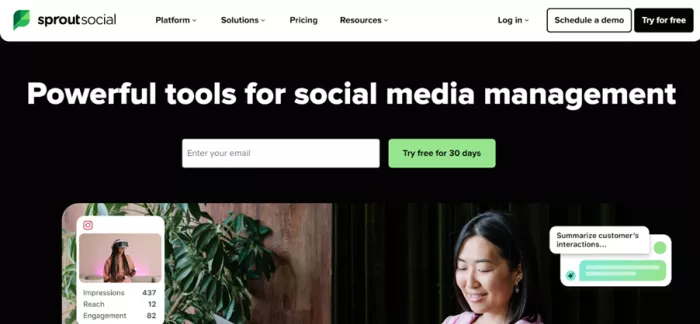
It supports all major platforms plus Glassdoor, TripAdvisor, Apple App Store, and Google Play Store review management, giving it a footprint no other tool here can match. The AI Assist feature offers unlimited usage within each plan, unlike Hootsuite's token-capped OwlyWriter. The unified inbox handles messages, comments, mentions, and DMs across all connected platforms with routing, task assignment, and saved replies.
Sprout's social listening solution processes millions of data points to surface trends, audience sentiment, and competitive insights in seconds. The reporting suite is the deepest in this comparison: engagement metrics, competitive benchmarks, audience demographics, and custom branded report exports are all available.
Pricing: Standard plan starts at $199/seat/month covering 5 social networks. Professional plan at $399/seat/month adds sentiment analysis, competitive reporting, and crisis alerts. A five-person team on the Advanced plan runs close to $2,000/month.
The reporting gap between Sprout and SocialBee is significant. SocialBee's analytics cover the basics of post performance and follower growth. Sprout's reports are built for business storytelling. You can benchmark against competitors, segment by content type, track audience demographics over time, and export branded PDFs for client or executive presentations.
The social inbox is also in a different league. SocialBee has a basic inbox, but Sprout's inbox handles routing, prioritization, SLAs, team assignment, and automated tagging at a level that agencies and customer care teams genuinely depend on.
Sprout has earned a G2 Enterprise Leader designation every quarter since 2018, a reflection of how consistently large teams rate it against its peers.
The cost is the most significant barrier. At $199/seat/month on the Standard plan, Sprout is one of the most expensive tools in the entire social media management category. Features that actually drive most enterprise purchases (sentiment analysis, crisis alerts, advanced competitive reports) require the $399/seat Professional plan. A growing team of five people paying for Professional access spends nearly $24,000 per year on a single tool.
Some users report a steep onboarding curve because of the platform's extensive capabilities. Moving from a lighter setup like SocialBee or Buffer to Sprout can take longer than expected.
The deepest analytics and reporting of any tool in this comparison: Engagement depth, competitive benchmarking, audience demographics, and custom branded exports are all available. For teams that need to prove social ROI to leadership or clients, no other tool on this list comes close.
Unlimited AI Assist usage regardless of plan tier: Unlike Hootsuite's token limits, Sprout lets you use AI for caption generation, reply enhancement, and content summarization without a ceiling. For high-volume teams, this removes a pricing variable that becomes annoying on competing platforms.
Best-in-class social inbox for customer care teams: Routing, task assignment, SLAs, automated tag suggestions, and a combined view of all platform interactions make the inbox genuinely powerful for teams whose social media workload is primarily about responding rather than broadcasting.
Pricing puts it out of reach for small teams and most agencies: The per-seat model scales aggressively. A solo marketing manager managing five platforms pays $199/month for a plan that does not include the features most people associate with Sprout Social in the first place.
Bulk scheduling is not available: Hootsuite handles up to 350 posts in a single CSV upload. Sprout does not support bulk scheduling at all, which is a genuine gap for content teams producing large volumes.
Trustpilot score of 2.2/5 signals support and billing issues: While G2 reviews from verified users are positive, Trustpilot reviews (which often capture post-sale experience) reflect complaints about billing disputes, cancellation difficulty, and customer service responsiveness. Worth researching before committing.
| Feature | Buffer | Hootsuite | Sprout Social | Loomly | Zoho Social | Sendible |
| Free Plan | Yes | No | No | No | Yes | No |
| Bulk Scheduling (CSV) | No | Yes (350 posts) | No | No | No | Yes |
| Social Listening | No | Yes | Yes | No | Basic | No |
| Client Approval Workflows | Basic | Yes | Yes | Yes | Basic | Yes |
| White Label Reports | No | No | No | No | No | Yes |
| AI Content Assistant | Basic | Yes (token-capped) | Unlimited | Basic | Yes (Zia AI) | Basic |
| CRM Integration | No | Limited | Yes | No | Deep (Zoho CRM) | No |
| Link-in-Bio Tool | Yes | No | No | No | No | No |
Loomly is purpose-built for teams. Where Buffer is designed for individuals and Hootsuite is designed for high-volume operations, Loomly sits in the middle: a structured, approval-workflow-first platform where every post moves through a clear creation-to-publish pipeline.
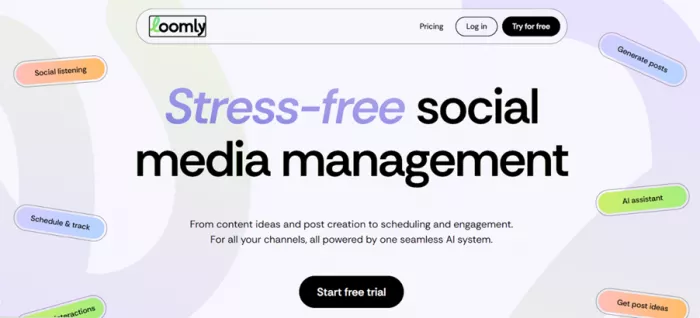
Its calendar interface is clean and visually organized, with distinct status indicators showing whether a post is in draft, pending review, approved, or scheduled. Post ideas are surfaced directly in the content calendar based on upcoming holidays, trending topics, and recent events, a genuinely useful feature for teams that struggle with consistent content ideas.
Loomly supports Facebook, Instagram, X/Twitter, LinkedIn, Pinterest, TikTok, Snapchat, Threads, Bluesky, and Google Business Profile, giving it strong native coverage of newer platforms. Users who have moved from Sprout Social and Hootsuite consistently cite Loomly as significantly more affordable at comparable functionality levels for team management.
Pricing: Starts at $32/month for 2 users and 10 social profiles on the Base plan. Grows to $60/month (Standard), $131/month (Advanced), and $277/month (Premium). 15-day free trial available.
Approval workflows that actually guide teams through a process: Loomly does not just have an approval button. It structures the entire post lifecycle with per-post comment threads, clear status transitions, and role assignments. For teams where content goes through multiple reviewers before publishing, this removes the back-and-forth that happens over email or Slack.
Post idea suggestions built into the calendar: Trending topics, upcoming events, and holidays surface as suggestions directly in your planning view. This is not a generic AI writer, it is context-aware prompting based on the actual calendar. For teams that have a hard time filling a consistent posting schedule, this feature has real practical value.
Significantly more affordable than Sprout Social for team use: A two-person team on Loomly's Standard plan pays around $60/month. The same setup on Sprout Social's Standard plan would cost $398/month. Users who have made this switch report completing the same approval and scheduling workflows at a fraction of the cost.
Analytics depth is not competitive with Later or Sprout Social at similar price points: Loomly's reporting covers the basics but lacks competitive benchmarking, audience demographic insights, and the kind of customizable exports that agencies need to produce client-facing reports. If analytics are a primary need, tools like Later or Sprout Social deliver meaningfully more at comparable pricing.
AI tooling is less developed than most competitors: Loomly's AI writing assistant is functional but limited. Compared to Hootsuite's OwlyWriter, Sprout's AI Assist, or even Buffer's AI features, the AI experience in Loomly feels like an add-on rather than a core capability. Teams that depend heavily on AI for content generation will feel this gap.
Website: zoho.com/social
Zoho Social is the strongest value option in this comparison, particularly for businesses already using other Zoho products. It supports Facebook, Instagram, X/Twitter, LinkedIn, Pinterest, TikTok, YouTube, Google Business Profile, Mastodon, Threads, Bluesky, WhatsApp, and Telegram, one of the broadest channel lists in the category.
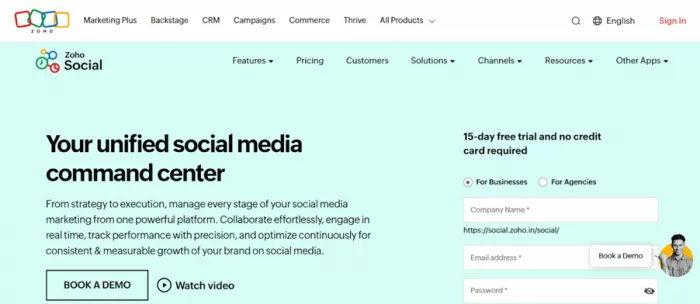
The SmartQ feature analyzes audience activity patterns and automatically suggests optimal posting times, which is more sophisticated than what Buffer offers and available at a lower price point. Zia, Zoho's in-house AI, handles caption generation, hashtag suggestions, and content recommendations. The unified inbox manages DMs, comments, and mentions across all connected channels.
The integration with Zoho CRM is particularly compelling for sales-led organizations. Social interactions can be linked directly to CRM records, creating a feedback loop between your social engagement and your customer data that most standalone tools cannot offer.
Pricing: Free plan available for a single social profile. Standard plan starts at $15/month. Professional at $40/month adds the social inbox and expanded analytics. Agency plans start at $320/month. Annual billing saves up to 33%.
Deep Zoho CRM integration for connecting social engagement to sales activity: Social comments, DMs, and mentions can be linked to CRM contact records and deal stages. For organizations where social media is a genuine lead generation channel, this connection between social interactions and pipeline data is genuinely valuable and unavailable in any other tool on this list.
Broad platform support including WhatsApp and Telegram: Most tools in this space stop at the usual eight or nine platforms. Zoho Social's support for WhatsApp and Telegram channels gives it an edge for businesses in markets where these platforms drive significant customer communication.
Genuinely affordable for the feature set it provides: At $15/month for the Standard plan, Zoho Social delivers scheduling, monitoring, a content calendar, team collaboration, and basic analytics at a price point that no other tool with comparable features can match. TechRadar's 2026 review calls it a tool that punches above its weight.
Agency and multi-brand management requires expensive upgrades: Business plans support only one brand. Running multiple brands or client accounts requires the Agency plan at $320/month, which is a steep jump from the single-brand tiers. Agencies managing more than two or three clients will find this pricing structure frustrating.
No AI content generation on lower-tier plans: Zia AI features are not uniformly available across all plan levels. Manual content entry is required at the entry tiers, which is a step backward compared to SocialBee's AI writer that is available on its base paid plan.
Mobile app is more limited than the desktop version: Users report that the mobile experience is functional but inconsistent, with certain features unavailable on mobile and occasional performance issues noted across review platforms.
Sendible is the agency-first option in this comparison. It is built around the assumption that you are managing multiple clients with different team members, different approval processes, and different reporting requirements. The platform supports up to 300 social profiles on its Enterprise plan, which speaks to the scale it is designed for.
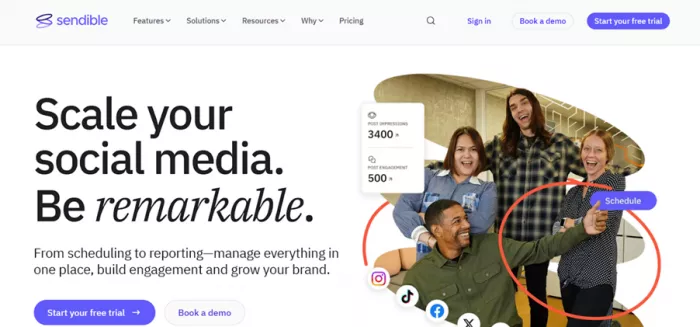
The White Label feature is Sendible's most distinctive offering. You can fully customize the platform with your own branding, deliver branded client dashboards, and produce white-labeled reports that look like they came from your own proprietary software. No other tool in this comparison offers anything equivalent.
The Smart Compose Box is a real differentiator in the compose workflow. It surfaces content improvement suggestions in real time as you write, catching issues with tone, length, and platform fit before you schedule. Combined with bulk scheduling, RSS feed automation, and a drag-and-drop calendar, the day-to-day workflow is fast and structured.
Pricing: Creator plan at $29/month for 1 user, 1 calendar, and 6 social profiles. Traction at $89/month for 4 users, 4 calendars, and 24 profiles. Scale at $199/month for 7 users and 49 profiles. Enterprise at $750/month for 50 users and 300 profiles. 14-day free trial available.
White Label capability for agencies presenting a professional brand to clients: Agencies that want clients to experience a seamless, branded reporting environment will not find this feature anywhere else in this comparison at Sendible's price point. The ability to deliver dashboards and reports under your own brand name is a significant differentiator for client retention.
The Smart Compose Box actively improves content quality before it is scheduled: Rather than waiting for post-performance data to tell you what did not work, Sendible's compose experience flags potential issues in real time. This is a workflow improvement that does not show up in feature lists but is noticed in daily use.
Strong scalability for agencies growing from a handful of clients to dozens: The plan structure from $29 to $750/month with clear increments in users, profiles, and calendar slots means the platform grows with you. You do not need to switch tools when your client roster grows from five to fifty.
No social listening or competitor monitoring at any tier: Sendible is focused on publishing, approval, and reporting. It does not track brand mentions, competitor activity, or trending topics. Agencies that also need monitoring capabilities will need a separate tool or should look at Hootsuite or Sprout Social.
Steeper learning curve than simpler tools for new users: Sendible's breadth of features comes with complexity. Users moving from Buffer or a basic scheduler report needing a few weeks to fully map their workflow into Sendible's structure. The compose box and calendar are powerful once learned but require more initial investment than Buffer or Loomly.
| Tool | Solo/Entry Price | Small Team (5 users) | Agency (15+ users) |
| Buffer | $5/month per channel | ~$75-150/month | Scales with channels |
| Hootsuite | $99/user/month | $495/month | $1,500+/month |
| Sprout Social | $199/seat/month | $995/month | Custom/Enterprise |
| Loomly | $32/month (2 users) | ~$131/month | $277/month |
| Zoho Social | $15/month | ~$55-100/month | $320/month (Agency) |
| Sendible | $29/month (1 user) | $89-199/month | $750/month |
The answer depends almost entirely on what SocialBee is currently failing to give you.
If you need simpler, cheaper scheduling with no bloat, Buffer is the clearest path. Its per-channel pricing is transparent, the interface is fast, and the free plan is one of the few genuinely useful free tiers in this category. You trade analytics depth and listening for simplicity and cost.
If your team has grown to the point where approvals, multi-user roles, and a structured calendar matter more than raw feature count, Loomly solves that problem at a price that undercuts both Hootsuite and Sprout Social significantly. It is not the tool for analytics-obsessed teams, but it handles the collaboration side better than most.
If you run an agency and need white-labeled reporting, client dashboards, and a workflow that scales to dozens of profiles across multiple team members, Sendible is built for exactly that. No other tool in this comparison offers the white label capability at its price range.
If your decision is driven by reporting, either because you report to leadership, to clients, or to both, Sprout Social's analytics depth justifies its cost for teams that can afford it. The reporting suite is genuinely in a different category from every other option here.
If your business is already running on Zoho CRM and you want social media management that connects to your existing customer data without paying enterprise prices, Zoho Social is the obvious answer.
Hootsuite sits in the middle: more expensive than Loomly and Zoho but more powerful than Buffer, with the broadest integration library and the only social listening tool in this comparison available on entry plans. For mid-size teams that need both volume publishing and monitoring without committing to Sprout's pricing, Hootsuite is a reasonable middle ground.
| If you need... | Best pick | Why |
| Simple, affordable scheduling for 1-5 profiles | Buffer | Per-channel pricing, clean interface, real free plan |
| Team approval workflows without enterprise pricing | Loomly | Structured approval pipeline, affordable flat-rate plans |
| Enterprise analytics and stakeholder reporting | Sprout Social | Deepest reporting suite, unlimited AI, competitive benchmarks |
| Social listening + bulk publishing for mid-size teams | Hootsuite | 350-post bulk scheduling, built-in listening, 150+ integrations |
| Integration with Zoho CRM and budget-conscious pricing | Zoho Social | CRM-linked social data, broadest platform support, lowest entry cost |
| White-label client management for agencies | Sendible | Only tool on this list with white-label dashboards and reports |

Marketing teams often need images before a product is ready for a phot...

Creating a logo that will grab customers' attention is one of the main...

Enterprise software has a well-known failure mode. The demo goes great...

Most people who produce video at any real scale hit the same wall even...

A cinematic AI video needs more than realistic skin, dramatic lighting...

Have you noticed how difficult it is not to watch spoilers of a sporti...

Discussion