

Let’s be honest for a second.
Everyone wants to create long-form content until they realize it involves scripting, editing, voiceovers, scene planning, rendering, and about 17 tabs open at once.
That is exactly where tools like Magic Light AI step in. The promise is simple: give it an idea, and it builds the video for you.
No timeline dragging. No manual editing. No late-night “why is this clip not syncing” breakdown.
But does it actually deliver on that promise, or is it just another AI tool that looks impressive until you actually use it?
For this review, we looked at Magic Light AI from the perspective of a beginner creator trying to turn a written idea into a long-form video. We checked the platform’s positioning, official feature claims, text-to-video workflow, long video support, pricing page, app listings, public reviews, and alternative tools.
We focused on:
| Feature | What It Means | Best For |
|---|---|---|
| Text-to-video | Turns written prompts into video scenes | Story videos, explainers, YouTube content |
| Story-to-video | Converts stories into structured videos | Kids stories, fiction, animated narratives |
| Script-to-video | Uses scripts as the base for video generation | YouTubers, educators, content creators |
| Long video generator | Supports longer videos compared with many clip-based tools | Long-form YouTube and faceless channels |
| Character consistency | Keeps the same character look across scenes | Storytelling and animated characters |
| Image-to-video | Animates or expands visuals into video | Character concepts and visual scenes |
| AI voice/lip sync | Adds voice and speaking animation support | Narration and character dialogue |
| Subtitle generator | Helps create captions | YouTube, TikTok, educational videos |
| AI video editor | Gives editing support after generation | Final adjustments and content polishing |
MagicLight’s tools page lists many video tools, including long video generator, story-to-video, text-to-video, script-to-video, image-to-video, AI avatar generator, voice cloning, lip sync, subtitles, and AI video editor.
The onboarding experience is surprisingly clean.
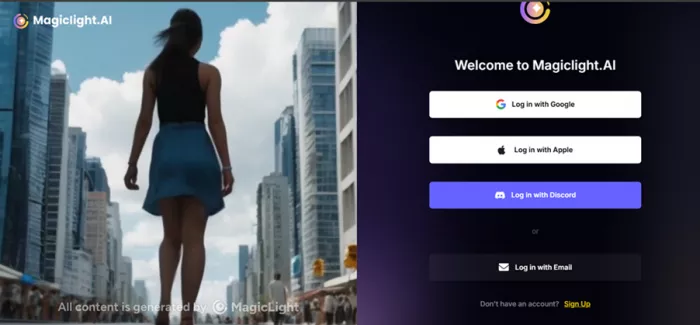
You can sign up using Google, Apple, Discord, or email. Email login includes OTP verification, which adds a sense of security that many tools skip.
But immediately after logging in, the tone shifts.
A 50 percent discount offer appears. Then a spin-based reward system offering additional discounts and tokens.
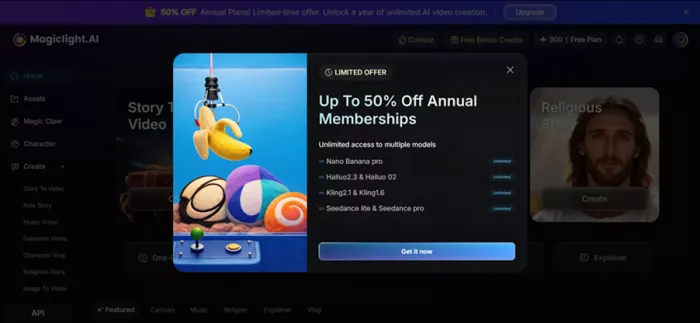
This is not subtle.
The platform is clearly built around a credit-based economy, and that becomes important once you start generating content.
| Stage | What the Tool Does | What You Actually Get |
| Prompt Input | You describe your idea | Works best with detailed prompts |
| Story Generation | AI builds narrative | Good for simple structured content |
| Scene Breakdown | Splits story into scenes | Feels segmented, not cinematic |
| Visual Creation | Generates visuals | Mostly image-based sequences |
| Voice + Music | Adds narration and background | Functional, not studio-level |
| Final Output | Renders video | Feels like narrated slideshow |
The system is efficient, but it is not replacing professional editing.
It is compressing the workflow into something faster and more automated.
The first test used the music video feature.
A lullaby-style prompt was entered, describing a calm, soothing track meant to help listeners sleep.
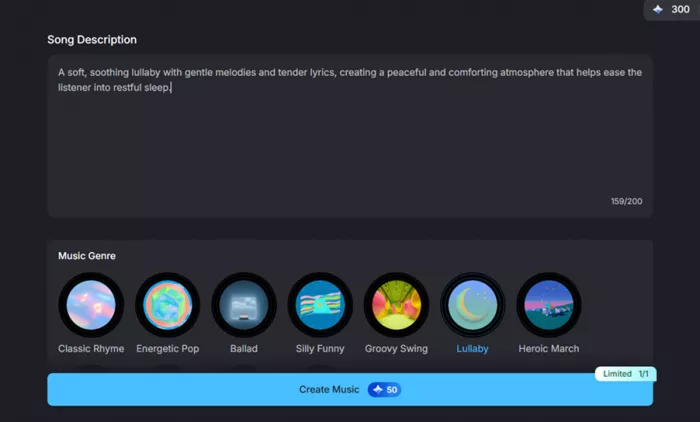
The system started generating both audio and visuals simultaneously.
Then the output failed.
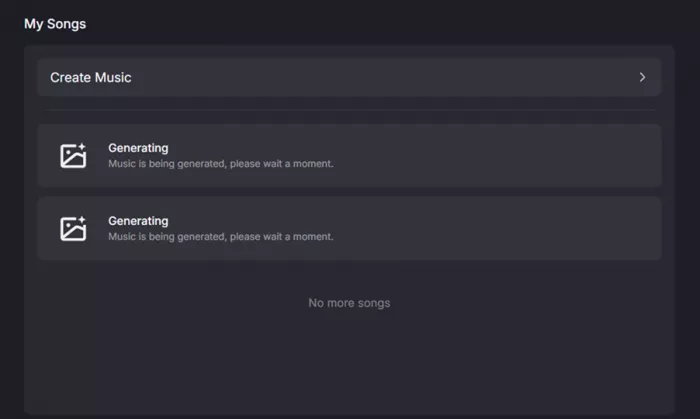
The video appeared blank, but credits were deducted. There was no retry without spending additional credits.
This highlights a critical issue.
The system charges for generation attempts, not successful outputs.
The next test used a kids story prompt:
“A talking teddy bear who goes on an adventure.”
The workflow was structured and more promising.
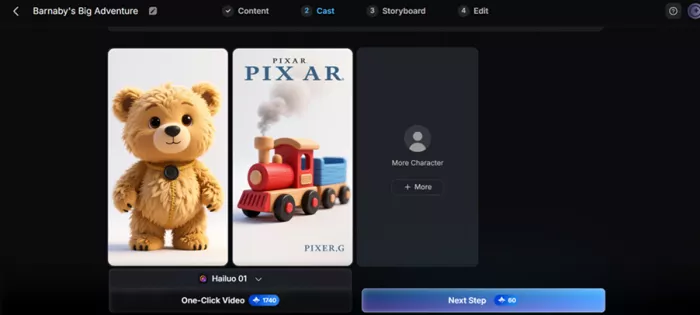
The system generated:
Then allowed selection of voiceover, background music, and video settings.
The final output worked. - https://limewire.com/d/lxGcN#BLvGZDFqf7
But it was not animated.
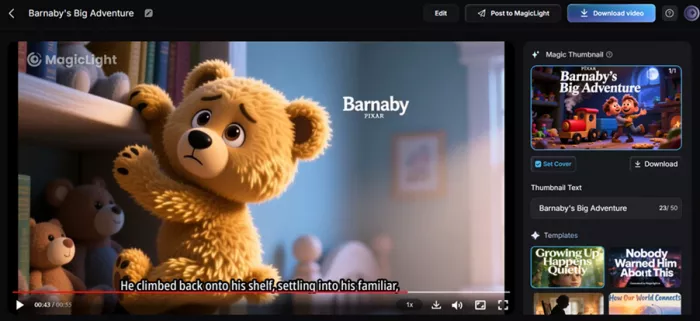
It was a sequence of images combined with narration and background music. The storytelling felt coherent and usable, especially for children’s content, but visually it resembled a narrated slideshow.
A second story test was done using:
“A kind stranger who turns out to be an angel.”
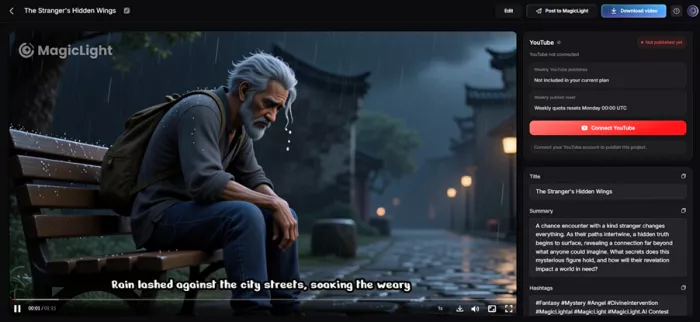
The system followed the same workflow.
Story generation, voice selection, music, rendering.
The result was consistent with the previous output. Strong narrative structure, decent voiceover, but visuals remained static sequences rather than dynamic scenes.
Here is the result - https://limewire.com/d/u9EOK#O1oCWCgU1N
This is where things get serious, because pricing directly affects how much you can actually use the tool.
| Plan | Price | Credits / Month | Cost per 100 Credits | Practical Output |
| Standard | $12 | 6,000 | $0.20 | Very limited testing |
| Plus | $26 | 15,000 | $0.173 | Short videos |
| Pro | $35 | 35,000 | $0.10 | Moderate usage |
| Ultra | $90 | 120,000 | $0.075 | Frequent creators |
| Ultimate | $150 | 230,000 | $0.065 | High-volume production |
| Plan | Annual Price | Effective Monthly | Credits / Month | Value Insight |
| Standard | $72/year | $6/month | 7,000 | Best for testing |
| Plus | $156/year | $13/month | 25,000 | Balanced entry |
| Pro | $210/year | $17.5/month | 45,000 | Good for creators |
| Ultra | $540/year | $45/month | 150,000 | Scaled workflows |
| Ultimate | $900/year | $75/month | 280,000 | Production-level usage |
| Feature | Expected | Actual |
| Text-to-video | Full animation | Image-based storytelling |
| Long-form generation | Continuous video | Scene-by-scene output |
| Automation | Full replacement | Partial workflow shortcut |
| Voiceover | Natural delivery | Functional but basic |
Magic Light AI has public reviews on platforms like Trustpilot and app stores, but users should read them carefully because experiences appear mixed.
Trustpilot shows a MagicLight AI review page with 87 reviews, and the snippets mention negative experiences around product quality and ambiguous user experience. The company response shown in search results asks users to contact support with project details through email, Telegram, Discord, or live support.
The App Store listing for MagicLight AI shows 87 ratings and a 4.6 rating, but visible review snippets include complaints about project access and customer support delays.
| Review Theme | What Users May Notice |
|---|---|
| Video quality | Some users like the ability to create animated videos quickly |
| Customer support | Some complaints mention slow or missing support replies |
| Project access | Some users report trouble accessing projects |
| Ease of use | Beginners may find the workflow useful |
| Reliability | Long-form generation may need patience and editing |
| App experience | App reviews appear mixed despite a positive average rating |
Magic Light AI looks promising for long-form AI video creation, but public feedback suggests users should test it carefully before paying for a higher plan. It may work well for some creators, but support, project access, and output consistency should be checked during the free trial.
| Pros | Cons |
|---|---|
| Focuses on long-form AI video generation | Output may still need manual editing |
| Can turn ideas, scripts, or stories into videos | Pricing and credit limits should be checked carefully |
| Supports text-to-video and story-to-video workflows | Public reviews are mixed |
| Useful for YouTube and faceless content creators | Customer support complaints appear in some reviews |
| Offers many AI video tools in one place | Not always ideal for professional film-level control |
| Character consistency is a strong selling point | Long videos may still face consistency issues |
| Free to try according to official homepage | App and web experience may differ |
| Alternative | Best For | Why It May Be Better |
|---|---|---|
| Runway | Professional AI video generation | Better creative control and advanced video tools |
| Pika | Short AI video clips | Easier for quick social videos |
| Kling AI | Realistic AI video generation | Strong visual realism and motion quality |
| InVideo AI | Script-to-video and marketing videos | Better for quick YouTube and business videos |
| Synthesia | AI avatar videos | Better for training and corporate videos |
| HeyGen | AI avatars and talking videos | Strong for business avatar content |
| Filmora | Editing control after AI generation | Better for users who want manual editing |
| Canva AI Video | Simple social media video creation | Easier for beginners and marketers |
| Midjourney + video tools | High-quality visual concepts | Better for image-first creators |
Magic Light AI solves a real problem.
Creating long-form content is time-consuming, and most creators do not have the time or resources to build everything manually.
This tool reduces that friction.
It allows creators to move from idea to output much faster, especially for structured storytelling formats.
But it is not a complete replacement for video production.
The output quality depends heavily on expectations. If you expect cinematic animation, it will disappoint. If you want fast, scalable storytelling content, it delivers value.
It is best seen as a content acceleration tool, not a production tool.

Marketing teams often need images before a product is ready for a phot...
Creating a logo that will grab customers' attention is one of the main...

Enterprise software has a well-known failure mode. The demo goes great...
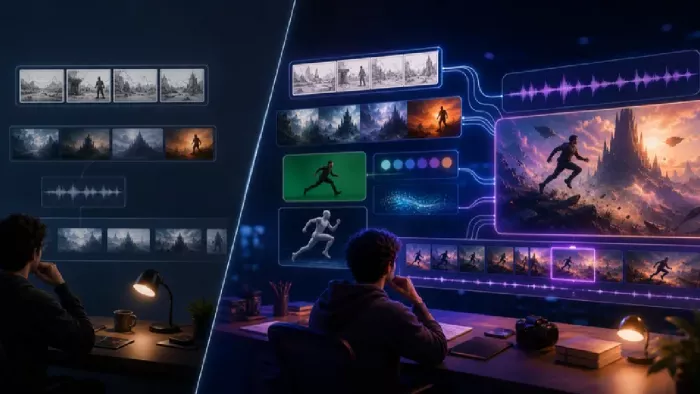
Most people who produce video at any real scale hit the same wall even...
A cinematic AI video needs more than realistic skin, dramatic lighting...

Have you noticed how difficult it is not to watch spoilers of a sporti...
Discussion