

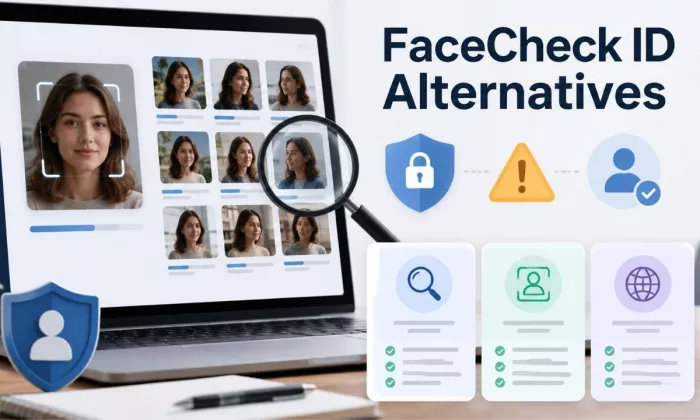
FaceCheck ID gets attention because it focuses on face-based image search, but not every user needs that level of identity-focused lookup. Some people only want to check if their own photo is being reused, verify a suspicious profile image, or run a safer reverse image search. That is where alternatives matter.
This guide compares seven options against FaceCheck ID across search type, privacy comfort, pricing, and the kind of person each one suits. A few of these tools match faces the way FaceCheck ID does. Most do not, and for a large share of readers that is the safer starting point. If you only need to find where an image appears online, our guide to the best reverse image search tools may be a better first step than a face-focused platform. The aim here is to match a tool to a legitimate task, not to find the most aggressive way to identify a stranger.
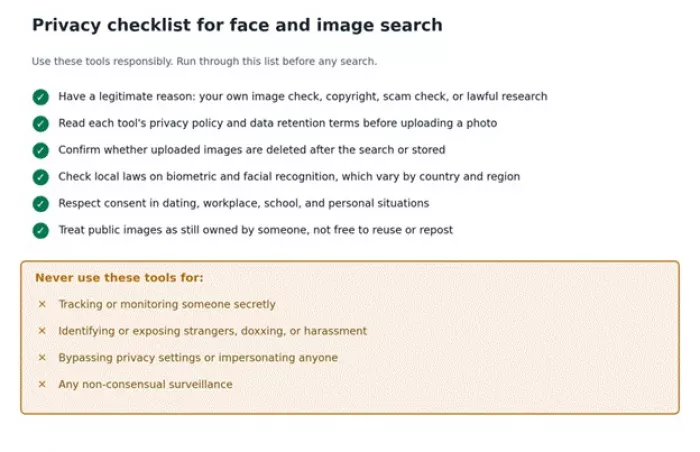
Face search and reverse image tools should be used responsibly. Do not use these tools to harass, stalk, expose, impersonate, or identify private people without a legitimate reason. Always follow local laws, platform rules, and consent requirements.
The table below sets the seven alternatives side by side so you can see, at a glance, which ones lean toward face search and which stay closer to plain reverse image search. Treat it as a starting filter rather than a final answer, because features and free tiers in this category change often.
| Tool | Best For | Face Search Focus | Free Option | Privacy Comfort | Best User Type |
| PimEyes | Public web face search | High | Verify | Medium | Users checking their own public image presence |
| Google Lens | General image search | Low | Yes | Higher | Casual reverse image search |
| TinEye | Reverse image search | Low | Yes | Higher | Copyright and image reuse checks |
| Yandex Images | Broad visual search | Medium | Yes | Medium | Finding similar public images |
| Social Catfish | Identity and scam checks | Medium | Verify | Medium | Scam and profile verification |
| Berify | Stolen image monitoring | Low/Medium | Verify | Medium | Creators and photographers |
| Copyseeker | Similar image lookup | Low | Yes | Higher | General image matching |
Before the list, it helps to be clear about responsible use, because face search is not the same as searching for a product or a place. A face points to a real person, and the results can affect that person whether or not they ever know a search happened.
Non-consensual tracking is the line to avoid. Looking up your own image, a brand asset, or a profile you are already dealing with is reasonable. Quietly building a picture of a stranger is not. Many regions also restrict biometric identification, and those rules vary by country and even by state or province, so what is allowed in one place may be unlawful in another.
Context matters too. Dating, workplace, school, and personal situations often carry consent expectations that a search can quietly cross. It also helps to remember that a public image is not free to misuse. Something being visible online does not make it yours to repost, alter, or attach to someone's identity. On top of the law, each tool sets its own terms and restrictions, and those are worth reading before you upload anything.
Use these tools for legitimate verification, your own image checks, copyright protection, scam detection, or public-source research. Do not use them to harass, expose, threaten, or secretly monitor people.
I did not rank these tools only by how much personal information they can find. For this category, safer use, pricing clarity, and a legitimate search purpose matter just as much as result depth.
With that in mind, I weighed each tool on how useful it is for plain reverse image search, how relevant it is to face search, and how clearly it explains its privacy and data handling. I looked at pricing transparency, ease of use, and whether there is a free or trial route in. I also read public review patterns, considered the legitimate use cases each tool actually serves, judged result quality, and noted the safety controls and consent prompts each one puts in front of users. Tools that hide pricing, store images without saying so, or lean on stalking-style marketing scored lower regardless of how deep their results go.
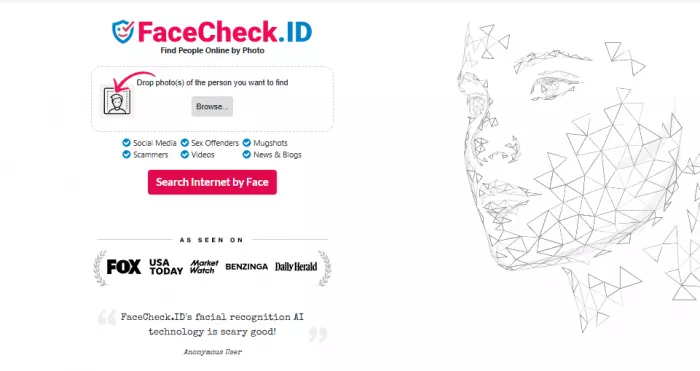
FaceCheck ID is a face-recognition search engine: you upload a photo, and it scans publicly indexed images to find pages where a similar face appears, returning a confidence score with each match. It runs on a credit system rather than a subscription, shows blurred previews until you pay, and now leans heavily on cryptocurrency for payment. That model works for an occasional check, but it is not the right fit for everyone.
Some users may look for alternatives if they want a broader image search workflow or a tool with clearer privacy comfort. Others only need to see where an image appears online, which is plain reverse image search rather than face search. The credit model can be awkward for casual users, since the cheapest credits expire within a couple of days, and the crypto-only payment adds exchange and wallet fees on top of the sticker price. Result accuracy also varies with image quality and lighting, the same as any face tool. Beyond that, some people simply prefer tools from larger platforms, businesses may need clearer compliance and terms, and many readers actually need copyright monitoring rather than people search. Each of those is a fair reason to compare the options below.
Once privacy is part of the decision, the best alternative is not always the most aggressive search tool. The seven options below are grouped by what they actually do well, starting with the closest face-search match and moving toward general image search and image protection.
PimEyes is a face-recognition search engine that scans publicly indexed images and returns pages where a similar face appears. In purpose, it is the closest tool here to FaceCheck ID. The key difference is the model: PimEyes runs on a monthly subscription, and its higher tiers add an opt-out request and a takedown feature in the style of a DMCA notice, which makes it well suited to people watching their own face online.
On pricing, the free tier shows thumbnails only. Open Plus starts around $29.99 per month for full source URLs and a limited number of daily searches, while the PROtect plan that includes takedown help is reported around $79.99 per month, and an Advanced tier costs considerably more. Reported figures vary across sources, so verify on the official premium page. The honest limitation is that even paid plans cap daily searches, and the free tier is built to create urgency rather than deliver a usable result.
Best used for checking your own public image footprint or lawful verification, not for tracking strangers. Note the irony that the opt-out feature itself sits behind a paid plan.
My take: if you have a legitimate reason for face-based public web search, PimEyes is the alternative that most closely matches FaceCheck ID, and its takedown tools are a real advantage for protecting your own images.
| Best for | Public web face search, mostly your own footprint |
| Face-search strength | High |
| Free option | Thumbnails only |
| Starting price | About $29.99/mo |
| Privacy note | Use for your own image checks or lawful verification, not strangers |
| Main limitation | Daily search caps; takedown help only on a higher tier |

Google Lens is a free visual search built into the Google app, Chrome, and Android. It recognises objects, text, places, and products, and it finds visually similar images. Like FaceCheck ID, it lets you search the web with an image instead of words, but it is not a face-identification engine. Google deliberately limits face matching, so Lens will not tell you who a stranger is.
Its best legitimate uses are checking the context of an image, finding similar photos, identifying a product or location, and broad visual discovery. It is free, which keeps it the easy default. Because it avoids face identification, it also carries fewer privacy concerns than a dedicated face engine, which makes it a safer choice for casual reverse image search. The trade-off is simple: if you specifically need face matching, Lens is the wrong tool.
My take: for most everyday reverse image questions, I would start with Google Lens. It is free, fast, and avoids the privacy weight of face recognition.
| Best for | General reverse image search, products, places, and text |
| Face-search strength | Low |
| Free option | Yes |
| Starting price | Free |
| Privacy note | Fewer concerns since it avoids identifying faces |
| Main limitation | Not built for face matching |
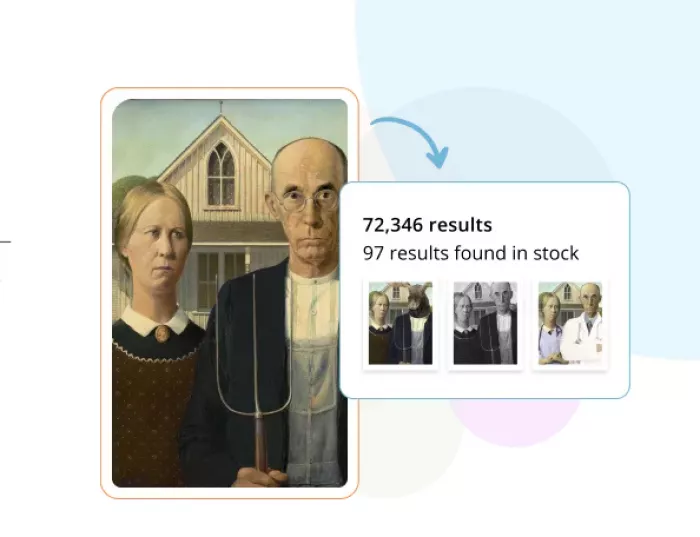
TinEye is the original reverse image search engine. It matches an image against billions of indexed images to show where that image appears, including cropped or edited copies. It shares the search-by-image idea with FaceCheck ID, but it matches images rather than faces, and it is built to find copies and sources, not to identify people.
That makes it a strong fit for copyright checks, finding stolen or reused images, and tracing the oldest or a higher-resolution version of a photo. Browser searches are free for non-commercial use, and the commercial API starts around $200 per month for higher volume, which you should verify on the current pricing page. On privacy, TinEye states that it does not store the images you upload for searching, which gives it higher comfort than face-search tools. The limitation is that it will not identify a person and can miss matches that only live on social platforms.
My take: if your goal is finding where an image has been copied, TinEye is a clean, privacy-respecting first choice, especially for photographers and publishers.
| Best for | Image reuse, copyright, and source tracking |
| Face-search strength | Low |
| Free option | Yes, for non-commercial browser searches |
| Starting price | Free; API from about $200/mo |
| Privacy note | Does not store uploaded search images |
| Main limitation | Will not identify people; limited social coverage |
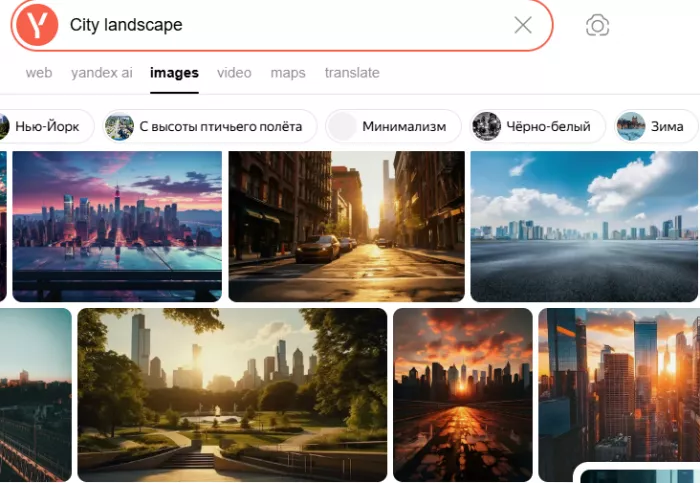
Yandex Images offers broad reverse image search and is often effective at surfacing visually similar public images, sometimes more than other engines. It searches the public web from an image, like FaceCheck ID, but it is a general image search rather than a dedicated face engine. It can surface face-similar results, though its behaviour is not always predictable.
Its best uses are broad public image matching, finding visual duplicates, and a useful second opinion when Google Lens does not return enough. It is free. One point to weigh: Yandex is operated from Russia, so consider data handling and regional factors before uploading anything sensitive, and do not use it to identify private individuals. The main drawback is that result quality and relevance vary from search to search.
My take: I reach for Yandex Images as a second pass when other engines come up short, not as a face-identification tool.
| Best for | Broad similar image discovery and duplicates |
| Face-search strength | Medium |
| Free option | Yes |
| Starting price | Free |
| Privacy note | Consider regional data handling; avoid identifying private people |
| Main limitation | Results vary in quality and relevance |
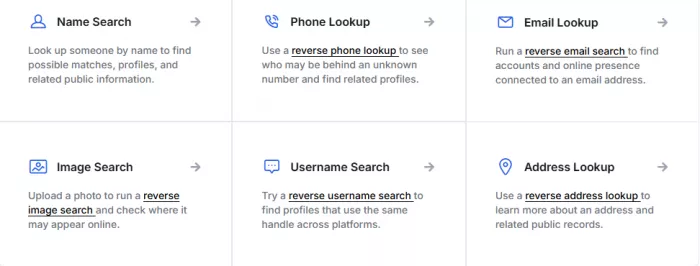
Social Catfish is a United States people-search and verification service aimed at online dating safety and scam checks. It combines name, email, phone, and image lookups with public-records data. It overlaps with FaceCheck ID in that it can take an image and search for associated profiles, but its strength is people search from names, emails, and phone numbers. Reviewers consistently say the image search is the weaker feature.
Its best legitimate use is checking a suspicious dating or marketplace profile when you already hold another detail such as a name, email, or phone number. There is no free tier; an introductory trial runs about $5.73 for three days, with monthly plans roughly $27 to $36 after that, which you should verify before signing up. As a people-search tool, it should be used for your own safety checks within consent and local rules, and it is not designed for employment screening. Be aware that billing and cancellation complaints are common, phone lookups cover the United States and Canada only, and image results can be inconsistent.
My take: for verifying a profile you are already suspicious of, Social Catfish can help, but I would lean on its name, email, and phone lookups rather than its image search, and I would read the cancellation terms first.
| Best for | Scam and profile verification when you have other details |
| Face-search strength | Medium (people search, not face matching) |
| Free option | No |
| Starting price | Trial about $5.73 for 3 days |
| Privacy note | People-search tool; use for your own safety checks, follow consent rules |
| Main limitation | Billing and cancellation complaints; weak image search |
Berify is built for finding stolen images and videos. It queries several engines at once, including Google, Bing, Yandex, and TinEye, and it can monitor your images and send alerts when new matches appear. The search-by-image idea and the automated alerts echo FaceCheck ID, but the goal is protecting your own images rather than identifying people, and Berify also covers video.
That makes it most useful for photographers, creators, and brands tracking unauthorised use and gathering evidence for takedowns. A free option allows a small number of searches, around five, while consumer plans run roughly $5 to $25 per month and a Pro API is priced much higher, all of which you should verify on the current pricing page. Because it focuses on your own assets, the privacy questions are lighter than face search, though it is still worth reviewing its terms. The honest limitation is that it is subscription-based and overkill for a casual one-off check.
My take: if you are a creator protecting a portfolio, Berify is more useful than any face-search engine here, because the job is finding your images, not identifying a person.
| Best for | Creators and brands monitoring stolen images and video |
| Face-search strength | Low/Medium |
| Free option | Limited free searches |
| Starting price | Roughly $5 to $25/mo |
| Privacy note | Focused on your own assets, lighter privacy questions |
| Main limitation | Subscription based; overkill for a one-off check |
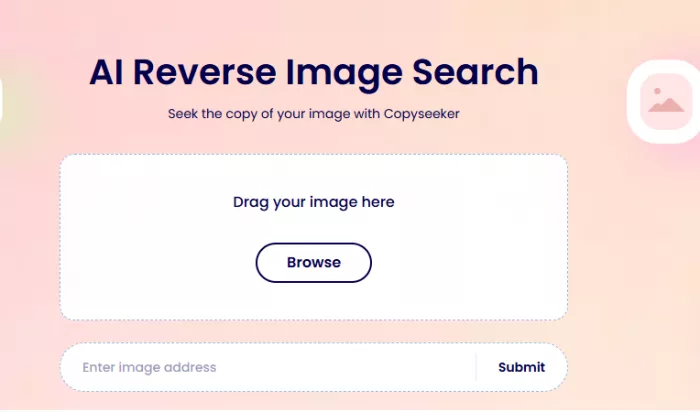
Copyseeker is a free AI reverse image search that finds exact and similar matches and can also extract text from images. It offers a Chrome extension and a mobile app, and it has added fake-profile checks. It shares the search-by-image approach with FaceCheck ID, including spotting recycled profile photos, but it is image matching rather than face identification, and it is free and lightweight.
Its best uses are quick image checks, finding duplicates, simple source lookup, and a fast sanity check on a profile photo. It is free, with a freemium API for developers, and it states that uploaded images are deleted after the session and that no account is required. Those no-signup and session-deletion points work in its favour, though its index is smaller than the larger tools, so it lacks their depth, monitoring, and coverage.
My take: for a free, no-signup image check, Copyseeker is a handy first pass, with the caveat that a smaller index can miss matches the bigger engines catch.
| Best for | Quick, free visual matching and duplicate checks |
| Face-search strength | Low |
| Free option | Yes |
| Starting price | Free; freemium API |
| Privacy note | No account needed; states images deleted after the session |
| Main limitation | Smaller index than the larger tools |
After checking the use case, pricing and data handling become just as important as search accuracy. This table maps the eight tools, including FaceCheck ID itself, across the features that usually drive the decision. Verify all feature claims before publishing.
| Tool | Dedicated Face Search | Reverse Image Search | Free Access | Best Use Case | Privacy Comfort | Main Drawback |
| FaceCheck ID | Yes | Some | Verify | Face-focused lookup | Lower/Medium | Privacy concerns |
| PimEyes | Yes | Some | Verify | Public face search | Medium | Sensitive use case |
| Google Lens | No | Yes | Yes | General image search | Higher | Not face-focused |
| TinEye | No | Yes | Yes | Image reuse checks | Higher | Not for faces |
| Yandex Images | Partial | Yes | Yes | Broad image matching | Medium | Results vary |
| Social Catfish | Partial | Yes | Verify | Scam checks | Medium | Pricing may apply |
| Berify | No/Partial | Yes | Verify | Stolen image tracking | Medium | More creator-focused |
Public feedback is uneven across this category, and some tools have very little independent review volume. The patterns below summarise what users repeatedly say, with isolated comments kept separate from common themes, and they were not invented or copied from long reviews.
| Tool | Public Rating | Common Praise | Common Complaint | Writer's Take |
| FaceCheck ID | Limited independent reviews | Useful quick check on a suspicious photo | Blurred results until you pay; cheap credits expire fast; crypto-only payment | Fine for an occasional sanity check, less so as a daily tool |
| PimEyes | Middling across 100+ reviews | Accurate on clear, front-facing photos | Opaque billing; URLs and takedowns behind higher tiers | Most capable consumer face search, but the free tier sells urgency |
| Google Lens | Strong, very large user base | Free, fast, broadly useful | Not built to identify faces | The safest default for everyday reverse image search |
| TinEye | Well regarded for exact matching | Precise source tracking; no stored uploads | Will not identify people; limited social coverage | Clean, privacy-respecting choice for copyright checks |
| Social Catfish | Mixed, around 4.0 on Trustpilot | Helpful name, email, and phone lookups | Billing surprises; hard cancellation; weak image search | Useful for profile checks with caution; read cancellation terms |
For many users, a general reverse image search tool is the safer place to begin. The decision table below maps the most common goals to a sensible first pick.
| Use Case | Best Pick | Reason |
| Checking your own image presence | PimEyes | Strong public face-search focus |
| General reverse image search | Google Lens | Free and easy for broad searches |
| Finding copied images | TinEye | Built for image reuse and source tracking |
| Scam profile checks | Social Catfish | Better fit for suspicious profile research |
| Creator image monitoring | Berify | Useful for tracking stolen images |
| Privacy-conscious casual search | Google Lens or TinEye | Less identity-focused than face-search tools |
| Broad visual matching | Yandex Images | Can surface visually similar images |
The safest choice depends on the task. If you do not need face recognition, choose a general reverse image search tool first.
If you want a short answer, three tools cover most readers.
If your goal does not specifically require face matching, start with Google Lens or TinEye before using a face-focused search tool. Creators who mainly want to protect a portfolio should look at the best AI tools for creators and consider Berify instead of any face engine.
FaceCheck ID alternatives should not be chosen only by search depth. If you simply want to check where an image appears online, Google Lens or TinEye is usually the safer first step, and both are free for everyday use. For a quick, no-signup check, Copyseeker is a reasonable free option as well.
If you need face-focused public web search for a legitimate reason, PimEyes is the closest match to FaceCheck ID, and its takedown tools make it the stronger pick when the task is protecting your own face online, provided you use it carefully. For creators and brands, Berify is often more useful than any face-search engine, because the goal is protecting images rather than identifying people. When you are verifying a suspicious profile and already have a name, email, or phone number, Social Catfish can add useful context, with its cancellation terms read in advance.
The readers who should be most cautious with face-search tools are anyone tempted to identify a stranger, monitor someone without consent, or work around a person's privacy settings. That is where the law and basic ethics both push back, and where a general reverse image search is almost always the better and safer choice. Privacy matters here because the subject of a face search is a real person who did not choose to be looked up, so the responsible move is to match the tool to a lawful task and stop at the point where curiosity turns into surveillance.

Marketing teams often need images before a product is ready for a phot...

Creating a logo that will grab customers' attention is one of the main...

Enterprise software has a well-known failure mode. The demo goes great...

Most people who produce video at any real scale hit the same wall even...

A cinematic AI video needs more than realistic skin, dramatic lighting...

Have you noticed how difficult it is not to watch spoilers of a sporti...
Discussion