


AI presentation tools are useful when they remove the worst part of slide-making: starting from nothing. The best ones do not just generate slides. They help you shape an idea, clean up structure, improve design, convert documents, or create a deck that works better for a specific audience.
This list focuses on eight tools that solve different presentation problems, from Google Slides workflows to sales proposals, business reports, educational slides, and Microsoft PowerPoint decks.
| Tool | Best For | Starting Price | Main Strength |
| Plus AI | Google Slides and PowerPoint users | $10/month billed annually | Works inside existing slide apps |
| Beautiful.ai | Business presentations | $12/month billed annually | Smart slide design automation |
| Canva AI Presentations | Visual and creative decks | Free plan available | Templates, assets, and easy editing |
| Visme | Reports and branded visuals | Free plan, paid from $12.25/month billed annually | Presentations plus infographics |
| Storydoc | Sales decks and proposals | Free trial, paid plans | Interactive web-based presentations |
| Slidesgo AI | Quick template-based slides | Free plan, premium available | Fast templates for students and teachers |
| PopAI | Document-to-slide conversion | Free credits, paid from around $12 to $15/month | Turns files and prompts into decks |
| Microsoft 365 Copilot | Microsoft 365 users | From $18 to $21/user/month billed yearly for Business | PowerPoint and Office integration |

Best for: Plus AI is best for people who already work in Google Slides or PowerPoint. It suits business users, consultants, teachers, and teams that want AI help without changing their slide workflow.
Plus AI works as an add-on inside Google Slides and PowerPoint. You can create a new presentation from a prompt, upload a document, insert individual slides, rewrite existing content, or remix a slide into a new format. That makes it useful for people who already have a standard slide process but want to speed up the first draft.
A good example is a consultant turning a rough client brief into a 12-slide strategy deck. Plus AI can help create the structure, suggest slide titles, rewrite dense notes, and produce a cleaner first version. The final deck still needs human editing, but the blank-slide problem becomes much easier to handle.
| Pros | Cons |
| Works inside Google Slides and PowerPoint | Not as visually flexible as Canva or Visme |
| Good for first drafts and slide rewrites | Final decks still need manual polish |
| Useful for business, education, and team workflows | Some advanced features sit behind higher plans |
Pricing: Plus AI starts with a 7-day free trial. The Basic plan starts at $10 per user per month when billed annually, or $15 per user monthly. The Pro plan starts at $20 per user per month when billed annually, or $25 monthly.
Real user review: On G2 and Google Workspace Marketplace-style feedback, users usually praise Plus AI for saving time inside tools they already use. The strongest positive theme is convenience, especially for Google Slides users. The common criticism is that the generated deck often works better as a strong draft than a fully finished presentation.
Best for: Beautiful.ai is best for business users who want polished, professional-looking decks without manually fixing every slide layout.
Beautiful.ai is built around smart slide templates that automatically adjust spacing, alignment, hierarchy, and layout as users add content. Instead of giving users a blank design canvas, it keeps the slide structure controlled so the deck does not become messy. This is helpful for sales updates, investor decks, internal strategy presentations, training decks, and executive summaries.
For example, a startup founder preparing a pitch deck can use Beautiful.ai to create sections for the problem, market, product, traction, business model, and financials. The tool helps keep the slides visually balanced, which is valuable for users who know what they want to say but do not want to spend hours adjusting objects on a slide.
| Pros | Cons |
| Produces clean, business-friendly slides | Less flexible than open design tools |
| Smart templates reduce layout work | Can feel restrictive for creative users |
| Good for teams that need consistent decks | Some users report bugs or billing frustration |
Pricing: Beautiful.ai’s Pro plan starts at $12 per month when billed annually. The Team plan starts at $40 per user per month when billed annually, with monthly billing also available at a higher rate. It also offers custom enterprise pricing.
Real user review: On G2 and Capterra, users often praise Beautiful.ai for speed, ease of use, and professional slide design. Many reviewers like that non-designers can create polished decks quickly. On Trustpilot and some user-review threads, complaints appear around bugs, account access, refund policies, and limited design control. The overall pattern is clear: users like the output quality, but some want more flexibility and smoother support.
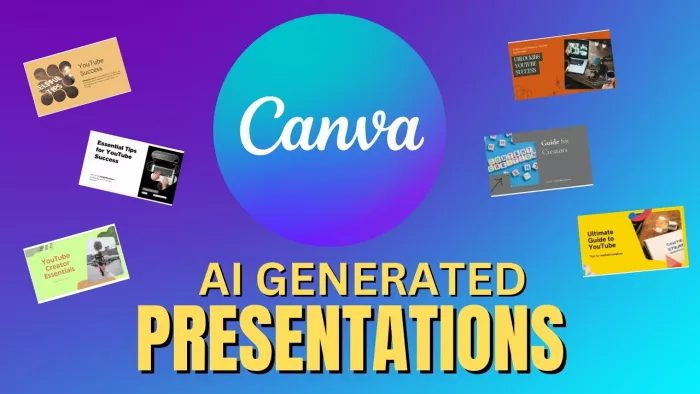
Best for: Canva AI Presentations is best for creators, marketers, teachers, and small businesses that need clean, visual slides quickly. It suits presentations where design and speed matter more than complex corporate structure.
Canva’s AI presentation feature helps users turn a simple prompt into a usable slide draft. For example, a social media manager can type, “Create a presentation for a monthly Instagram performance report,” and Canva can generate a deck structure with sections for campaign overview, audience growth, engagement, top posts, content learnings, and next steps. That gives the user a starting point instead of a blank screen.
The real strength comes after the first draft. The user can improve the slides with Canva’s templates, charts, icons, brand colors, stock images, animations, and drag-and-drop editing tools. This makes Canva especially useful when the deck needs to be client-ready, visually clean, or easy to repurpose into social graphics, PDFs, or team updates. It may not be the strongest choice for complex financial decks or strict enterprise presentations, but it is one of the easiest tools for making slides look good quickly.
| Pros | Cons |
| Very easy for non-designers to use | Designs can look template-heavy if not customized |
| Huge library of templates, images, icons, and graphics | Not ideal for complex business or data-heavy decks |
| Strong editing tools after the AI draft is created | Some premium assets and brand tools require paid plans |
Pricing: Canva has a free plan. Canva Pro pricing varies by country and billing setup, so the latest local price should be checked before publishing. Paid plans add more premium assets, AI tools, storage, brand features, and business-focused controls.
Real user review: On G2 and Capterra, Canva is widely praised for ease of use, template variety, and how quickly non-designers can create polished visuals. Trustpilot and Reddit feedback is more mixed. Users still like Canva’s speed and visual flexibility, but some complain about billing issues, template repetition, and limitations when they need more advanced design control.
Best for: Visme is best for users who need presentations, reports, infographics, charts, and branded visual content in one place.
Visme is more than a slide generator. It is a visual communication platform with presentation templates, infographics, reports, charts, forms, documents, and interactive content. That makes it useful for marketing teams, consultants, educators, nonprofits, and business users who create more than standard slide decks.
For example, a marketing team preparing a quarterly performance report can build a deck with charts, campaign highlights, social media visuals, customer insights, and branded sections. Visme is especially helpful when the final presentation needs to carry data and visuals together, rather than just text and basic slide layouts.
| Pros | Cons |
| Strong for reports, charts, and visual storytelling | Can feel heavier than simple slide tools |
| Good template range for business and marketing | Free plan is useful but limited |
| Supports brand kits and multiple content formats | Some users find certain editing tools less smooth |
Pricing: Visme has a free Basic plan. Paid plans usually start with the Starter plan at $12.25 per month when billed annually, while the Pro plan starts at $24.75 per month when billed annually. Enterprise pricing is custom.
Real user review: On G2 and Capterra, users often praise Visme for its templates, ease of use, and ability to create professional visuals without advanced design software. Reviewers like that it works for presentations, infographics, and business graphics. Common complaints include limits on the free plan, occasional editing friction, and the need for a paid plan to unlock stronger export and branding features.
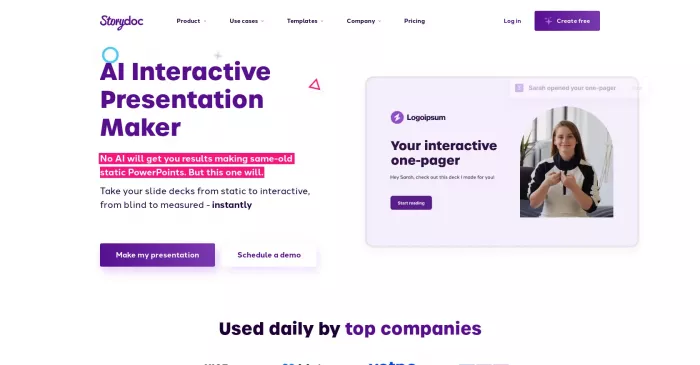
Best for: Storydoc is best for sales teams, agencies, founders, and marketers who want interactive presentations instead of static slide decks.
Storydoc turns presentations into web-based, interactive business documents. Users can create sales decks, proposals, pitch decks, case studies, reports, and client-facing documents with embedded videos, forms, calendars, analytics, and personalized versions. This is different from a normal PowerPoint-style tool because the presentation is designed to be shared, tracked, and interacted with.
For example, a sales team can send a personalized proposal that includes a product story, embedded demo video, pricing section, meeting booking link, and call-to-action button. That makes Storydoc more useful for conversion-focused decks than classroom slides or basic internal updates.
| Pros | Cons |
| Strong for sales decks and proposals | Not ideal for simple static slide decks |
| Supports interactive elements and analytics | Can be too specialized for casual users |
| Helps make shared decks more engaging | Pricing may feel high for startups or solo users |
Pricing: Storydoc offers a 14-day free trial. Its pricing page lists Starter, Pro, and Teams plans, with plan details depending on usage, templates, integrations, and team needs. Check the pricing page before publishing because Storydoc’s plan presentation can vary by region or account type.
Real user review: On G2 and Capterra, Storydoc users often praise the interactive format, modern templates, and analytics. Sales and marketing users especially like that it makes decks feel more engaging than PDFs or static slides. The common criticism is pricing. Some users say it is powerful, but better suited to teams that will use it regularly for proposals, outreach, and client-facing content.
Best for: Slidesgo AI is best for students, teachers, and beginners who want quick presentation templates for Google Slides or PowerPoint.
Slidesgo is known for ready-made slide templates, and its AI presentation maker adds a faster way to generate a deck from a topic. It is useful when someone needs a simple class presentation, workshop deck, project slideshow, or educational explainer without designing from scratch. The workflow is more template-led than deeply customizable.
For example, a teacher preparing a lesson on renewable energy can generate a basic presentation, choose a visual style, and then export or edit it in Google Slides or PowerPoint. It is not the deepest AI slide builder, but it is practical when speed and templates matter more than custom business logic.
| Pros | Cons |
| Simple and beginner-friendly | Not ideal for advanced business decks |
| Strong template library for education and casual use | AI output can need fact-checking and editing |
| Works with Google Slides and PowerPoint | Premium assets require a paid plan |
Pricing: Slidesgo offers free templates and a free AI presentation maker. Its Premium plan unlocks more than 15,000 premium, ad-free assets and templates, with education-focused options also available.
Real user review: Trustpilot feedback for Slidesgo is mixed, with some users complaining about AI output quality, errors, or poor experiences. Independent reviews often describe Slidesgo as useful for teachers, students, and fast template-based presentations, but less suitable for brand-critical or highly customized business decks. The safest takeaway is that Slidesgo is helpful for speed and templates, not for final executive-level storytelling.
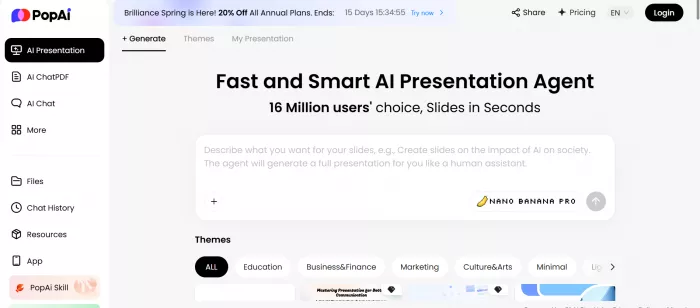
Best for: PopAI is best for students, researchers, and document-heavy users who want to turn PDFs, Word files, web pages, or prompts into presentations.
PopAI works as a broader AI workspace, not only a presentation maker. Its AI presentation feature can turn text, files, PDFs, DOCX files, PPTX files, and web pages into slide decks. That makes it useful when the starting material already exists and the user needs to convert it into a more presentable format.
For example, a student can upload a research PDF and ask PopAI to create a presentation with summary slides, key findings, definitions, and a conclusion. A business user can also turn a long report or article into a first-draft deck. The main advantage is document conversion. The main risk is that the user still needs to verify whether the summary is accurate and whether the slide flow makes sense.
| Pros | Cons |
| Good for converting documents into slides | Output depends heavily on source quality |
| Useful for students and researchers | Designs may still need manual improvement |
| Supports prompts, files, PDFs, and web pages | User reviews around billing and support are mixed |
Pricing: PopAI offers free daily credits and paid plans. Published pricing references commonly place Pro plans around $12 to $15 per month, depending on billing and plan type. Users should verify the current plan limits before buying because credits and feature access can change.
Real user review: On Product Hunt, PopAI feedback is limited and mixed. Some users like its PDF handling, AI workspace approach, and content generation features, while others complain about subscriptions, refunds, or customer service. Reddit discussions are also mixed and tend to focus on whether PopAI is useful compared with general AI chat tools. It is worth testing with the free credits before depending on it for serious decks.
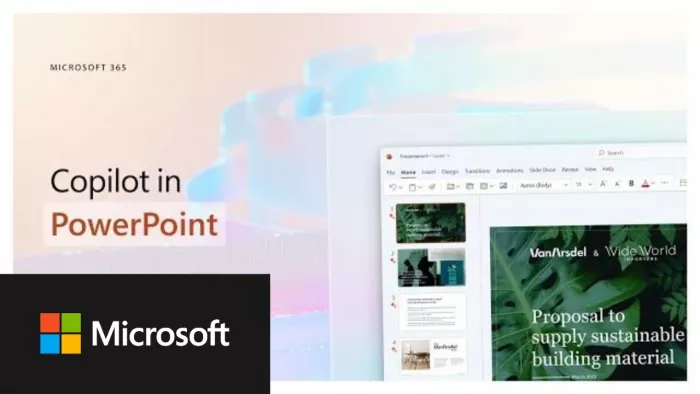
Best for: Microsoft 365 Copilot is best for teams already using PowerPoint, Word, Excel, Outlook, and Teams every day.
Copilot in PowerPoint is not a standalone AI presentation maker in the same way as Canva, Plus AI, or Beautiful.ai. Its advantage is that it sits inside the Microsoft 365 ecosystem. Users can ask it to help create slides, summarize documents, rewrite content, draft speaker notes, and work across Microsoft apps depending on the license and available permissions.
For example, a manager working with a Word strategy document can use Copilot to help turn that content into a PowerPoint draft, then refine the slides manually inside PowerPoint. This is useful for organizations where files, meetings, emails, and presentations already live inside Microsoft 365. It is less attractive for casual users who only need occasional slide generation.
| Pros | Cons |
| Deep Microsoft 365 integration | Requires the Microsoft ecosystem |
| Useful for teams already using PowerPoint | Output often needs refinement |
| Can connect with Word, Excel, Teams, and Outlook workflows | Pricing and licensing can feel complex |
Pricing: Microsoft 365 Copilot Chat is included for eligible Microsoft Entra account users with a qualifying Microsoft 365 subscription. Microsoft 365 Copilot Business starts at $18 to $21 per user per month when billed yearly, depending on Microsoft’s current promotional pricing and plan setup. A qualifying Microsoft 365 plan is still required.
Real user review: On G2, users often praise Microsoft Copilot for its integration with Microsoft apps and time-saving potential. Reddit feedback is more skeptical, especially around price, inconsistent results, and whether Copilot is strong enough inside PowerPoint to justify the extra cost. The practical view is that Copilot makes the most sense for organizations already committed to Microsoft 365, not users shopping for a lightweight slide generator.
| Your Need | Best Tool |
| You work inside Google Slides or PowerPoint | Plus AI |
| You want polished business decks | Beautiful.ai |
| You want visual and creative slides | Canva AI Presentations |
| You need reports, charts, and infographics | Visme |
| You create sales decks or proposals | Storydoc |
| You want quick educational templates | Slidesgo AI |
| You convert PDFs and documents into slides | PopAI |
| You work inside Microsoft 365 | Microsoft 365 Copilot |
The best AI presentation tool depends on where your slide workflow gets stuck.
If the problem is the blank slide, Plus AI, PopAI, Slidesgo AI, and Microsoft 365 Copilot can help create a first draft faster. If the problem is visual quality, Canva and Visme are stronger choices. If the problem is business polish, Beautiful.ai is more focused. If the deck needs to sell, persuade, and track engagement after it is shared, Storydoc is the most different option in this list.
The safest approach is not to look for one perfect AI presentation tool. Pick the tool that matches the actual job: drafting, designing, converting documents, building reports, or creating sales-ready interactive decks.

Marketing teams often need images before a product is ready for a phot...

Creating a logo that will grab customers' attention is one of the main...

Enterprise software has a well-known failure mode. The demo goes great...

Most people who produce video at any real scale hit the same wall even...

A cinematic AI video needs more than realistic skin, dramatic lighting...

Have you noticed how difficult it is not to watch spoilers of a sporti...
Discussion