


If you spend even a little time online these days, you’ve probably seen how quickly AI tools are taking over creative work. What used to require proper editing software, some level of skill, and a fair amount of patience can now be done in seconds. That shift is exactly where tools like BeArt AI come in—they’re built for speed, simplicity, and immediate results.
But here’s the thing: not every tool that looks impressive on the surface actually holds up once you start using it properly. Some feel great for the first five minutes and then quickly fall apart when you try anything even slightly complex.
BeArt AI sits somewhere in the middle of that spectrum. It’s not just hype, but it’s not flawless either. And once you spend some real time with it, you start to notice both sides pretty clearly.

The first thing that stands out about BeArt AI isn’t even the features—it’s how little effort it takes to start using it. There’s no annoying setup, no forced sign-up before you even know what the tool does, and no complicated interface trying to look “advanced” for no reason.
You open the site, upload your file, and you’re already in the workflow.
That might sound like a small thing, but it’s actually one of the biggest reasons tools like this gain traction. Most people don’t want to learn editing—they just want a result. BeArt AI understands that and removes almost every barrier between the user and the output.
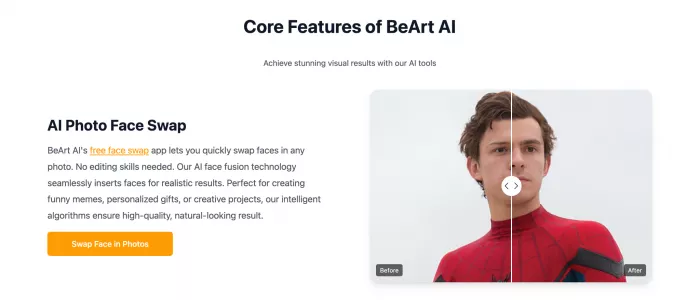
At its core, BeArt AI is built around visual manipulation—mainly face swapping and enhancement. Everything else is basically an extension of that idea.
You can swap faces in photos, apply the same process to videos, clean up blurry images, and even upscale visuals to make them look sharper. On paper, that sounds like a pretty standard feature set for this category, and to be fair, it is.
What makes it different is not what it does, but how quickly it does it.
Instead of giving you layers of control, it gives you a fast, automated result. That trade-off—speed over control—is something you notice very early on.

When you give the tool a clean, well-lit image with a clear face, the results can be surprisingly good. The blending feels natural, skin tones adjust reasonably well, and the final output doesn’t scream “bad edit” the way some cheaper tools do.
For casual use—memes, social media content, or quick experiments—it works exactly the way most people would expect.
The same applies to basic video swaps. If the clip is simple and the subject isn’t moving too much, the AI manages to keep things aligned well enough that it looks believable at a glance.
That’s really where the tool shines: controlled scenarios with decent input quality.
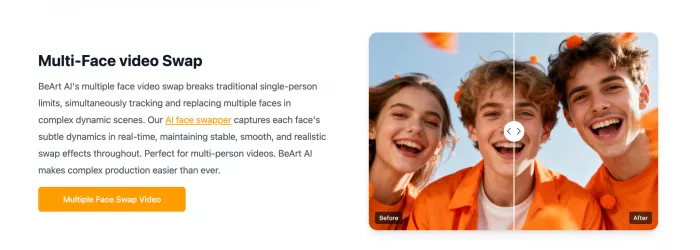
One area where BeArt AI does push a bit further is multi-face swapping. Handling multiple faces in a single image or video isn’t easy, and many tools either limit this feature or struggle to keep things stable.
BeArt AI manages it better than expected.
It can track and replace multiple faces in one go, and while it’s not perfect, it’s good enough to be genuinely useful for group content. If you’re creating parody videos or collaborative edits, this feature alone can save a lot of time.

A big part of the tool’s appeal is that you can start using it for free. That’s always a strong hook, especially in a space where many platforms lock everything behind subscriptions.
But the free access comes with limits.
You’re working with credits, and those credits disappear faster than you’d think—especially when dealing with video. So while it feels open at first, regular usage will eventually push you toward paid options.
It’s not deceptive, but it’s definitely something to keep in mind.

One thing that doesn’t get talked about enough is who’s actually behind BeArt AI.
There isn’t much information about the company, the team, or even clear details about how data is handled. That doesn’t automatically make it unsafe, but it does make it harder to fully trust, especially if you’re uploading personal content.
For casual use, most people won’t care. But if you’re thinking about using it professionally, this becomes a real consideration.
If you’re exploring tools in this space, it’s worth knowing what else is out there, because BeArt AI isn’t the only option.

Aitubo AI tends to feel more like a broader creative platform. Instead of focusing purely on face swapping, it leans into generating and editing visuals in a more flexible way. It’s a better fit if you want variety, but it’s not as quick or beginner-friendly.
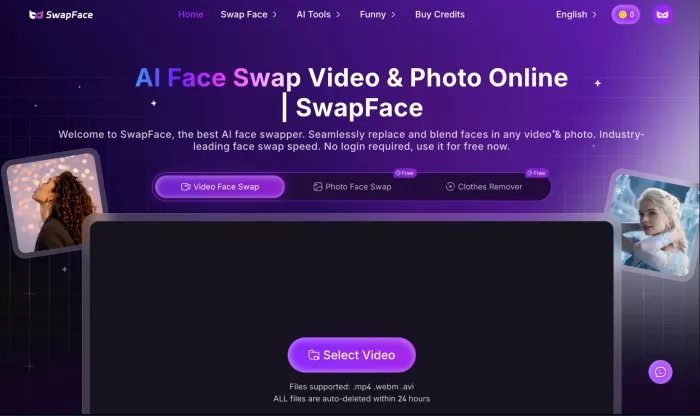
Swapfaces AI is more focused and a bit more consistent when it comes to video output. It doesn’t try to do everything, but what it does, it handles with slightly more stability—especially in motion-heavy clips.
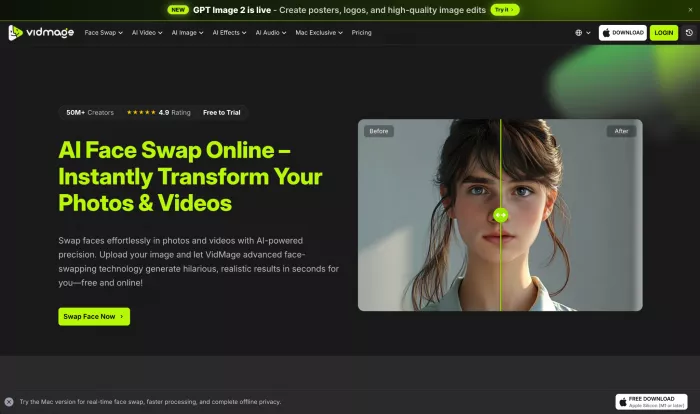
Vidmage AI, on the other hand, feels more structured. It’s less about quick edits and more about controlled video processing, which makes it useful for creators who want cleaner, more predictable results.
Each of these tools trades something off—whether it’s speed, flexibility, or control.
BeArt AI works best when you treat it for what it is—a fast, lightweight tool designed for quick results, not deep editing.
If you’re someone who just wants to create something fun, test ideas, or generate content without spending hours learning software, it’s genuinely useful. It removes friction, delivers results quickly, and doesn’t overwhelm you with options.
But if you’re expecting precision, consistency, or professional-grade control, you’ll start noticing its limits pretty quickly.
In the end, it’s not trying to replace advanced tools—it’s trying to make creation easier for people who don’t want to deal with complexity. And in that specific role, it does a decent job.

Marketing teams often need images before a product is ready for a phot...

Creating a logo that will grab customers' attention is one of the main...

Enterprise software has a well-known failure mode. The demo goes great...

Most people who produce video at any real scale hit the same wall even...

A cinematic AI video needs more than realistic skin, dramatic lighting...

Have you noticed how difficult it is not to watch spoilers of a sporti...
Discussion