

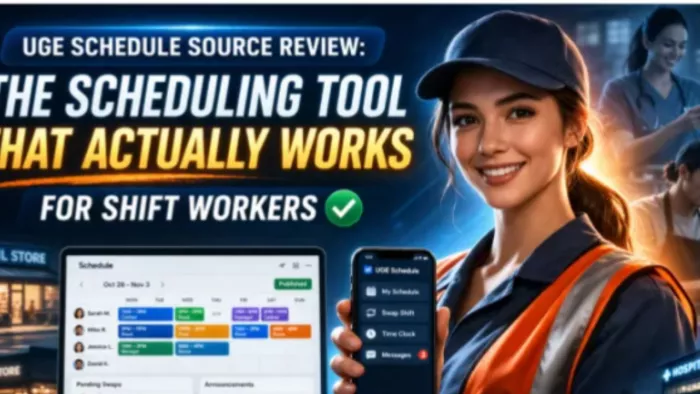
Every manager knows the scheduling nightmare. You build the perfect schedule in Excel, post it, and then spend the next week fielding text messages asking when people work. Someone calls in sick, you scramble to cover, send a group text, and hope everyone checks their phone before their shift starts.
UGE Schedule Source positions itself as a fix for that chaos. It is a cloud-based employee scheduling platform designed for businesses that need more than shared calendars and group texts to manage shift workers. Retail stores, restaurants, healthcare facilities, and any operation where schedules actually matter fall into that category.
The real question is whether it actually solves those problems or simply replaces them with different frustrations.
UGE Schedule Source is worth considering if your business depends on shift workers and your current scheduling process is messy. It helps employees view schedules, swap shifts, request leave, and receive updates. Managers can create schedules, approve changes, track attendance, and reduce manual back-and-forth communication. It works best for airlines, healthcare teams, campuses, contact centers, retail stores, restaurants, and other workplaces where shift coverage matters every day.
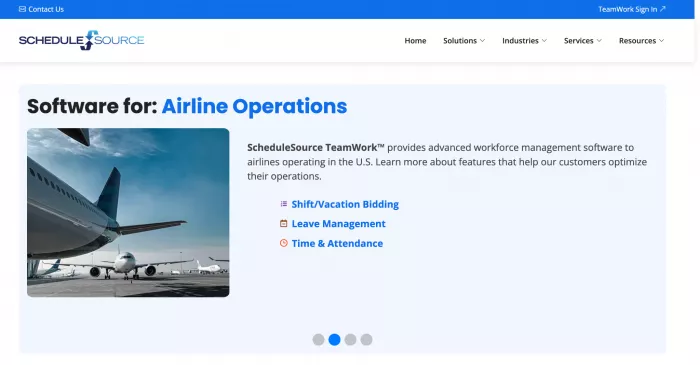
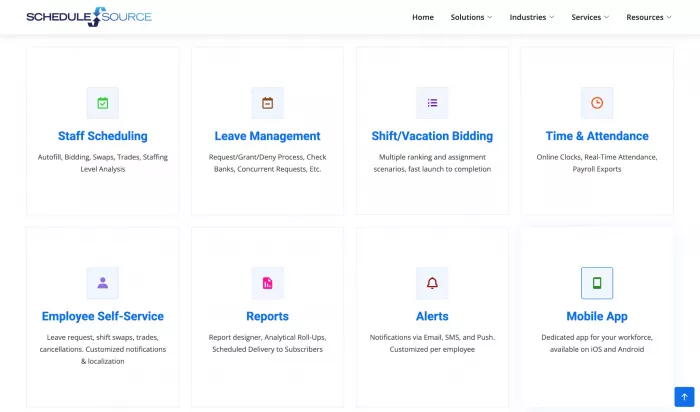
UGE Schedule Source focuses on the core scheduling tasks that consume manager time. This includes creating and publishing schedules, managing shift swaps, tracking time and attendance, and keeping communication organized without constant texting.
The platform runs on something called the Universal Grid Engine, which is designed to handle more complex scheduling situations. In practical terms, this means it can deal with rotating shifts, skill-based assignments, and compliance rules without forcing managers to manually calculate everything.
Access is available through web browsers and mobile apps on both iOS and Android. Employees can check schedules, swap shifts, clock in and out, and receive updates. Managers handle approvals, scheduling decisions, and communication. The system keeps a digital record of all activity, which adds a layer of accountability for both sides.
Schedule creation uses a drag-and-drop interface, which removes the need for complex spreadsheets. Managers can quickly see availability, overtime risk, and time-off requests in one place instead of juggling multiple documents.
The shift swapping system is one of the more practical features. Employees submit requests through the platform, managers approve them, and the schedule updates automatically. This reduces back-and-forth communication and removes the need for informal arrangements that often create confusion.
Real-time notifications help keep everyone aligned. When schedules change, affected employees are notified immediately. The system also tracks whether notifications were seen, which helps eliminate disputes around missed updates.
Clocking in and out happens directly through the app, with data feeding into the scheduling system. This connection allows managers to see who is working in real time and how attendance aligns with scheduled hours.
The system also monitors overtime thresholds automatically, flagging potential issues before they become payroll problems.
Integration with payroll providers such as ADP, Paychex, and QuickBooks reduces manual work. While setup may require some effort, the long-term benefit is less repetitive data entry and fewer errors.
The built-in messaging system keeps all communication in one place. Managers can send updates, employees can respond, and everything remains documented.
This avoids common issues like lost text threads, unclear instructions, or disputes over whether a message was received. It also removes the need for sharing personal phone numbers.
Company-wide announcements such as policy updates, schedule changes, or reminders can be distributed instantly to all employees through the platform.
The mobile app is where most employees interact with the system. It performs reliably for basic tasks like checking schedules and managing shifts, though some features feel more refined than others.
Both iOS and Android versions offer similar functionality, which is important for teams using different devices.
Login options such as Face ID and fingerprint authentication make access easier, especially for employees who struggle with remembering passwords.

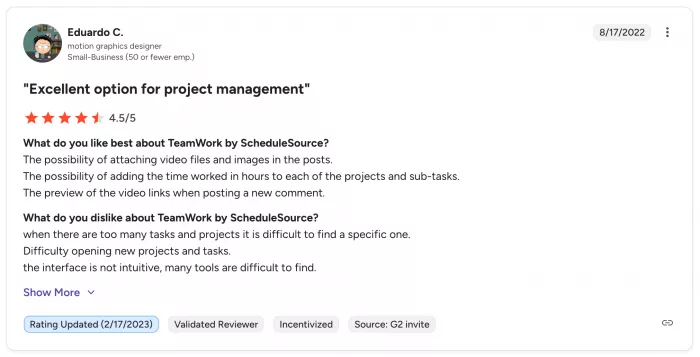
Manager feedback tends to be positive, largely because the platform replaces more manual systems like spreadsheets. Employees, however, report a more mixed experience.
One clear benefit is schedule visibility. Employees appreciate being able to see their shifts in advance, which helps them plan around work instead of reacting at the last minute.
The shift swap feature also receives consistent approval. It allows employees to adjust schedules without relying entirely on managers, which can reduce friction in the workplace.
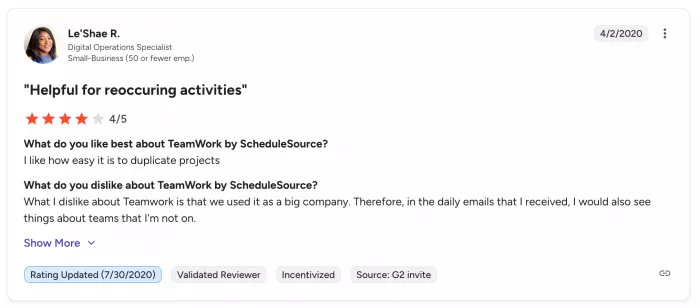
At the same time, several issues appear repeatedly. These include random logouts, delayed notifications, and inconsistent app performance, especially on older devices.
Some users feel that while the functionality exists, the interface does not always reflect how shift workers actually think about scheduling. The system works, but not always intuitively.
There is also a learning curve. Employees who are comfortable with technology adapt quickly, while others may require ongoing support to use basic features effectively.
UGE Schedule Source uses a per-employee monthly pricing model, typically ranging from two to four dollars depending on features and team size.
| Team Size | Estimated Monthly Cost per Employee | Annual Cost Example |
| Small Team | $3 to $4 | Higher relative cost |
| Mid-Size Team | $2 to $3 | More balanced value |
| Larger Team | Lower per-user impact | More cost-efficient overall |
For a business with fifty employees, this can add up to around $2,400 per year.
The pricing becomes easier to justify for businesses that currently struggle with scheduling inefficiencies. For smaller teams, the cost may feel high relative to the benefits.
One positive aspect is the lack of hidden fees. Most costs are transparent, though setup and training time should still be considered.
The return on investment depends on what you are replacing. Moving from manual scheduling typically results in noticeable efficiency gains. Switching from another digital tool may offer less dramatic improvements.
Despite its strengths, the platform has limitations that are worth noting.
Technical issues occur often enough to be noticeable. These include logouts, occasional crashes, and delayed notifications, all of which reduce reliability.
Customization options are somewhat limited. The system works best when your scheduling needs align with its built-in structure. If your business requires more specialized workflows, adjustments may feel restrictive.
Customer support is functional but not particularly fast. Resolving more complex issues can take time and may involve multiple interactions.
Integration with broader HR systems exists but does not feel as developed as the core scheduling features, which could be a concern for larger organizations.
| Pros | Cons |
| Good for shift-based teams | App experience may feel dated |
| Helps reduce spreadsheet scheduling | Some users report notification issues |
| Supports shift swaps and leave requests | Setup and training may take time |
| Useful for managers and employees | Pricing is not always clearly public |
| Works for complex schedules | Not ideal for very small simple teams |
| Supports time and attendance workflows | Some features depend on employer setup |
| Helps document scheduling activity | May not feel as modern as newer apps |
UGE Schedule Source is most suitable for small to mid-sized businesses with roughly ten to two hundred employees.
Industries that benefit the most include retail, restaurants, healthcare, and hospitality, where schedules change frequently and coordination is essential.
Businesses with straightforward scheduling needs will likely find the platform useful. Those with highly complex or unconventional workflows may find it less flexible.
There is also a noticeable benefit for companies focused on employee satisfaction. Better visibility and easier shift management can improve work-life balance, which plays a role in retention.
UGE Schedule Source is not the only employee scheduling tool available.
Businesses may also compare it with tools like Homebase, When I Work, Deputy, Connecteam, Sling, Humanity Scheduling, and UKG Scheduling.
| Tool | Best For | Main Difference |
| UGE Schedule Source / ScheduleSource TeamWork | Complex shift-based teams | Strong for structured workforce scheduling |
| Homebase | Small businesses and hourly teams | Easier for simple retail/restaurant teams |
| When I Work | Simple employee scheduling | More beginner-friendly interface |
| Deputy | Scheduling + time tracking | Strong mobile-first experience |
| Connecteam | Deskless workforce management | Broader employee communication tools |
| Sling | Budget-friendly scheduling | Simple team scheduling workflows |
| Humanity Scheduling | Larger shift teams | Advanced scheduling and workforce planning |
| UKG Scheduling | Enterprise workforce management | Stronger HR and workforce suite integration |
UGE Schedule Source is not always the prettiest option.
But it can make sense for organizations that need structured scheduling, workforce rules, employee self-service, and shift control.
UGE Schedule Source addresses common scheduling challenges in a practical way. It does not completely eliminate complexity, but it does reduce the day-to-day friction involved in managing shifts.
The platform is best suited for businesses that need a structured, reliable scheduling system without the overhead of enterprise-level software.
There are trade-offs. Technical issues and limited customization may be frustrating for some users. However, the core functionality remains solid enough for consistent daily use.
Testing the platform with real schedules and real employees is the most effective way to evaluate fit. The usefulness of the system depends heavily on how well it aligns with your specific workflow.

Marketing teams often need images before a product is ready for a phot...

Creating a logo that will grab customers' attention is one of the main...

Enterprise software has a well-known failure mode. The demo goes great...

Most people who produce video at any real scale hit the same wall even...

A cinematic AI video needs more than realistic skin, dramatic lighting...

Have you noticed how difficult it is not to watch spoilers of a sporti...
Discussion