
From coming up with ideas to researching and producing content, creative teams often manage a heavy workload. That’s why it’s crucial for them to have the right tools at their disposal.
With the proper setup, designers, marketers, and other creatives can streamline the entire content creation process. This makes it easier to manage projects, meet deadlines, and keep everything on track.
If you want to be more productive in your work, this article is here to help. From VistaCreate to Notion, it covers eight essential tools that can optimize your workflow and boost your design productivity.
VistaCreate offers a one-of-a-kind API suite that brings all your design needs together in one place. It gives teams a fast way to produce visuals, edit content, and browse a rich library of licensed assets, helping streamline creative workflows from start to finish.
With a flexible setup, you can mix and match different modules based on your business needs. Integrate a powerful design editor, customizable templates, advanced AI tools, a vast content library, brand kits, and more to create content in no time.
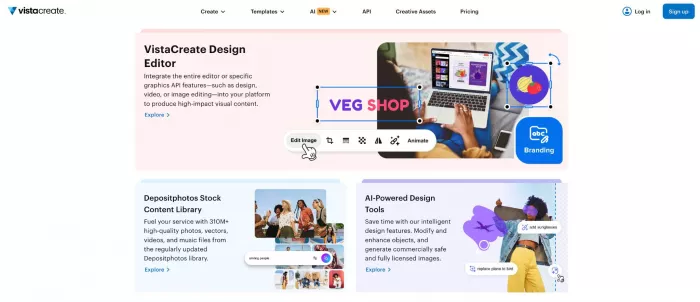
Most importantly, you’ll receive a configurable interface with the VistaCreate API Suite. This means less fuss and more control over how you design, edit, and deliver content—all so you can focus on doing your best creative work instead of managing complicated tools.
Even though Figma’s feature set has grown far beyond real-time collaboration, that capability remains the main reason why most teams rely on it. The ability to co-create in real-time keeps projects moving, regardless of where team members are located.
Figma is ideal for brainstorming, sharing feedback, and quickly making design changes. Features such as commenting, sharing, prototyping, and version history give designers everything they need to communicate effectively and refine their work.
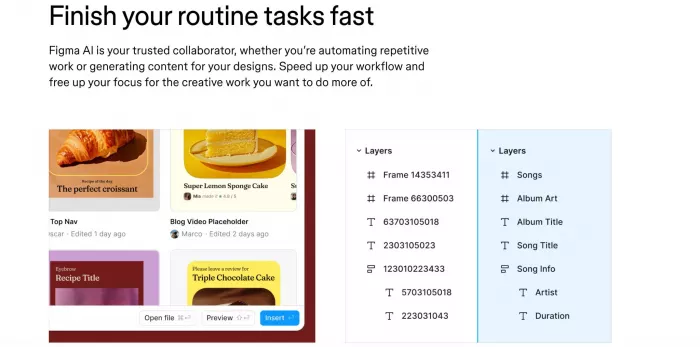
Like many modern creative tools, Figma has embraced AI automation, helping users complete routine tasks faster. Alongside its standard features, Figma AI lets you generate prototypes, test interactive designs, edit visuals, auto-name layers, and more.
Gemini is a generative AI tool that helps creatives quickly prototype new design concepts, suggest design elements, and even future-proof their ideas. Because it works as a chatbot, you can comment on its suggestions and provide feedback in real time.
In addition to the chatbot, Gemini also offers Nano Banana Pro, an AI-powered model for image generation and editing. With its help, you can quickly visualize ideas, reimagine the look of existing designs, and improve the quality of old photos.
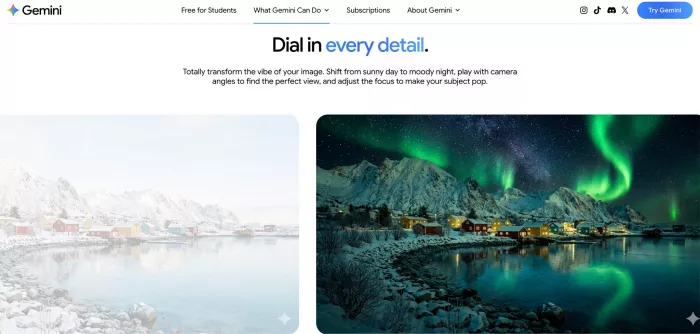
Although Gemini can’t provide you with fully functional designs, it’s a great tool for sparking inspiration in the creative process. It helps you explore ideas early, before you commit to a full design.
Designers and marketers don’t always need to use complex marketing software to optimize their work. Sometimes, even simple tools like Coolors can make a big difference in production flow.
Coolors is a color palette generator that lets you choose from 10 million ready-made palettes or create your own with a single click. Describe the feeling or mood you want to convey, and Coolors will generate a matching color combination.
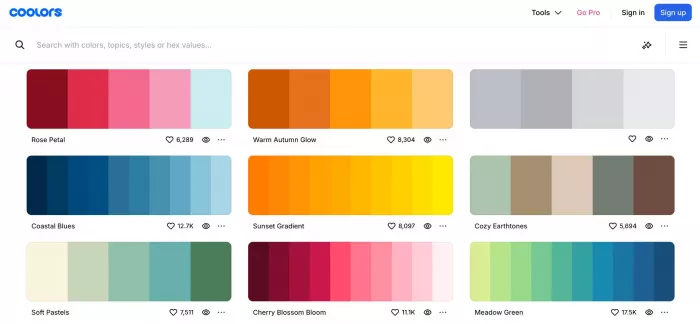
The tool also lets you create gradient palettes between two colors, extract hues from an image, and preview your palette on real designs. You can even chat with an AI-powered bot to get tailored color suggestions for your projects.
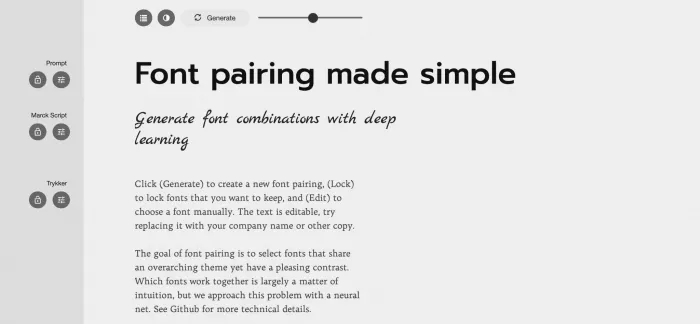
Digital creativity doesn’t stop at generating a color palette. The next step is typography. Tools like FontJoy use artificial intelligence to help designers easily find the best font combinations for their projects.
With just one click, you can generate three font pairings and test them with your own text. The tool lets you choose between similar, balanced, or contrasting font pairings. Simply slide the bar at the top of the page to adjust the contrast level.
Google Drawings is part of the Google Workspace suite and is free to all registered Google users. You can use it as a standalone web tool or integrate it directly into other Workspace apps, such as Docs, Sheets, or Slides.
The tool has an intuitive interface designed for fast visual work. Using it, you can quickly create graphics, diagrams, and flowcharts from scratch, or insert ready-made templates to streamline the design process.
As of 2025, Google has added an AI-powered background-removal feature to Drawings. This means you can remove the background from an image directly within the tool and instantly get clean cutouts for your designs.
Notion is one of the most useful tools for brand design, as it helps you centralize all your design assets in one place. You can build an asset library with company logos, fonts, color palettes, and other essential materials—neatly organized and easily accessible.
In addition to asset management, Notion can help you keep track of your drafts, tasks, and projects. Its AI features let you convert handwritten notes into digital text, summarize them, and even turn them into a to-do list.
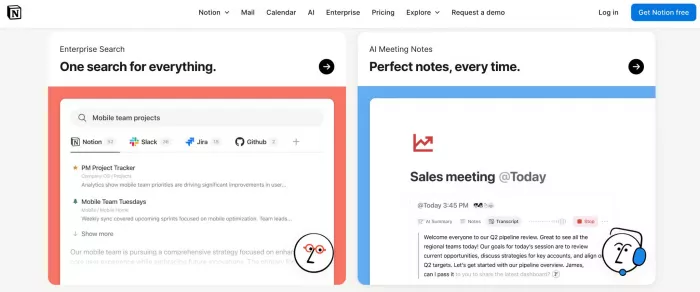
It’s worth mentioning that Notion AI is designed for teams, offering collaboration features that keep everyone on the same page. You can work together on shared docs or quickly search for any file across your company’s workspace.
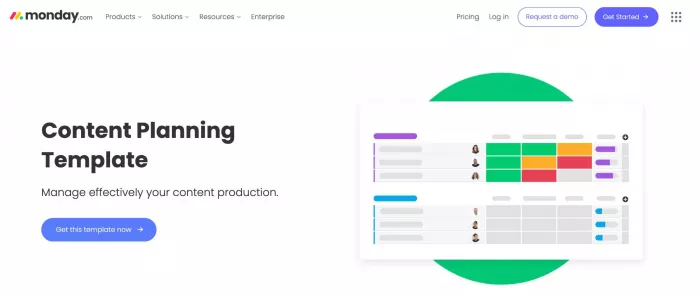
If you need a visual tool for content strategy or content planning, then Monday is the perfect platform for you. It helps teams plan and manage content production using customizable dashboards.
Use colors and labels to tailor the board to your workflow, whether by content type, topic, client, writer, publication date, or anything else. Set automated reminders and status updates to keep your team on schedule.
For even more convenience, you can integrate Monday with your preferred productivity suites, such as Microsoft 365 and Google Workspace, as well as communication tools like Slack, Zoom, and Outlook.
With these AI marketing tools at your fingertips, no task will ever feel like a burden. They take away the busywork, allowing your ideas and creativity to take center stage. And that’s when your best work really begins.

Marketing teams often need images before a product is ready for a phot...

Creating a logo that will grab customers' attention is one of the main...

Enterprise software has a well-known failure mode. The demo goes great...

Most people who produce video at any real scale hit the same wall even...

A cinematic AI video needs more than realistic skin, dramatic lighting...

Have you noticed how difficult it is not to watch spoilers of a sporti...


Discussion