
A great blog post isn’t just about what you write—it’s also about what readers see. Imagery plays a key role in building trust and keeping your audience engaged. The good news is that you don’t have to be a photographer to create a polished visual style.
Stock photography can be a powerful solution for small businesses and solo creators who can’t produce top-quality images on their own. Platforms like DepositPhotos offer millions of high-resolution visuals and curated collections covering a wide range of topics.
If you’re unsure how to use stock photography effectively, don’t worry. In this article, you’ll discover seven smart ways to make the most of stock visual content on your blog. These tips will help you attract more readers and strengthen your brand.
● Images illustrate key ideas, making the text easier to digest.
● Content that includes relevant visuals can see up to 94% higher engagement.
● Consistent imagery strengthens your brand identity.
● High-quality visuals improve your website’s credibility—nearly half of consumers judge trustworthiness by how appealing a site looks.
● Well-optimized images boost your blog’s SEO and visibility in search results.
● Google Images can bring valuable traffic to your site, yet it’s often overlooked.

Stock photos do more than complement your blog posts—they can also elevate your entire website. Use them to enhance your header, homepage, or “About Me” page. Well-chosen visuals improve navigation, highlight key sections, and polish the overall look of your blog.

You can use stock images in your content as-is—they are usually publication-ready. But if you want a more personal touch, try creating a collage of related images or adding text overlays to make your post stand out.
Images serve multiple purposes in a blog post, and one of the most valuable is improving SEO. Search engine optimization enhances your content’s visibility on platforms such as Google, Bing, and DuckDuckGo.
When implemented effectively, this approach helps small businesses attract more organic traffic—even when competing with brands that have larger marketing budgets. Your articles may appear higher in search results, and your visuals can also rank in image searches.
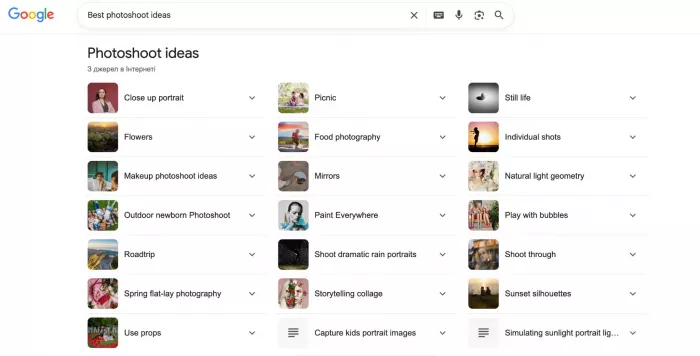
To further boost visibility, pair each image with descriptive alt text—and let the algorithms do the rest.
Here’s a proven blogging hack: place an eye-catching image right after your headline. The right visual instantly grabs attention and sets the tone for your post. Ideally, it should reflect your topic or evoke the mood you want readers to feel.
The visual placed after a headline can also serve as your featured image when the post is shared online. To make it more shareable, choose a picture that would make you click—even if the topic were unfamiliar.

You can pour your heart and soul into a blog post, but without visuals, your hard work could easily go unnoticed. Long, uninterrupted paragraphs are difficult to digest—they can overwhelm readers and cause them to lose interest quickly.
Strategically placed images break up the monotony, making lengthy articles feel lighter and easier to follow. Try inserting visuals between sections to give your audience a natural pause—it makes the content more readable and keeps them engaged for longer.
No matter how interesting your writing, plain text can’t compete with posts that include visuals. They not only break up monotonous sections but also convey your message more effectively by illustrating complex ideas, data, or emotions—or simply by reinforcing the text with relevant, eye-catching imagery.
Choose visuals that resonate with your intended audience. For instance, if you’re reaching a younger demographic such as Gen Z, opt for bright colors and trendy design elements. Pinterest Predicts is a great source of inspiration for emerging visual trends that appeal to Gen Z and Millennials.

If your focus is a professional audience, select polished visuals that convey expertise—balanced lighting, clean backgrounds, and classic or smart-casual outfits. These choices help your brand appear credible and reliable to potential clients.
Blog posts have thumbnails, much like YouTube videos. These visuals—known as featured images—are designed to attract readers to your content. They can appear in several places: at the top of the article, in the blog feed, and as the preview image when shared on social media.
Because your featured image often creates the first impression, it should be eye-catching and clearly summarize the content. Choose a high-quality stock photo and customize it with text overlays, branding elements, or graphics that match your topic. This approach helps your posts stand out and encourages users to click and read more.
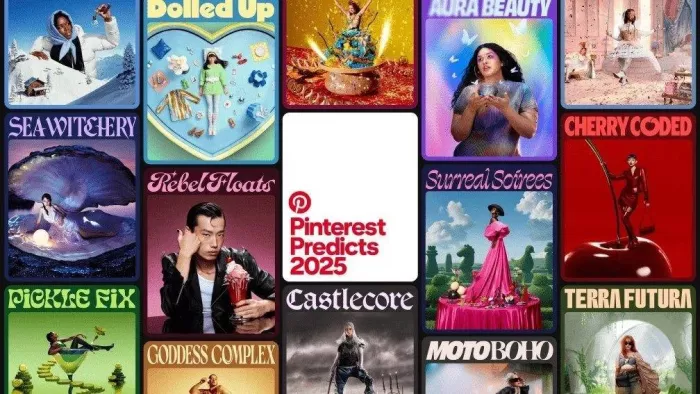
Another smart way to use stock photos is by designing infographics, Pinterest pins, or quote graphics that feature your company’s logo and brand colors. This kind of shareable content helps promote your blog and attract new readers.
You don’t always need to start from scratch—stock imagery makes it easy to repurpose existing content that didn’t receive much engagement. Turn statistics or key insights from older posts into fresh, visually appealing graphics your audience will want to share.
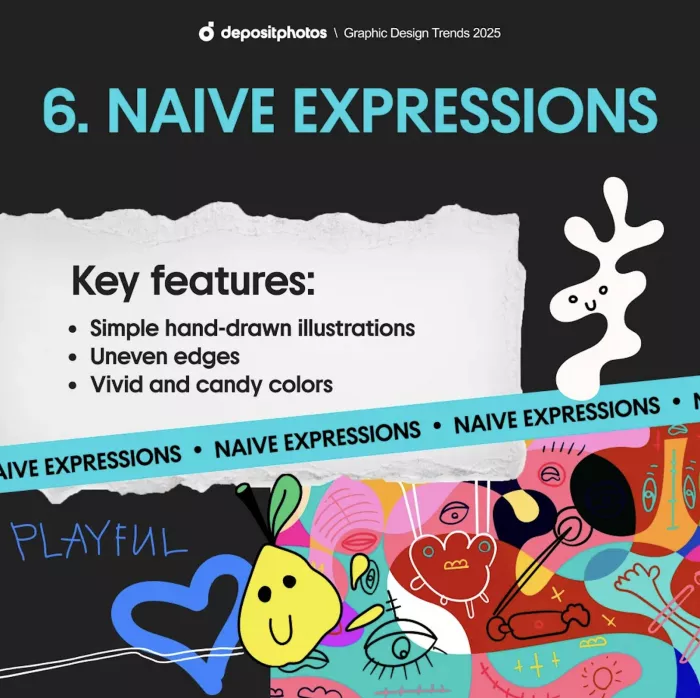
Here’s an example from DepositPhotos. To highlight the Graphic Design Trends of 2025, they produced a series of vibrant visuals that emphasize the defining elements of each trend. The result: designs that are easy to understand, highly shareable, and ideal for social media platforms.
Forget about fancy equipment and costly photoshoots—stock images can make your blog stand out at a fraction of the cost. When used thoughtfully, strong visual content can turn a simple post into something people want to read, comment on, and share. Choose and apply images with intention, and your blog will truly shine.

Marketing teams often need images before a product is ready for a phot...

Creating a logo that will grab customers' attention is one of the main...

Enterprise software has a well-known failure mode. The demo goes great...

Most people who produce video at any real scale hit the same wall even...

A cinematic AI video needs more than realistic skin, dramatic lighting...

Have you noticed how difficult it is not to watch spoilers of a sporti...


Discussion