


I didn’t discover Toolbaz AI because of hype or ads. I found it the same way most people do, while searching for a free AI tool that doesn’t force a login. At the time, I wasn’t looking for a replacement for my main AI tools. I just needed something fast, disposable, and low-commitment.
What started as casual use slowly turned into repeated use across writing, brainstorming, SEO drafts, and even testing different AI models. Over time, patterns emerged. Some impressed me. Others frustrated me.
This review is not theoretical. It’s based on real, repeated usage.
I tested ToolBaz AI the way a normal user would use it, not like a lab benchmark.
I focused on practical tasks:
| Test Area | What I Tried |
|---|---|
| Blog writing | Blog intros, sections, outlines, and expansions |
| SEO tasks | Meta descriptions, summaries, keyword-based paragraphs |
| Story generator | Short fictional prompts and scene ideas |
| Code generator | Simple scripts and logic explanations |
| Image generator | Concept visuals and placeholder images |
| Voice tools | Text-to-speech and speech-to-text |
| Long-form content | Full article-style outputs |
| Repeated use | Longer sessions with multiple prompts |
| Model switching | Testing different AI model options |
| Free access | Checking friction, ads, CAPTCHA, and limits |
The goal was not to see whether ToolBaz could impress me once.
The goal was to see whether it stayed useful after repeated use.
| Feature | What It Does | My Take |
| AI Writer | Generates general text | Useful for rough drafts |
| AI Text Generator | Creates paragraphs, articles, and copy | Good starting point |
| Blog tools | Creates outlines, intros, and sections | Helpful for planning |
| SEO tools | Generates meta descriptions and summaries | Basic but useful |
| Story Generator | Creates story ideas and scenes | Predictable but helpful |
| Code Generator | Helps with simple code examples | Not for production use |
| Image Generator | Creates basic AI visuals | Good for placeholders |
| Voice Tools | Text-to-speech and speech-to-text | Functional but basic |
| Multiple AI Models | Lets users choose models | Useful, but not well explained |
| No-login tools | Start without account creation | Biggest convenience factor |
ToolBaz AI is useful because it gives many tools in one place.
But many of those tools feel basic.
That means it works best for quick utility, not expert-level work.
The first thing I noticed is that Toolbaz doesn’t try to look premium.
The interface is:
But it’s also:
I never had to “figure out” where things were. Every tool is labeled clearly, which matters when you’re in a hurry. Still, after longer sessions, the clutter and ads do start affecting focus — something I didn’t notice in the first few uses but definitely felt later.
That made me curious whether the actual tools would compensate for the rough presentation.
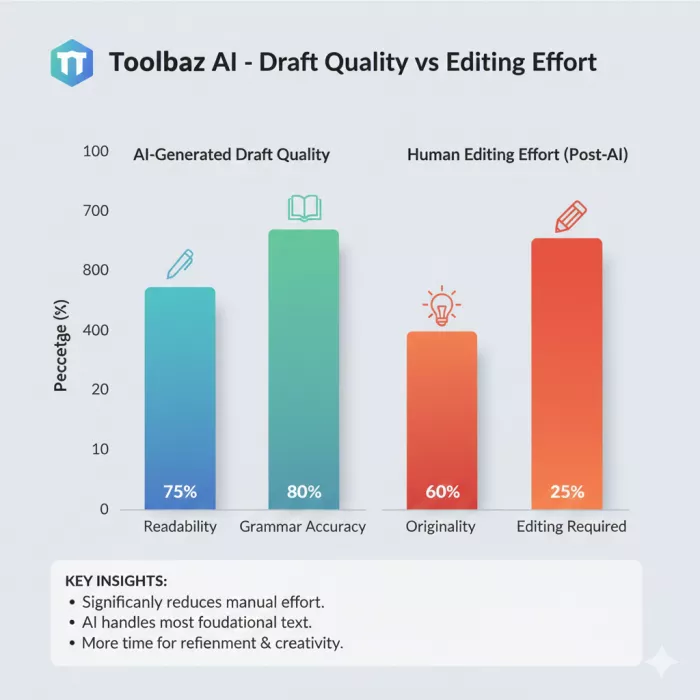
Writing tools are where I spent the most time.
I used Toolbaz for:
What I consistently experienced:
What I consistently had to fix:
Toolbaz doesn’t hallucinate wildly, which I appreciate. But it also doesn’t surprise me. Every output feels like a baseline draft, useful, but unfinished.
For me, it became a tool I use before serious editing begins.
I tried pushing Toolbaz into long-form territory.
It can technically generate long articles, but here’s what happens:
I never felt confident publishing long-form content directly from Toolbaz. Instead, I used it to:
For long-form authority content, Toolbaz needs human structure and judgment layered on top.
I intentionally tested Toolbaz for SEO-related work because that’s where many free AI tools fail.
What Toolbaz does well:
What it doesn’t understand:
Toolbaz doesn’t think like an SEO strategist. It thinks like a generic content assistant. I had to manually guide it heavily if I wanted SEO-aligned output.
That’s fine — as long as expectations are realistic.
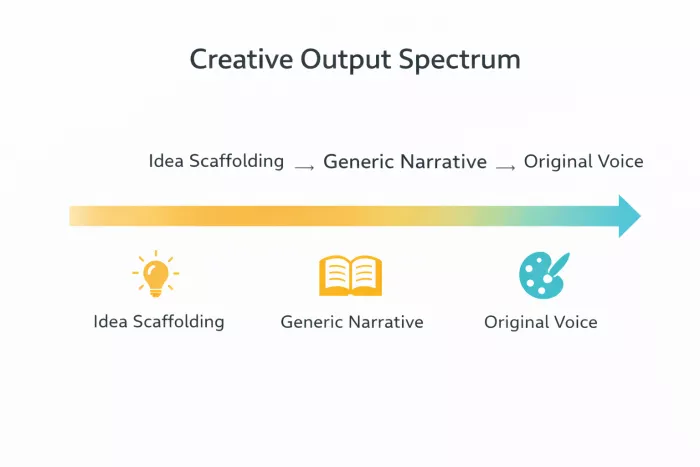
I tested the story generator multiple times, out of curiosity more than necessity.
The stories were:
They followed familiar storytelling patterns and tropes. I wouldn’t call them creative in a human sense, but they were useful for:
I never felt emotionally moved by the output, but I did find it useful as a creative warm-up tool.
I’m not a full-stack developer, but I do use code occasionally.
Toolbaz helped me with:
Where I didn’t trust it:
I treated Toolbaz code output as educational assistance, not deployable code. Used this way, it was helpful. Used blindly, it would be risky.
The image generator works — but it’s not impressive.
My experience:
I used it for:
I would not use Toolbaz for serious visual design work. It feels like a convenience feature, not a core strength.
Text-to-speech and speech-to-text felt functional but basic.
Voice output:
Speech-to-text:
These tools were usable but forgettable. They didn’t influence my decision to keep using Toolbaz.
Toolbaz lets me choose between different AI models, which I tested deliberately.
I noticed differences in:
However, Toolbaz doesn’t explain:
For experienced users, this is a nice bonus. For beginners, it’s easy to ignore entirely.
At first, Toolbaz felt unlimited.
Over time, I encountered:
I was never blocked completely, but I was clearly nudged toward moderation. I understand why — AI infrastructure is expensive — but it’s important to know Toolbaz is free with limits, not free forever.
After extended use, these strengths stood out clearly:
When I need something quickly, Toolbaz is often the first tab I open.
These issues consistently broke my workflow:
None of these alone are dealbreakers, but together they define the platform’s ceiling.
Based on my experience, Toolbaz works best for:
It is not ideal for:
Knowing this prevents frustration.
Yes, ToolBaz AI has free tools.
The official ToolBaz AI Writer page says it offers free access and no login required. The AI Text Generator page also describes the tool as free, no-sign-up, and useful for generating essays, articles, and copy.
That is the main reason many people try ToolBaz in the first place.
But “free” does not always mean frictionless forever.
During longer use, I noticed things like:
So the better way to describe ToolBaz is this:
ToolBaz AI is free to start and easy to access, but heavy users may still feel limits through ads, waiting, CAPTCHA, or paid plan prompts.
ToolBaz also has paid plans through its app pricing page.
At the time of review, the pricing page listed:
| Plan | Price | Best For | Included Features |
| Free Tools | $0 | Casual users | No-login AI tools, ads, possible usage friction |
| Standard | $9.99/month | Individual users and creators | 90+ writing tools, 200 image credits, 500,000 tokens/month, no ads, no wait countdown |
| Premium | $19.99/month | High-volume users | 90+ writing tools, 400 image credits, 1M tokens/month, no ads, no wait countdown |
Pricing can change, so users should always check the official pricing page before subscribing.
The important thing is that ToolBaz has two different experiences.
The free public experience is best for quick use.
The paid experience is better for users who want fewer interruptions, more credits, and higher monthly limits.
| Pros | Cons |
| Free tools available | Ads can distract |
| No login required for many tools | CAPTCHA can interrupt sessions |
| Large variety of AI tools | Output can feel generic |
| Good for quick drafts | Not ideal for final publishing |
| Useful for students and creators | Weak for deep research |
| Multiple AI model options | Model guidance is limited |
| Can help with SEO basics | Not a full SEO strategist |
| Includes writing, code, image, and voice tools | Some tools feel basic |
| Paid plans remove ads and raise limits | Pricing may not be needed for casual users |
Toolbaz AI is not a replacement for premium AI platforms.
It doesn’t try to be.
It succeeds by being:
When I treat it as a starting point, it delivers value.
When I expect finished output, it disappoints.
Used intentionally, it earns its place in my toolkit.
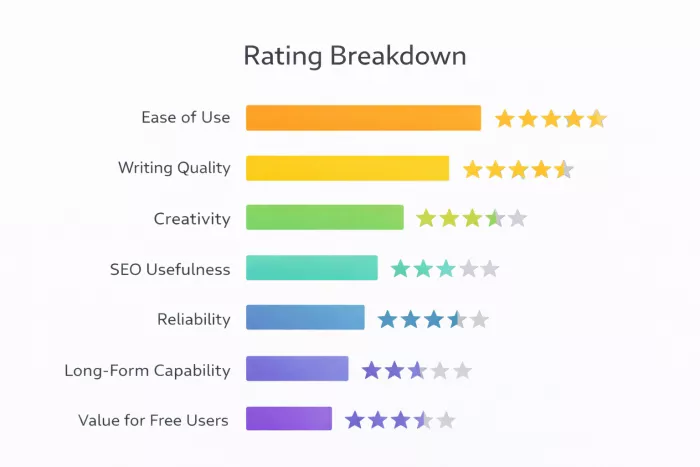
Overall Rating: 3.8 / 5
Breakdown:
Ease of Use: ⭐⭐⭐⭐⭐ (5/5)
Writing Quality: ⭐⭐⭐⭐☆ (4/5)
Creativity: ⭐⭐⭐☆ (3.0/5)
SEO Usefulness: ⭐⭐⭐☆ (3.0/5)
Reliability: ⭐⭐⭐⭐☆ (4/5)
Long-Form Capability: ⭐⭐⭐☆ (3/5)
Value for Free Users: ⭐⭐⭐⭐☆ (4/5)

Marketing teams often need images before a product is ready for a phot...
Creating a logo that will grab customers' attention is one of the main...

Enterprise software has a well-known failure mode. The demo goes great...

Most people who produce video at any real scale hit the same wall even...

A cinematic AI video needs more than realistic skin, dramatic lighting...

Have you noticed how difficult it is not to watch spoilers of a sporti...
Discussion